01
Agent Mode
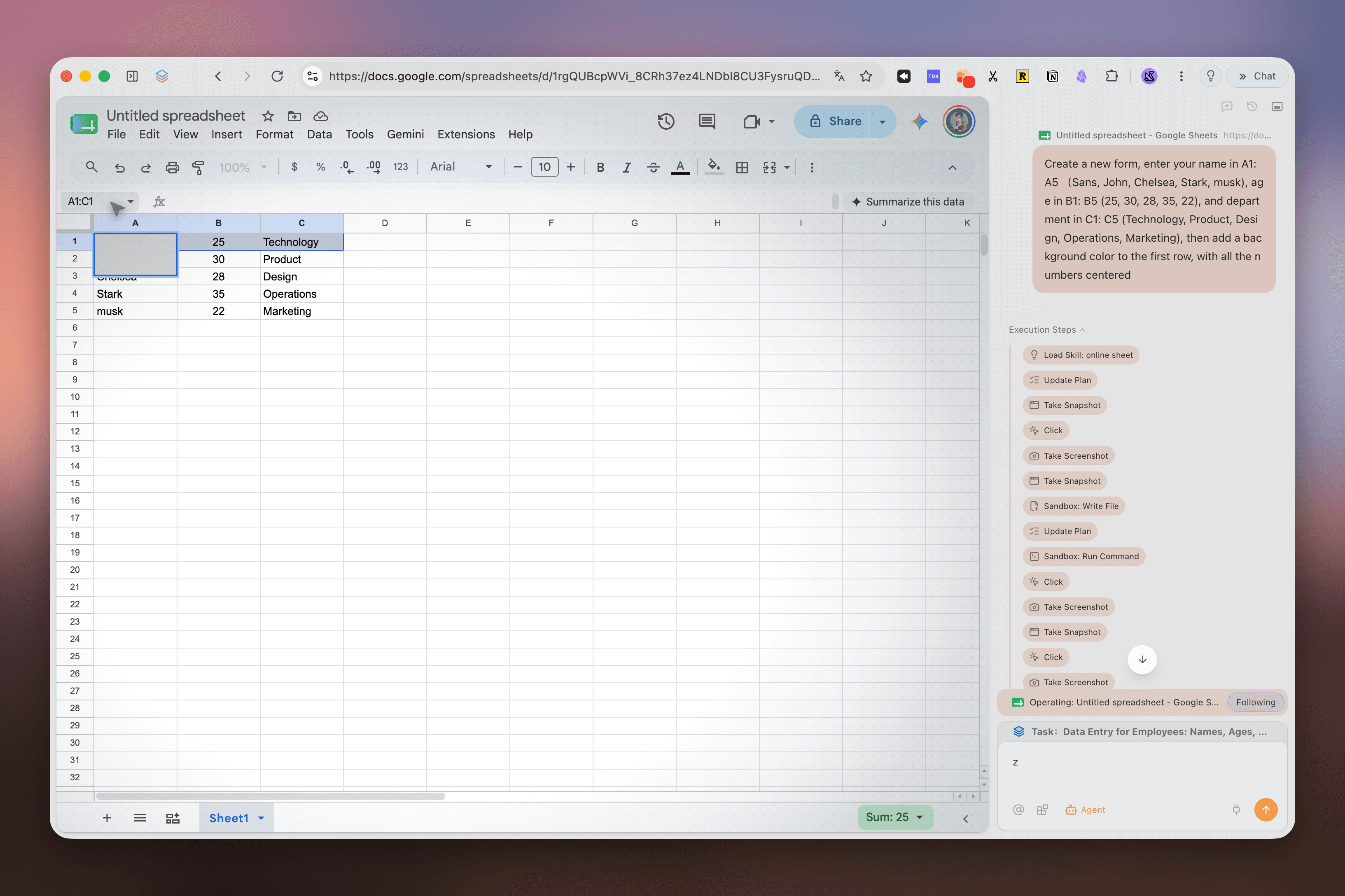
Give Tabbit a goal in plain language. It can open sites, fill forms, extract data and complete the workflow.
The browser that does the work
A browser with a chat box answers questions. An AI powered browser understands your tabs, navigates the web and finishes the next step.
Start with the simple distinction
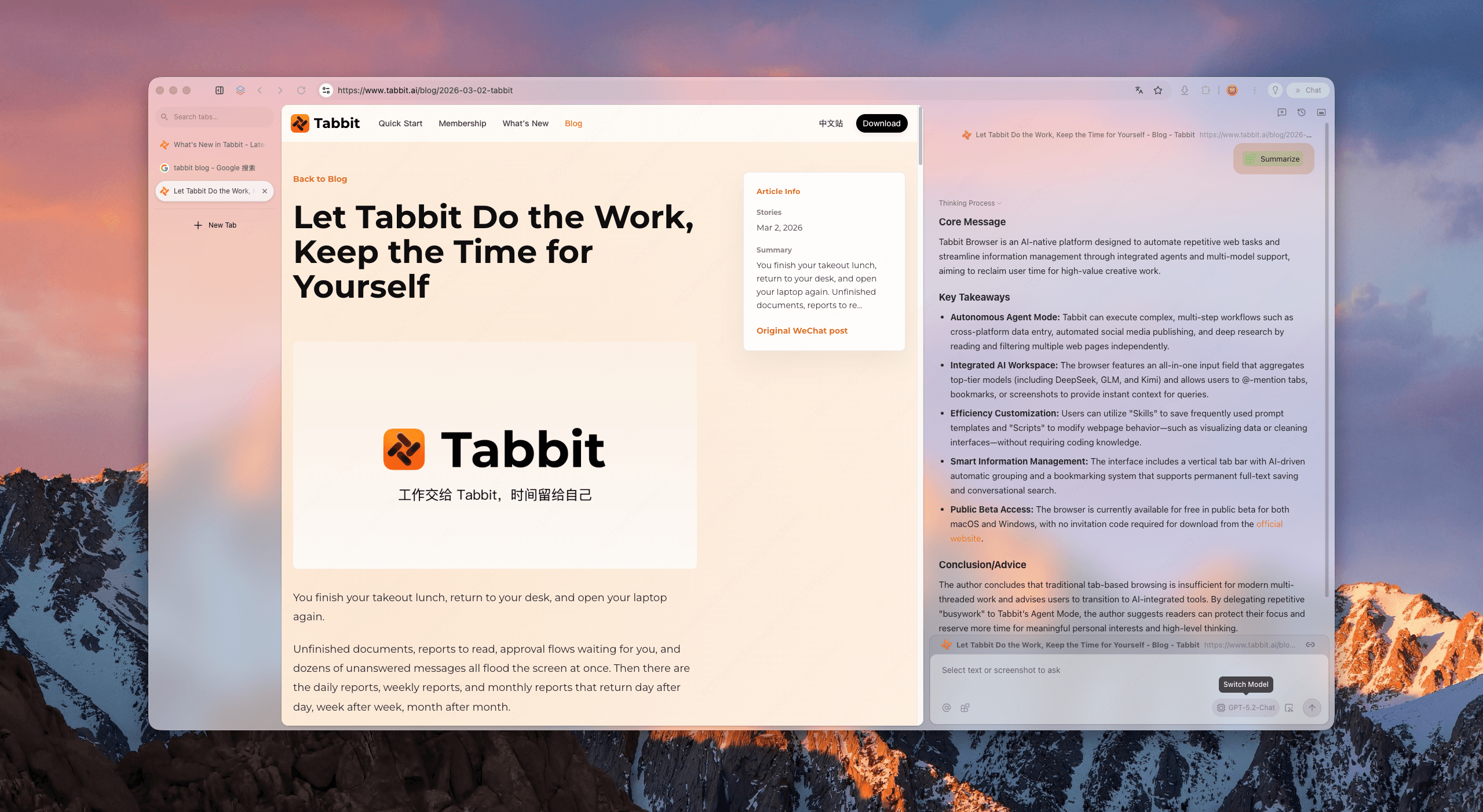
It is a web browser rebuilt around an AI agent. The agent can read pages, connect information across tabs and operate websites instead of stopping at a text response.
Open tabs, screenshots, bookmarks and local files can become part of the request.
The browser can click, type, search, compare and move through multi-step tasks.
Work continues in a dedicated tab group while you keep your main browsing space clear.
Four pieces, one working surface
The difference is not another assistant panel. It is the connection between intent, context and execution.
Give Tabbit a goal in plain language. It can open sites, fill forms, extract data and complete the workflow.
Mention a tab, screenshot, bookmark or file directly from the address bar. Less copying, better answers.
Turn a repeatable prompt into a shortcut. Use it to clean pages, summarize research or run a routine again.
Keep projects in focused tab groups with vertical tabs and smart organization built into the browser.
A task has a visible trail
Tabbit makes the handoff between you and the agent clear, so automation feels like collaboration rather than a black box.
Describe the outcome you want, or choose a saved Skill.
Tabbit shows the pages it opens and the steps it takes in its own workspace.
Review the answer, completed form, extracted data or report and continue from there.
Evidence, not a promise
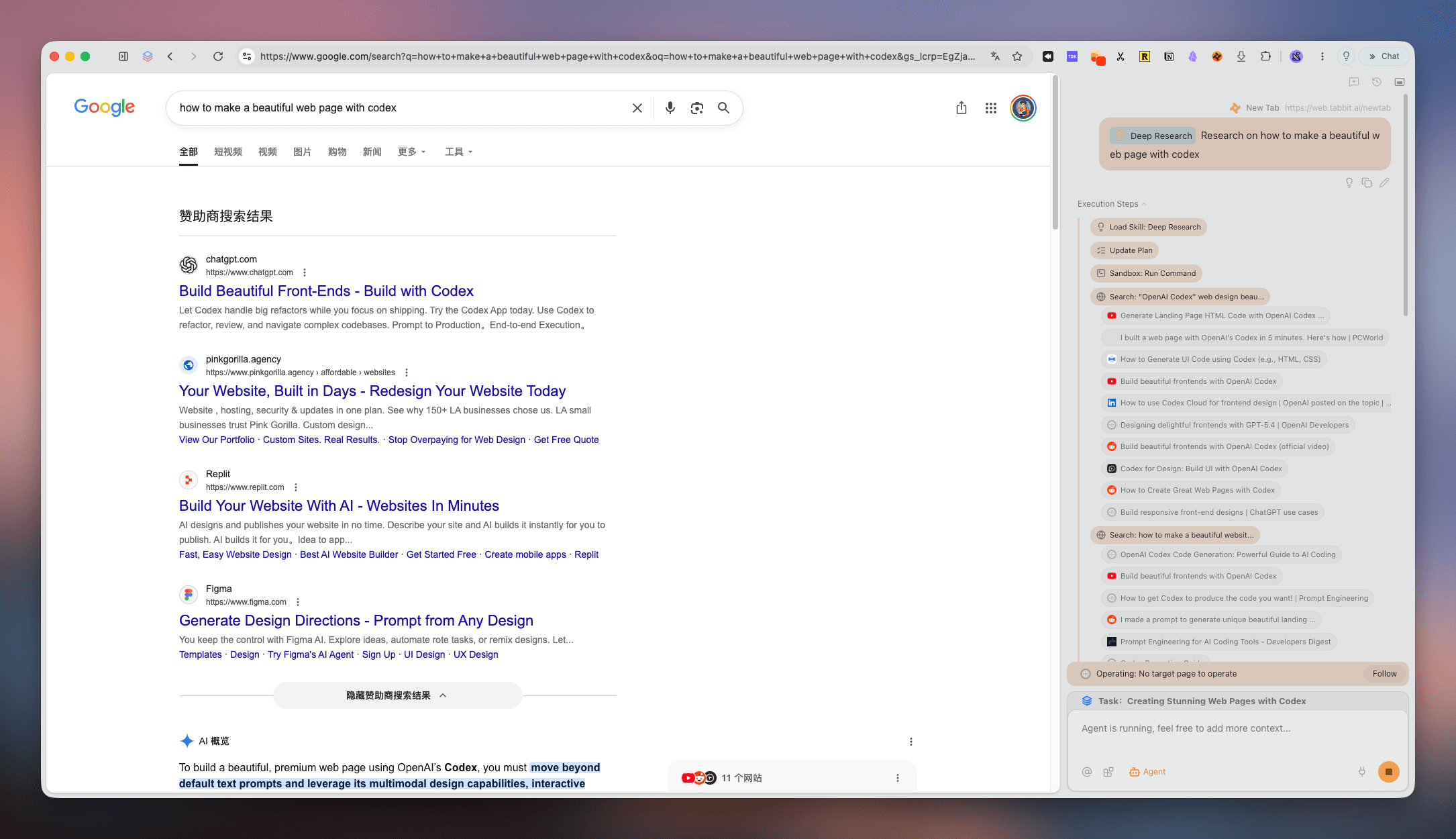
Deep Research turns a broad question into a sequence of searches, sources and findings. The work stays beside the pages it came from.
Open several sources and expand the question without managing a pile of disconnected tabs.
Use the context of the current research workspace to compare claims and pull out the useful parts.
Turn the trail into a concise answer or a structured report you can act on.
Built for the moments that eat your day
Use the same browser for everyday browsing and the tasks you would rather not repeat by hand.
Collect product details, summarize sources and build a decision brief from the open web.
Move values between systems, check dashboards or file a ticket from one instruction.
Gather references, pull quotes and shape raw browsing into a clean starting point for the next draft.
Questions people ask before switching
Download Tabbit and move from asking the web questions to getting useful work done on it.