
Plan
Agent breaks your question into sub-queries, picks search angles, and outlines the report structure before opening a single page.
Free · macOS & Windows · No invite code
질문에서 근거 있는 보고서까지. Tabbit이 검색을 계획하고 페이지를 읽어 출처와 함께 정리합니다.
Import from Chrome in one click · Agent deep research included
Deep research in progress
Tabbit Agent



Definition
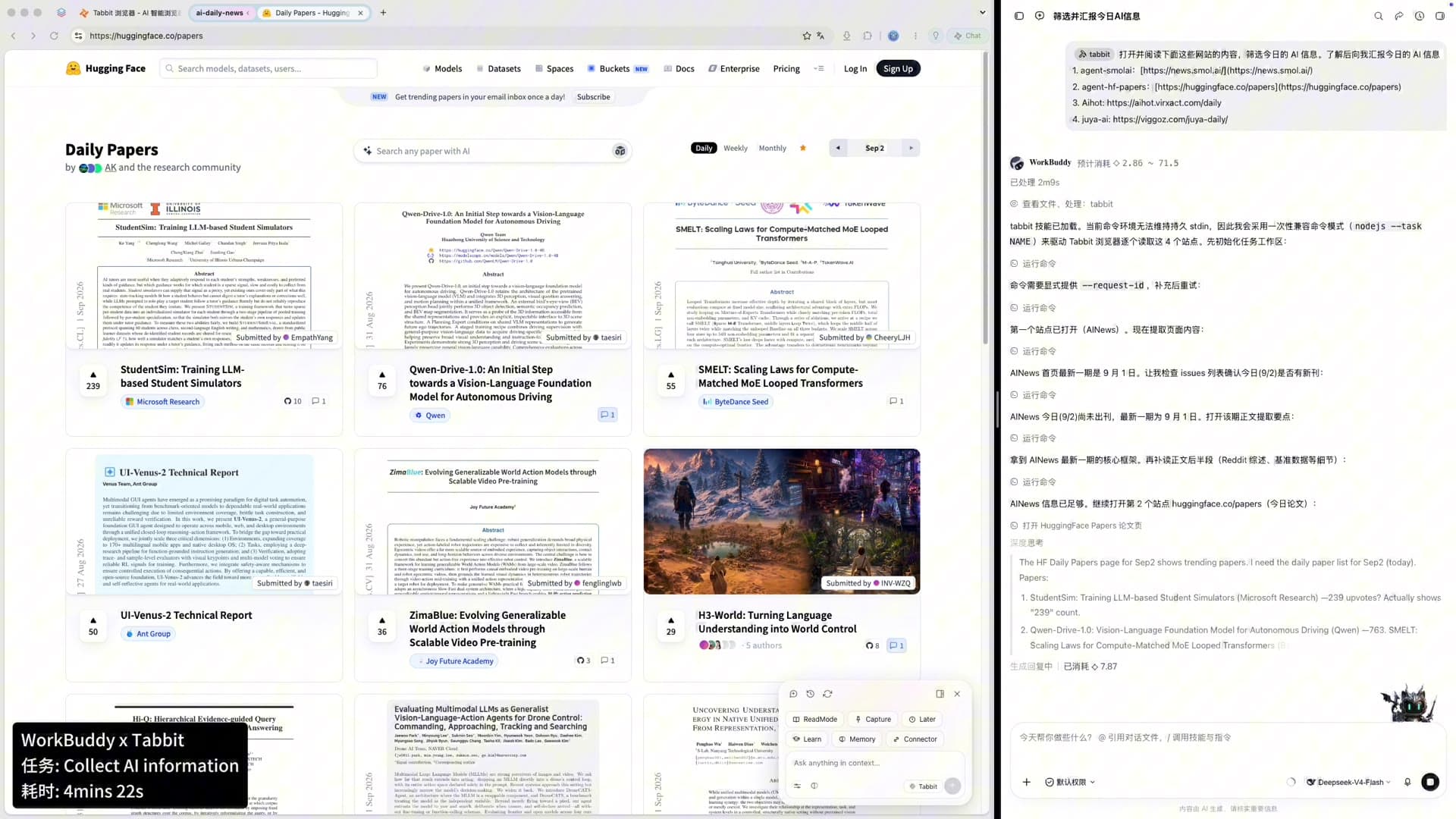
A deep research AI tool should show its work: the question, source trail, extracted claims, and final synthesis. Tabbit keeps those layers visible in one evidence workbench instead of hiding them behind a chat answer.
Unlike chat-only research in ChatGPT or Gemini, Tabbit keeps live source tabs beside the report. You can inspect a claim, open its source, interrupt the run, and save the complete trail for later.
Four-phase workflow
The same Plan → Search → Reason → Report loop used by leading AI research tools—built into the browser you use every day.
Agent breaks your question into sub-queries, picks search angles, and outlines the report structure before opening a single page.
Tabbit navigates the live web—news, docs, forums, PDFs—filtering noise and prioritizing authoritative sources.
Cross-source synthesis: compare claims, resolve conflicts, and attach inline citations to every key finding.
Deliver a structured brief you can export, share, or save to your knowledge-base bookmarks—full text preserved forever.
Live agent
Agent tasks run in a dedicated tab group. Track each phase while your main window stays free for other work.
Planning sub-queries
12 search angles identified
Reading sources
47 pages scanned · 8 tabs open
Cross-referencing claims
23 citations verified
Drafting report
Executive summary + matrix
Deep Research Report
Browser-native
Deep research locked inside a chat window cannot see what you see. Tabbit closes that gap.
Research runs in its own group while you email, code, or read—true multitasking, not context switching.
Cite open tabs, screenshots, PDFs, or bookmarks in one Omnibox prompt—no copy-paste relay.
Every report and source saves full-text to bookmarks. Pages go offline; your research does not.
Comparison
All three follow the same agentic loop. Tabbit is the only one that is a free, downloadable browser.
| Capability | Tabbit Browser | ChatGPT DR | Gemini DR |
|---|---|---|---|
| Product type | Native browser | Chat feature | Gemini feature |
| Price | Free | Plus required | Paid tier limits |
| Live web browsing | Yes | Yes | Yes |
| Parallel to your work | Isolated tab group | Single chat thread | Single session |
| @ cite open tabs | Built-in | Upload only | Drive/Gmail only |
| Report archive | Knowledge-base bookmarks | Chat history | Gemini history |
| Platforms | macOS & Windows | Web / apps | Web / apps |
Built-in
Everything you need for agentic deep research ships inside Tabbit—no extension stack.
GPT-5.2, Claude Sonnet 4.6, Gemini 3.1 Pro (intl) or DeepSeek, Kimi, Qwen (CN)—pick the best model per task.
Type a research question directly in the address bar. Agent mode activates with one keystroke.
Save repeatable research prompts as Skills—competitive scans, literature reviews, due diligence checklists.
Sidebar tabs auto-group by topic so every source title stays visible during long research sessions.
Use cases
Map market players, pricing, and positioning across dozens of sites—delivered as a cited matrix in under an hour.
Agent scouts papers and preprints, summarizes methods, and builds an annotated bibliography you can refine with @.
Cross-check filings, press releases, and analyst notes. Every claim links back to the source tab.
FAQ
Yes. Tabbit is free to download on macOS and Windows with Agent deep research included—no invite code and no Plus subscription.
Download Tabbit free—plan, search, reason, and report without leaving the browser.

