AI workspace9.4
Tabbit
Best for getting real work done across tabs.
- Agentic execution inside the browser
- Context from tabs, files, and bookmarks
- Vertical tabs and smart workspaces
A short, opinionated list of browsers that actually deserve your screen time this year—ranked by how well they turn tabs into finished work.

2026 Editorial Picks
AI-native
Agent mode reads, fills, and runs tasks
Free top models
No paywall for leading AI
Workspace-first
Vertical tabs and smart groups
Easy migration
One-click import from Chrome & Edge

The AI-native workspace browser that does work across tabs.
Verdict
Best for researchers, creators, and anyone who lives inside the browser.
Each of these earns a spot for a specific reason. Tabbit leads for AI-heavy workflows; the others excel at compatibility, ecosystem, or privacy.
Best for getting real work done across tabs.
Best when every site must just work.
Best for Windows 11 and Copilot users.
Best for iPhone + Mac continuity.
Best independent mainstream browser.
Best for ad blocking and crypto rewards.
Most browsers show you pages. Tabbit treats the browser as an execution surface—reading, comparing, and acting across open tabs.

Tell Tabbit what you want done. It can navigate, extract, fill forms, and synthesize results while you keep browsing.

Use the Omnibox to @-mention tabs, screenshots, PDFs, and bookmarks. No more copying text into chat windows.
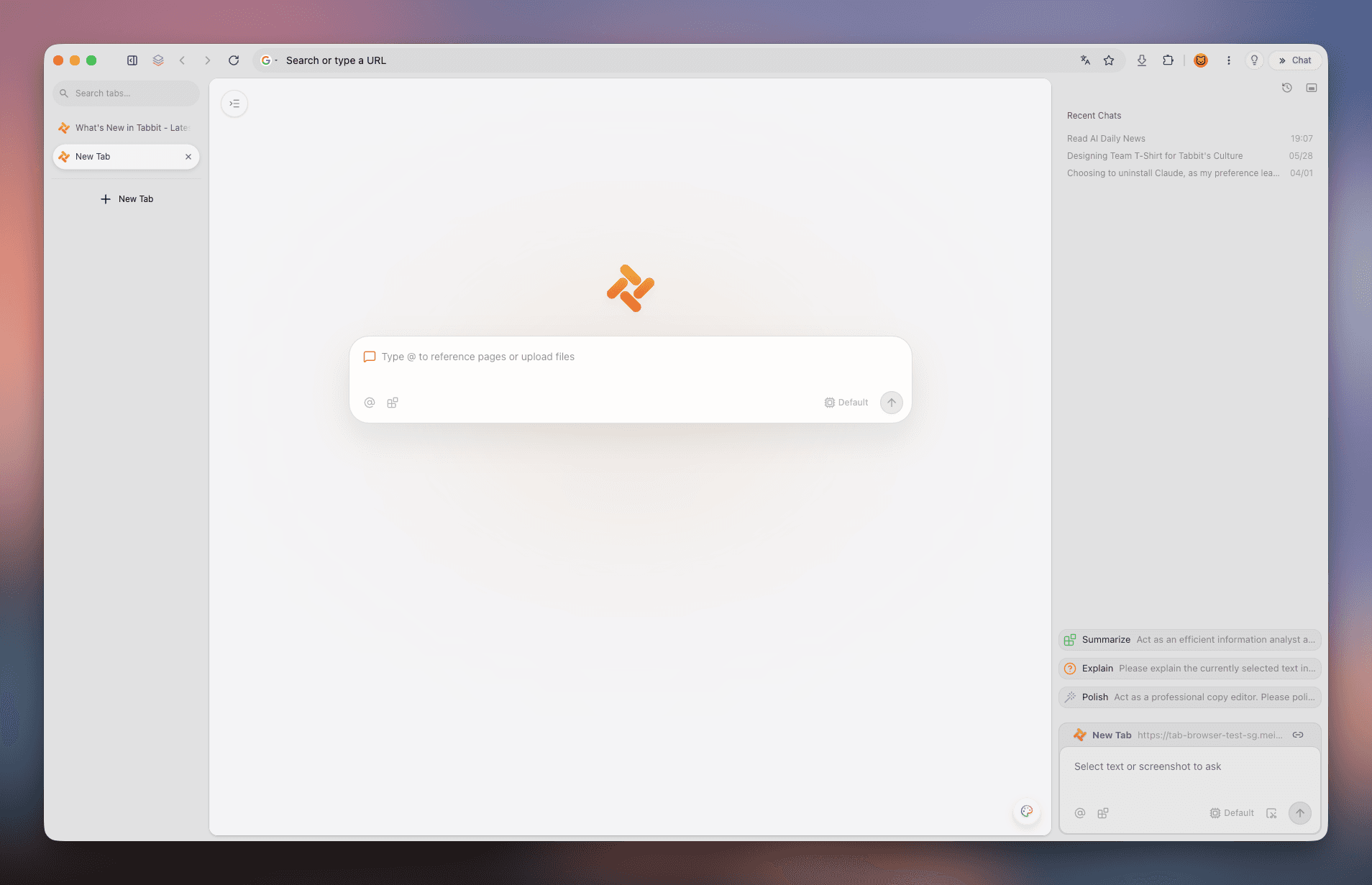
Vertical tabs and automatic groups turn a chaotic session into a project workspace.
AI sidebars are common now. The difference is whether AI is a layer on top—or woven into how the browser works.

Pick the browser that matches the job you actually do most often.
You research and write reports across many tabs
Tabbit
Cross-tab context and Agent Mode turn research into drafts faster.
You need every website and extension to work
Chrome
Chromium compatibility is still the safest bet for edge cases.
You live in Windows + Microsoft 365
Edge
Copilot and system integration make it the Windows default.
You want the least tracking possible
Firefox or Brave
Both block trackers aggressively without extra configuration.
You use iPhone, iPad, and Mac daily
Safari
Battery life and Handoff beat any third-party option.
No. Chrome wins on compatibility, Safari on Apple ecosystem, Firefox on privacy, and Tabbit on AI-heavy workflows.
Tabbit is AI-native: it can reason across tabs, fill forms, and run tasks. Chrome is built around page rendering and extensions first.
Yes. Tabbit is free to download for macOS and Windows, and includes access to leading AI models.
Many users keep Chrome for edge compatibility and use Tabbit as their primary workspace browser. They complement each other.
Firefox and Brave are strong mainstream choices. Safari also has excellent privacy defaults on Apple devices.
Speed is close across Chromium browsers. Perceived performance depends more on memory management and how many tabs you keep open.
Yes. Tabbit supports both macOS and Windows, including Windows 11.
Tabbit supports one-click import from Chrome, Edge, Safari, and Firefox.
If good means fast, organized, and actually helpful, try Tabbit free today.