01
GAMING
A convincing gaming surface
GX Corner brings trailers, release dates, deals and free-play discoveries into the browser. Twitch, Discord, music and video pop-out shortcuts reduce alt-tabbing when you are playing or streaming.
Strong fit
A DECISION GUIDE · UPDATED AUGUST 2026
Yes—if you want a gaming-shaped browser with knobs for browser resources, a loud visual identity and shortcuts to your gaming life. The honest answer is conditional: those features do not guarantee higher FPS, lower ping or lower default RAM use.
A DECISION GUIDE · UPDATED AUGUST 2026
Controls, not a magic FPS switch
THE SHORT VERDICT
Good for gamers, streamers and customizers. Less compelling if your priority is a quiet browser, the broadest default ecosystem or research that turns many sources into an actionable brief.
THE FIVE-PART TEST
A browser can be fun, useful and still be the wrong fit. This framework separates what GX visibly offers from the result your hardware, sites and habits will determine.
GAMING
GX Corner brings trailers, release dates, deals and free-play discoveries into the browser. Twitch, Discord, music and video pop-out shortcuts reduce alt-tabbing when you are playing or streaming.
Strong fit
RESOURCES
GX Control exposes RAM, CPU and network limiters, and Hot Tabs Killer can identify heavy tabs. A cap is a useful guardrail, but an aggressive cap can make pages reload or feel slower; it does not tune the game engine.
Useful with care
CUSTOMIZATION
GX Mods can change themes, wallpapers, sounds, shaders, icons and splash screens. That is a real advantage for people who want a personal setup, and visual noise for people who prefer browser chrome to disappear.
Taste-dependent
INTEGRATION
Built-in sidebar services and My Flow keep chat, media and links close. Every extra service can also mean another account, notification stream, permission or place to review when something changes.
Convenient, busier
PRIVACY + PERFORMANCE
The built-in blocker and browser VPN can reduce some exposure, but they are not antivirus, a full-device VPN or an anonymity promise. Independent testing also suggests that resource limits and feature weight should be measured on your own setup.
Measure your setup
REAL INTERFACE EVIDENCE
These official Microsoft Store screenshots show product surfaces, not lab results. Read the interface as evidence of available controls, then test the outcome with your own games, extensions and hardware.
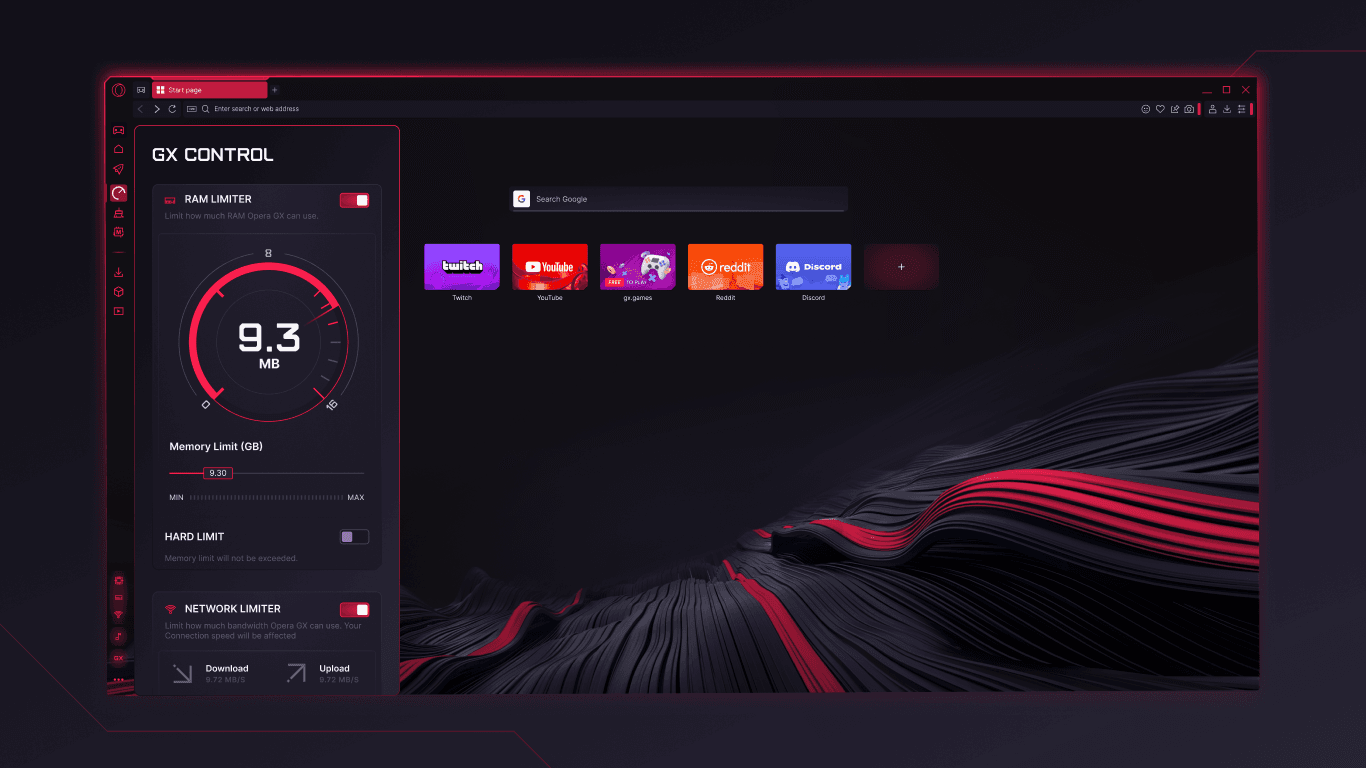
OFFICIAL STORE · GX CONTROL
The GX Control panel visibly exposes a RAM limit and a network limiter. That makes browser contention easier to manage during a stream or game, but the chosen ceiling is a compromise—not proof that GX is lighter at default settings.
Microsoft Store · Opera GX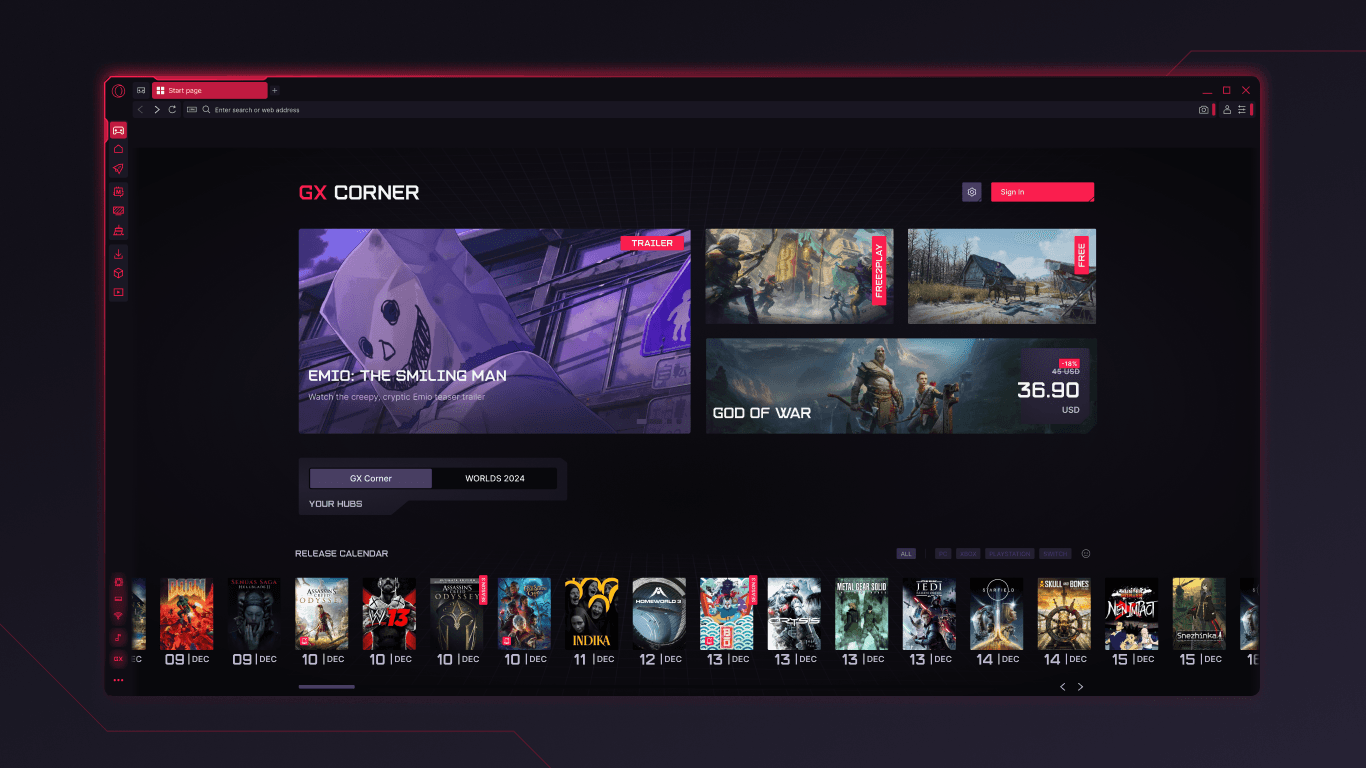
OFFICIAL STORE · GX CORNER
GX Corner visibly combines a game trailer, free-play and deal cards, and a release calendar. That is useful discovery for players; it is not the same as game optimization, and it may be unnecessary if you want a neutral start page.
Microsoft Store · Opera GXThe listing and feature set can change. A product screenshot is not an independent speed, privacy or security test.
WHO SHOULD CHOOSE IT?
Start with your dominant task. GX earns its strongest case when the browser is part of your gaming setup; another browser may be better when the browser itself is your workbench.
You want caps, a game-news surface and quick access to chat, streams or music without stacking separate windows.
Themes, sounds and community Mods are part of the fun, not clutter you plan to remove.
You are comfortable checking RAM, CPU, tab behavior and game performance on your own machine instead of trusting a slogan.
The gaming identity, sidebar and discovery surfaces feel like distractions rather than useful context.
A limiter can cap browser use, but it cannot promise lower consumption for the same pages, extensions and media.
You need to compare many pages, preserve context and execute web tasks rather than customize a gaming dashboard.
WHEN THE JOB CHANGES
A gaming browser organizes the environment around play. A research browser should organize evidence around a question: keep sources visible, summarize what matters and make the next action clear.

Tabbit keeps a page and an AI summary side by side, so the takeaway stays attached to the source you are reading. It is a different benefit from a game-themed skin.

Tabbit Deep Research shows source-search and execution steps in a separate panel. That is useful when your browser task is to synthesize evidence, not merely keep a game community close.
Opera GX is a reasonable choice for a gaming-first browser. If your recurring work is reading, comparing and acting across web pages, try Tabbit as a separate AI-native workspace. This is a workflow comparison, not a claim that Tabbit is faster, safer or more private than GX.
SIDE-BY-SIDE, WITHOUT THE HYPE
The table compares product focus. It does not rank browsers on safety or declare a universal winner.
| Dimension | Opera GX | Tabbit |
|---|---|---|
| Core loop | Play, watch, chat and browse in a gaming-themed space | Read, compare and execute web work with visible context |
| Resource story | RAM, CPU and network limiters are available | Parallel task lanes help separate your work from an agent run |
| Customization | Mods, themes, sounds, shaders and wallpapers | A focused workspace with context tools rather than gaming skins |
| AI role | Opera AI is a built-in assistant in the browser | Summaries, @-context and Deep Research support source-heavy work |
| Best fit | Gamers, streamers and visual customizers | Researchers, students and knowledge workers on the web |
| What this page claims | Good when gaming controls and integrations matter | Worth trying when research and execution are the bottleneck |
FAQ
FOR THE NEXT WEB TASK
If your open tabs are research sources, reports and forms—not game dashboards—try Tabbit’s AI-native workspace on macOS or Windows.
A productivity invitation, not a claim that Tabbit replaces Opera GX for gaming.