01 · SECURITY
A credible Chromium baseline
Shift documents ongoing Chromium security updates, sandboxed processes, Safe Browsing warnings and Avira-backed download checks. These are useful layers, not a guarantee against every new file or site.
SAFETY CHECK · EVIDENCE LEDGER · AUGUST 2026
Generally, Shift appears to be a legitimate Chromium-based productivity browser with documented Safe Browsing, download scanning, sandboxing and local-first account handling. That is not a promise of zero risk: extensions, OAuth scopes, synced history, AI providers, installers and your device still matter.
THE SHORT VERDICT
Reasonably safe for ordinary browsing when downloaded from shift.com and kept current. Read the privacy and account boundaries before connecting sensitive work.

Spaces help, but scopes still matter
THREE LENSES
Security is resistance to malicious software and sites. Privacy is what leaves your device. Account isolation is what happens when apps, Spaces, OAuth and sync share context. Keep those questions separate.
01 · SECURITY
Shift documents ongoing Chromium security updates, sandboxed processes, Safe Browsing warnings and Avira-backed download checks. These are useful layers, not a guarantee against every new file or site.
02 · PRIVACY
Shift says linked account content and OAuth tokens remain on the device, while its policy documents application data, account data and optional AI requests to third-party providers. “Local” does not mean “no metadata”.
03 · IDENTITY
Spaces separate apps, tabs and extensions, and Teams accounts are described as member-private. Sync can carry layouts, apps, bookmarks and history; extensions and passwords have different rules.
THE EVIDENCE LEDGER
This is a source-led summary, not a score or independent audit. “Documented” means a claim appears in the first-party material checked on August 30, 2026; it does not make the protection universal.
| Signal | What is documented | Practical meaning | Read as |
|---|---|---|---|
| Chromium & updates | Shift describes ongoing Chromium security updates and publishes release notes; a June 4, 2026 note records Shift 144.3.0. | A Chromium base is a foundation, not a patch guarantee. Keep Shift updated and check the About screen rather than trusting a download date. | First-party docs |
| Safe Browsing & files | Safe Browsing warns about known malicious sites and phishing; Shift says downloaded files are checked against Avira’s known-threat database and unsafe downloads can be blocked. | Known-threat detection lowers routine risk. It cannot prove that a new or modified download is safe. | First-party claim |
| Local account data | Shift says app data, active sessions and OAuth tokens are local; passwords are encrypted locally and Shift says it cannot view or decrypt them. | This limits ordinary server access, but a compromised device, profile or OAuth grant can still expose the account. | Policy + support |
| Privacy & AI | The FAQ/policy lists IP, geolocation, OS, browser and usage data. Shift AI is optional, but queries and submitted context can go to third-party AI providers under their policies. | “No sale” and “no collection” are different claims. Do not paste secrets into AI features without checking the provider boundary. | Policy wording |
| Extensions & blocker | Shift supports Chrome extensions. Its optional Blocker uses filter lists for ads, tracking scripts, fingerprinting and cross-site cookies, with exceptions. | Extension permissions and exceptions widen the trust boundary. A blocker is a layer, not proof of clean pages or anonymous traffic. | Docs + user setup |
| Sync & cloud | Sync can include Spaces/layouts, integrated apps/accounts, bookmarks and history. Passwords and payment methods do not sync; support pages conflict on whether extensions carry over. | Sync is convenience, not account isolation. Choose data types deliberately and re-check current settings when documentation differs. | Docs conflict |
| Teams & admins | Teams documentation says admins manage billing, licenses and members while members keep independent private workspaces; admins are not described as seeing browsing history or app content. | This describes Shift’s product boundary, not your employer’s device, identity provider, endpoint or network controls. | First-party claim |
| Installer reputation | Shift directs users to shift.com/download. Search results include mixed anecdotes, a closed Malwarebytes forum report without logs and third-party removal pages. | Use the official domain, scan the installer and verify the publisher when your platform exposes it. Anecdotes are signals, not proof of malware. | Mixed evidence |
PRIMARY SOURCES
These screenshots were captured from Shift’s public safety and privacy pages with TabbitDance on August 30, 2026. They show first-party documentation, not an independent penetration test or a guarantee.
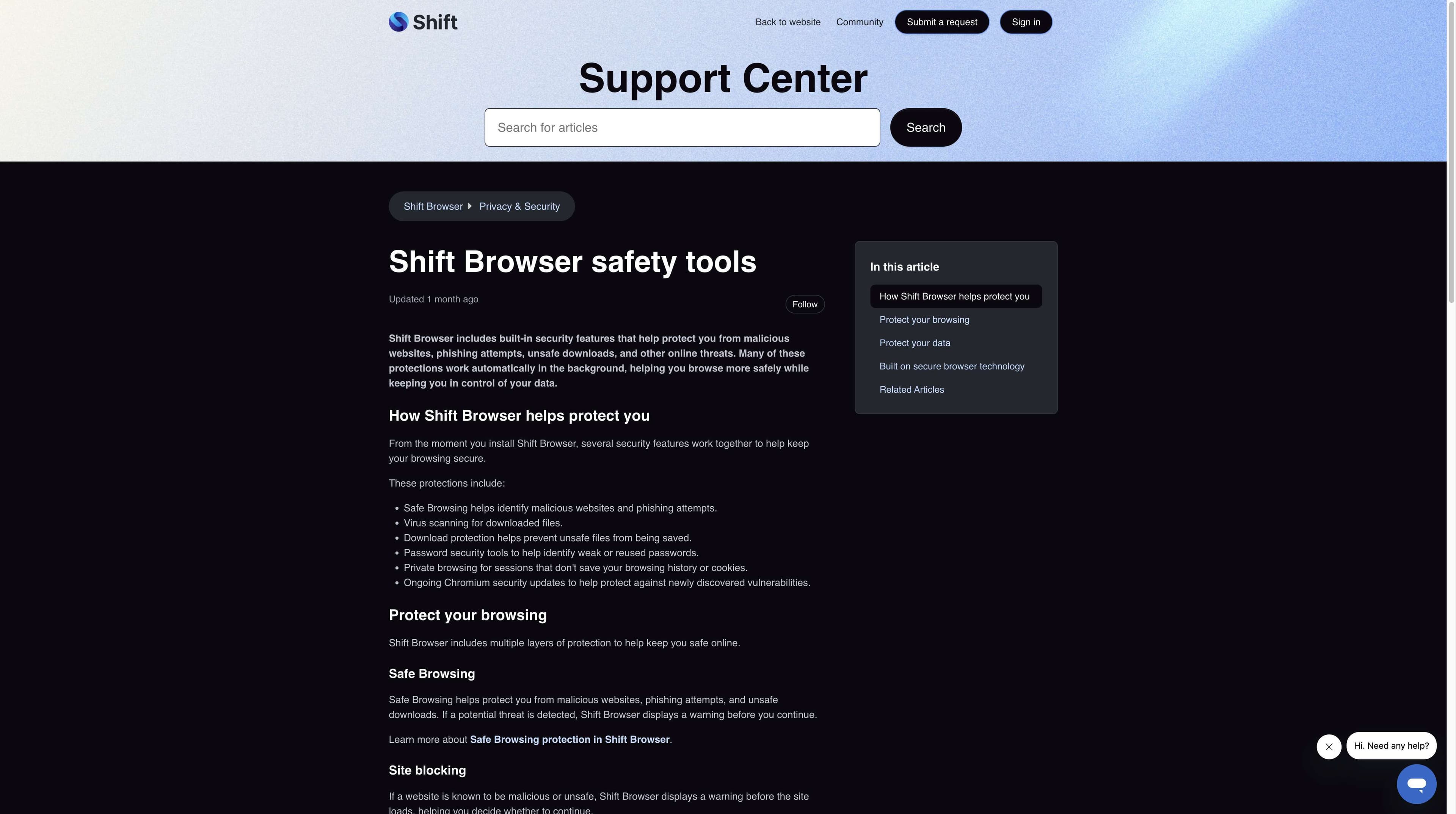
OFFICIAL · SAFETY TOOLS
Shift’s safety-tools page describes Safe Browsing, site blocking, virus scanning, download protection, local password storage and ongoing Chromium updates. The scope is known threats and documented controls—not every future attack.
Shift Browser · Safety tools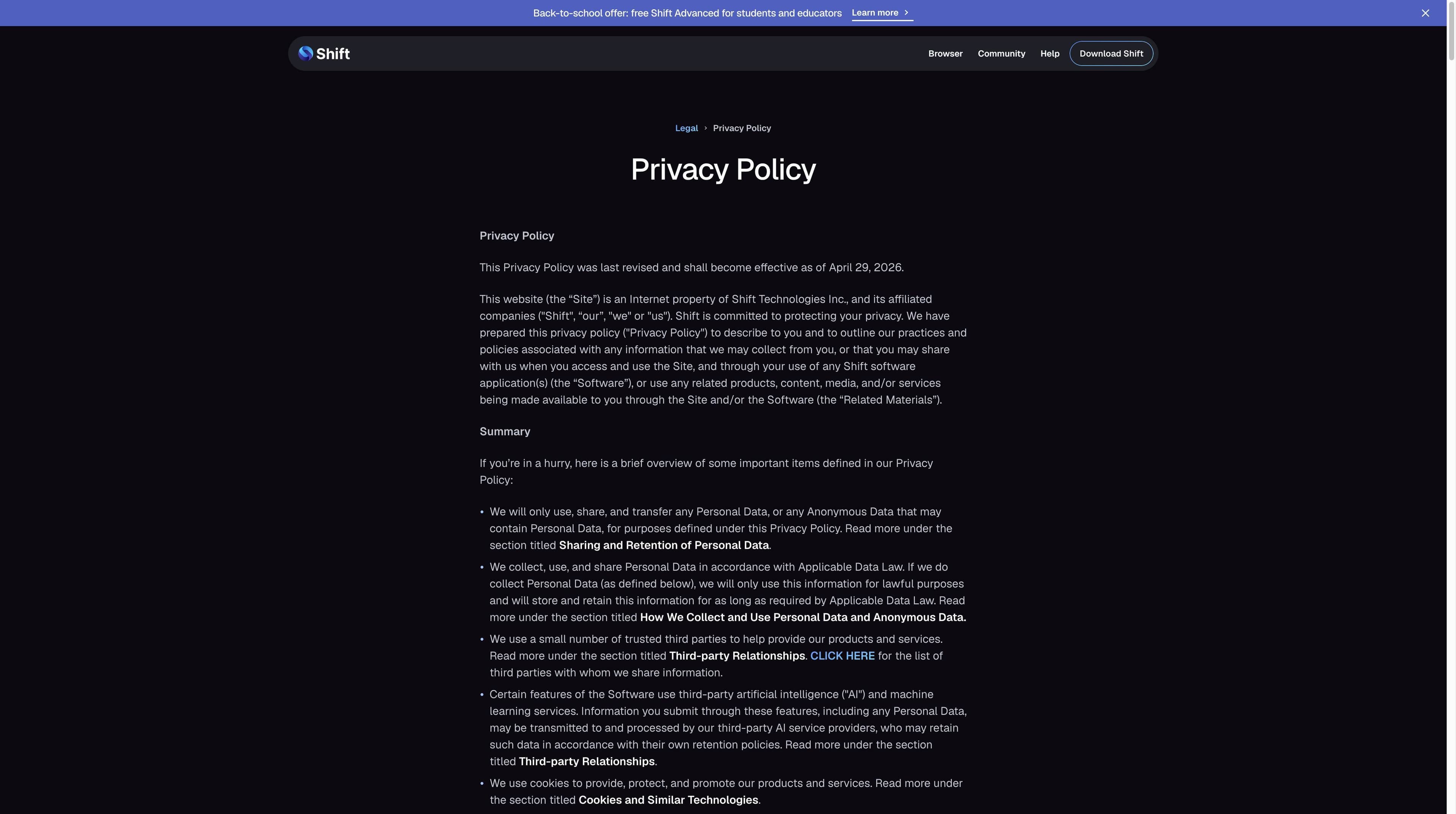
OFFICIAL · PRIVACY POLICY
Shift’s policy describes application and account data, local account content, optional AI processing and third-party service providers. Read those sections together: local email content does not mean no operational metadata.
Shift Browser · Privacy PolicyOFFICIAL · SYNC SETTINGS
Sync settings list Spaces, app accounts, bookmarks and history, while passwords and payment methods are excluded. The support material has a separate note that conflicts on extensions, so treat the current in-app toggle as decisive.
Shift Browser · Sync settingsSource links open in a new tab. Last-checked dates belong to this research pass; Shift can change its documentation, defaults and provider relationships.
THE LIMITS
A browser is one layer in a larger system. These boundaries keep a useful “yes” from becoming an absolute guarantee.
Incognito mainly clears local history, cookies and site data after the window closes. It does not hide traffic from websites, an ISP, an employer or a managed network; downloads and bookmarks remain.
Shift says it does not receive your provider password, but a connected app may receive tokens for the scopes you approve. Remove unused app access from the provider account.
Review requested permissions, publisher, update history and privacy policy. Chrome extension support does not make each extension trustworthy.
Shift AI is optional and described as using a privacy proxy, but queries and context can be transmitted to external model providers. Keep sensitive data out unless the terms fit your policy.
Where Tabbit fits instead
Tabbit is an AI-native productivity browser for reading, comparing and acting across web context. Its value is visible research, summaries and agent workflows—not a claim to be safer, more private or more isolated than Shift.

FIVE-MINUTE SETUP
These checks reduce avoidable risk without pretending one toggle solves every threat model.
Start at shift.com/download, not an ad or a bundled installer. Check the publisher and scan the file with your platform’s security tools.
Open About or the update control and install the current build. A browser with good security features can still be exposed when it is stale.
Review each connected app’s scopes and every extension’s permissions. Remove accounts, apps and extensions you no longer need.
Select only the sync types you need. Keep AI optional, inspect what context a prompt includes and follow your organization’s data policy.
Use Spaces for work and personal contexts, but do not treat them as a security boundary against a compromised device. Use unique passwords and MFA with important services.
This is general information, not a security guarantee or a replacement for your organization’s policy and threat model.
A DIFFERENT JOB
The comparison describes product focus and visible workflow boundaries. It does not claim that either browser is safer or more private.
| Dimension | Shift | Tabbit |
|---|---|---|
| Core job | Desktop productivity browser with Spaces, apps and account workflows | AI-native browser for research, summaries and visible web actions |
| Security evidence | Documents Safe Browsing, download scanning, sandboxing and Chromium updates | This page does not make a comparative security claim |
| Data boundary | Local-first account handling, operational data and optional third-party AI processing | Context is part of the productivity workflow; inspect what a task receives |
| Automation | Integrated apps and Spaces organize work; automation claims vary by feature | Agent mode shows steps and asks for the context required to act |
| Account isolation | Spaces and Teams describe separate workspaces; sync can move selected context | Workspaces support focused tasks; they are not an anonymity or endpoint-security layer |
| Decision | Choose it when its app and multi-account workflow fits your setup | Choose it when AI help for web knowledge work is the goal |
FAQ
For ordinary browsing, Shift appears to be a legitimate Chromium-based browser with documented Safe Browsing, download scanning and sandboxing layers. Download from shift.com, keep it updated and remember that extensions, OAuth, AI, sync and your device still determine risk.
Chromium provides a mature security foundation, not a certificate. Shift documents ongoing updates and its own safety controls; check the installed version and apply updates promptly.
Shift’s own article says assessments found no malicious code and presents Shift as legitimate. Search results also contain user anecdotes and a Malwarebytes forum allegation that closed without logs. Verify the installer source and publisher instead of treating either side as absolute proof.
Shift’s privacy FAQ says it does not sell, rent or trade personal or anonymous data. The policy still describes personal/application data, service providers and optional AI requests that may be handled by third-party providers under their own policies.
Shift says email content, linked account details and OAuth tokens are handled locally and that it cannot read those messages. The policy also lists operational and account data, so local content access and zero data collection are different claims.
The sync-settings article says passwords and payment methods do not sync. It also says extensions do not sync, while another multiple-computers article describes extensions differently; check current in-app settings before relying on either documentation page.
Shift’s Teams documentation says members keep independent private workspaces and admins cannot see members’ email accounts, passwords, browsing histories or web apps. That does not override endpoint management, identity-provider logs or a company network policy.
No. Incognito clears much of the local session after closing, but websites, your ISP, employer and network operator can still observe traffic. Downloads and bookmarks remain on the device.
FOR THE NEXT TASK
If your decision is about reading, comparing and acting across many pages—not replacing a security policy—try Tabbit’s AI-native workflow on macOS or Windows.
A productivity invitation, not a claim that Tabbit is safer or more private than Shift.
