Windows
Available · official store record
Microsoft Store lists Opera GX from Opera Norway AS.
- Architecture
- x64 package listed
- System requirement
- Windows 10 or later (store record)
Use this page to choose the correct Opera GX destination for your device. Opera’s official site is the starting point; Microsoft Store, Google Play and Apple App Store are the verifiable store routes below.
This is an independent download guide, not an Opera installer mirror. Tabbit is a separate AI-native browser and does not download or bundle Opera GX.
Publisher on the stores
Opera Norway AS
THE SHORT ANSWER
For a Windows PC, the Microsoft Store listing currently records Windows 10 or later and an x64 package. On Linux, Opera now publishes an official GX page with .deb and .rpm downloads; its Flatpak version is still in active development. On mobile, use the Opera GX listing in Google Play or the Apple App Store.
01 · Desktop
Windows + macOS official flow
02 · Mobile
Android + iOS / iPadOS
03 · Linux
Official .deb + .rpm
01 / PLATFORM MATRIX
Availability and minimum requirements can change. These notes separate what a first-party listing states from what still needs to be checked on the installer page.
Available · official store record
Microsoft Store lists Opera GX from Opera Norway AS.
Available · official desktop route
Opera’s GX page exposes the official desktop download flow.
Available · official Linux page
Opera publishes an Opera GX Linux page with official .deb and .rpm download links.
Available · Google Play
The official listing is “Opera GX: Gaming Browser”; Google Play filters compatible devices.
Available · App Store
Apple lists Opera GX as a universal iPhone and iPad app from Opera Norway AS.
Architecture and minimum-version notes are deliberately conservative. If the official page shows a newer requirement at install time, follow the first-party listing rather than this snapshot.
02 / OFFICIAL UI EVIDENCE
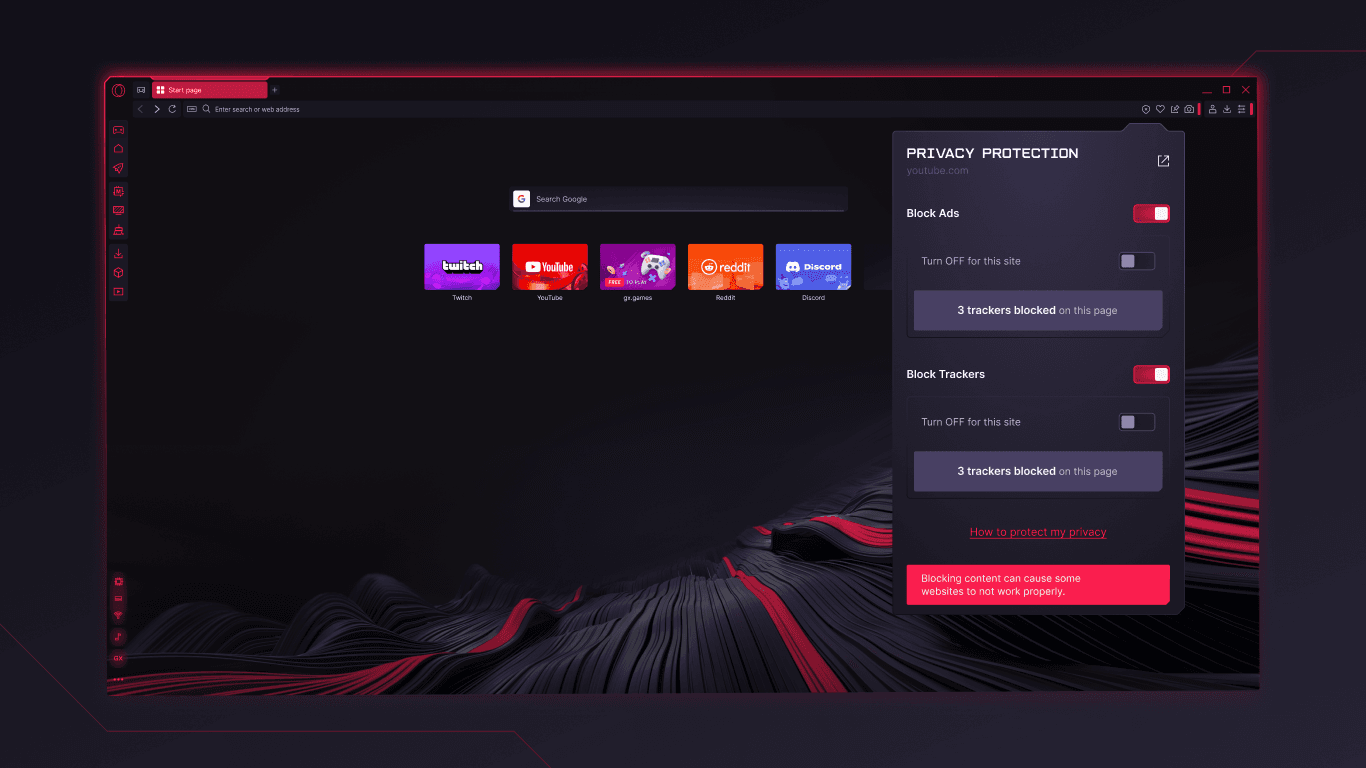
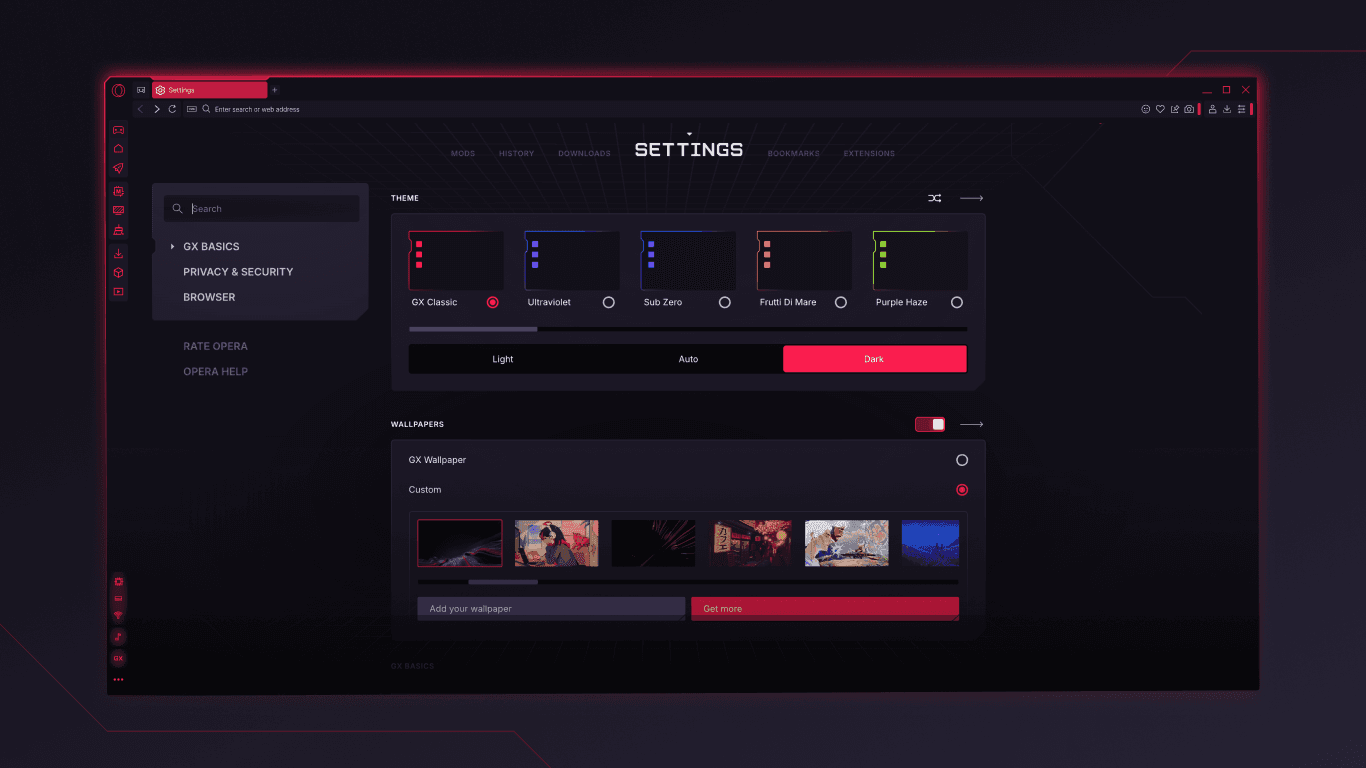
These two screenshots come from the official Opera GX Microsoft Store listing. They show product UI—not an installer—and are included so you can recognize the app after download.
01
The browser surface shows ad and tracker blocking controls, including a count of trackers blocked on the page.
02
The Settings view shows GX themes, dark mode and wallpaper choices—the visual customization that distinguishes the GX edition.
03 / A SEPARATE WORKFLOW
Tabbit is separate from Opera GX. It is an AI-native desktop browser for macOS and Windows, built around context, research and task completion. The screenshots below show Tabbit UI, not Opera GX.

01 · Tabbit
Ask Tabbit to search, gather and structure information while the source tabs stay visible in the browser.

02 · Tabbit
Turn a long page into a readable summary without leaving the source tab or losing the surrounding context.
Choosing Tabbit here does not install Opera GX. It opens Tabbit’s own official download flow for supported desktop systems.
04 / INSTALL CHECKLIST
A convincing filename is not evidence of a genuine installer. Keep the source and publisher visible at every step.
Start at opera.com/gx or the official Microsoft, Google or Apple store listing linked in the platform matrix.
Look for Opera Norway AS and the Opera GX product name. Be cautious with repacked EXE, DMG, APK or ZIP files from download portals.
Confirm your OS, architecture and minimum version. On mobile, let the store decide whether your device is compatible.
Update from the browser or official store. If a page asks you to disable security tools or run an unexpected script, stop.
FAQ
Use Opera’s official GX page at opera.com/gx. For Windows, the Microsoft Store listing is an additional first-party route; for Android and iOS, use the official Google Play and Apple App Store listings.
Yes. The Microsoft Store record currently lists Opera GX for Windows 10 or later with an x64 package. Check the live listing for any newer requirement before installing.
Opera’s official GX page exposes a desktop download flow for macOS. The exact minimum macOS version and Intel/Apple-silicon packaging should be confirmed on the live installer page because they are not stated in the store record cited here.
Yes. Opera publishes an official GX Linux page with .deb and .rpm downloads. The page says its Flatpak version is still in active development; it does not state a distro minimum in the accessible snapshot, so check the live page before installing.
Yes. Opera’s GX page links to mobile availability, and official store listings exist for Android and iOS/iPadOS. The Apple listing currently requires iOS/iPadOS 18.0 or later; Android compatibility is determined by Google Play.
The official store listings make Opera GX available as a free browser download. Optional services or partner features may have their own terms; read the store and product pages.
It is safer to stay with Opera’s site or the official stores. A mirror can repackage an EXE, DMG or APK and make the publisher or update path harder to verify.
No. Tabbit is a separate AI-native browser for macOS and Windows. Its download button opens Tabbit’s own download flow; it does not provide Opera GX installers.
YOUR NEXT TAB
For Opera GX, use the official source above. For research-heavy work on Mac or Windows, try Tabbit’s AI-native workflow as a separate install.
Separate product · macOS and Windows · official Tabbit download flow