01 / .debNATIVE
.deb
The official launch route for Debian and Ubuntu families. The downloaded package may offer to add an Opera repository for future updates.
OPERA GX LINUX · PRACTICAL GUIDE
The Linux release has official DEB and RPM packages, and its distribution story has expanded to Flathub and Snap. Use this guide to choose a package, keep it updated and diagnose the rough edges.
THE SHORT ANSWER
Yes—Opera GX is available on Linux. The launch coverage names Debian, Ubuntu, Fedora and openSUSE-based distributions; the current Flathub listing is a separate x86_64 path. Verify your own package and host instead of assuming every derivative or CPU architecture is supported.
01 / THE PACKAGE MAP
Native packages integrate with your distro. Flatpak and Snap make distribution simpler, but their sandbox and update behavior are different. Pick the route you can maintain.
The official launch route for Debian and Ubuntu families. The downloaded package may offer to add an Opera repository for future updates.
The official launch route for Fedora and openSUSE-based distributions. Use the package manager that owns your host.
Opera announced both store paths; Flathub currently lists com.opera.opera-gx and exposes an x86_64 build.
02 / WHAT THE RELEASE LOOKS LIKE
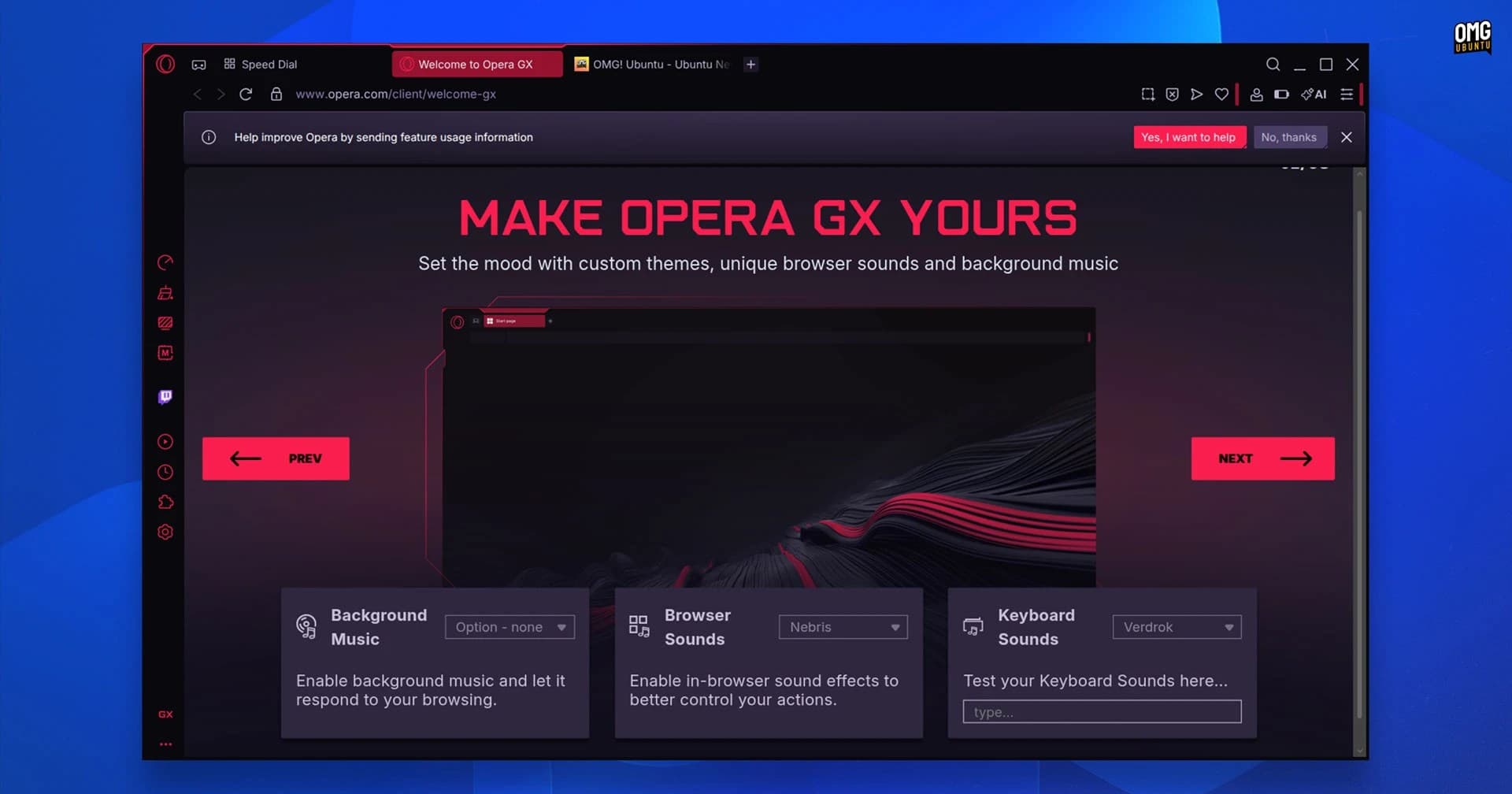
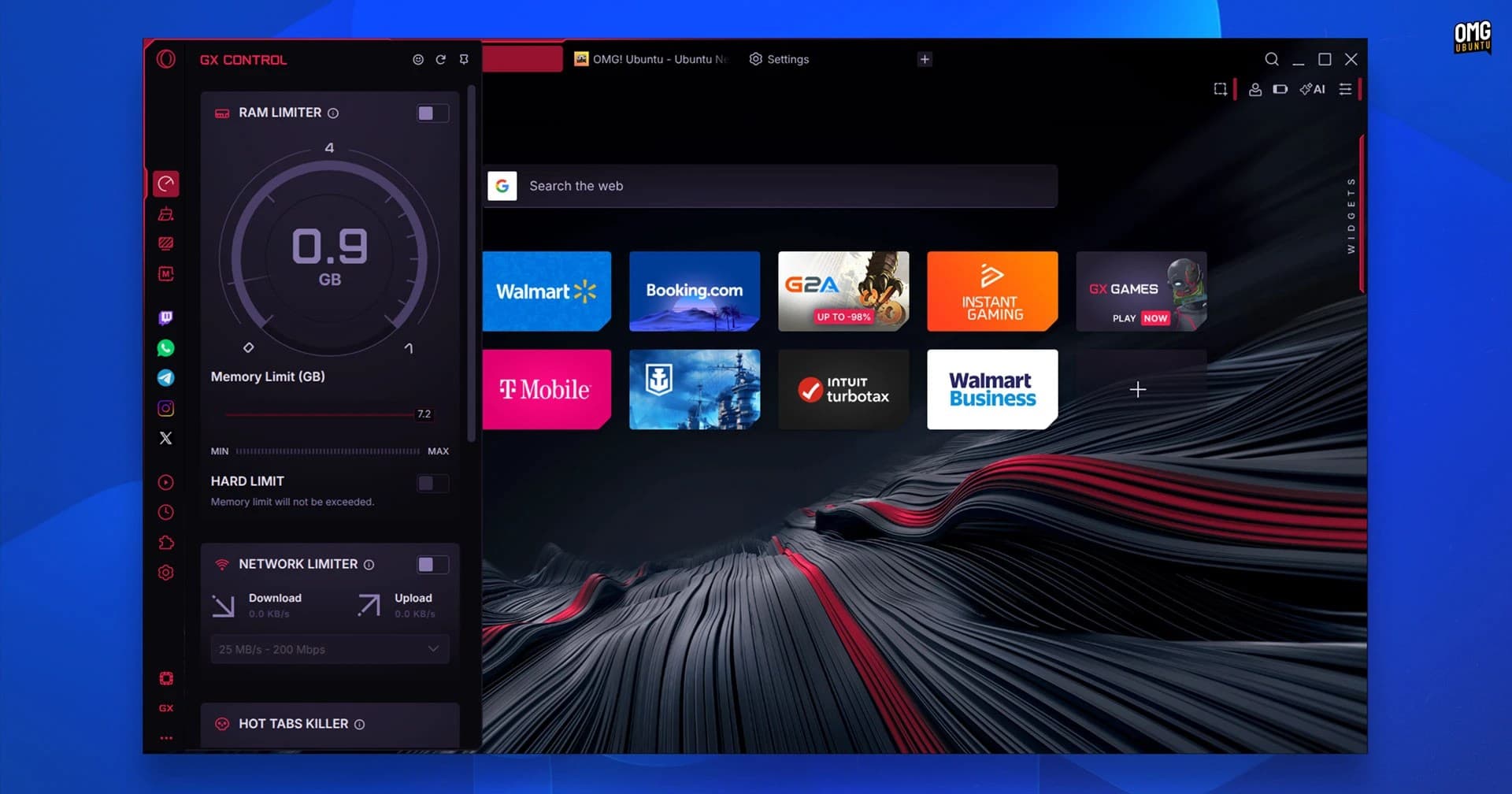
These independent screenshots show the Linux build’s first-run surface and GX Control. They help you recognise the app after install; they do not prove that every desktop integration is identical across packages.
03 / INSTALL
Start at Opera’s official Linux download page. Keep the downloaded filename and architecture visible, then use one matching route below. The exact version filename changes over time.
Use this when your host is Debian or Ubuntu based and you want normal apt integration.
sudo apt install ./<downloaded-file>.deb04 / FEATURE PARITY
Opera GX is Chromium-based, so normal web compatibility is the baseline. Gaming extras and desktop plumbing can depend on the Linux build, package format and release channel.
Linux coverageExpected baseline for normal browsing.
What to verifyTest the sites and extensions you rely on.
Linux coverageThe Linux walkthrough shows RAM and network limiters; CPU, RAM and network controls are part of the GX pitch.
What to verifyMeasure the effect on your own game and browser workload.
Linux coverageDiscord/Twitch integration, GX Corner, themes, sounds and mods are part of the product story.
What to verifyOpen each sidebar or media integration in your chosen package.
Linux coverageNot supported in the launch Linux coverage reviewed here.
What to verifyTreat future support as unconfirmed until release notes say otherwise.
Linux coverageDepends on the build and host graphics/media stack.
What to verifyUse the troubleshooting checks below before changing packages.
The Linux release notes checked here do not publish a complete CPU architecture, distro-version or codec matrix. Unknown is safer than a made-up compatibility promise.
05 / KEEP IT HEALTHY
The package format determines the command. Replace the placeholder with the package name or file your system actually reports.
sudo apt update
sudo apt install ./<new-file>.debsudo dnf upgrade ./<new-file>.rpmflatpak update com.opera.opera-gxsudo snap refresh opera-gxdpkg -l | grep -i opera
sudo apt remove <installed-package-name>rpm -qa | grep -i opera
sudo dnf remove <installed-package-name>flatpak uninstall com.opera.opera-gxsudo snap remove opera-gxRemoving an app package may leave your browser profile and personal data behind. Review what you want to keep before deleting profile directories.
06 / DISPLAY, VIDEO, GPU
Wayland/X11 choice, graphics drivers, codecs and sandbox permissions can look like the same broken browser. Change one variable at a time and keep a working fallback.
echo "$XDG_SESSION_TYPE"First identify the desktop session. If the default compositor path misbehaves, test the other Chromium Ozone backend from your launcher’s command-line options. Compare `--ozone-platform=wayland` with `--ozone-platform=x11`; do not make a flag permanent until it fixes the issue.
opera://gpuOpen the internal GPU diagnostics, update Mesa or the vendor driver through your distro, then restart. Temporarily disable hardware acceleration in settings; `--disable-gpu` is a diagnostic fallback, not a performance solution.
opera://media-internalsCheck the media pipeline and test a private window without extensions. Codec and DRM behavior can differ by package; compare the native build with Flathub instead of installing random codec bundles.
opera://settings/contentClear that site’s data, test a clean profile and check extensions before changing your display backend. A site-specific issue is not evidence that Linux support is missing.
The sources checked for this guide do not promise a universal H.264, HEVC or GPU matrix. Record the package, desktop session, driver and failing URL when asking for support.
07 / THE TABBIT BOUNDARY
Tabbit’s current desktop download path supports macOS and Windows. That makes it a possible AI-native browser workflow on those platforms, not a Linux replacement for Opera GX.
Page-aware summaries keep source context beside the answer.
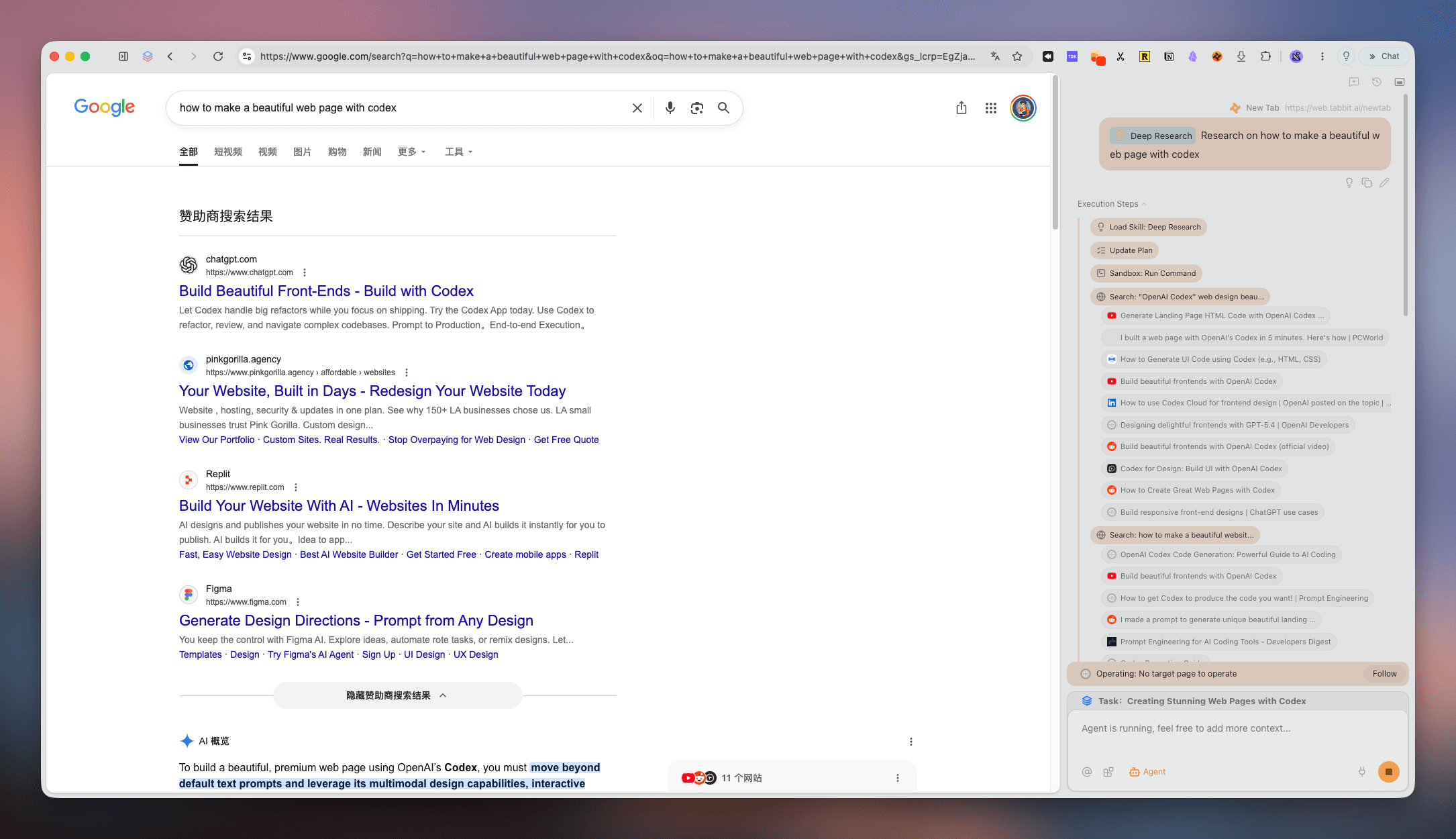
Deep Research can organise multiple web sources into a visible brief.
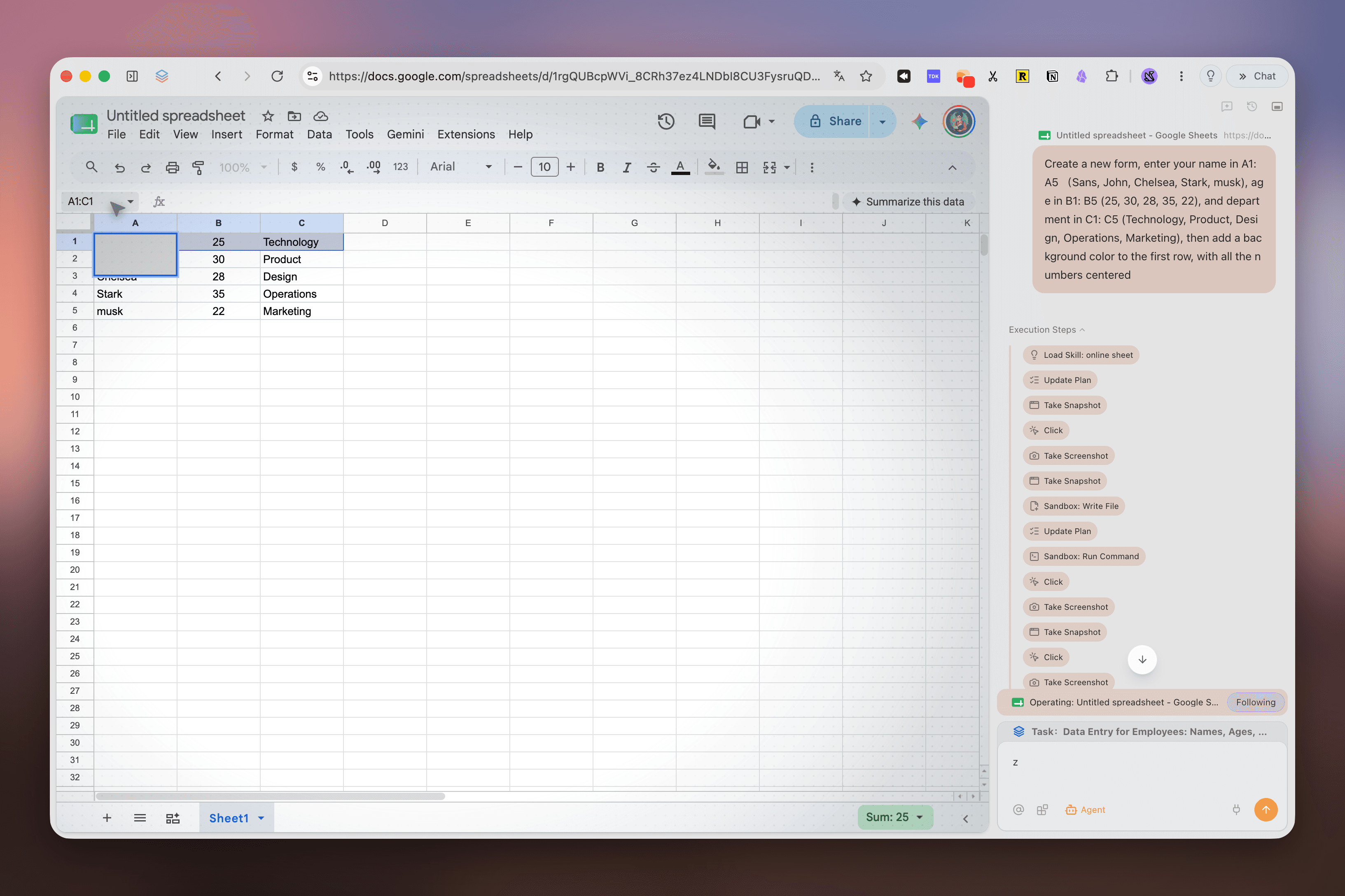
Agent mode makes multi-step browser work reviewable instead of hiding the process.
These Tabbit screenshots show the product surface, not Linux availability. Always check the current download page for platform support.
FAQ / BEFORE YOU INSTALL
Yes. The release coverage reviewed here names official DEB and RPM packages for Debian, Ubuntu, Fedora and openSUSE-based distributions. Opera later announced Flathub and Snap distribution paths.
The checked launch sources name distro families, not a complete version and CPU matrix. Flathub currently exposes an x86_64 build. Check the current package metadata and Opera download page for your exact host; do not assume ARM, 32-bit or every derivative is supported.
Yes. The current Flathub listing uses the verified application ID com.opera.opera-gx. Install and launch it with Flatpak, and remember that sandbox permissions can differ from a native package.
The available sources do not promise a universal Wayland matrix. Check your session, test the default Chromium Ozone backend, then compare Wayland and X11 flags if your launcher exposes them. Keep the working backend as your fallback.
The package, graphics driver, compositor and media/DRM stack can all matter. Inspect opera://gpu and opera://media-internals, test without extensions, update drivers through your distro and compare native and Flatpak builds before changing several variables at once.
The Linux coverage reviewed for this page says live wallpapers and custom app icon sets were not supported at launch. Other feature parity can change, so verify the current release notes instead of treating the Windows or macOS feature list as a Linux guarantee.
NEXT MOVE
Use Opera’s current Linux package page for the binary, then keep the package source and host details handy when troubleshooting. If your AI workflow happens on Mac or Windows, Tabbit is ready there.
Free download · macOS and Windows · Linux is not currently supported