GENERAL PURPOSE
Opera keeps the room quiet
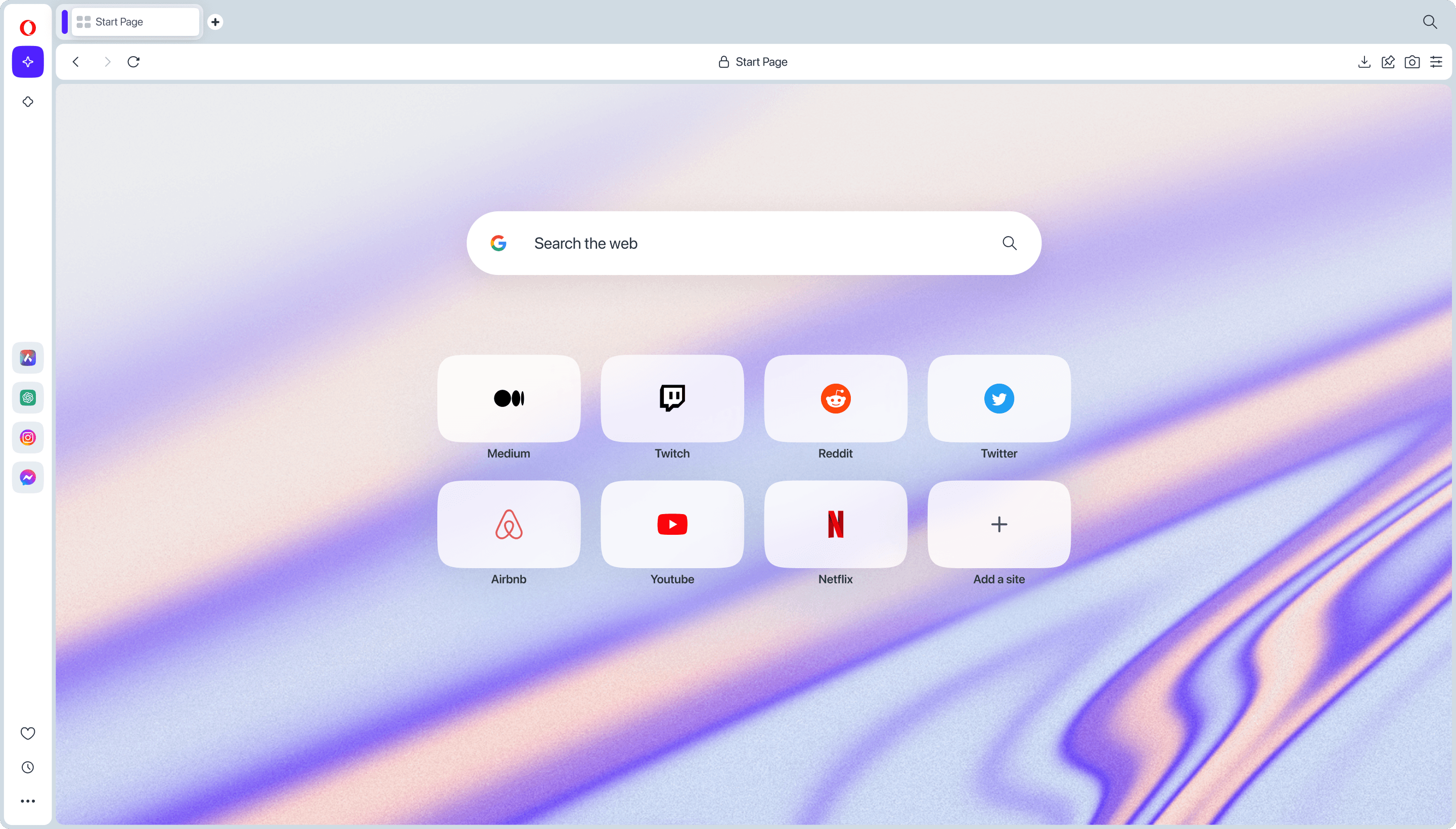
The regular Opera start page uses a light canvas, familiar navigation, and a sidebar that keeps optional tools close without making gaming the organizing principle.
BROWSER DECISION DESK · 2026
They share a Chromium-based foundation, but they are designed for different jobs. Opera is the calmer all-purpose browser; Opera GX turns the browser into a gaming control room.
THE SHORT ANSWER
Choose Opera for everyday browsing, work, and media. Choose Opera GX when gaming, streaming, and deep visual customization are part of your routine. Neither is automatically faster or more private for every setup.
01 · AT A GLANCE
The useful difference is not a benchmark score. It is where each browser spends its product attention—and which controls you will actually use.
| Decision point | Opera | Opera GX |
|---|---|---|
| 01Positioning | General browsing, work, shopping, and media | Gaming, streaming, modding, and creator setups |
| 02Interface | Light, conventional start page with sidebar tools | Dark, neon gaming look with sounds, themes, and GX modules |
| 03Resource controls | Browser features for blocking and efficiency; no GX limiter panel | GX Control can cap CPU, RAM, and network use; caps are user-set ceilings |
| 04Gaming layer | No dedicated GX Corner or Mods system | GX Corner, GX Mods, gaming news, deals, and community themes |
| 05Sidebar and AI | Sidebar services plus Opera AI/Aria where available | Gaming services plus Opera AI/Aria where available |
| 06Privacy tools | Ad and tracker blocking, with an optional browser VPN | The same Opera privacy family; availability and defaults vary by build |
| 07Platform reality | Desktop and mobile offerings; check the current build for your device | Desktop gaming focus; the Windows Store listing is verified for Windows 10 |
| 08Best fit | A clean daily driver with optional power features | A browser that makes gaming identity and controls part of the workspace |
02 · LOOK AND FEEL
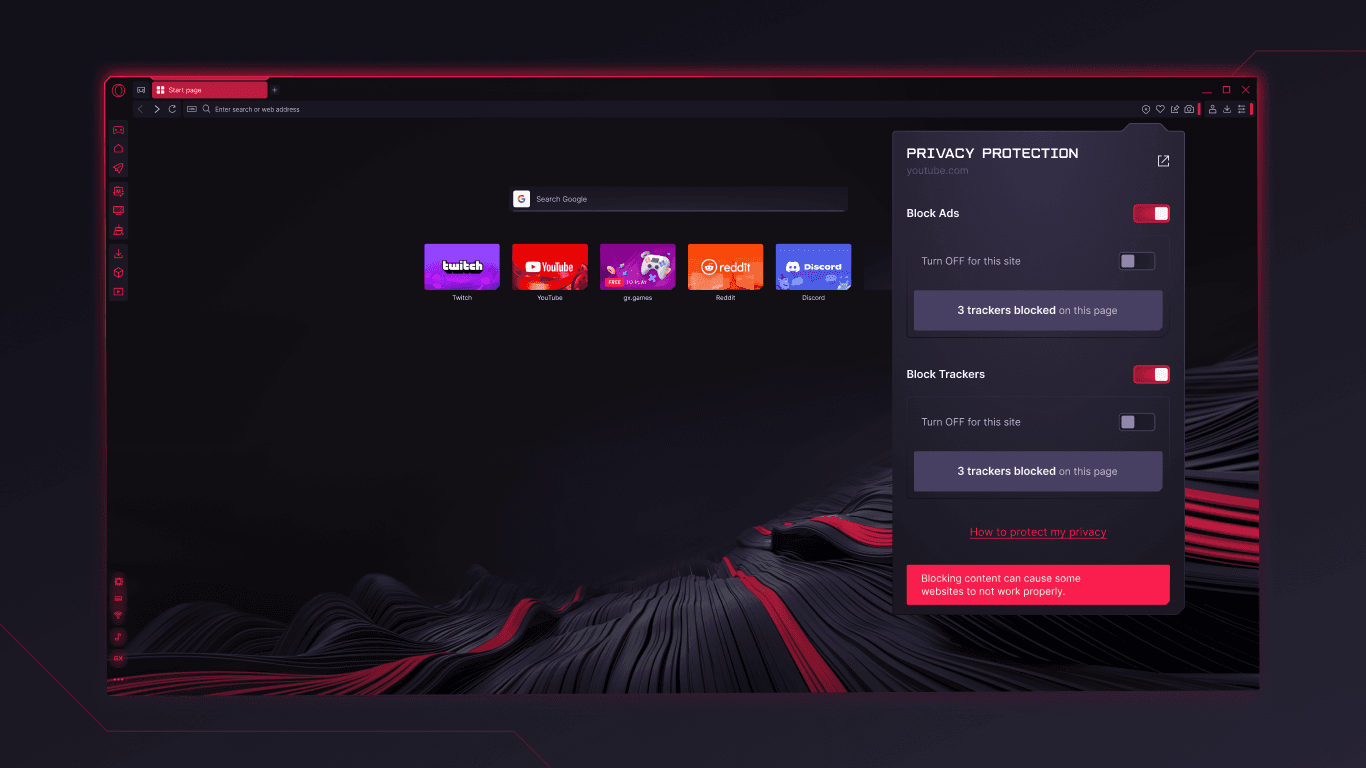
These official Microsoft Store images show the intended product language. They are interface evidence—not a claim that either browser wins a speed test.
GENERAL PURPOSE
The regular Opera start page uses a light canvas, familiar navigation, and a sidebar that keeps optional tools close without making gaming the organizing principle.
GAMING FOCUS
Opera GX uses a dark, red-accented interface and exposes privacy and gaming controls as visible parts of the workspace. That is useful if you want a strong point of view; it is visual overhead if you do not.
Source: Microsoft Store product screenshots for Opera and Opera GX
03 · THE GX DIFFERENCE
GX features are practical when you want control around a game. They do not turn browser settings into a universal performance guarantee.
Set limits for the browser’s CPU, memory, and network use while a game or stream is running. It gives you a ceiling to manage, not a magic FPS switch.
↳ Does not prove lower latency, higher FPS, or lower default RAM on every machine.
A built-in gaming hub for free games, release calendars, gaming news, and deals. It keeps discovery inside the browser instead of in another tab or app.
↳ Useful content is a discovery layer, not a reason to expect a faster browser engine.
Change themes, sounds, wallpapers, shaders, splash screens, and icons through community or custom mods. GX is the clear choice if customization is the point.
↳ A richer skin can also mean more visual noise; it is not a privacy or speed feature.
04 · PRIVACY, SIDEBAR, AND AI
Opera and GX come from the same product family, so the comparison is mostly about packaging and use case. Read the settings and policy for the build you install.
Both products advertise ad and tracker blocking, plus an optional browser VPN. Blocking reduces some unwanted content; a browser VPN is not a promise of complete anonymity or protection from every threat.
Opera’s sidebar brings messaging and media services into the browser. GX keeps that idea and leans into gaming services such as Twitch and Discord. Convenience means more integrated services to review in your own threat model.
The family includes an AI assistant experience in supported builds. Treat it as a cloud feature whose model, controls, and availability can change—not as a local, offline, or independent benchmark.
05 · PERFORMANCE AND PLATFORMS
Opera GX’s headline performance feature is control. That is different from being the fastest browser by default.
01
GX Control can keep the browser under a CPU, RAM, or network ceiling you choose. It cannot make a CPU-bound game faster, and it cannot guarantee lower ping.
02
Tabs, extensions, media, settings, OS, and browser version change the result. A fair comparison needs the same machine, tabs, build, and measurement method; marketing labels are not measurements.
03
The shared Chromium base supports familiar web compatibility and extensions. Platform support, feature flags, sync behavior, and release timing can still differ between Opera and GX.
Verified product detail used here: the Microsoft Store listings identify Opera GX as a Windows 10 PC application. Check Opera’s current download pages for the latest platform matrix.
06 · A DIFFERENT KIND OF BROWSER
Opera and GX optimize the browser environment. Tabbit is built for work that spans pages: understand the open context, research across sources, and let an agent carry out repeatable browser tasks. It is not a gaming browser and does not replace GX Control.
 01
01Ask for the core message of an open page while keeping the source visible. The browser becomes a reading surface, not just a row of tabs.
 02
02Give a research goal and follow the execution steps as Tabbit works through search results and sources. This is the workflow gap neither Opera variant is designed to fill.
 03
03Use a visible agent workflow for multi-step actions such as organizing information in a spreadsheet. You stay in the loop while the browser does the busywork.
Tabbit is a separate AI-native browser path—not an Opera GX mod or a promise of gaming performance.
07 · QUESTIONS PEOPLE ASK
No. They share a Chromium-based foundation and many family features, but GX adds a gaming-focused interface and products such as GX Control, GX Corner, and GX Mods.
There is no universal winner. GX’s resource controls can help you set a browser ceiling during a game, but that is not the same as proving a faster default browser or higher game FPS.
Not by definition. RAM use changes with tabs, extensions, media, settings, and version. GX Control can cap memory use after you configure it; it does not make every workload start with less RAM.
It lets you set limits for Opera GX’s CPU, RAM, and network usage. Think of it as a browser resource budget, not a GPU optimizer, FPS booster, or ping guarantee.
Neither deserves an automatic privacy crown. Both advertise blocking and VPN features, while the details depend on settings, service design, and the version you use. Review the current privacy policy and controls.
They overlap but do not have identical feature matrices. Opera has desktop and mobile offerings, while GX has a strong desktop gaming focus. Confirm current availability for your operating system before switching.
MAKE THE SWITCH WITH A CLEARER WORKFLOW
For gaming identity and resource controls, Opera GX is the focused pick. For a quieter everyday browser, choose Opera. For research and browser tasks that need context, try Tabbit.
Your download path adapts to your desktop platform and language.