PRODUCT REVIEW · 9 OCT 2026

Rill browser review: where the page becomes a task

Rill connects a Mac browser to the Claude Code or Codex CLI you already use. Here is what its beta promises, what remains untested, and when Tabbit may be a better fit.

Based on Rill’s public documentation and product demonstrations. We have not installed or benchmarked Rill.

THE SHORT ANSWER

Rill is compelling if your next step from a webpage is usually work in a local code project. Tabbit is worth trying if you want an AI browser for everyday web research and browser tasks, especially on Windows.

What is Rill browser?

Made by Manifold AI, Rill is a free early beta for Apple silicon Macs running macOS 14 or later. Press ⌘E on a page to send its context to your existing Claude Code or Codex setup. Rill says it can find the right local project, let the agent work while you browse, and report back in the browser. Its other features include AI tab groups, a day-based history, page questions, and comparisons of up to six tabs.

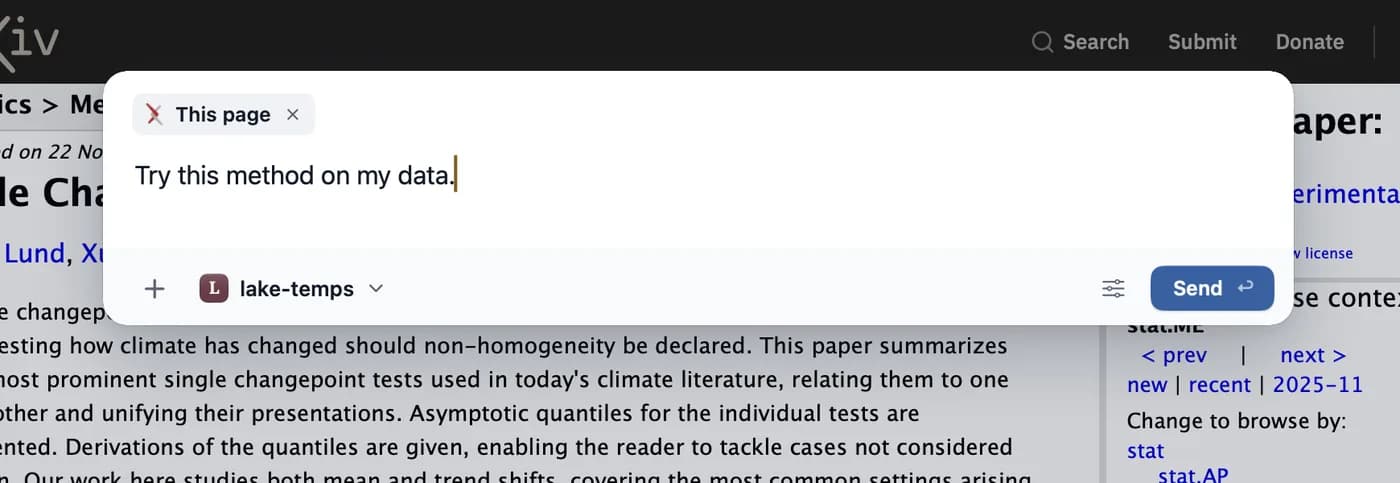
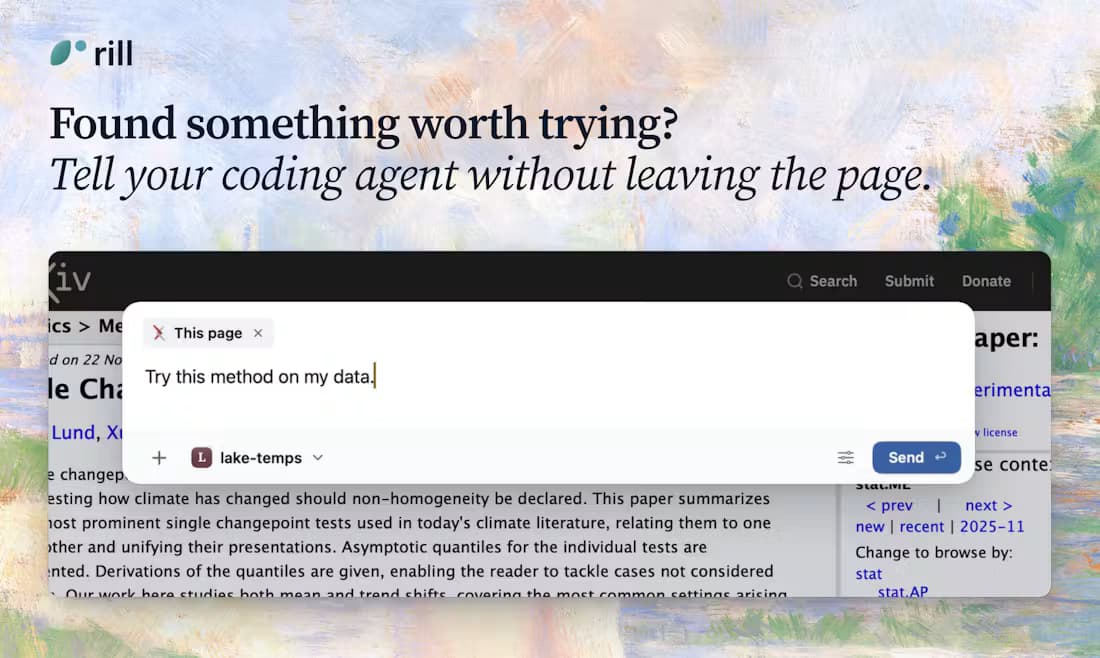
Official Rill demonstration showing the current page attached to a task and a local project selected before sending
Official Rill press image. It shows the task composer, not an independently tested result.

How Rill says the workflow works

  1. 01

    Start on a page

    Attach the current page or a selection and describe the task with ⌘E.

  2. 02

    Route to an agent

    Rill chooses a local project or a web task, then runs your signed-in Claude Code or Codex CLI.

  3. 03

    Keep browsing

    The agent runs in the background and asks for input or shows a result in the browser.

Local project tasks

Rill looks through your Claude Code or Codex CLI project history to suggest where a task belongs, and asks if it is unsure. New project tasks start read-only until you allow edits; the interface shows tool steps and file diffs, with undo for changes in Git repositories.
Tasks on the web

For a request such as finding a flight, Rill can work in browser tabs instead of a code project. A web task can use your normal signed-in tab; browser tabs opened by a project agent have separate temporary cookies. You can stop a task with ⌥⌘.

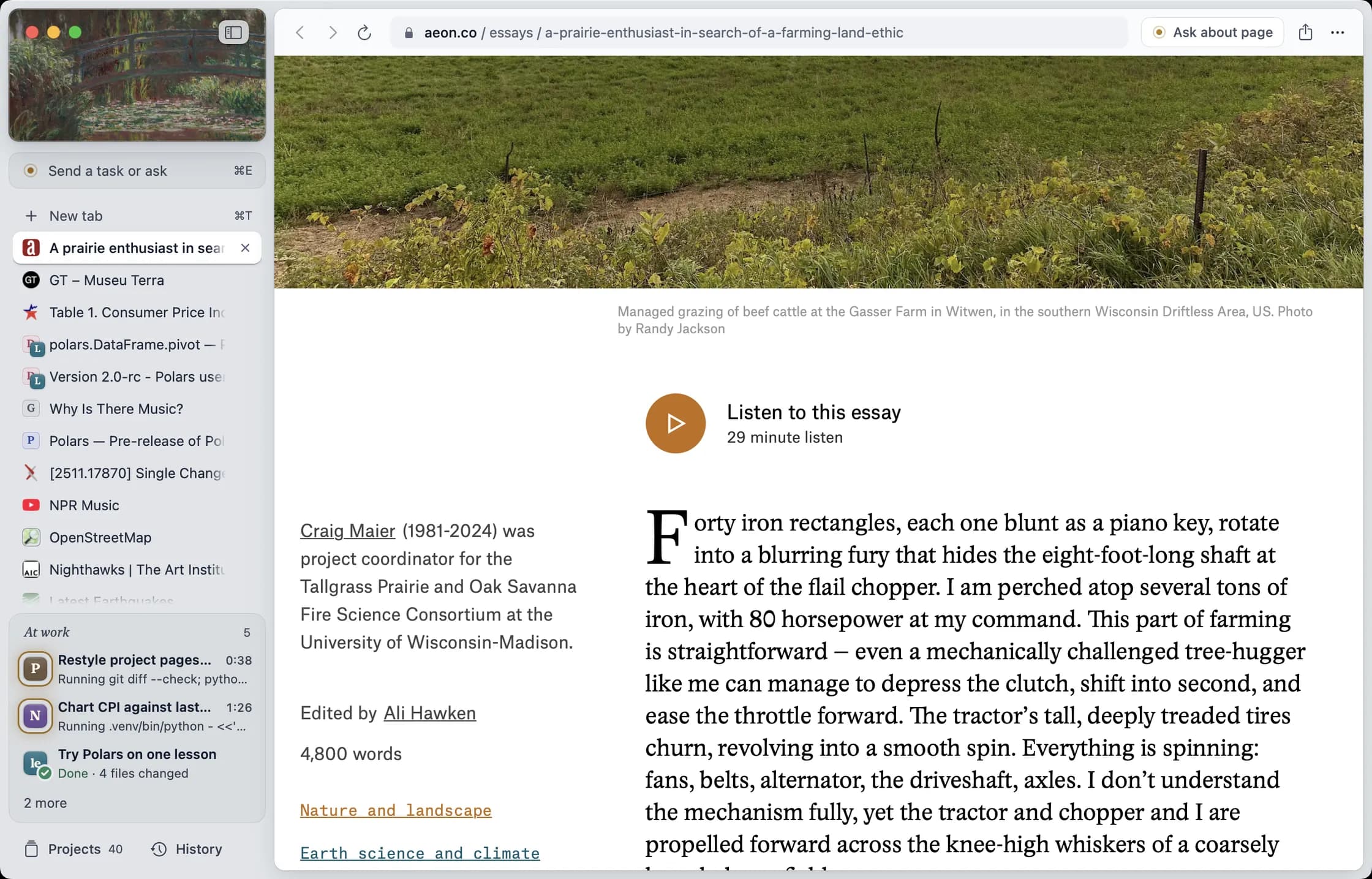
Rill sends the current paper page and a prompt to the local lake-temps project.
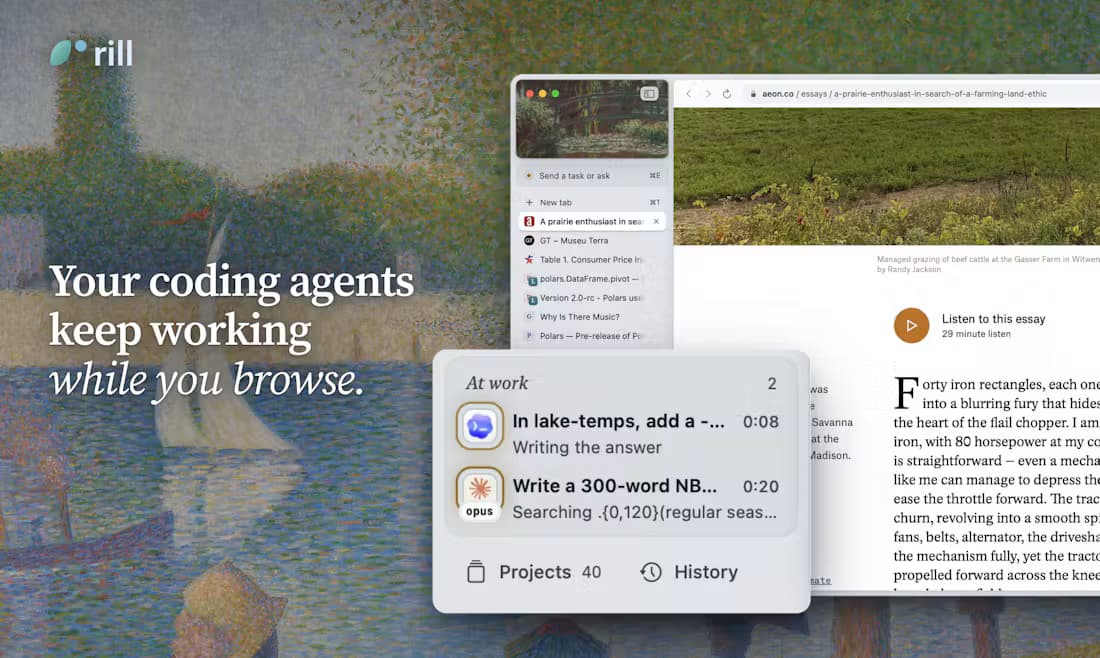
Rill shows coding agents working in the background while a page stays open.
Official Rill browser screenshot with an article open, a tab sidebar, and several agent tasks showing running and completed states
Official Rill press image showing the browser sidebar and agent work status; task performance has not been independently tested.

What can you send from a page?

These are examples shown by Rill, not tasks we reproduced.

A research paper

Ask an agent to apply its method to data in a local research project and make a chart.

A release note or table row

Send the selected update or row into the relevant code project for a test or comparison.

A city guide

Start a web task to look for flights while you continue reading other tabs.

Rill’s everyday browser features

Rill also tries to organize what you browse and help you find it later.

AI tab groups

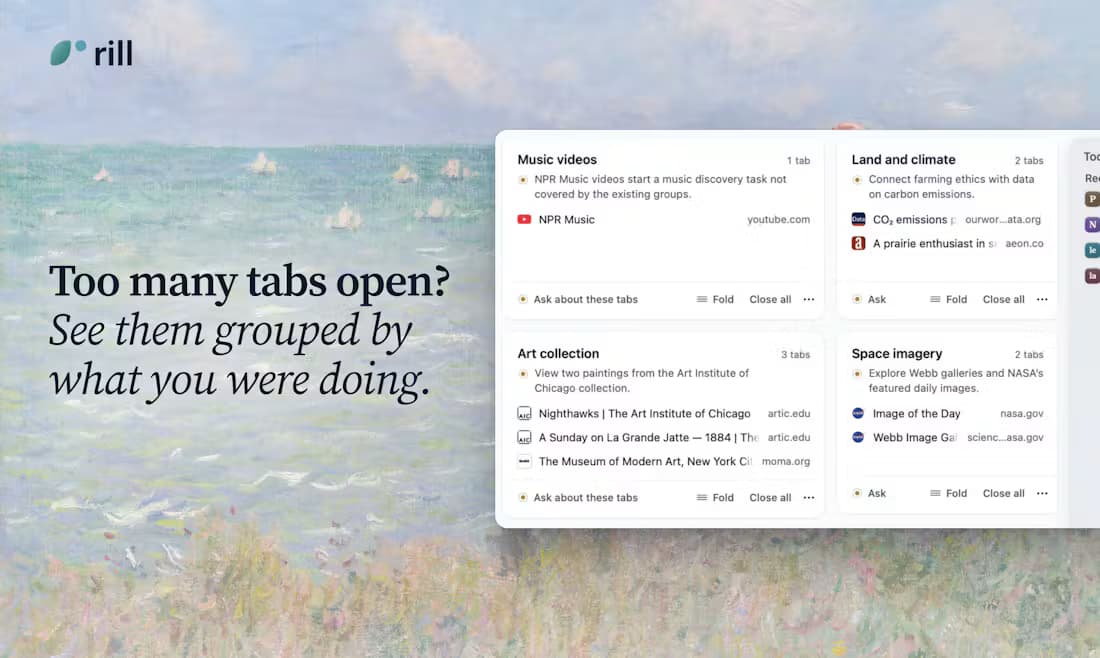
Rill groups open tabs by topic without replacing the normal tab bar. It can do this automatically or on demand, and automatic grouping can be turned off.

Rill groups open tabs by topic and shows the pages in each group.

A day-based history

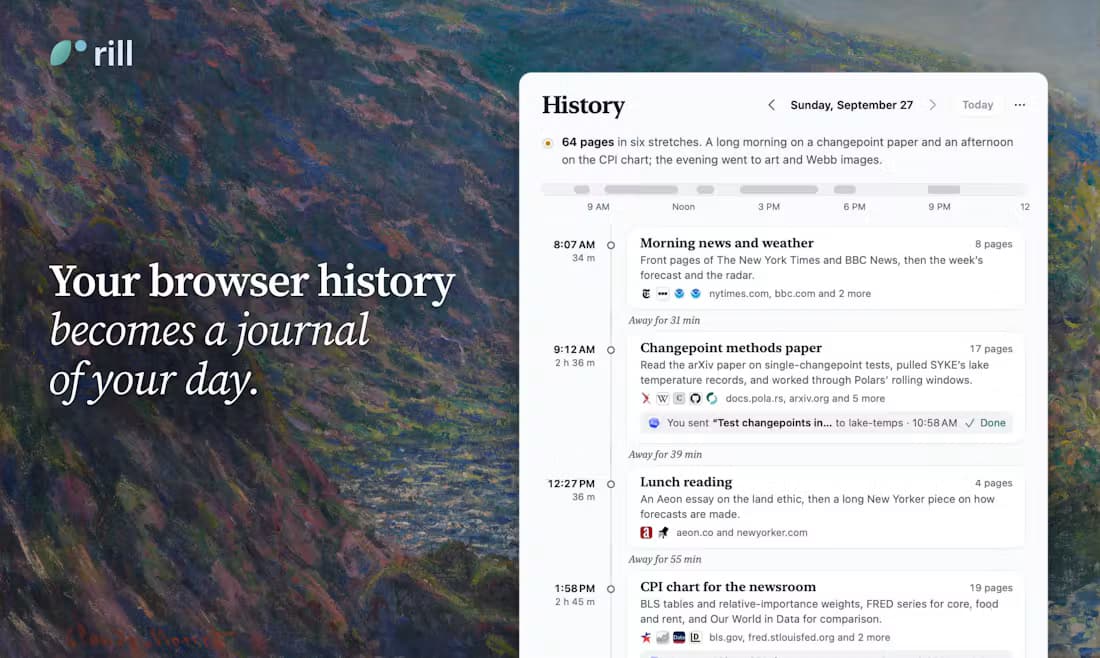
History is organized into daily summaries. Exact-word search runs locally; Describe search uses an agent to find pages by what you remember about them.

Rill history presents a day as a timeline of browsing sessions.

Projects and agent status

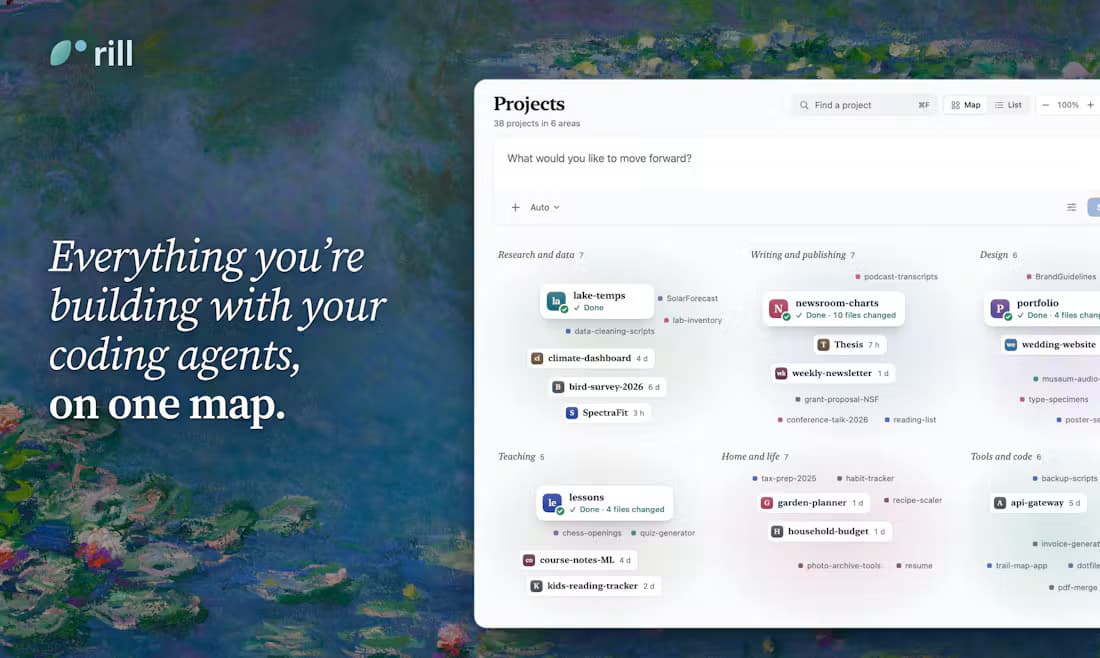
A project map groups projects found in your CLI history. A corner panel shows running agents, questions that need your input, and completed work.

Rill project map groups local coding projects by area.

Page questions and six-tab comparison

Ask about the current page in a side panel, or select up to six tabs for a cited comparison. Talking Beta also lets you hold Fn to dictate a task after setup.

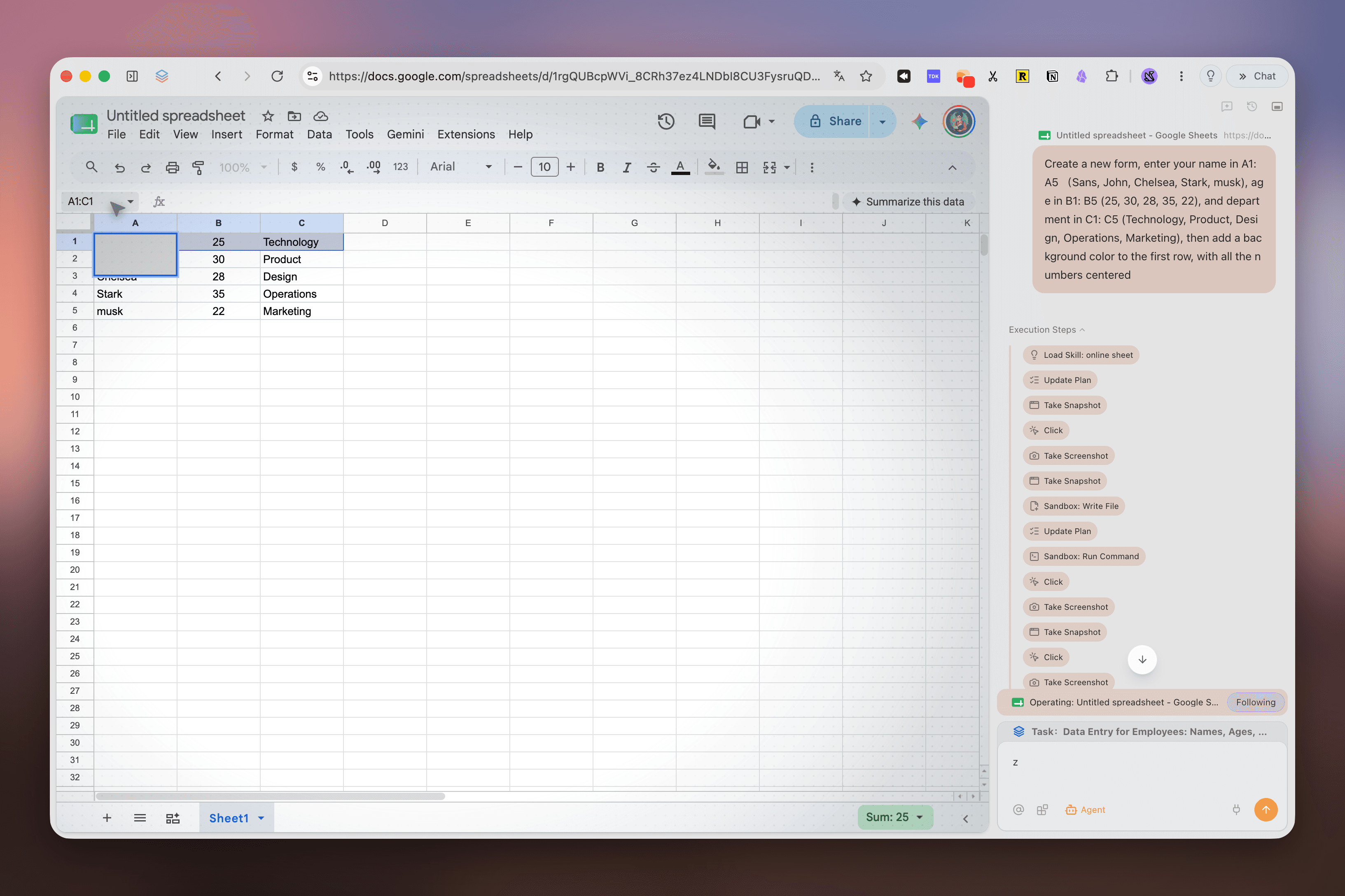
Tabbit Agent sits beside a Google Sheets page, with a data-entry task and execution steps.

Before you install Rill

Device and version
The reviewed download is Rill 0.1.5 for Apple silicon Macs running macOS 14 or later. No Windows, Linux, Intel Mac, or mobile download is listed.
AI prerequisite
Install and sign in to Claude Code 2.1.261+ or Codex CLI 0.144.4+ on the Mac. Basic browsing works without a CLI; AI features require one.
Price
The early beta is free with no separate Rill subscription or API key. AI work uses your existing agent account and its applicable usage limits.
Browser basics
Rill lists private windows, search engine choices, tracker blocking, and passwords stored in macOS Keychain. Passkeys are not supported in this version.

Where does the data go?

Running the CLI on your Mac does not mean every AI request stays there. Rill’s privacy page describes different data sent for each feature.

Tab grouping
Sends open tab titles, URLs, domains, and opening relationships to the selected provider, but not page bodies. URLs can still reveal what you are viewing.
History and page answers
Daily summaries may send up to 280 characters of page text per visit; a page question may send a selection or up to 18,000 characters. Exact-word history search stays local.
Agent tasks
Project tasks can send the request, attached page, and material the agent reads. Web tasks can send visited page content and screenshots. Review permissions and results before using sensitive sites.

Rill vs Tabbit: the practical differences

The comparison is about documented workflows and availability, not speed or task success rates. Both products can change during beta.

Decision pointRill browserTabbit browser
Best starting pointA page that should become a task in a local coding projectA page or set of pages to research, summarize, or act on in the browser
AI setupRequires an installed, signed-in Claude Code or Codex CLI for AI featuresAI chat and Agent mode are built into the browser
PlatformsApple silicon Mac, macOS 14+macOS and Windows desktop
Web contextCurrent page, selection, and up to six tabs for comparisonBrowser pages can be supplied as context for chat, research, and Agent tasks
Pricing at review dateRill beta is free; existing agent-account usage still appliesTabbit offers a free browser download

What Tabbit brings to the same decision

Tabbit puts chat and Agent tasks beside the browser instead of making an existing coding CLI the starting point. These screenshots show the product interface and example workflows; they are not a head-to-head test against Rill.

01 / TABBIT

Start with browser context

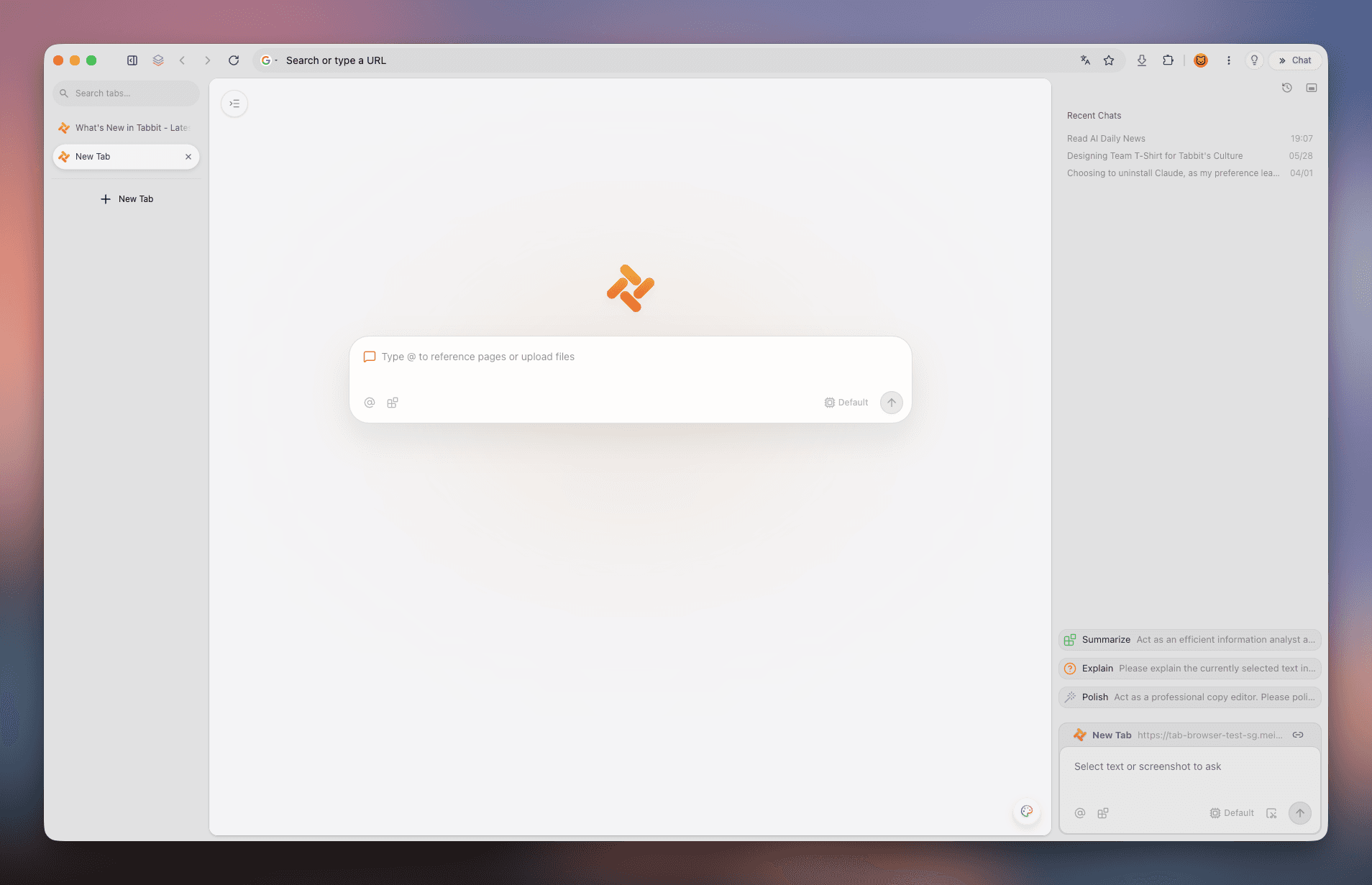
The new tab has a prompt box, page references, tabs, and a conversation area in one window.

Tabbit browser new tab with left tab rail, central prompt box, and right conversation panel
Tabbit new-tab interface
02 / TABBIT

Research across the web

A Deep Research task can sit next to the page being read, with visible research steps.

Tabbit Deep Research panel beside Google results, showing sources and task steps
Tabbit research interface; example task shown
03 / TABBIT

Work on a live website

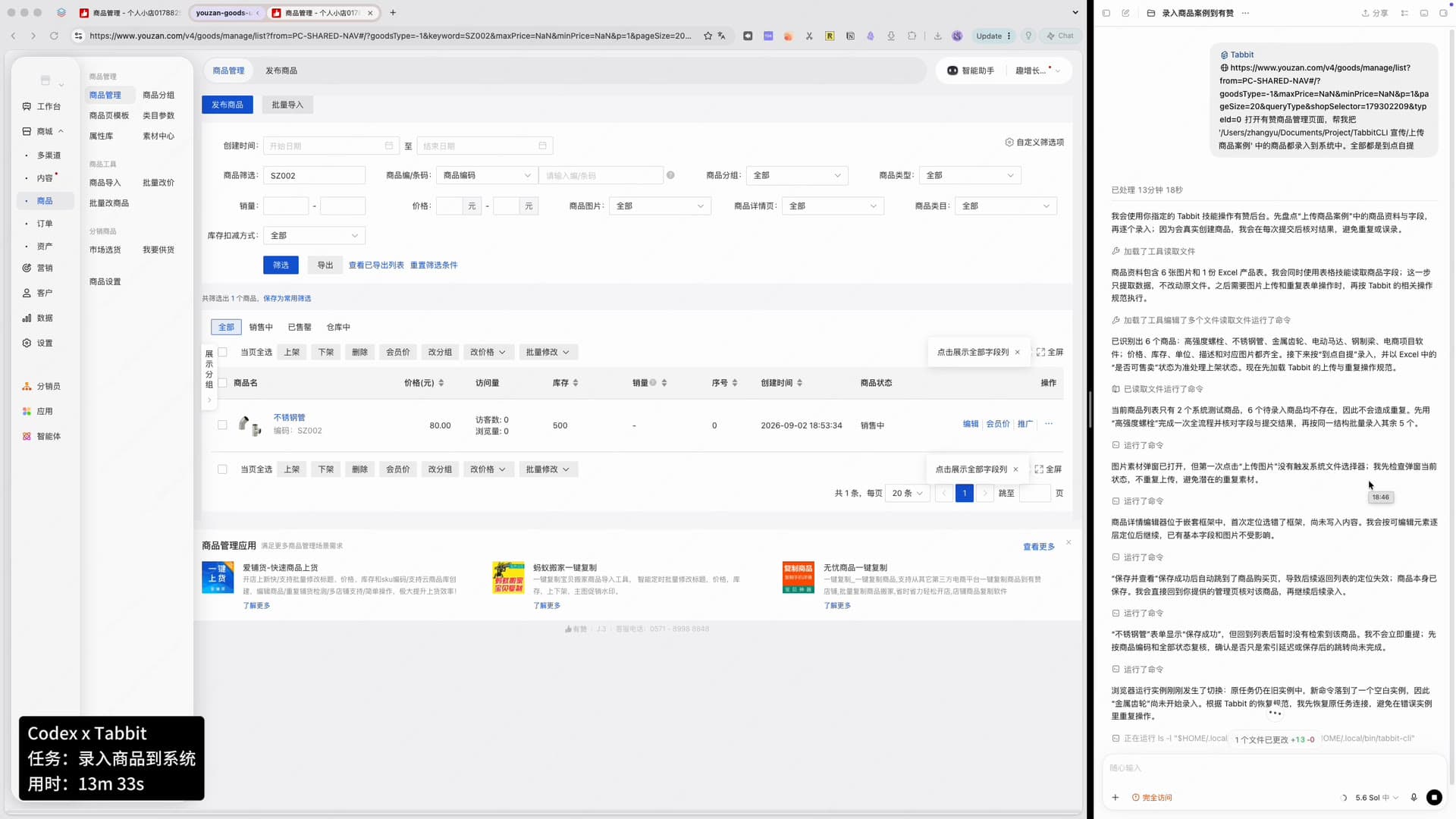
Agent activity can be followed alongside a website such as this product-management page.

Tabbit task panel beside a product-management website, showing actions and progress
Tabbit Agent interface; example task shown
Review scope

What this review cannot verify

We did not test Rill’s task completion, resource use, extension support, or its security controls. Rill’s privacy page says AI features send different amounts of page or project information to the selected model provider. Its “stop before payment or sending” rule is an instruction to the agent, not a technical lock. Review the official privacy page before connecting sensitive work.

Decision

Which browser should you try?

Choose Rill if you use Claude Code or Codex daily on a supported Mac and want to turn browsing into local project tasks. Try Tabbit if you want integrated web research and Agent workflows, or you need Windows. Test both with your own sites and tasks before moving your main browsing workflow.

Questions about Rill browser

Is Rill browser free?

Rill’s website calls its current beta free with no extra Rill subscription or API key. AI work uses your existing Claude Code or Codex account and its applicable limits.

Does Rill browser work on Windows?

The reviewed release lists Apple silicon Macs with macOS 14 or later. Rill does not list a Windows download. Tabbit has a Windows desktop version.

Does Rill keep all browsing data on the Mac?

No. Rill says local history and passwords stay on the Mac, but AI features send relevant page and project content to the selected Claude Code or Codex provider. The amount depends on the feature.

Sources and review scope

Information checked 9 October 2026

Try a browser built for web tasks

Explore Tabbit’s integrated chat, research, and Agent workflows on macOS or Windows.

© 2026 Tabbit Browser. The AI-native browser that understands your context.