APPS + ACCOUNTS
Put recurring logins in reach
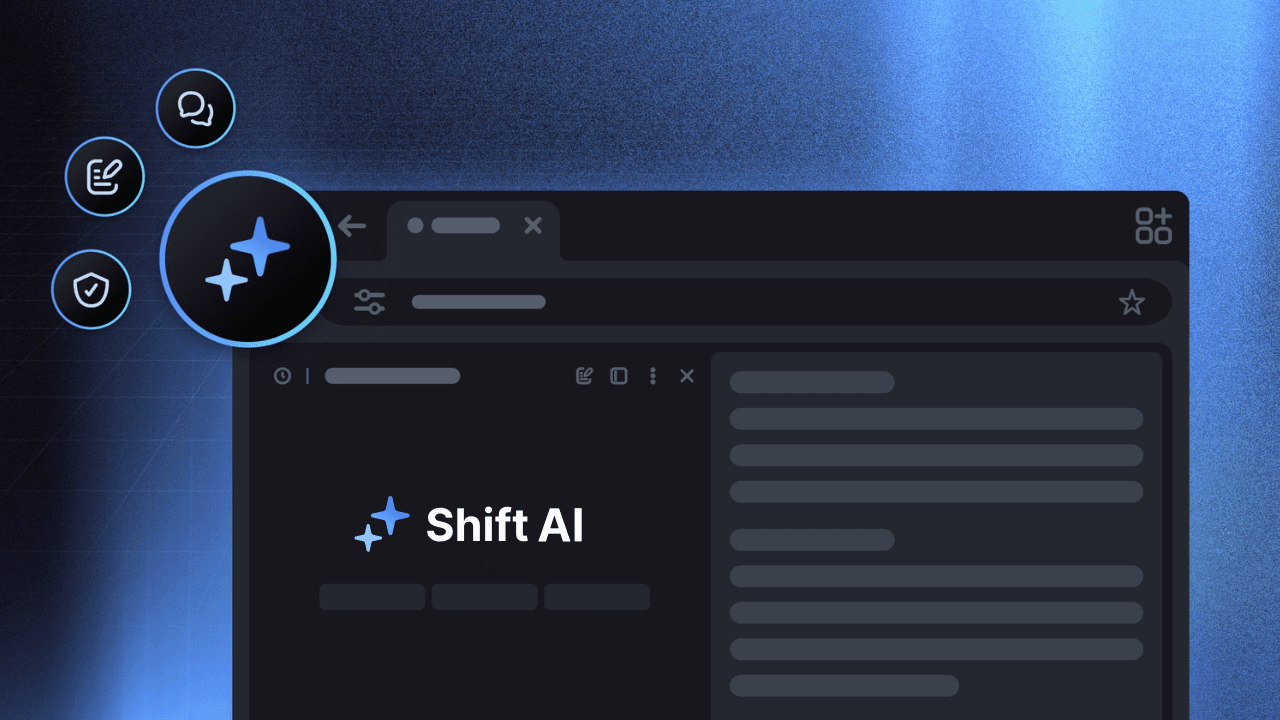
Shift’s official Apps pages describe integrated web apps, multiple accounts in the same app and inboxes that can sit side by side. The exact experience still depends on the service.
SHIFT BROWSER · PRODUCTIVITY WORKFLOW · AUGUST 2026
Shift makes a strong case for an app-and-account desk: keep inboxes close, separate contexts with Spaces, and shape the frame with Builder. The useful comparison is task-shaped—Shift organizes where work lives; Tabbit helps you read, research and complete what is on the web.
MODE / Accounts
Shift keeps app accounts and inboxes in one desktop shell.
Tabbit keeps the relevant pages and task context together.
Choose the thing you switch between most. The board updates the handoff.
01 · WHAT SHIFT OPTIMIZES
The product story is not a speed benchmark. It is a more deliberate desktop surface for the apps, accounts and contexts you already carry.
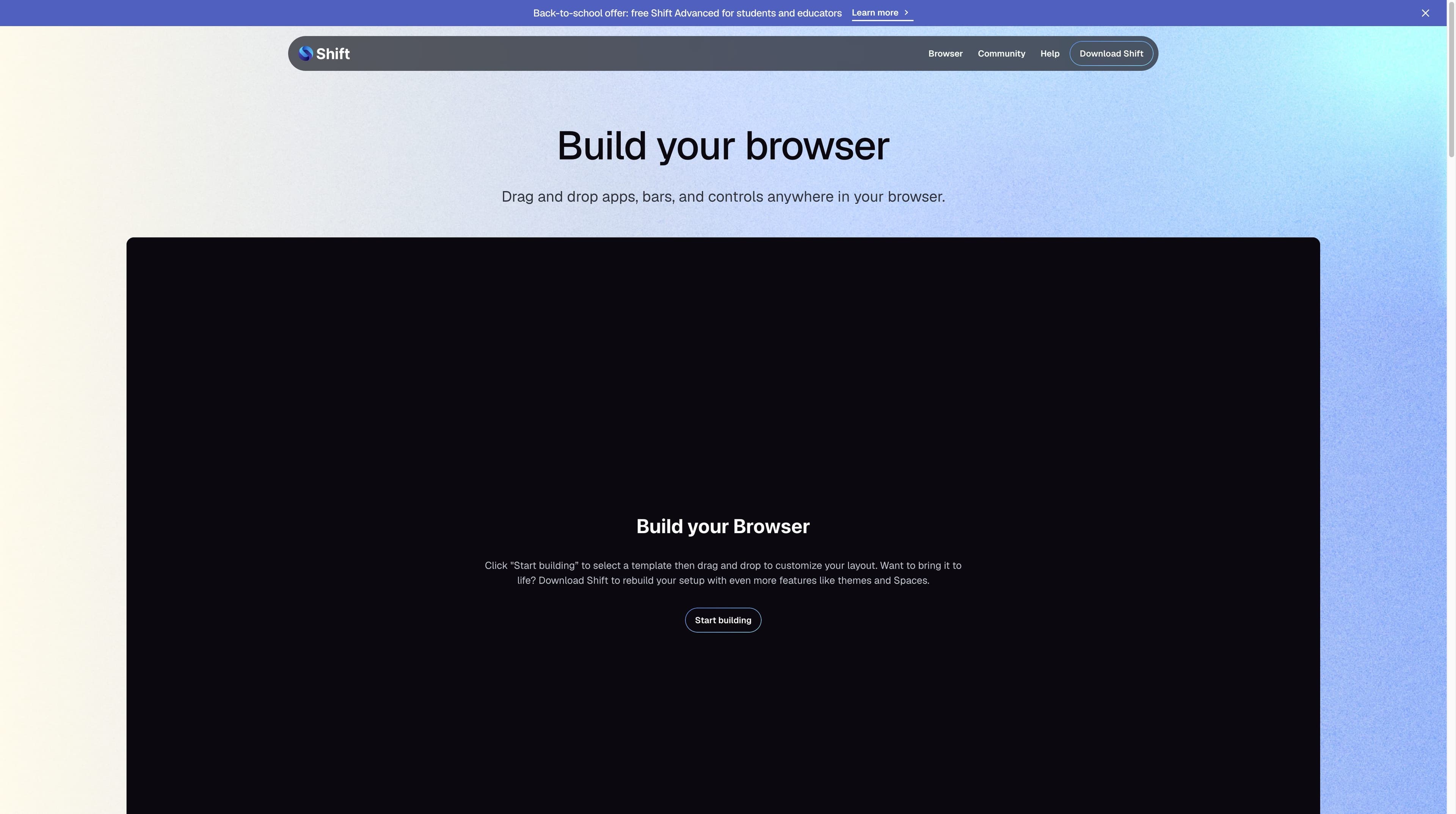
Shift’s official Apps pages describe integrated web apps, multiple accounts in the same app and inboxes that can sit side by side. The exact experience still depends on the service.
Spaces can separate work, interests and projects, with their own app stacks. That is useful when switching identities is the daily friction.
Builder starts from a template and lets you drag apps, bars and controls into a layout. It trades setup time for a desk that reflects your routine.
Shift AI is positioned for contextual questions, summaries and drafts. Team plans add consolidated billing and a central dashboard; neither claim makes every app a managed integration.
02 · TASK MAP
A simple rule makes the comparison useful: name what you are trying to move—an account, a project boundary, or a set of sources.
| Work object | Shift is useful for | Tabbit adds | Practical read |
|---|---|---|---|
| 01ACCOUNT | Keep several app identities and inboxes available. | Bring the pages that matter into one cited task context. | Start with Shift when sign-in switching is the bottleneck. |
| 02PROJECT | Create a Space with its own apps, layout and routine. | Group pages, screenshots, files and agent steps around the brief. | Choose the boundary first; then choose the browser layer. |
| 03SOURCE SET | Ask Shift AI about a page or draft from context. | Search, compare and summarize multiple sources while keeping evidence visible. | Tabbit fits when the output must explain what the sources say. |
| 04REPEATABLE ACTION | Open the right app and keep its controls nearby. | Use Agent Mode to navigate, fill and collect with visible steps and review. | Do not infer Agent execution from an app workspace. |
This is a task-selection guide, not a claim that either product is universally faster or better.
03 · PRODUCTIVITY LENS
Shift’s strengths are app organization and account context. Tabbit’s strengths are page-aware understanding and browser work that can be inspected as it happens.
| Decision signal | Shift | Tabbit |
|---|---|---|
| Multiple accounts | Apps pages describe multiple accounts and side-by-side inboxes. | Keep the pages and accounts relevant to a task in visible context. |
| Spaces / workspaces | Spaces separate projects, interests and app stacks. | Task groups preserve source, file and agent context. |
| Search + notifications | Centralizes app entry points; each service still owns its search and alerts. | Ask against selected pages and use the sidebar for task context, not a notification hub. |
| Keyboard shortcuts | Chromium and app shortcuts remain useful, but conflicts depend on OS and service. | Use browser and Agent controls; test shortcuts that your workflow cannot lose. |
| AI | Shift AI is described for contextual questions, summaries and drafts. | Deep Research, multi-model chat and page summaries are built around web evidence. |
| Browser actions | Official material reviewed here focuses on apps, layout and AI assistance. | Agent Mode can navigate, fill and collect in a visible, reviewable flow. |
| Desktop cost | A dedicated app shell and more app surfaces add setup and resource considerations. | A task-first layer adds a different kind of context and model choice. |
| Price signal | Free: $0, 5 Spaces and 10 apps per Space; Advanced: $199.99/year on the reviewed page. | Use the free download to test a real research or Agent task. |
Pricing, platform support and app behavior change. Verify the live source and your own account mix before moving a team.
04 · THE RESEARCH LAYER
These are real Tabbit UI examples. They show a different productivity unit: sources, summaries and actions—not an equivalent of Shift’s account desk.
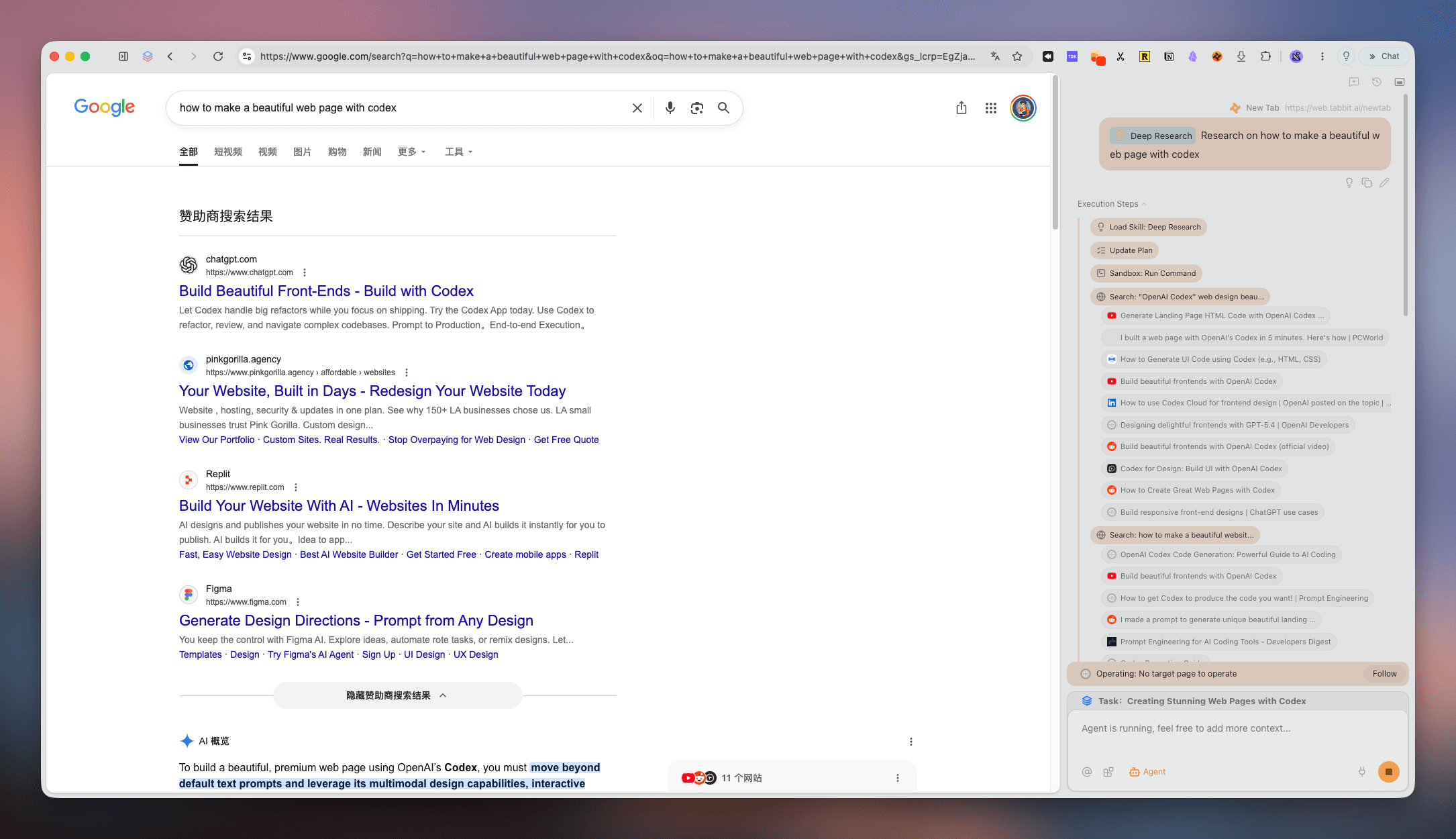
Search across a question while the right rail keeps the query and execution steps visible. Useful when the deliverable needs a source-backed synthesis.
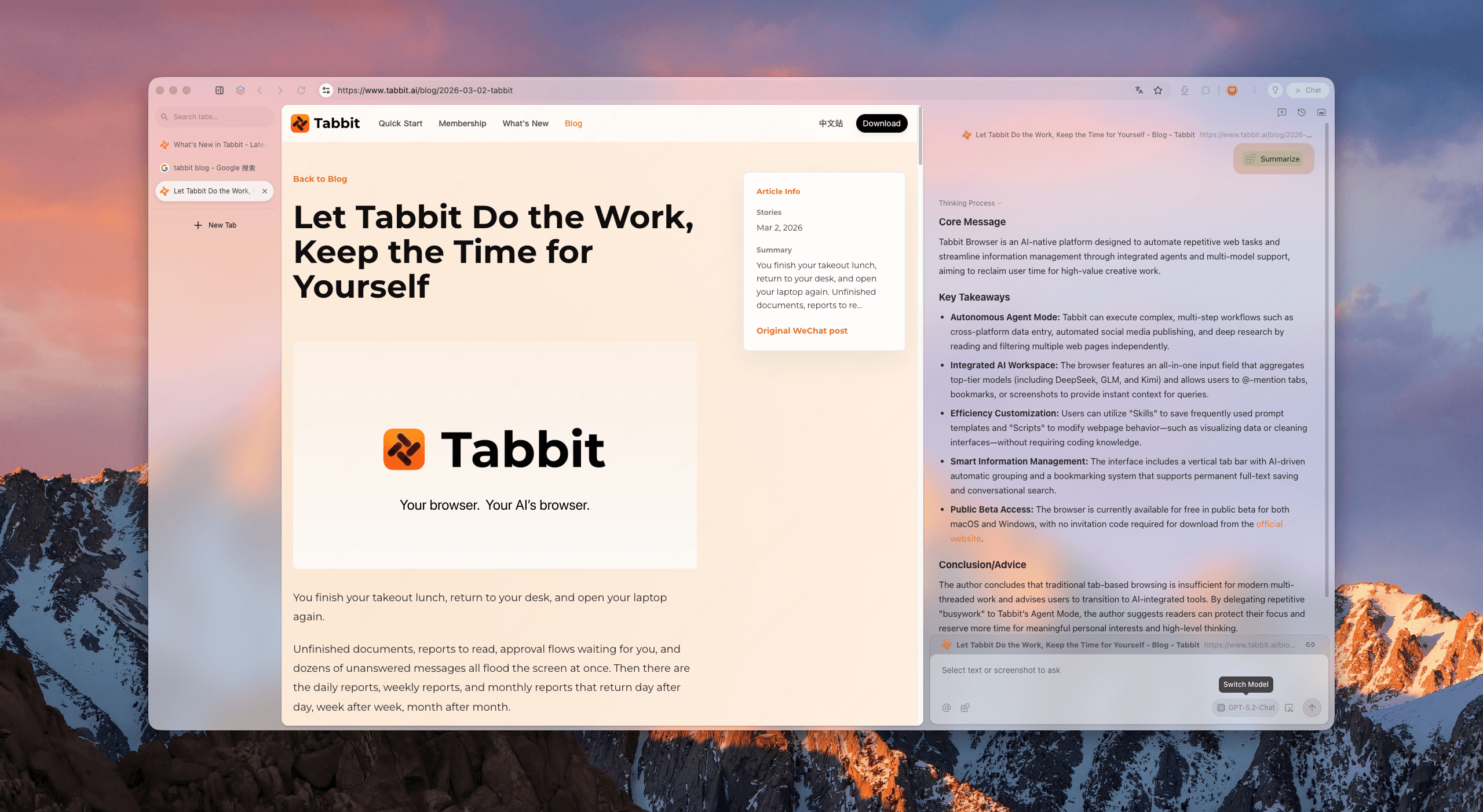
Keep the original page in view while the sidebar extracts the core message and takeaways. The source stays available for a human check.
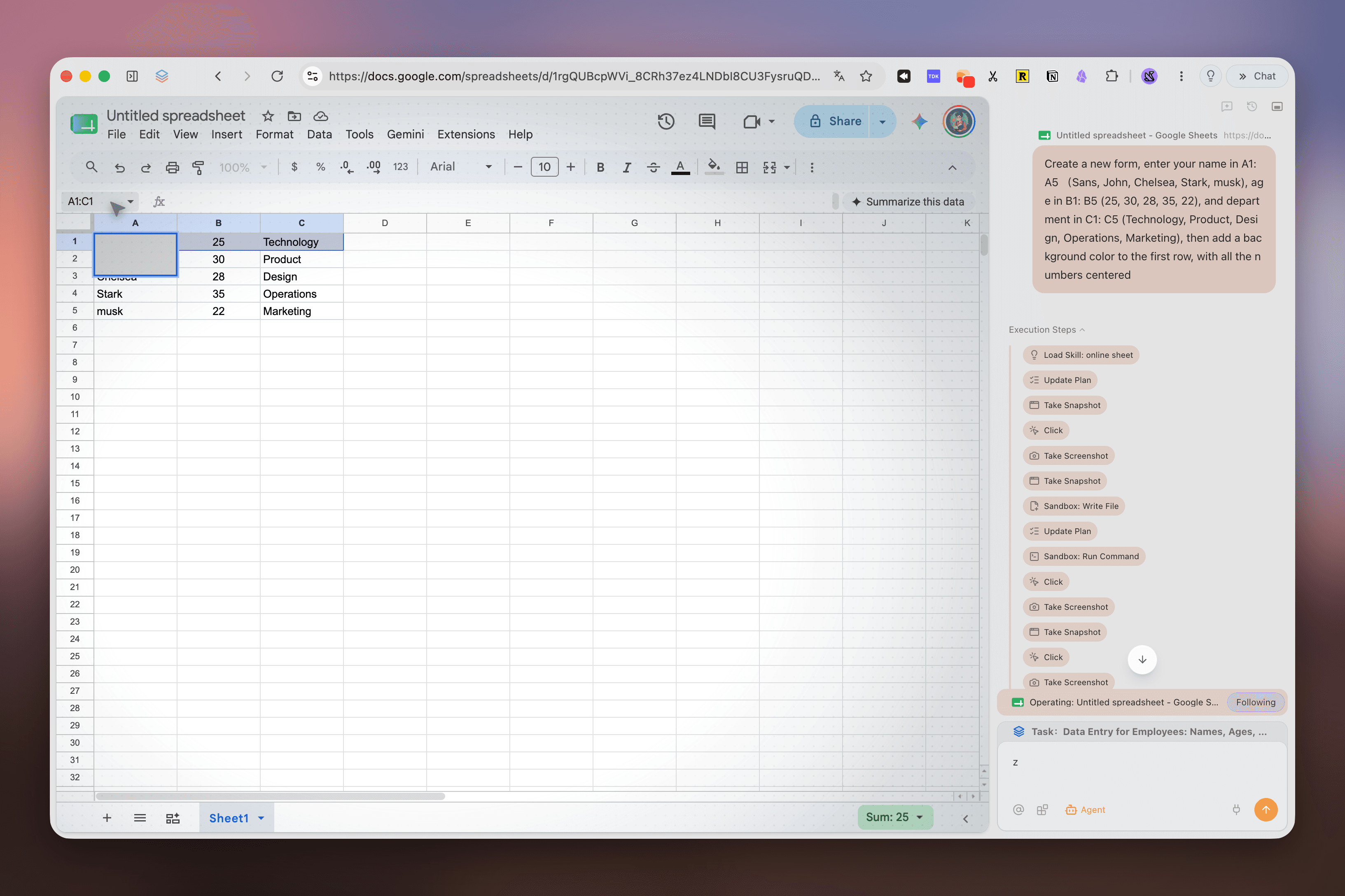
Give a multi-step web instruction and inspect the actions as the browser works. This is the action layer to test when opening the right app is not enough.
Tabbit is a desktop AI browser for macOS and Windows. Availability and model policy vary by region.
05 · COST OF THE SETUP
A good workspace is still a system. Count the extra surfaces, permissions and subscriptions before calling it a win.
01 · RESOURCES
Many live apps, tabs, extensions and notifications will use resources. Shift’s support guidance recommends at least 8 GB RAM and says 16 GB is ideal for heavy multitasking; that is guidance, not a benchmark.
02 · COMPLEXITY
Search, notifications, shortcuts, sign-in and extension permissions still belong to the individual app. Test the few flows that your team cannot afford to break.
03 · TRUST
App integrations, telemetry and optional AI processing deserve a policy review. “Private” marketing language is not proof that no data is processed.
04 · PRICE
The reviewed pricing page lists Free at $0 with 5 Spaces and 10 apps per Space; Advanced lists unlimited Spaces/apps at $199.99 billed annually. Check the live page before subscribing.
OFFICIAL PRICE CHECK
$0 Free · $199.99/year Advanced
Observed on the Shift pricing page on 2026-08-30; monthly selector and availability may change.
06 · FAQ
Yes, if you mean a desktop browser organized around apps, accounts and project Spaces. Its documented advantage is a configurable app desk, not a tested page-speed advantage.
Shift’s official Apps pages describe multiple accounts in the same app and side-by-side inboxes. The exact login and notification behavior still depends on the service you use.
Spaces are separate contexts for work, hobbies or projects, with their own app stacks. The current pricing page lists 5 Spaces in Free and unlimited Spaces in Advanced.
The official AI page describes contextual questions, insights, writing, summaries and drafts. That does not by itself establish multi-step web execution like Tabbit Agent Mode.
It brings app entry points into one shell, but each app still governs its search, alerts and shortcut behavior. Test critical flows rather than assuming they are unified.
It depends on the object of work. Shift is a strong fit for accounts, apps and Spaces; Tabbit is a stronger fit when productivity means researching sources, summarizing pages or completing visible browser actions.
THE NEXT WORK OBJECT
Try Tabbit when the hard part is no longer finding the right account, but comparing sources, creating a brief or carrying out a repetitive web flow with the steps in view.
Official Tabbit download · macOS and Windows · no efficiency percentage promised