EDITORIAL REVIEW FILE · AUGUST 2026

Shift Browser Review

Chromium desktop browserWindows 10+ · macOS 11+5 Spaces on FreeNo benchmark score claimed

Shift is a Chromium desktop browser built around app integrations, Spaces and a configurable Builder. This review separates Shift’s official product claims from independent reports, then asks the useful question: do you need a tidy app hub, or a browser that helps you research and act?

Read the decision table
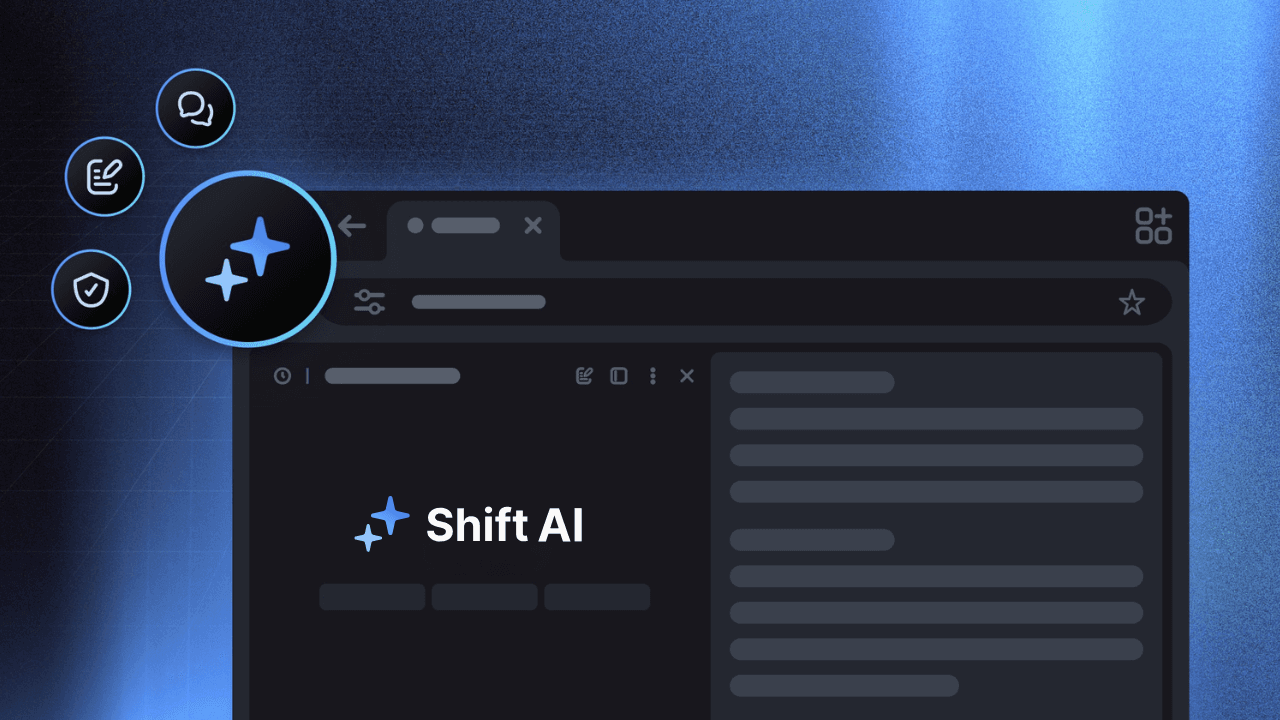
Shift official app-integrated page showing a dark browser interface with Shift AI and productivity controls
OFFICIAL · APP ECOSYSTEMShift app-integrated page

THE EDITOR’S LEDGER

Two browsers, different centers of gravity

This is a scoped comparison, not a universal ranking. Shift documents a customizable desktop shell for apps and Spaces; Tabbit is built around page-aware AI, research and visible agent work. “Strong” here means the product’s documented focus, not a lab result.

Decision signalShiftTabbit
01Core promiseKeep accounts, apps and projects in one customizable desktop browserTurn browser context into research, answers and finished actions
02Multiple accountsOfficial pages describe switching accounts in one app without signing outKeep relevant pages and accounts in a visible task context
03App ecosystemOfficial pages cite 1,500+ and 4,500+ integrations plus Chrome extensionsOpen the web, inspect pages and ask across selected context
04Spaces and layoutSpaces, app stacks, templates and drag-and-drop BuilderGroups, vertical tabs, saved context and task workspaces
05AI and executionShift AI summarizes, drafts and answers; no independent benchmark claimed hereDeep Research, multi-model chat, summaries and reviewable Agent Mode
06Privacy boundaryLocal-content claims sit beside telemetry and third-party AI disclosuresWorkflow privacy controls; not an anonymity network or VPN

FEATURE DOSSIER

Shift’s bet is organized density

The value proposition is not “a faster Chrome.” It is fewer logins and fewer windows when your day is already split across inboxes, calendars, docs and client accounts.

01 · APPS

A sidebar for the accounts you repeat

Shift’s official app directory says it integrates web apps and Chrome extensions. Its pages use both 1,500+ and 4,500+ counts; treat them as changing marketing counts, not an independently audited catalog.
02 · SPACES

Context boundaries for work and life

Spaces can separate work, hobbies and projects, with their own apps and extensions. The Free plan lists five Spaces; Advanced removes that limit.

03 · BUILDER

A layout you assemble yourself

Builder starts from a template, then lets you drag apps, bars and controls into a custom layout. Useful for navigation friction, but it adds setup work when you want a browser ready immediately.

04 · EXTENSIONS

Chromium familiarity with a caveat

Shift says you can add Chrome extensions. An independent Efficient review notes that support improved over time but was historically incomplete; test the extensions your work cannot lose.

FEEL, NOT A SCORE

What the evidence can—and cannot—say about performance

No controlled same-device benchmark was available for this review. A Chromium foundation and a tidy app switcher do not prove lower memory use or faster page loads. Tabs, extensions, device and account mix will shape the experience.

01 · Responsiveness

The familiar Chromium model lowers the learning curve. It does not justify a speed ranking without the same device, pages, extensions and test method.

02 · Cognitive load

Pinned apps and Spaces can reduce visual hunting. Builder choices, notifications and many app icons can also create another layer to maintain.

03 · Heavy multitasking

Shift support recommends at least 8 GB of RAM and calls 16 GB ideal for heavy multitasking. That is a vendor recommendation, not a measured threshold.

04 · Stability signal

A 2020 Medium review reported lag, reloads and repeated re-authentication with many integrated accounts. It is a dated personal account, useful as a test risk—not proof of today’s build.

Method note: this page reports current documented behavior plus clearly dated independent observations. It does not publish a benchmark score, memory figure or speed promise.

SOURCE WALL

Read the claim next to the evidence

The hero and first card use official Shift material. The second card is a dated independent review. Product pages describe intended capability; independent writing describes observed friction and should be read with its date and setup in mind.

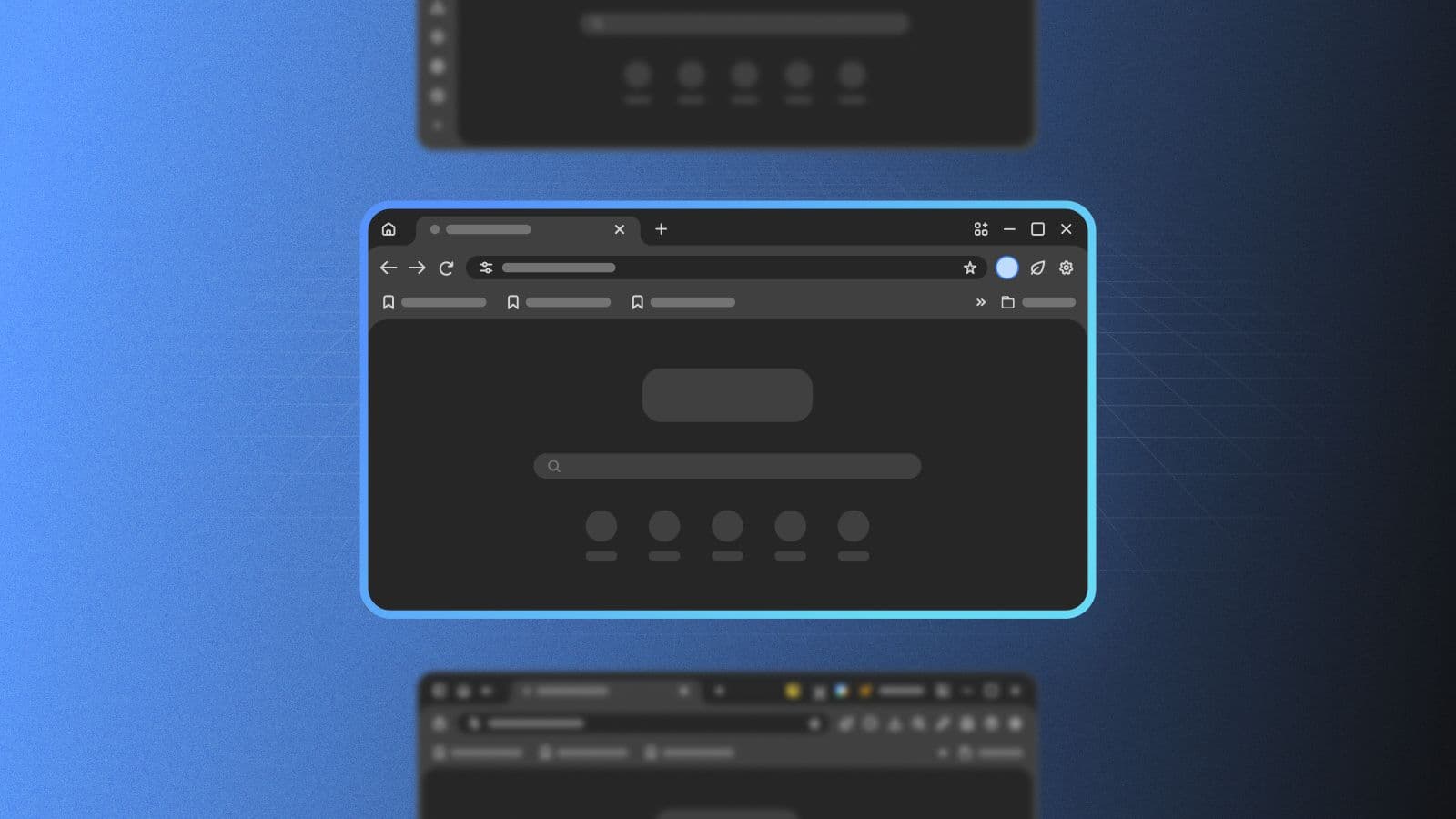
Official Shift Builder visual showing a dark customizable browser window with draggable controls
OFFICIAL · BUILDER

Customization is the product story

The official Builder page describes templates and drag-and-drop placement for apps, bars and controls. It also frames themes and Spaces as reasons to download the desktop app.

Shift Builder
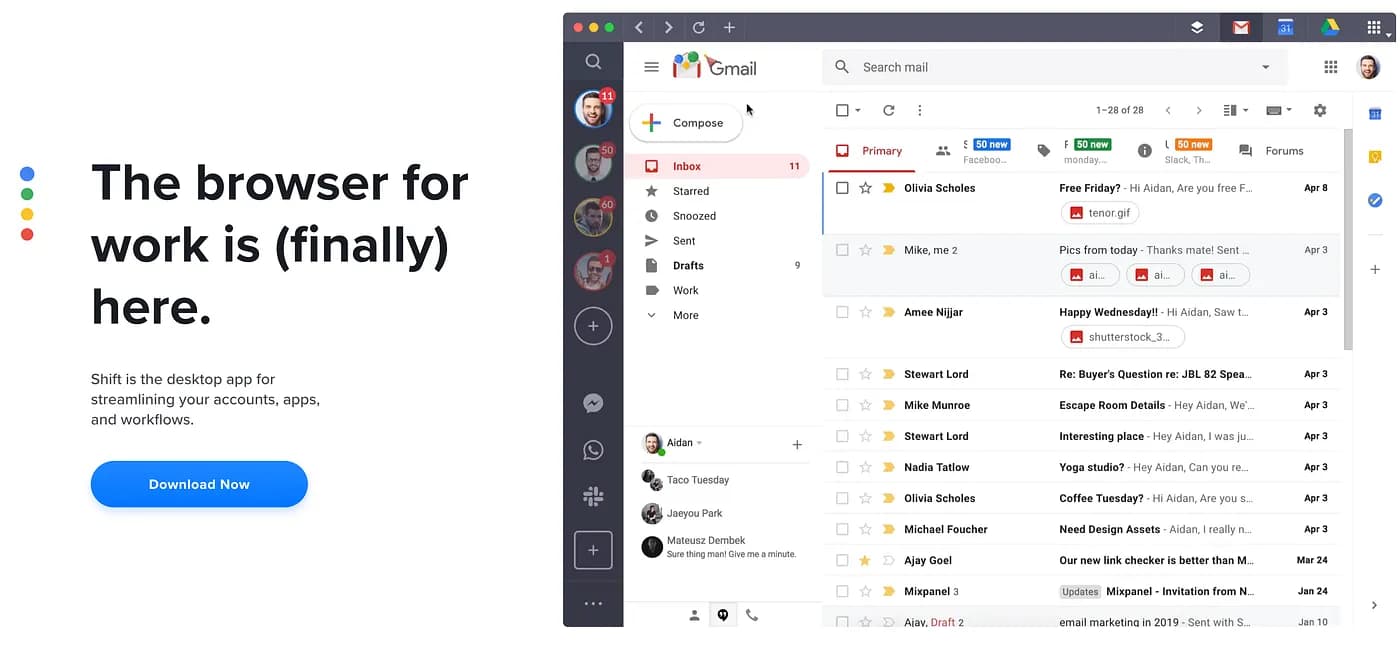
Independent Medium review image showing Shift’s 2020 browser interface with several Gmail accounts and app icons
INDEPENDENT · DATED REVIEW

A real account-heavy setup can expose friction

In a March 2020 Medium review, Jeremy M. Williams described using several Google accounts plus Asana, Slack and other apps, then reported lag, reloads and repeated re-authentication. This is one old personal test, not a current benchmark or a verdict on every user.

Jeremy M. Williams on Medium

Source boundary: official claims, independent observations and this editorial interpretation are labeled separately. The older review’s price and behavior should not be read as current product facts.

PRIVACY & TRUST

“Private” still needs a data-path reading

Shift’s security and AI pages emphasize local password storage, Chromium protections and Cloudflare Privacy Proxy. Its privacy policy also describes application data collection and third-party processing. Both sides belong in the decision.

  • 01The April 29, 2026 policy says Shift employees and servers cannot access the contents of emails, calendars or drives used in Shift; linked account information is stored locally on the computer.
  • 02The same policy says the app may collect IP address, location, searches, visited sites, content/ad interactions, OS and device details, version data and bug reports.
  • 03Inputs to AI features may be transmitted to third-party AI providers, which may retain data under their own policies. Shift’s AI page says Cloudflare Privacy Proxy adds an anonymity layer; that is not the same as zero data processing.
  • 04The browser is desktop-focused: official support lists Windows 10+ and macOS 11+, recommends at least 8 GB RAM, and says Chrome OS, mobile devices, tablets and tablet mode are unsupported.

Practical read: Shift can reduce the number of separate app windows, but privacy-sensitive teams should review permissions, AI settings, extensions, sync and the current policy before centralizing work.

WHEN THE WORK BECOMES RESEARCH

Shift organizes the desk. Tabbit works through the reading.

This is not a claim that Tabbit replaces Shift’s app directory, account switcher or Builder. The difference is the work layer: when sources need to be opened, compared, summarized and acted on, Tabbit keeps those steps in one visible workflow.

  1. 1

    Page-aware context

    Ask about the active page, a group of tabs, a screenshot, bookmarks or a local file without rebuilding the prompt from scratch.

  2. 2

    Research and summaries

    Deep Research can search and organize a multi-source task; the sidebar can turn a long page into a brief while the source stays visible.

  3. 3

    Agent execution

    Agent Mode is designed for visible multi-step browser work—reading, navigating, filling and collecting—with a person reviewing the flow.

  4. 4

    Model choice and Skills

    Use the model that fits the task and save repeatable instructions or workflows as Skills. That is a different center of gravity from Shift’s app container.

Tabbit is a desktop AI browser for macOS and Windows. It is not a VPN, Tor client or promise of anonymity.

Tabbit Browser Deep Research view with web results and execution steps in the right sidebar
Research and summaries
Tabbit Browser showing an article beside an AI summary sidebar with key takeaways
Page-aware context

CHOICE BY WORK HABIT

Who should choose Shift—and who should keep looking?

A useful review ends with a testable choice. Start from the bottleneck in your day, not from a universal “best browser” label.

01

The account switcher

Start with Shift

You repeatedly move among several inboxes, calendars or client accounts and want them pinned in one desktop shell.

02

The workspace designer

Start with Shift Builder

You enjoy choosing templates, placing controls and maintaining a layout that matches each project.

03

The extension-dependent power user

Test before migrating

Shift says Chrome extensions are supported, but an independent review records historical gaps. Verify password managers, capture tools and work-critical add-ons.

04

The multi-source researcher

Try Tabbit first

Your hard part is not opening apps; it is comparing sources, producing a brief and keeping a web task moving.

05

The mobile-first user

Do not assume Shift fits

The reviewed official support pages describe a desktop product and explicitly exclude mobile, tablets and Chrome OS.

BALANCED READ

The right answer depends on the job

Where Shift is compelling

  • Multiple app accounts and inboxes can live in one desktop workspace.
  • Spaces, templates and Builder make the shell adaptable to projects and routines.
  • Official pages describe a large web-app directory, Chrome extension support and optional Shift AI.
  • Free tier is clear: $0, five Spaces and ten apps per Space; Advanced adds unlimited Spaces/apps and expanded AI.

What to verify first

  • Official pages show different integration counts (1,500+ and 4,500+); neither is an independent audit.
  • The Free plan caps Spaces/apps and limits Shift AI; Advanced is listed at $199.99 USD billed annually.
  • Desktop-only support excludes mobile, tablets and Chrome OS; Windows/macOS requirements matter.
  • AI inputs and application telemetry need a privacy review; “private by design” is not “nothing leaves the device.”
  • Historical independent reports describe lag and re-authentication; current performance still needs your own extension/account test.

Shift is a thoughtful account-and-app organizer. Choose it for a customizable command center; choose Tabbit when the browser should help you investigate, synthesize and complete the next action.

QUESTIONS AT THE MARGIN

Frequently asked questions about Shift Browser

Is Shift Browser free?

Shift’s current pricing page lists a Free plan at $0 forever with five Spaces, ten apps per Space, Builder/templates and limited Shift AI. Advanced is listed at $199.99 USD billed annually with unlimited Spaces/apps and expanded AI. Verify the live page before subscribing.

What platforms does Shift support?

Official support pages describe Windows 10 or later and macOS 11 Big Sur or later, with at least 8 GB of RAM recommended. They say Chrome OS, phones, tablets and laptops in tablet mode are unsupported.

Does Shift support Chrome extensions?

Shift’s app pages say you can add any Chrome extension. An independent Efficient review says support improved over time but was historically incomplete. Treat critical extensions as a pre-migration test.

Is Shift Browser private?

Shift’s security pages describe local password storage, Chromium protections and Cloudflare Privacy Proxy for Shift AI. The privacy policy also describes application data collection and possible third-party AI processing. Read those claims together; Shift is not an anonymity service.

Is Shift faster than Chrome?

This review does not claim that. No controlled same-device benchmark was available, and performance depends on tabs, extensions, accounts, hardware and settings. Test your actual setup instead of trusting a generic speed label.

Is Shift better than Tabbit for research?

Shift is a strong fit when the problem is account switching and app organization. Tabbit is aimed at page-aware research, multi-model answers, summaries and reviewable browser actions. The better choice follows the task you need to finish.

Keep the browser that fits the next piece of work.

Download Tabbit when the task is more than arranging apps: compare a source set, turn open pages into a brief or complete a repetitive web flow with review in the loop.

Available for macOS and Windows · Start with a page, a group or a question

© 2026 Tabbit Browser. The AI-native browser that understands your context.

