ANDROID FIELD GUIDE · SOURCE FIRST

Tor Browser for Android: install the right thing

Looking for Tor Browser Android? Start with the official app and a verified source. This guide covers the Android requirements, Google Play and F-Droid routes, first launch, and the boundary between Tor Browser and Tabbit.

QUICK CHECK

  • Official Android app
  • Android 5.0+
  • Stable source first
Tabbit desktop new-tab workspace with a vertical tab bar and AI chat panel; Tabbit is currently a desktop browser.

FIRST, THE IMPORTANT SPLIT

Two browsers. Two jobs. One clear decision.

Tor Browser and Tabbit solve different problems. Choose the app that matches the device and job in front of you instead of treating every privacy or AI browser as interchangeable.

T

ANDROID · TOR PROJECT

Tor Browser is the Android privacy route

Tor Browser for Android is the official mobile browser supported by the Tor Project. Its purpose is to connect through the Tor network and reduce tracking, surveillance, and censorship risks.

  • Official Android distribution
  • Privacy-focused browser defaults
  • Connection Assist and bridge options

A

DESKTOP · TABBIT

Tabbit is the desktop workbench

Tabbit is an AI-native browser for reading, asking questions, and automating browser work on macOS and Windows. It does not provide the Tor network and it does not currently offer an Android app.

  • macOS 12+ and Windows 10+
  • AI chat, Agent and Skills
  • Mobile support is on the roadmap

If your goal is Tor on an Android phone, install Tor Browser from an official route. If your goal is to process the research later on a laptop, Tabbit can be the separate desktop workspace.

INSTALL PATH

A safe Android install takes four checks

The shortest path is not always the safest APK. Confirm the device, choose a first-party or documented distribution channel, and keep the first connection step visible.

  1. 01

    Check Android and architecture

    Tor Support lists Android 5.0 or newer and Aarch64, Arm, x86_64, and x86 architectures. If you are unsure, use an app store route.

  2. 02

    Start with an official source

    Use Google Play, F-Droid with the Guardian Project repository, the Tor Project download page, or GetTor. Avoid random APK mirrors and look-alike apps.

  3. 03

    Pick stable before Alpha

    Google Play lists a stable Tor Browser and an Alpha channel. Unless you are testing, choose the stable listing and confirm the developer is The Tor Project.

  4. 04

    Connect, then troubleshoot

    On first launch, try Connect. If Tor is blocked or the connection stalls, use Connection Assist or the official bridge and troubleshooting guidance.

WHAT THE SOURCES LOOK LIKE

Read the page before you tap Install

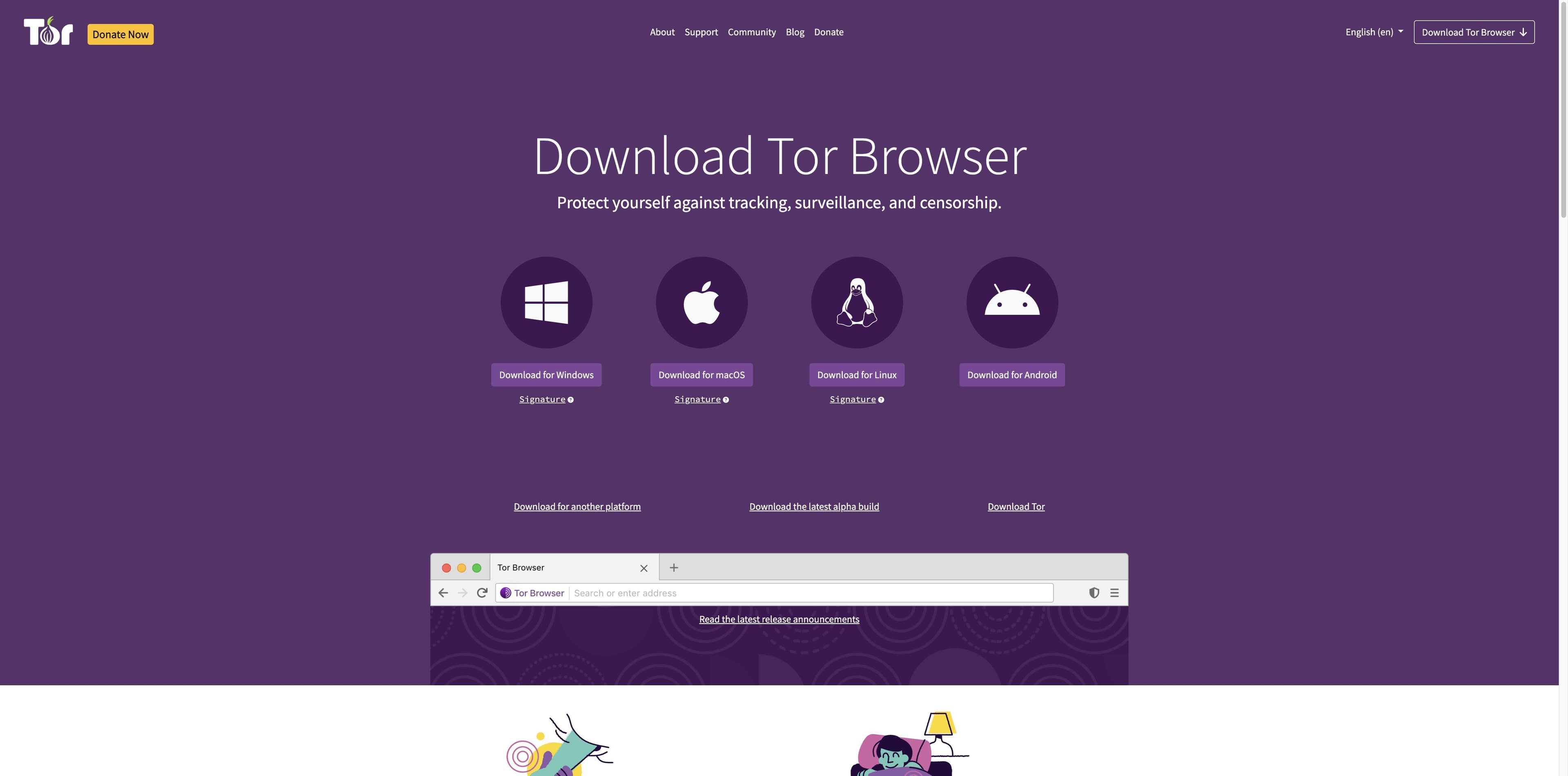
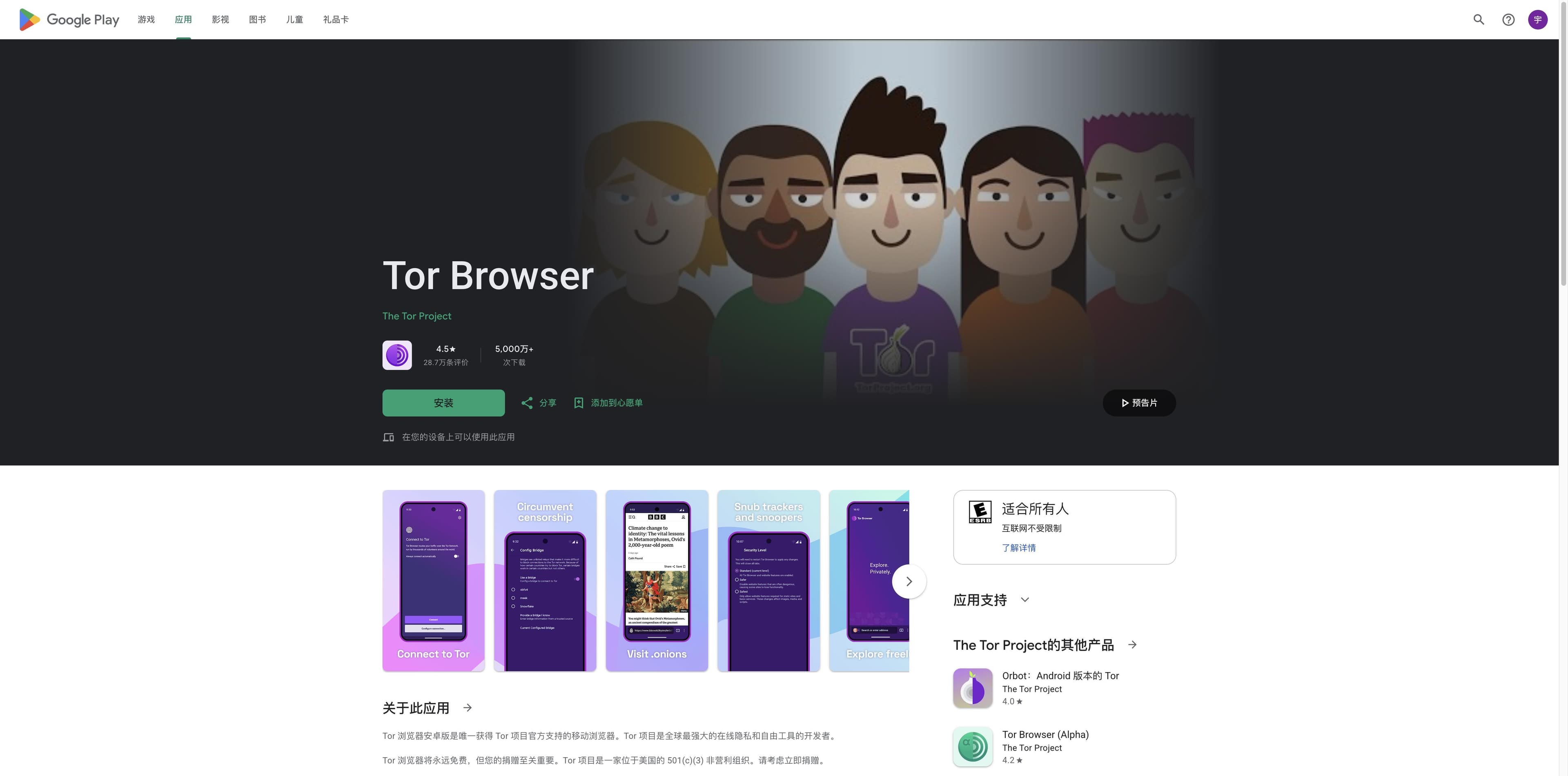
The screenshots below were captured from the official Tor Project download page and the Google Play listing. They are evidence of the route, not substitutes for checking the live page before installing.

Tor Project official download page showing Windows, macOS, Linux and Android platform buttons.
Tor Project download page: Android is presented as one of the official platform choices.
Google Play listing for Tor Browser showing The Tor Project as developer and an Android install button.
Google Play stable listing: confirm the app name and developer before installing.

AFTER THE PHONE

Use Tabbit when the work moves back to a desktop

Once you have collected pages or notes on Android, a desktop browser can help you turn that material into work. Tabbit is built for that second stage, with an honest platform boundary.

  • Bring context together

    Keep pages, screenshots and local files in one desktop workspace instead of repeatedly copying snippets between tabs.

  • Ask beside the page

    Use Tabbit chat to summarize or explain a page while the source remains visible in the browser.

  • Automate the boring parts

    Agent and Skills can help with supported browser tasks. They are productivity tools, not a Tor network or an Android client.

Current availability checked against Tabbit’s official site and shared download configuration: macOS (Apple Silicon / Intel) and Windows. Linux and mobile are listed as roadmap items; Android download is not offered here.

Tabbit desktop browser showing a web article beside an AI summary sidebar and key takeaways.

FAQ

Tor Browser Android questions, answered

Is Tor Browser available for Android?

Yes. Tor Support lists Tor Browser for Android and says it is available through Google Play, F-Droid, the Tor Project website and GetTor. Check the live official pages for the current package.

What Android version does Tor Browser require?

The Tor Support installing page currently lists Android 5.0 or newer, with Aarch64, Arm, x86_64 and x86 architectures.

Should I download a random Tor Browser APK?

No recommendation is made for random mirrors. Start with Google Play, the documented F-Droid / Guardian Project route, the Tor Project website or GetTor. A third-party listing is not automatically an official build.

Is the Tor Browser Alpha app the normal version?

No. Google Play presents Alpha as a separate channel. Unless you are intentionally testing, the stable Tor Browser listing is the clearer choice for everyday use.

What should I do when Tor Browser will not connect on Android?

Try the official first-launch guidance. Connection Assist may help when Tor is blocked; the Tor Support documentation also covers bridges and troubleshooting. A page cannot guarantee that every network will connect.

Can Tabbit replace Tor Browser on Android?

No. Tabbit is currently a macOS and Windows AI-native browser, does not provide the Tor network, and does not offer an Android app. Use Tor Browser for the Android Tor task, and Tabbit separately for desktop research and browser work.

A CLEAN HANDOFF

Install the Android browser from the source you can verify

For Tor on Android, follow Tor Project’s current instructions. For the research and tasks that continue on a computer, Tabbit is ready on macOS and Windows.

Tabbit does not provide Tor routing or Android downloads.

© 2026 Tabbit Browser. The AI-native browser that understands your context.