Start at torproject.org
Use the Tor Project download page for desktop builds. A search result or mirror can be useful for discovery, but it is not proof of authenticity.
Download decision desk · checked 29 Aug 2026
Start with the official Tor Project link, choose the right platform, and know what you are installing. Need an AI browser for everyday research and tasks? That is a separate choice: Tabbit is built for productivity, not Tor anonymity.
Tor Browser and Tabbit are different products. This page never replaces the official Tor download flow.
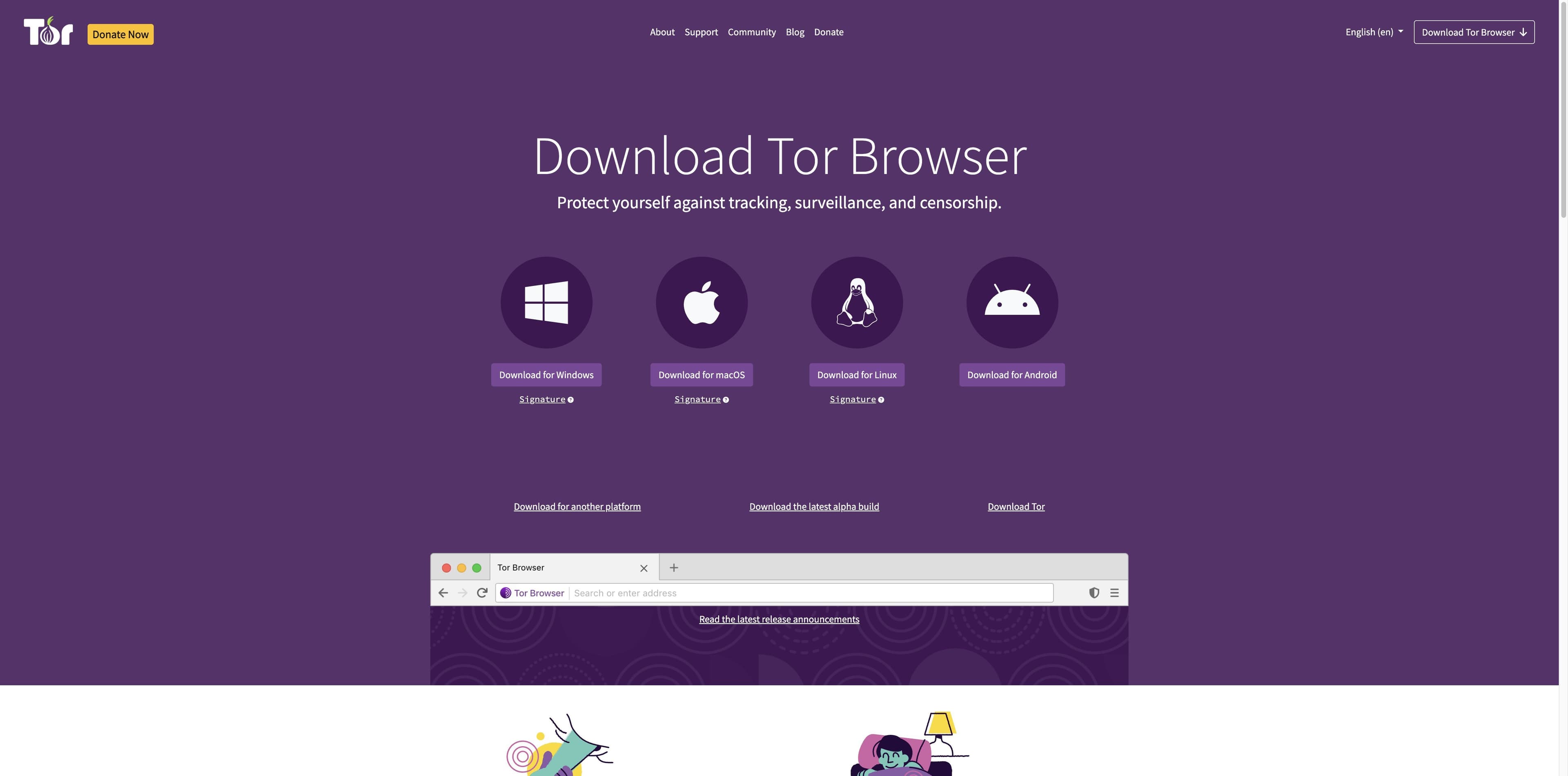
A three-step check
The fastest safe path is not the first mirror you see. Match the source, platform, and verification step before opening an installer.
Use the Tor Project download page for desktop builds. A search result or mirror can be useful for discovery, but it is not proof of authenticity.
The official page separates Windows, macOS, Linux, and Android. Do not choose Tor Source or Expert Bundle unless you are integrating Tor as a developer.
Desktop entries expose signature links; Android should use an official supported store path. Keep the live official instructions open while you verify.
Platform map
The links below describe the official page observed on 29 Aug 2026. Release labels and package URLs can change, so confirm the current page before installing.
Choose the Windows download on the Tor Project page, then use its Signature link when checking the file.
Windows path → official pageThe official page offers a macOS package and a matching signature link. Keep the architecture and release details together.
macOS path → official pagePick the Linux build for your architecture. The official page also links a signature for the desktop archive.
Linux path → official pageThe Tor Project page points to Android choices; Google Play lists the Tor Project-supported Tor Browser app. Avoid similarly named third-party apps.
Android path → official pageTor Source and the Expert Bundle are technical downloads. The Tor Project describes the Expert Bundle as containing Tor binaries, pluggable transports, bridge strings, and geoip data for developers who bundle Tor into an application. That is not the normal browser installer.
See the official Tor technical downloads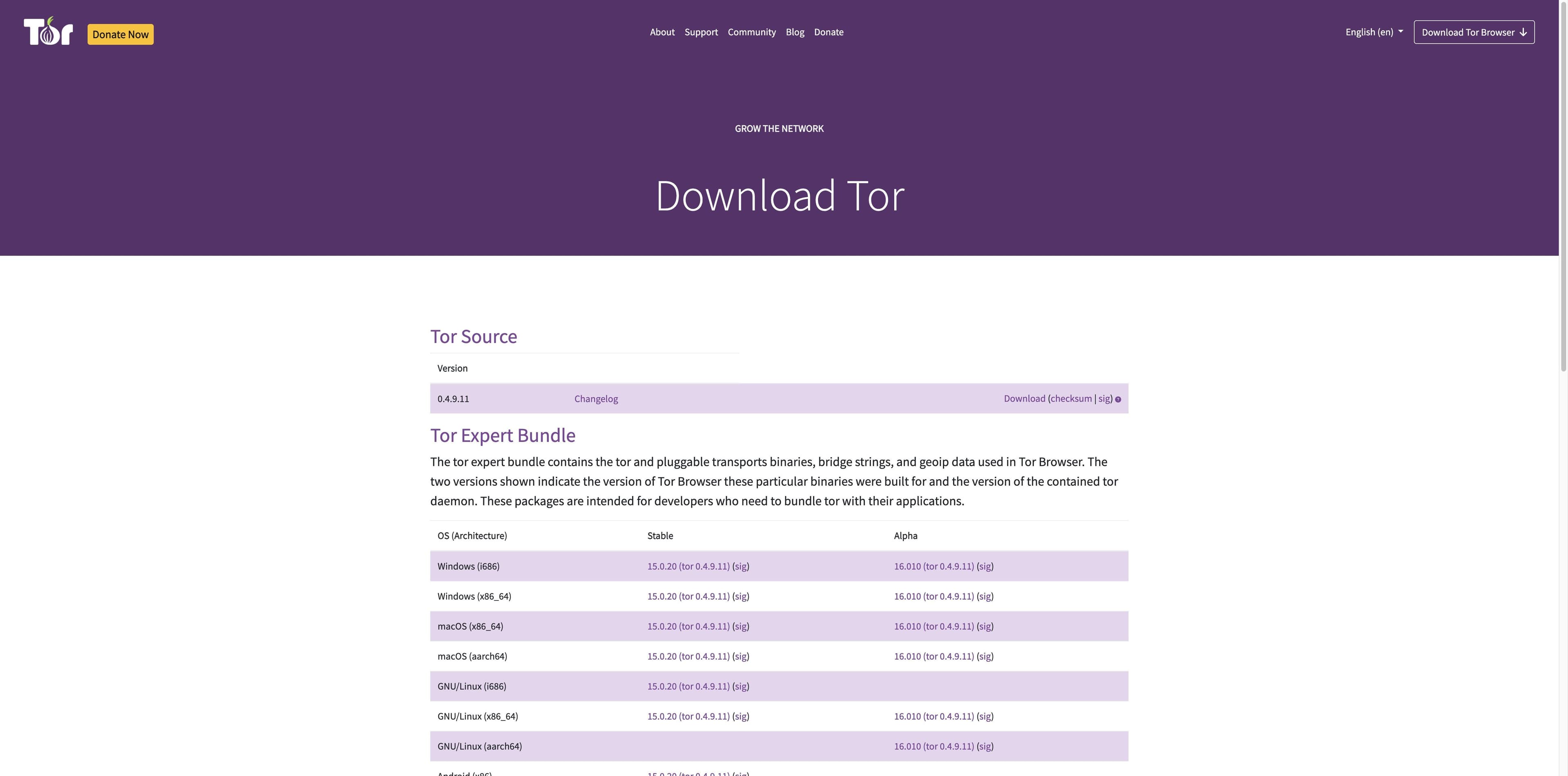
Two jobs, two products
Tor Browser is a privacy-focused browser connected to the Tor network. Tabbit is an AI-native productivity browser. Tabbit does not provide Tor routing, anonymity, or censorship circumvention, and Tor Browser is not an AI task workspace.
| Decision | Tor Browser | Tabbit |
|---|---|---|
| Primary job | Privacy, anti-tracking, and Tor network access | Research, writing, and repetitive web work with AI |
| Desktop platforms | Official page lists Windows, macOS, and Linux | Official site lists macOS 12+ and Windows 10+ |
| Mobile path | Android official path; follow Tor Project guidance | Mobile support is on the official roadmap |
| Network model | Traffic uses the Tor network; read its limits and safety guidance | Normal web connections plus the model provider you select |
| AI execution | Not its download page’s core promise | Agent Mode, Skills, tab context, and multi-model workflows |
| Best next click | Open the official Tor download and verify the package | Download Tabbit when you need an AI workbench |
Where Tabbit fits
If your actual task is to compare pages, summarize a report, or move information between web tools, Tabbit can be the productivity browser you evaluate separately from Tor Browser.

A real Tabbit Agent session can work inside a web app such as Google Sheets. It is designed for instructions, steps, and results—not for hiding your network identity.

Tabbit can keep a summary beside a page so research notes and conclusions stay in context. This is the kind of daily reading workflow Tor Browser does not claim to be.
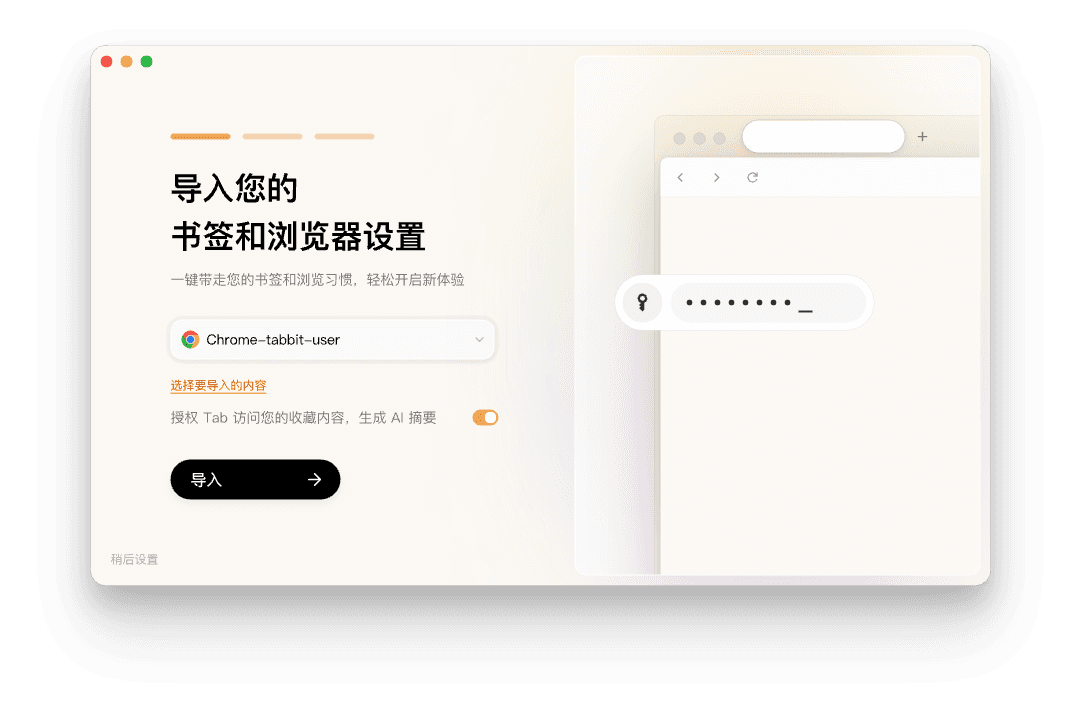
The onboarding flow can import bookmarks and browser settings. The screenshot text is in Chinese; it is shown as a real interface example, not as a claim that every locale is translated.
Before you install
Use the official help and the package’s verification instructions for decisions that need current technical detail. The points below summarize what was visible during research.
Use the Tor Project download page or the supported Android store route. Treat Softonic, mirrors, and similarly named mobile apps as unverified until you can validate the source.
The Tor Project desktop download cards expose Signature links. Follow the official verification guide rather than trusting a filename, badge, or search snippet.
The Tor Project page says not to torrent over Tor and does not recommend installing additional add-ons or plugins, which may bypass protections or compromise privacy.
A browser download is not a guarantee of safety in every situation. Read current Tor documentation, understand the limits, and do not treat Tabbit as a Tor or anonymity product.
FAQ
Start at https://www.torproject.org/download/. The page observed on 29 Aug 2026 listed Windows, macOS, Linux, and Android paths. Confirm the live page and its current release details before installing.
Separate the jobs
Try Tabbit for contextual research, Agent Mode, Skills, and multi-model web workflows on macOS and Windows. Keep Tor Browser for the privacy and Tor-network use cases it is built to serve.
This opens Tabbit’s shared download flow. It does not download Tor Browser.