01 / NATIVE
A documented Vivaldi feature
A native assistant would have a Vivaldi entry point, supported behavior and a documented data path. The official pages checked here do not confirm one.
NOT CONFIRMEDVIVALDI AI BROWSER · FIT CHECK
Vivaldi is built around control, customisation and privacy. Its current public story does not confirm a native generative assistant. If you are looking for AI that reads, compares and acts across the web, that is a different product decision.
THE SHORT ANSWER
Vivaldi is a strong configurable browser, not a confirmed AI-native browser. You can open an AI service or add an extension, but those remain separate layers.
01 / THE THREE-LAYER TEST
Before comparing products, name the layer. This keeps an outside service, an add-on and a first-party browser capability from being sold as the same thing.
A native assistant would have a Vivaldi entry point, supported behavior and a documented data path. The official pages checked here do not confirm one.
NOT CONFIRMEDChatGPT, Claude, Gemini or Duck.ai can be opened as websites. That is a sensible user choice, but the service remains independent of Vivaldi.
USER-CHOSENAn extension may add prompts, summaries or a sidebar. Check who maintains it, which pages it can read and where the content is sent.
CHECK SEPARATELYA translation tool, search suggestion or privacy feature is not by itself proof of generative chat, cross-page context or an Agent.
02 / EVIDENCE, NOT VIBES
These captures are from Vivaldi pages observed for this guide. They show the evidence behind the fit check; they are not a benchmark or a promise about every future release.
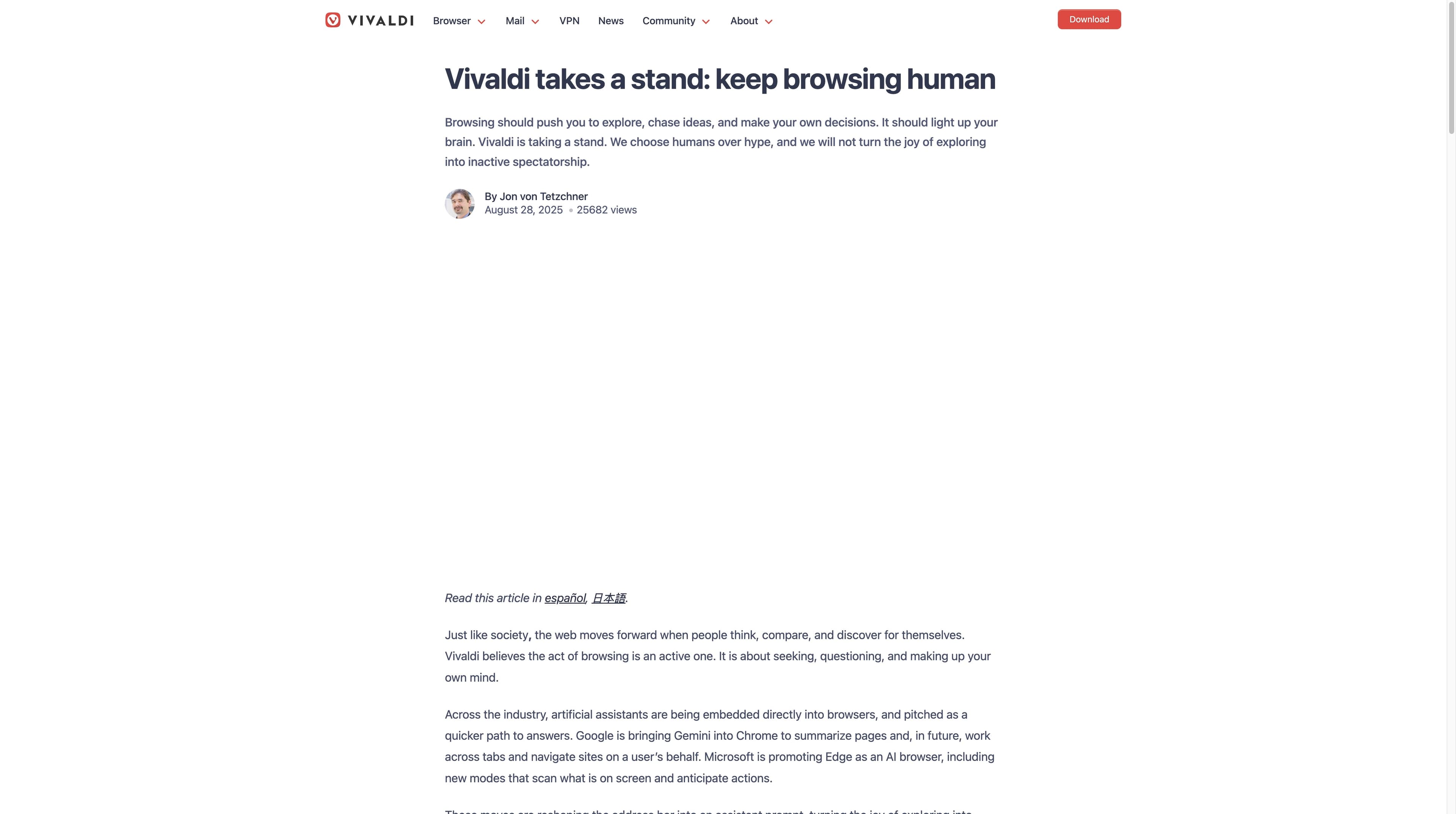
Vivaldi’s CEO article says the browser will not use an LLM for a chatbot, summarisation solution or form-filling suggestion until more rigorous methods are available. It also leaves room for AI that protects user control and the open web.
Vivaldi: Keep browsing human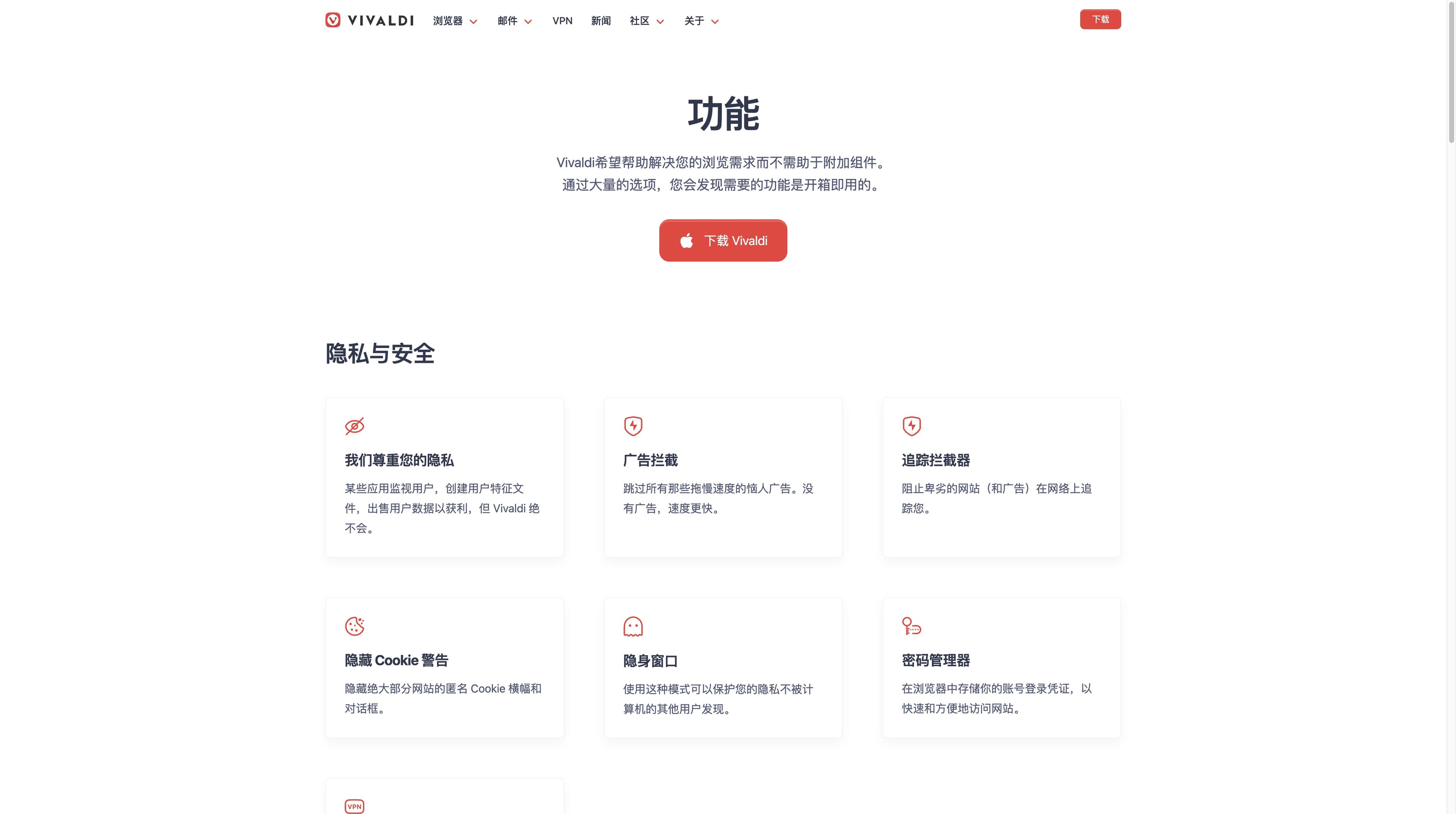
The current features page foregrounds privacy and security, tab tools, workspaces, Web Panels, mail and other built-in utilities. It does not present a native generative assistant as the entry point we can verify.
Vivaldi featuresVivaldi’s later AI-browsers article explains that a generative LLM can be placed in an isolated Web Panel. “Can use AI” and “is an AI browser” are therefore different claims.
03 / CHOOSE BY TASK
Use the task as the decision filter. Vivaldi and Tabbit can coexist: one gives you a configurable browsing desk; the other adds a native AI work layer.
| Your job | Vivaldi is a fit when… | Tabbit is a fit when… |
|---|---|---|
| 01Build a personal browser | You want themes, commands, workspaces, panels, mail and deep control. | You also want the browser to understand the material open in front of you. |
| 02Read one difficult page | You prefer reading and taking notes yourself, or you add a service in a panel. | You want a page-aware summary, key points or a rewrite beside the source. |
| 03Compare many sources | You are happy to arrange tabs and build the brief manually. | You want Deep Research to search, read and structure a source trail. |
| 04Repeat a web task | A command or extension is enough and you will review each step. | You need Agent mode to carry out visible multi-step browsing with review. |
Decision rule: choose Vivaldi for control of the browser surface; evaluate Tabbit when the bottleneck is understanding or acting on web context.
04 / THE AI WORK LAYER
Tabbit is not a Vivaldi feature and this is not a speed ranking. It is a concrete example of the AI-native path: context, research, summary and Agent actions live in the same browser work surface.
Use @ to reference the active page, a tab group, a screenshot, a bookmark or a local file instead of rebuilding context by copy and paste.
Deep Research can search and organise multiple sources while the execution trail remains visible beside the pages you are investigating.
Summarise a page, extract decisions, switch models or ask Agent mode to perform visible multi-step browser work when review is still part of the process.
The screenshots demonstrate the product surface, not a promise that every website or Agent task succeeds without human review.


05 / THE DATA BOUNDARY
Vivaldi’s privacy controls and the data path of an AI service are separate choices. Make the hand-off visible before you send a page, selection, screenshot or file.
The safest comparison is specific: browser controls, AI provider, account, permissions and task autonomy should each be named.
FAQ / BEFORE YOU DECIDE
Based on the official product and features pages observed for this guide, Vivaldi is better described as a powerful, personal and private browser whose native generative assistant is not confirmed. You can still use external AI services or extensions.
The checked official pages do not document a native generative assistant, cross-page summariser or Agent entry point. Vivaldi’s 2025 position article says it will not add LLM chat, summarisation or form suggestions until more rigorous methods are available; check current release notes for changes.
Yes, you can open an AI service as a normal tab or Web Panel, and compatible extensions may add another interface. That is an external workflow with the provider’s own account, permissions and data policy.
A translation or search feature alone does not prove generative chat, cross-page context or an Agent. Describe the documented feature you are using instead of inferring a broader AI capability.
Choose Vivaldi when browser control, customisation, workspaces and built-in utilities are the main job. Test Tabbit when you need page-aware research, summaries, model choice or visible multi-step web actions in the same work surface.
NEXT MOVE
Vivaldi’s position is a valid choice for people who want a human-controlled browser. If your next task is to read, compare and act across live pages, try an AI-native workflow in Tabbit and judge it on your own material.
Free download · macOS and Windows · review every Agent step