01 · NATIVE
A first-party assistant
A native AI layer would be a documented Vivaldi capability with a defined entry point, supported behavior and data path. The evidence used here does not establish one.
VIVALDI BROWSER AI · FACT CHECK
The honest answer depends on what you mean by AI. The Vivaldi product pages observed for this guide foreground tabs, workspaces, panels, built-in tools and privacy controls—not a documented native generative assistant. That is different from opening an AI website or installing an extension.
01 / THE STATUS LEDGER
This table separates a documented product focus from something a user can make work through a site or extension. “Not confirmed” is deliberately narrower than “will never exist”.
| Question | Vivaldi evidence | Practical reading |
|---|---|---|
| 01Native generative assistant | Not confirmed in the observed official feature story | AI chat and page-aware context are the product layer |
| 02Translation and search | Browser tools and services; not proof of a chat model | Ask about a page, a selection or a source group |
| 03Third-party AI | Open a service as a tab/panel or test an extension | Switch supported models inside the work surface |
| 04Cross-page research | Arrange and read sources yourself | Deep Research can search, read and organize a brief |
| 05Agent actions | Commands and extensions can shorten navigation | Agent mode can perform visible multi-step browser work |
Evidence rule: a product page establishes a product claim; a third-party extension establishes neither a Vivaldi-owned feature nor a privacy guarantee.
02 / DON’T OVER-INFER
Searchers often meet the same words in different contexts. Use the distinction below before choosing a browser or sending page data to an AI service.
A native AI layer would be a documented Vivaldi capability with a defined entry point, supported behavior and data path. The evidence used here does not establish one.
A ChatGPT, Claude, Gemini or other service can be opened in a normal tab or Web Panel. That is useful, but the service remains a separate product with its own terms.
A browser extension may add prompts, summaries or sidebars. Compatibility, permissions, maintenance and data handling belong to that extension and should be tested separately.
A launch story, community experiment or old release note is not proof of current stable behavior. Confirm the current release notes and official help before publishing a capability claim.
The safe editorial sentence is: “The sources checked here do not confirm a native Vivaldi generative assistant; external AI remains a user-selected route.”
03 / SOURCE WALL
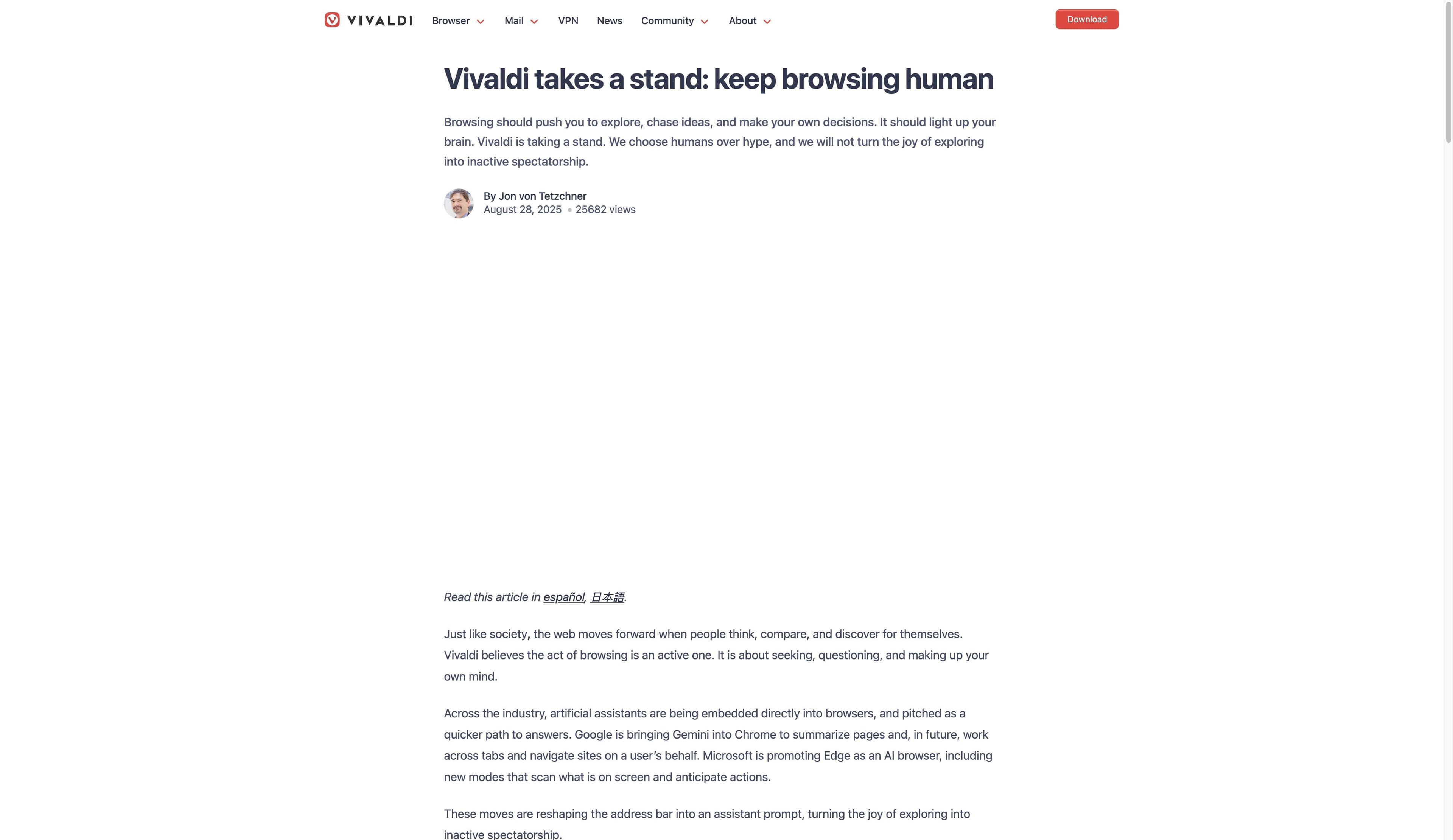
The first card is Vivaldi’s published AI position; the second is an independent report. Neither screenshot is a controlled AI or privacy test, so the copy keeps the source boundary visible.
Vivaldi’s August 28, 2025 article says it will not add an LLM chatbot, summarizer or form-suggestion engine until more rigorous methods exist, while leaving room for useful privacy-respecting machine learning. It is a dated first-party position; release notes remain the current-version source of truth.
Vivaldi AI position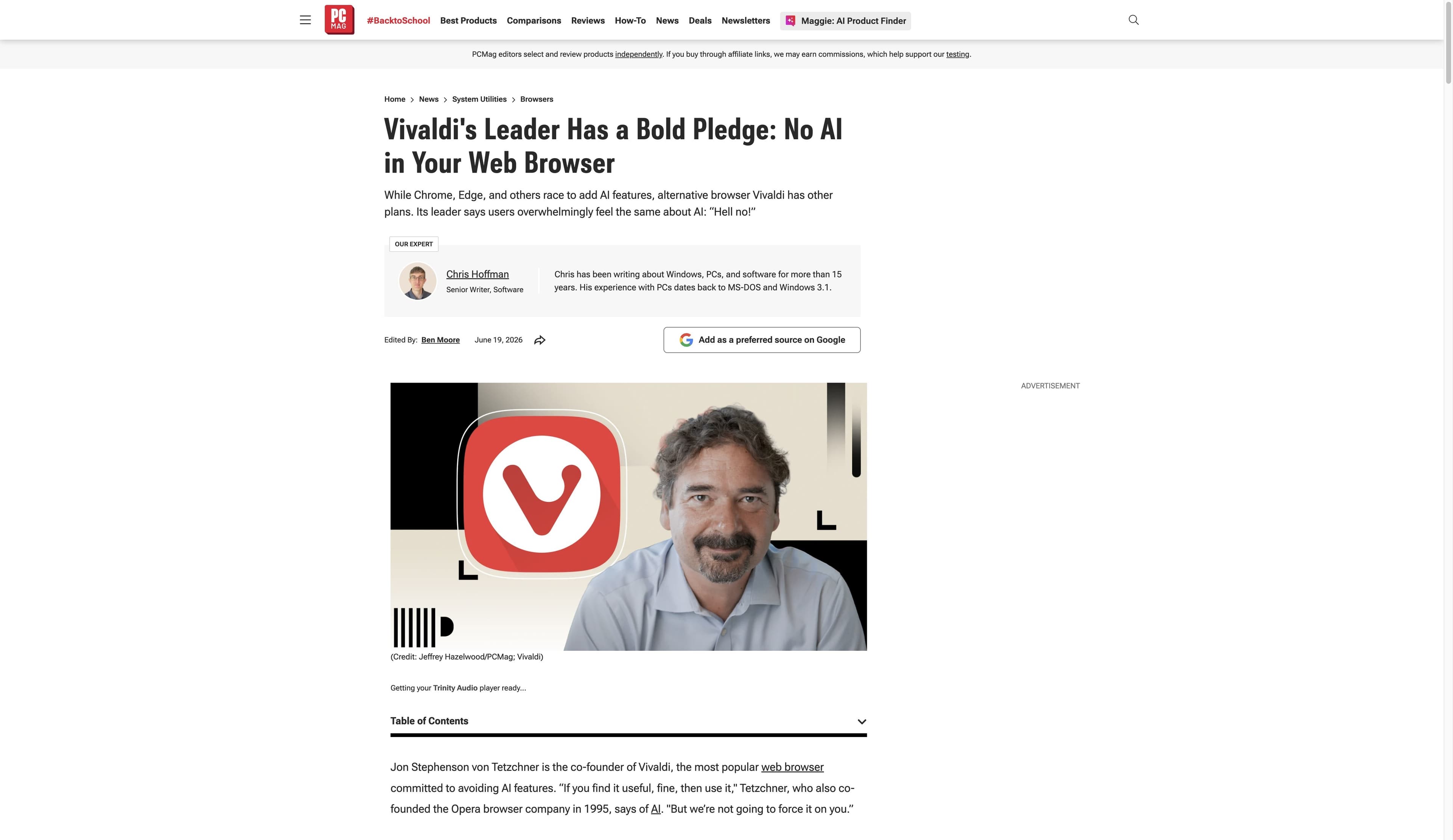
PCMag’s June 19, 2026 interview reports that Vivaldi’s co-founder does not want to force AI on users and points to tab stacks, tiling and workspaces as non-AI organization tools. It is an independent interview, not a Vivaldi release note.
PCMag reportBefore relying on a changing capability, check Vivaldi’s current release notes and the AI provider’s own data controls. Search snippets and old articles are not release documentation.
04 / THE WORKFLOW TEST
This is a job comparison, not a claim that Tabbit replaces Vivaldi’s mail, calendar, themes or tab controls. Choose the layer that matches the bottleneck in front of you.
01 · CONTEXT
Ask about the active page, a tab group, a screenshot, a bookmark or a local file instead of rebuilding context by copy and paste.
02 · RESEARCH
Deep Research can search and organize a multi-source task, with the search and execution trail kept visible beside the browser.
03 · ACTION
Summarize a page, extract a decision list or ask Agent mode to carry out visible multi-step browsing when the task calls for it.
Tabbit’s product screenshots show workflows, not a promise that every site, model or agent task succeeds without review.


05 / PRIVACY BOUNDARY
Vivaldi’s public privacy position and an external AI service are separate decisions. Its policy says it does not share or sell information, while also disclosing daily profile telemetry and optional search-suggestion requests. Ask where page text goes, which account sees it and which extension permissions are active.
Practical check: use a non-sensitive page first, inspect the prompt context, and verify the provider and model before sending confidential material.
FAQ / BEFORE YOU SWITCH
The official Vivaldi sources and independent PCMag report used for this guide do not confirm a native generative assistant as a core feature. Because browser releases change, check the current release notes before treating that as a permanent statement.
You can open an AI service as a normal website or, where compatible, use an extension or Web Panel. That is a third-party workflow, not evidence that the service is built into Vivaldi. Check permissions, account settings and the provider’s data policy.
A translation or search feature alone does not establish a generative chat model, cross-page context or an Agent. Describe the specific documented feature rather than inferring a broader AI capability.
Not automatically. Vivaldi’s privacy controls and an extension’s data handling are separate layers. Read the extension permissions and provider terms, and do not send sensitive pages until you understand the route.
Choose Vivaldi if arranging tabs, workspaces, panels and built-in tools is the main job. Test Tabbit if the bottleneck is understanding many pages, making a cited brief or completing visible repetitive browser steps.
NEXT MOVE
If Vivaldi’s configurable surface is the priority, use its current documentation as your source of truth. If the next task is reading, comparing and acting across the web, try Tabbit’s AI-native workflow.
Available for macOS and Windows · start with a page, tab group or question