Browser anatomy · evidence-led guide

What is Vivaldi Browser?

Vivaldi is a free, cross-platform web browser made by Vivaldi Technologies. It uses Chromium as its foundation, then adds a deeply configurable interface and a large set of built-in tools for people who want to shape how they browse.

The short answer

Think of Vivaldi as a browser control console: Chromium underneath, Vivaldi’s own UI and features on top.

This guide separates documented facts, Vivaldi’s own claims, and independent observations.

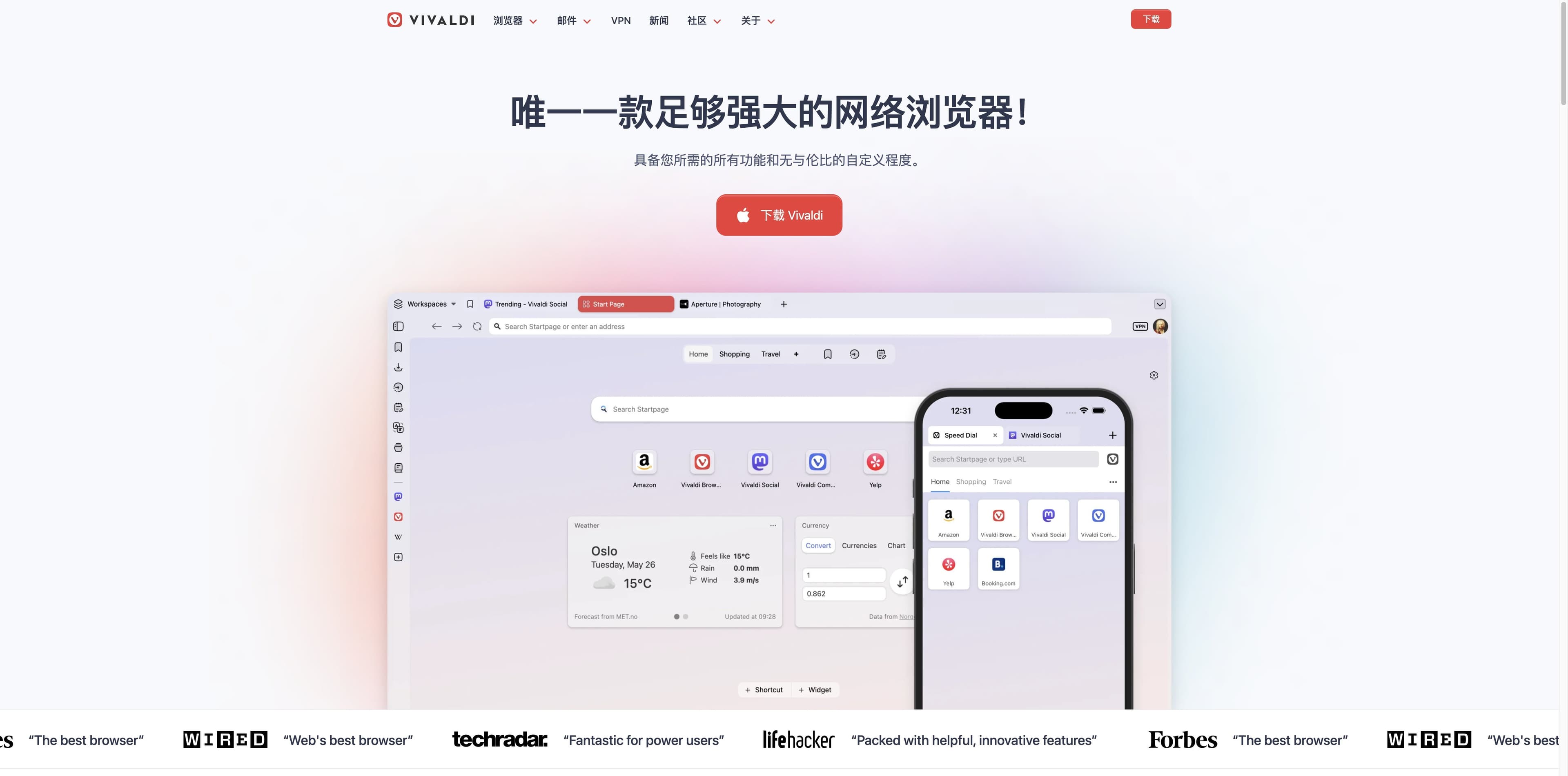
Vivaldi official homepage showing a configurable desktop browser interface beside a mobile browser view
FIRST-PARTY SOURCEOpen Vivaldi’s official site

A five-part answer

Open the browser and look at the layers.

Select a layer to get the useful definition first, then read the evidence behind it. The page is designed for the questions people ask before they install Vivaldi.

Choose an anatomy layer

A Norwegian, cross-platform browser for control-minded users

Vivaldi Technologies develops Vivaldi. The company was founded by Tatsuki Tomita and former Opera co-founder and CEO Jon Stephenson von Tetzchner.

Identity

Freeware · desktop + mobile

The short answer

It is a browser product, not a Chrome skin or an anonymous-network tool.
01 / Identity

Who makes Vivaldi, and what kind of browser is it?

Vivaldi is a freeware web browser developed by Vivaldi Technologies, an independent company with roots in Norway and Iceland. The project grew out of a desire to keep the power-user spirit of the classic Opera community while building a modern Chromium-based browser. Vivaldi is available to general users, but its design deliberately leaves room for people who want to tune almost every part of their workspace.

Background source: Wikipedia’s browser entry provides the historical and platform context; Vivaldi’s company page explains the company’s own mission. Read the company story
01

Developer

Vivaldi Technologies

02

Founders

Tatsuki Tomita + Jon Stephenson von Tetzchner

03

Product type

Freeware, cross-platform web browser

04

Audience signal

Power users, former Opera users, tab-heavy workers

02 / The engine map

Chromium is the foundation—not the whole browser.

The cleanest way to understand Vivaldi is as a layered product. Chromium gives the desktop browser a mature web platform; Vivaldi adds the parts users see and the tools that make it feel unlike Chrome.

On iOS and iPadOS, Apple’s platform requires WebKit-based browser engines. Platform architecture can therefore differ from desktop Vivaldi.

  1. 01

    Foundation

    Chromium → Blink + V8 on desktop

    Vivaldi’s official explanation says it relies on the Chromium engine for a secure, widely used foundation and web compatibility.

  2. 02

    Vivaldi backend

    C++ features that support the extras

    Backend code supports features such as the ad blocker, notes and other browser-specific behavior. Vivaldi publishes its Chromium changes and backend code under open-source licenses, according to its own explanation.

  3. 03

    Application layer

    A custom UI built for rearranging

    Vivaldi’s desktop UI is its differentiator: tab placement, themes, toolbars, workspaces, panels, commands and gestures are all part of the experience. The UI layer is proprietary.

03 / What is inside

The feature list reads like a small desktop toolbox.

Vivaldi’s official features page emphasizes tools that other browsers often leave to extensions. The strongest pattern is not one killer feature; it is the ability to compose many small controls around your own habits.

01 / Organize

Stack, tile and park tabs

Group related tabs, view pages side by side, hibernate inactive tabs and switch between named workspaces.

02 / Keep context

Panels, notes and sessions

Keep a site in a sidebar, capture notes while you read and save a set of tabs to reopen later.

03 / Work inside the browser

Mail, calendar and feeds

Enable built-in mail, calendar and feed reading when you want fewer separate applications.

04 / Tune the controls

Commands, gestures and themes

Move the UI, edit toolbars, create quick commands and use mouse gestures for repeat actions.

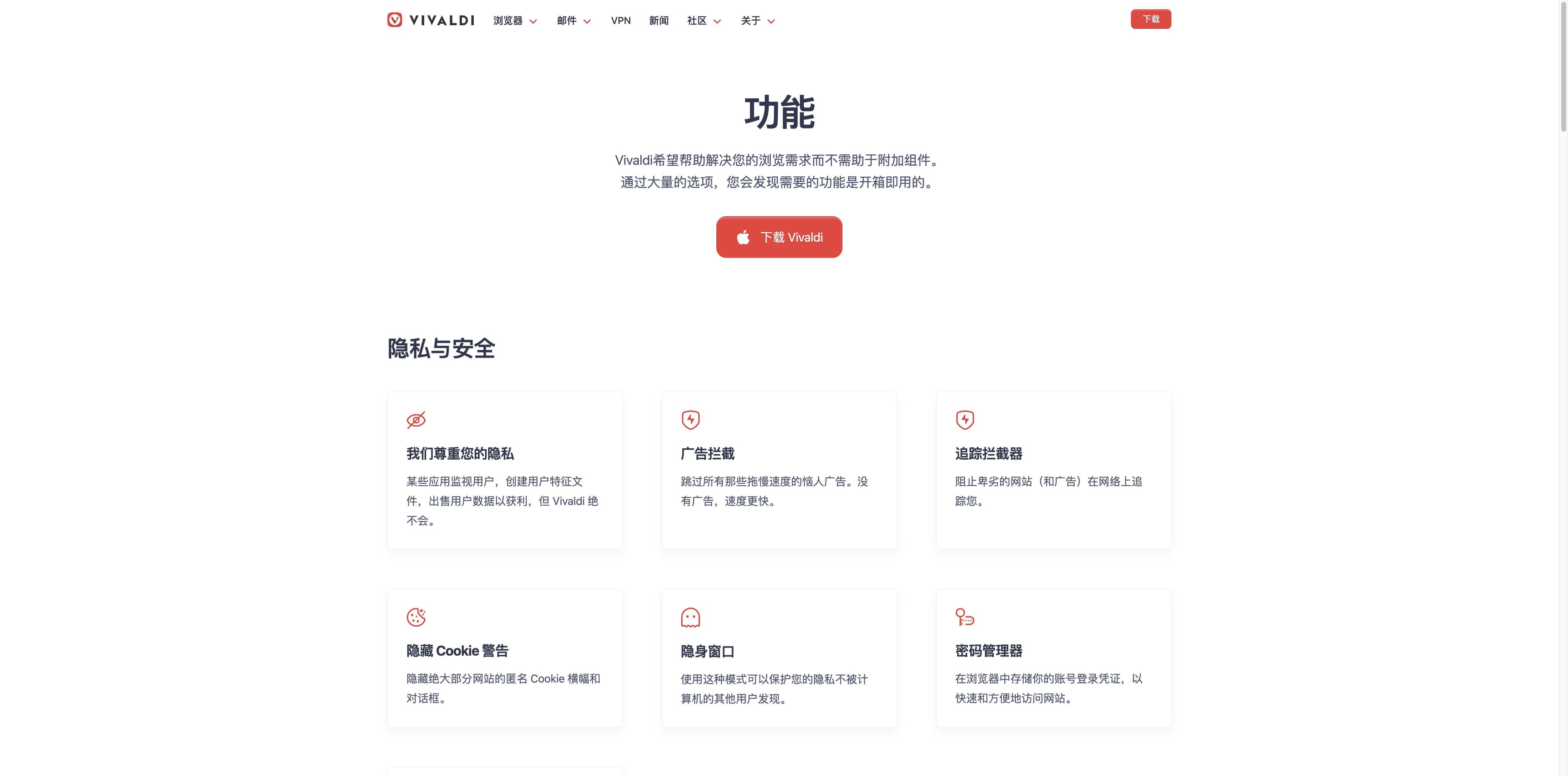
Vivaldi official features page showing privacy controls including ad blocking, tracker blocking, cookie warnings, private windows and a password manager
VIVALDI FEATURES · FIRST-PARTYThe screenshot is evidence of what Vivaldi’s official page presents, not a claim that every setting is identical on every platform. Vivaldi features

Evidence split

What Vivaldi says, and what an independent review notices.

A useful answer keeps marketing language and outside observation in separate columns. Both are relevant; they simply answer different questions.

Vivaldi’s own position

Powerful, personal and private: Vivaldi highlights custom interfaces, built-in tools, blocking, encrypted sync and independence from large technology companies.

TechRadar’s observation

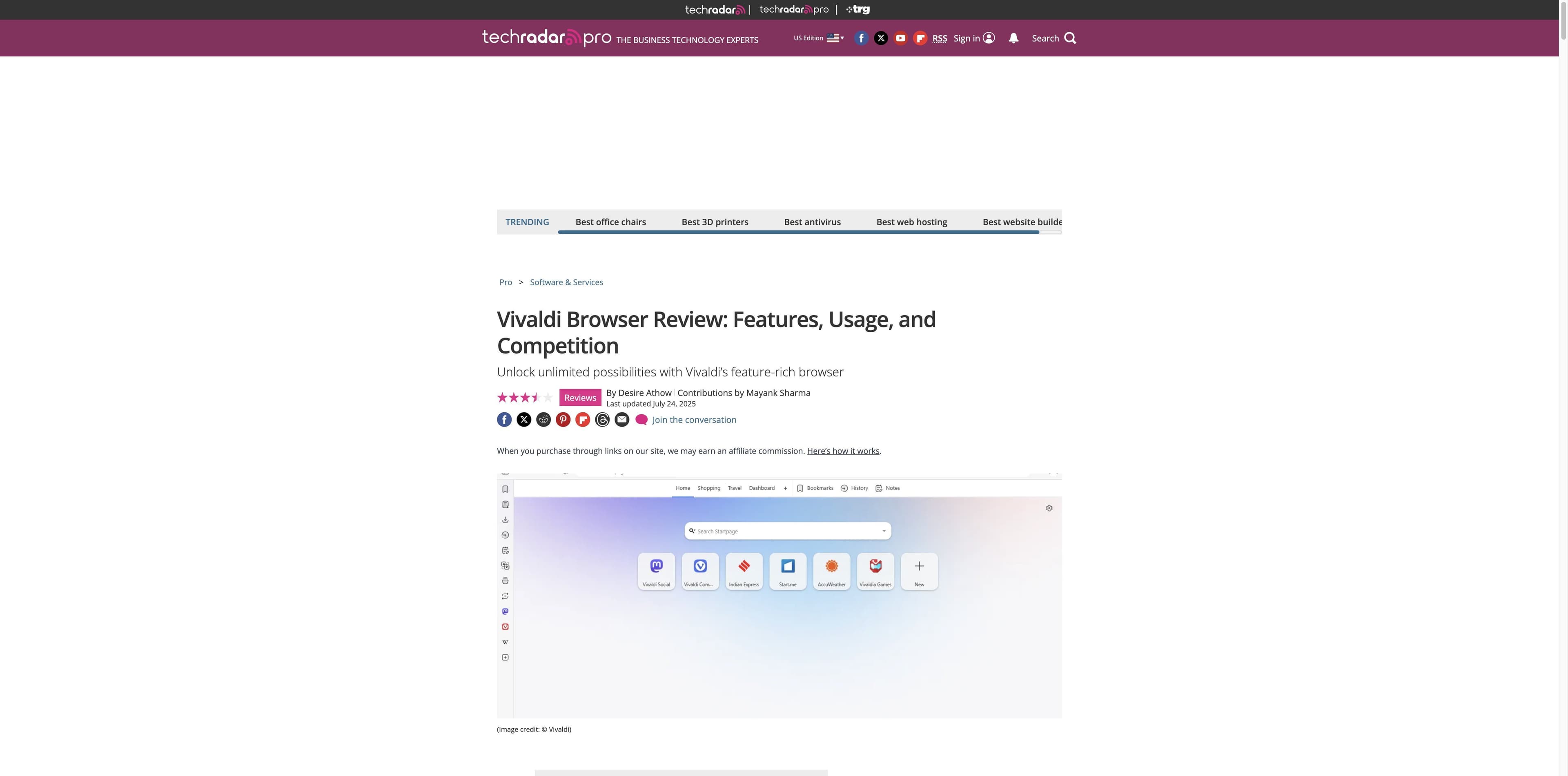
TechRadar praises the highly customizable design, built-in productivity tools, mail and feed reader. It also flags the lack of a Vivaldi-owned extension ecosystem, no AI-powered assistant and a feature set that can overwhelm casual users.

TechRadar independent Vivaldi review showing its title, review stars, date and a Vivaldi browser interface image
Independent review: TechRadarTechRadar’s stars belong to TechRadar. They are shown here only as context for the source, not as a rating produced by Tabbit. TechRadar review

04 / Trust and trade-offs

Privacy features do not erase the need to read the business model.

Vivaldi’s privacy story has two parts: what the company says it does with data, and what the product lets you control. The funding story is a separate, necessary part of the explanation.

Official privacy claims

  • Vivaldi says it does not track or profile users and does not collect usage data for personal profiling.
  • The product includes ad and tracker blocking, private windows, password storage and encrypted sync.
  • Vivaldi also explains that some browser code is open source while its UI layer remains proprietary.

How Vivaldi says it earns revenue

Vivaldi’s business-model article lists partner deals with search engines and bookmark providers, Direct Match links, Proton VPN partnerships and user donations. It says these relationships fund a free browser without selling a personal profile.

  • Search-engine partnerships
  • Bookmark and Speed Dial partnerships
  • Direct Match and Proton VPN partnerships
  • Donations

The careful reading: “does not track” is a company statement, not a promise of anonymity. Blocking, private browsing and a VPN each address different threats. Vivaldi’s business model

05 / Platform map

Where can you use Vivaldi?

The official download and app-store paths cover the major desktop and mobile families. Features, engine rules and release timing can vary by platform, so verify the live download page before installing.

Where can you use Vivaldi?
PlatformWhat is availableRead this boundary
WindowsDesktop Vivaldi with Chromium-based features and configurable UI.Match the current installer to your CPU and Windows version.
macOSDesktop Vivaldi for Intel and Apple silicon machines.Desktop features and system requirements can change with releases.
LinuxDesktop builds for common DEB/RPM distributions and supported architectures.Use the package format and repository guidance for your distribution.
AndroidMobile browser with tabs, blocking, notes and sync options.Mobile UI and feature parity are not a promise of desktop parity.
iOS / iPadOSVivaldi app distributed through Apple’s App Store.Apple’s WebKit rules apply to browser engines on these platforms.

Vivaldi has also appeared in automotive contexts such as Android Automotive. Treat that as a separate supported-device question, not a blanket claim about every car.

The decision layer

Who is Vivaldi for?

A good fit when you want…

  • A browser you can rearrange around your own mental model.
  • Many tabs organized by stack, tile, workspace or session.
  • Mail, calendar, feeds, notes and panels close to the page you are reading.
  • Built-in blocking and a privacy position you can inspect for yourself.

Look elsewhere when you need…

  • A deliberately minimal interface with almost no setup decisions.
  • A Vivaldi-owned extension ecosystem rather than Chrome Web Store compatibility.
  • A built-in AI assistant that researches, summarizes and executes multi-step work across pages.
  • A guarantee of benchmark-leading speed, anonymity or perfect extension compatibility.

Different jobs, different products

Vivaldi vs Tabbit: control console or AI work partner?

Both can be called modern browsers, but they optimize different moments. Vivaldi gives you more levers; Tabbit connects web context to AI-assisted research and supervised execution.

Vivaldi vs Tabbit: control console or AI work partner?
DecisionVivaldi BrowserTabbit
Primary jobCustomize everyday browsing and manage many tabs.Research, summarize and complete repeatable web work with AI.
Core interactionConfigure the browser, then browse directly.Reference pages, tabs, screenshots or files, then ask or delegate.
Built-in strengthsWorkspaces, stacks, panels, mail, calendar, notes and commands.Contextual chat, page summaries, Deep Research and Agent Mode.
Best audiencePower users who enjoy tuning their environment.People who want browser context to become checked output.
What it is notNot a promise of anonymity or a built-in AI operator.Not a copy of Vivaldi’s mail, calendar or customization system.

Choose based on the bottleneck: browser organization and customization point to Vivaldi; AI-assisted understanding and execution point to Tabbit. Vivaldi’s Chromium explanation

A different kind of browser help

When the next step is understanding the web, Tabbit takes another route.

These are real Tabbit interfaces, included to make the boundary concrete. Vivaldi’s built-in tools help you arrange and operate the browser; Tabbit adds an AI layer that can read context, produce summaries and run supervised multi-step workflows.

Real Tabbit Deep Research interface showing Google results beside an Execution Steps panel

Deep Research

Turn a search trail into a research task

A live Tabbit workspace keeps search results beside an Execution Steps panel. It is designed for collecting, comparing and turning web sources into a structured answer.

Real Tabbit Browser interface showing an article beside a contextual AI summary sidebar

Page summary

Read with an answer beside the source

A live Tabbit page keeps an article and an AI summary side by side. This is the page-aware workflow to choose when your job is synthesis rather than browser configuration.

Tabbit is a separate browser. This comparison does not claim Vivaldi includes these AI workflows.

FAQ

Vivaldi Browser questions, answered plainly.

What is Vivaldi Browser?+

Vivaldi is a free, cross-platform web browser developed by Vivaldi Technologies. It is built on Chromium and is known for a highly configurable interface, tab management and built-in tools such as panels, notes, mail and calendar.

Who develops Vivaldi Browser?+

Vivaldi Technologies develops Vivaldi. The company was founded by Tatsuki Tomita and Jon Stephenson von Tetzchner, a former Opera Software co-founder and CEO.

Is Vivaldi the same as Chrome?+

No. Vivaldi and Chrome share a Chromium foundation on desktop, but Vivaldi builds its own UI, features and sync system. Chromium compatibility does not mean identical settings, sync, branding or extension behavior.

What is Vivaldi built on?+

Desktop Vivaldi uses Chromium as its foundation, including Blink and V8. Vivaldi adds its own application layer and features. On iOS and iPadOS, Apple’s platform rules require WebKit-based browser engines.

Is Vivaldi a private browser?+

Vivaldi says it does not track or profile users and includes ad/tracker blocking, private windows and encrypted sync. Those are product features and company claims, not a guarantee of anonymity or a substitute for evaluating your own threat model.

How does Vivaldi make money?+

According to Vivaldi’s business-model article, revenue comes from partner deals with search engines and bookmark providers, Direct Match links, a Proton VPN partnership and donations. The company says it does not sell a personal user profile.

What platforms does Vivaldi support?+

Vivaldi offers desktop builds for Windows, macOS and Linux, plus mobile apps for Android and iOS/iPadOS. The current official download page is the source of truth for supported versions and architectures.

Does Vivaldi have an AI assistant?+

Vivaldi’s official pages reviewed for this guide emphasize customization and built-in browsing tools rather than an AI operator. If you need page-aware summaries, multi-source research or supervised browser actions, compare an AI-native browser such as Tabbit.

Choose the layer that solves your problem

Want browser control—or help finishing the work?

Vivaldi is a thoughtful choice for a customizable, tool-rich browser. If your bottleneck is turning open pages into research, summaries or repeatable actions, try the separate AI-native workflow in Tabbit.

Tabbit does not replace Vivaldi’s identity, platform support or privacy claims; it solves a different job.

© 2026 Tabbit Browser. The AI-native browser that understands your context.