Editorial Review (2026)Native macOS App18 MB InstalledOpen Source (Apache 2.0)Arc Data Imports

Zigzag Browser Review: The 18 MB Native Mac App Built for Life After Arc

When The Browser Company announced Arc would shut down on December 22, 2026, developer Zigao Wang built Zigzag: a from-scratch Swift + WebKit browser with no account, no telemetry, and an 18 MB footprint. We tested what it does well, where its beta limits show, and when Tabbit is the smarter pick.

8.2

Editorial Verdict

Excellent lightweight Arc successor — with platform and AI caveats

A rare browser that respects your Mac — and can't be switched off

Zigzag nails the post-Arc brief: one-step migration, a calmer sidebar, genuine privacy, and an engine Apple patches through macOS updates. The trade-offs are just as clear — macOS 15.4 or later only, no built-in AI, and a one-developer beta. For Mac minimalists it is the smoothest Arc escape route; for AI workflows or Windows, see the Tabbit section below.

Craft & interface designA genuinely native feel
Performance & footprint18 MB vs 871 MB Arc
Platform availabilitymacOS only, 15.4+
AI & automationNone built in, by design

Jump to section

Origin & Context

Built in Weeks After Arc's Shutdown Announcement

Zigzag launched on Product Hunt on November 9, 2026 — less than three weeks after The Browser Company froze new Arc signups and named December 22 as the kill date. It is a single-developer, open-source (Apache 2.0) project written from scratch in Swift 6 and AppKit on the WebKit engine macOS already ships.

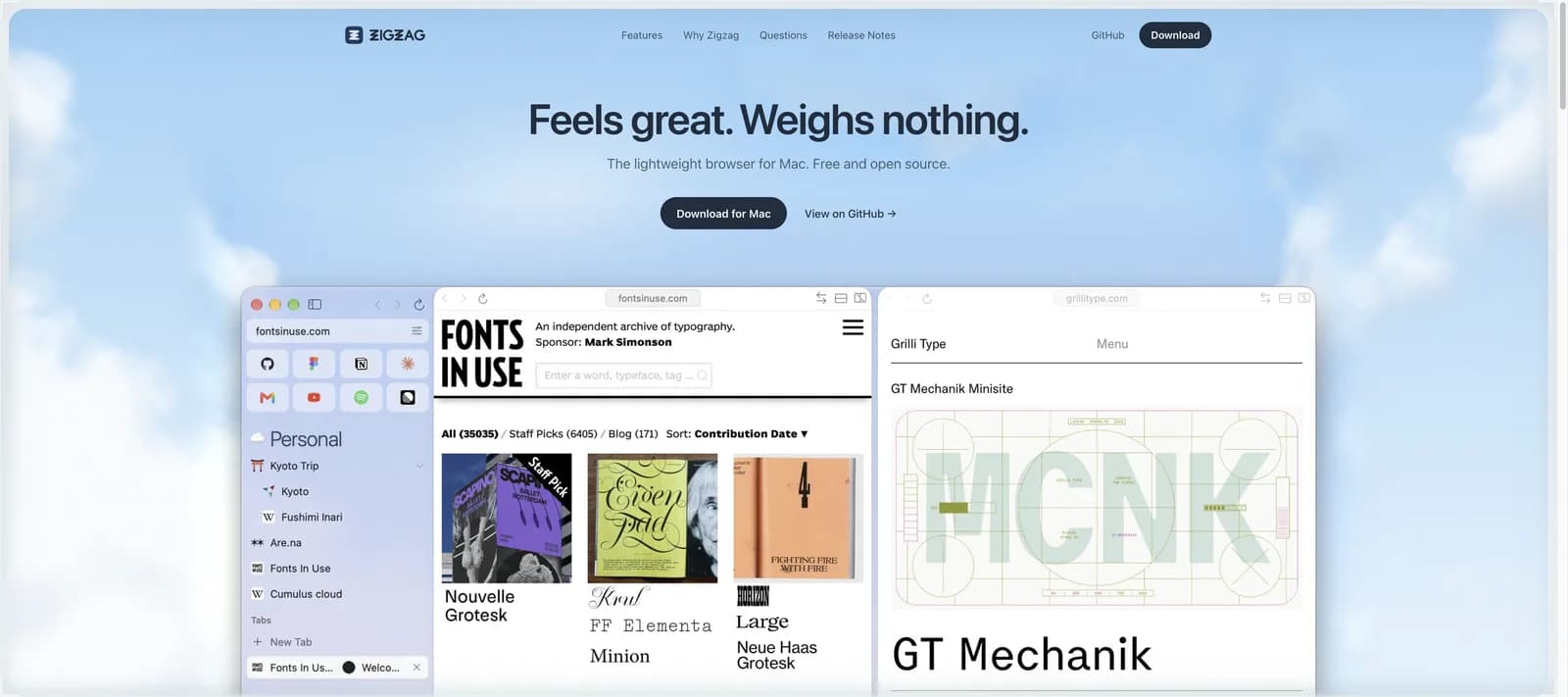
Zigzag official site hero showing the tagline "Feels great. Weighs nothing." and three app windows with the space sidebar
zigzagbrowser.com — free, open source, and the only server involved is the signed update feed.

Born From Arc’s Sunset

After Arc’s shutdown announcement, Zigao Wang — who did not want to lose his sidebar — wrote his own browser instead of waiting for a corporate successor. It is openly inspired by Arc but built on Safari’s engine instead of Chromium.

It Can’t Be Switched Off

There is no account and no required server: the only thing the author hosts is an EdDSA-signed update feed. If it disappeared, Zigzag would keep working, and the Apache 2.0 source lets anyone carry it on.

An Honest Beta

Zigzag is explicit about being unfinished: everyday browsing works well, some edges are still polished in the open, and roughly 190 tests cover import, passwords and security fixes. Updates install automatically.

Key Capabilities & Comparisons

Three Things Zigzag Gets Right — and the One It Deliberately Skips

We used Zigzag as a daily driver alongside Tabbit. Its strengths are craft, weight and privacy; its "No AI slop" stance is a real philosophy, not a missing feature — but it redraws who this browser is for.

Spaces

A Calmer Sidebar, Borrowed From the Best

Tabs live in a sidebar grouped into color-coded Spaces you swipe through; Favorites sit above every space. The Command bar (⌘T/⌘L) finds open tabs, history and the web in one search, and Peek previews a link with Shift-click without leaving the page.
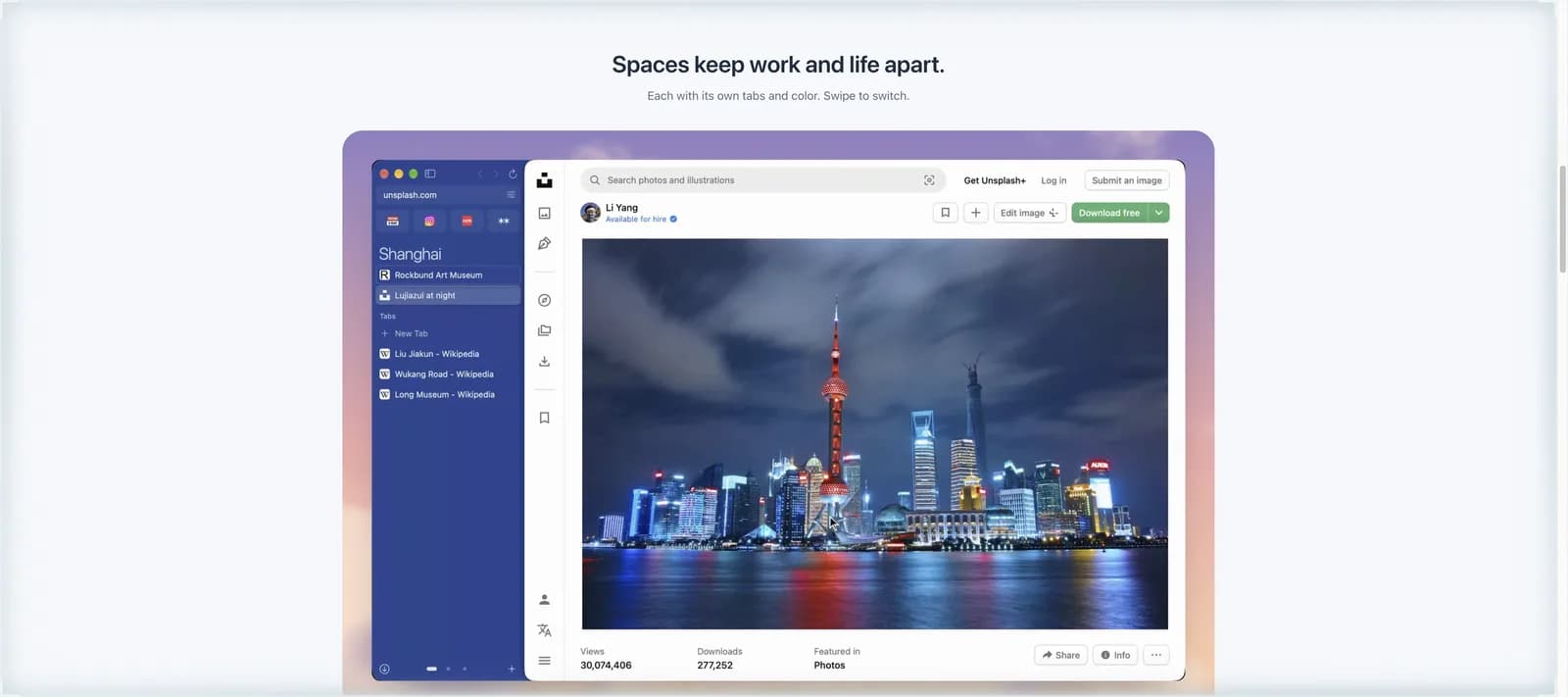
Zigzag browser Spaces feature showing a purple Shanghai space sidebar next to a webpage
Lightweight

18 MB Where Others Ship a Gigabyte

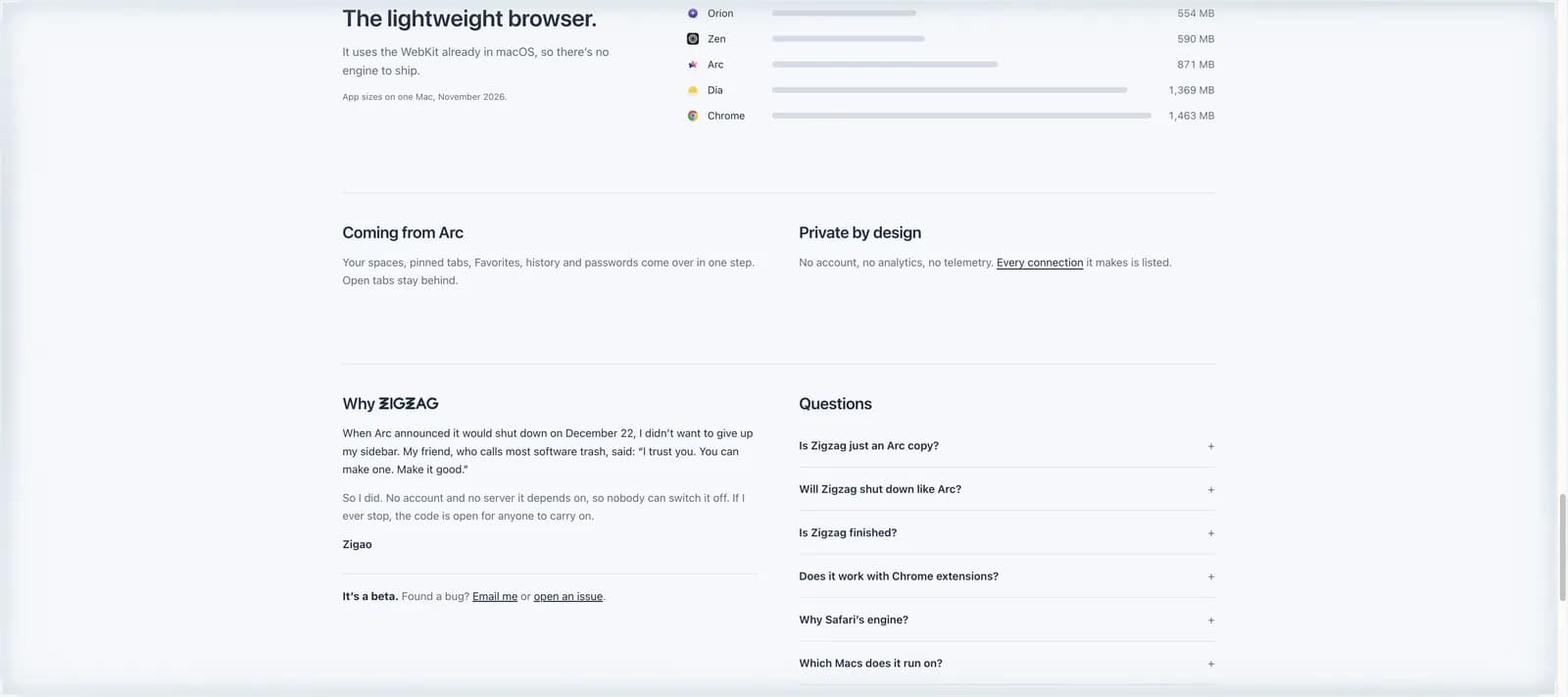
Because it uses the WebKit macOS already ships, Zigzag installs in 18 MB — against 871 MB for Arc and 1,463 MB for Chrome on the same Mac. Idle tabs are suspended to snapshots, and about 130,000 ad-blocking rules are compiled in, on by default.

Zigzag official size comparison chart versus Orion, Zen, Arc, Dia and Chrome in megabytes
No AI vs Tabbit AI

Zigzag Skips AI — Tabbit Builds Around It

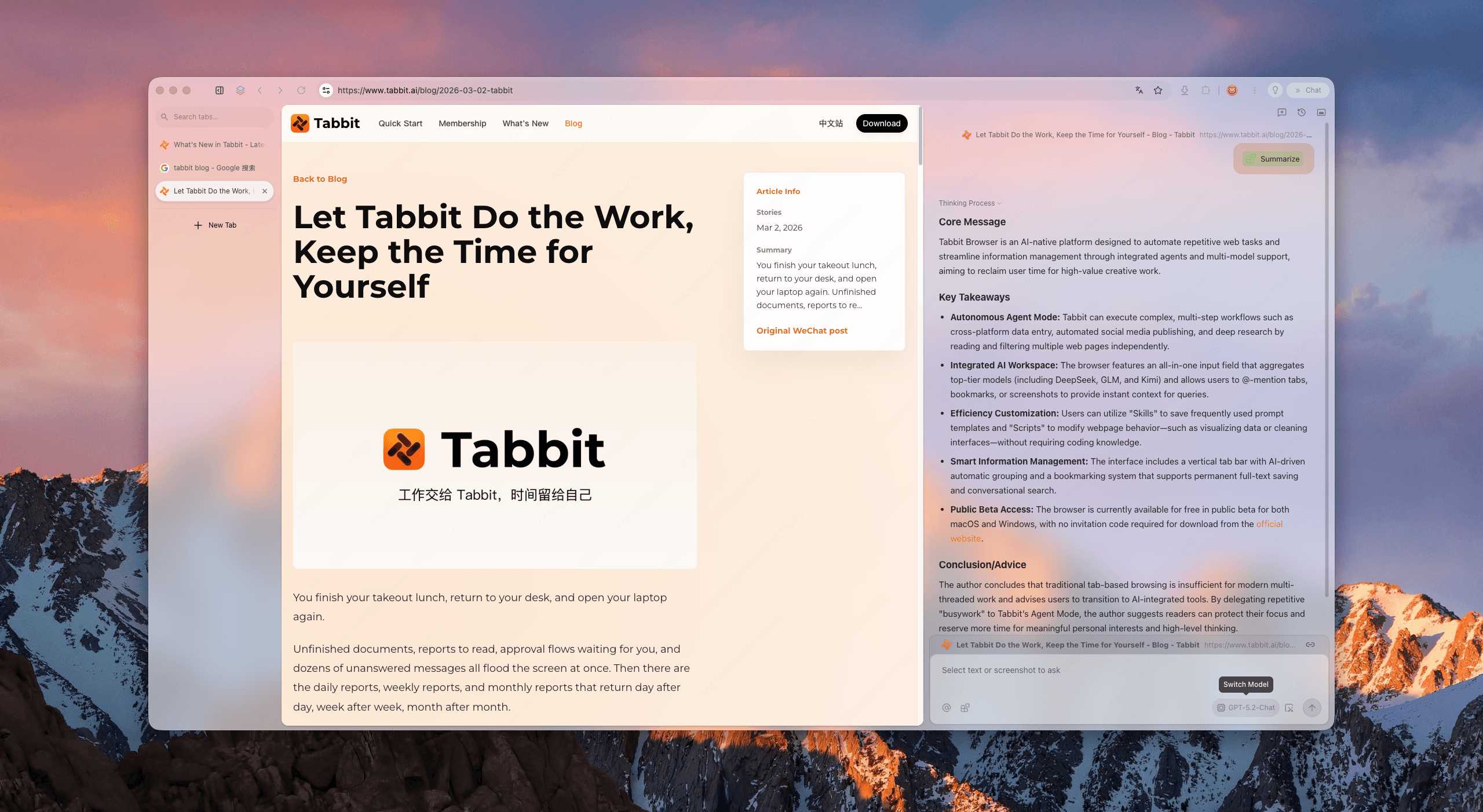
Zigzag ships no summarizer and no agent, by design. If your browsing includes "summarize this report", "fill this form", or "research this topic", Tabbit’s sidebar AI, multi-model answers and Agent Mode cover the gap on both macOS and Windows.

Tabbit Browser sidebar generating a structured summary with key takeaways and conclusions from a blog article

Evaluation Matrix

Zigzag Browser Review Rubric: How We Tested

Each dimension below was exercised hands-on on a production Mac — not scraped from a spec sheet. Zigzag’s read is what we observed; the Tabbit column shows where our own browser plays in the same decision.

Engine & memory footprintInstall size, idle RAM, and engine provenance on the same machine18 MB installed on system WebKit; nothing Chromium to ship or patchFull Chromium compatibility with AI layered in; heavier, but no site breaks
Speed & tab suspensionLaunch time, 40-tab session behavior, reload cost of suspended tabsInstant launch; stale tabs release their web view and keep a snapshotSession holds dozens of AI-assisted tabs; memory tuned for agent workloads
Privacy & ownershipAccount requirements, telemetry, update mechanism, kill-switch riskNo account, no analytics; only an EdDSA-signed update feed; open sourceFree public beta with clear data policy and no credit card wall
ExtensionsInstalling 1Password, Dark Reader and Tampermonkey from the Chrome Web StoreAll three work; WebKit-missing APIs are bridged; unsupported ones flagged upfrontNative Chrome extension compatibility across the whole store
Passwords & autofillSaving, generating, auditing and syncing credentials; passkey loginKeychain-native with Touch ID, generator and weak-password checks; iCloud syncBuilt-in manager plus agent-assisted form filling across sessions
Migration from ArcImporting Spaces, pinned tabs, Favorites, history and passwordsOne-step import; Spaces and pinned structure survive; open tabs stay behindImports bookmarks and passwords from any major browser on Mac or Windows

The Honest Ledger

Zigzag Browser Pros and Cons

✓What We Loved

  • •One-step Arc import: Spaces, pinned tabs, Favorites, history and passwords all carry over
  • •18 MB native app that launches instantly and sips memory
  • •Ad blocking compiled from ~130,000 EasyList, EasyPrivacy and EasyList China rules, on by default
  • •Chrome Web Store extensions — 1Password, Dark Reader, Tampermonkey included — with honest compatibility flags
  • •Keychain passwords with Touch ID, a generator, reuse checks and working passkeys
  • •No account, no telemetry, signed open-source code: nobody can flip a kill switch

✗Where It Falls Short

  • •macOS 15.4 or later only — no Windows, Linux, iOS or Android version exists
  • •No built-in AI: no page summaries, no chat, no agent automation
  • •Beta software from a single maintainer; polish gaps remain (mitigated by the Apache 2.0 source)
  • •Missing Arc staples: no Little Arc, no per-space logins, and Space emoji don’t survive import
  • •Sync is passwords-only via iCloud Keychain — no tab or history sync
  • •A subset of Chrome extensions simply cannot work on WebKit and never will
Verdict: Zigzag is the rare successor that understands why people loved the original: it keeps Arc’s spatial calm, deletes the corporate fragility, and adds privacy you can verify. Commit to it if you are on a modern Mac and your browsing is self-directed. If your work starts with "read this and tell me what matters", you need an AI layer — that is the gap Tabbit exists to fill.

Decision Guide

Who Should Switch to Zigzag — and Who Shouldn’t

Mac Minimalists

You Loved Arc for Its Calm

You browse on one Mac, hated Arc’s pending shutdown, want Spaces and Favorites back without an account, and don’t need AI in the loop. Zigzag is purpose-built for exactly you.

→

Choose Zigzag

AI Workflows

Your Browser Is a Research Tool

You ask pages questions, compare sources, fill forms and automate repeat work. Zigzag deliberately ships none of that; Tabbit’s sidebar AI, multi-model answers and Agent Mode do.

→

Choose Tabbit

Windows Users

Your Main Machine Isn’t a Mac

Zigzag will never ship for Windows — that is an architectural choice, not a roadmap delay. Tabbit runs natively on Windows 10/11 and macOS with the same AI feature set.

→

Choose Tabbit

The AI-Native Alternative

Want a Browser That Does the Work? Meet Tabbit

Zigzag proves a browser can be light, private and permanent. Tabbit takes the opposite bet: that the browser should also be the smartest thing on your machine.

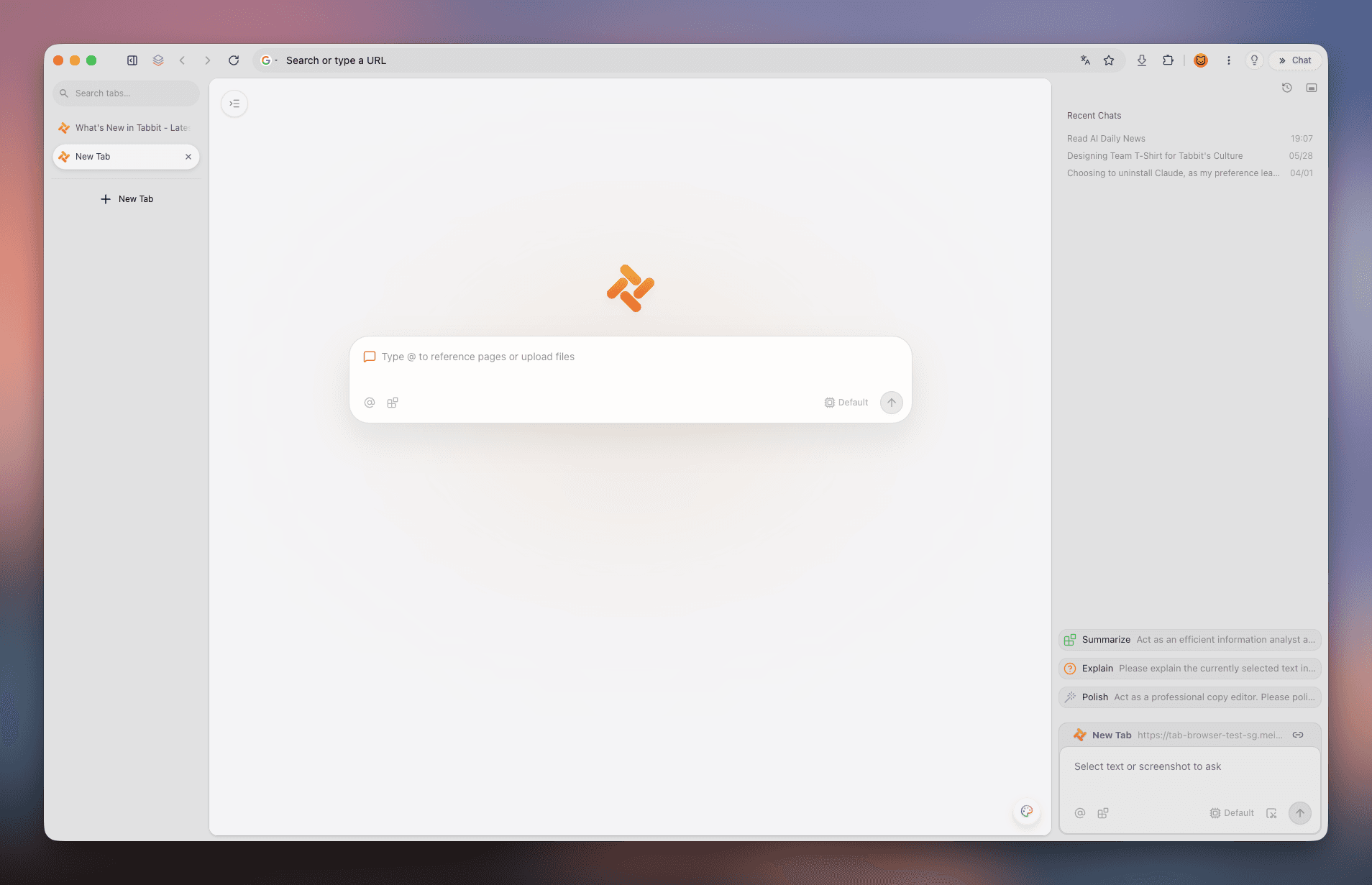
Tabbit is an AI-native browser for macOS and Windows that routes your questions across Claude, GPT, Gemini, DeepSeek and Kimi — then lets an agent act on the answers, with your approval at every sensitive step.

  • ✓Multi-model answers: compare Claude, GPT, Gemini, DeepSeek and Kimi side by side
  • ✓Agent Mode fills forms, moves data and completes multi-step tasks with visible approvals
  • ✓Deep research reports and one-click page summaries in the sidebar
  • ✓Free during public beta on Windows and macOS — no credit card, no waitlist
Tabbit Browser new tab page with the AI input box, tab sidebar and chat panel visible

Quick Answers

Zigzag Browser FAQ

Yes. Zigzag is free to download and use, and its source code is published under the Apache 2.0 license. The name and logo remain the author’s trademarks, but anyone can use, modify or fork the code — commercially or not.

Still Browsing Without an AI Copilot?

Tabbit pairs Chromium compatibility with Claude, GPT, Gemini, DeepSeek and Kimi — summaries, deep research and agent automation in one free browser.

Free during public beta · Windows & macOS

© 2026 Tabbit Browser. The AI-native browser that understands your context.