Review roundup · updated 2026

Aside Browser Review: The Honest Consensus

Aside×Tabbit

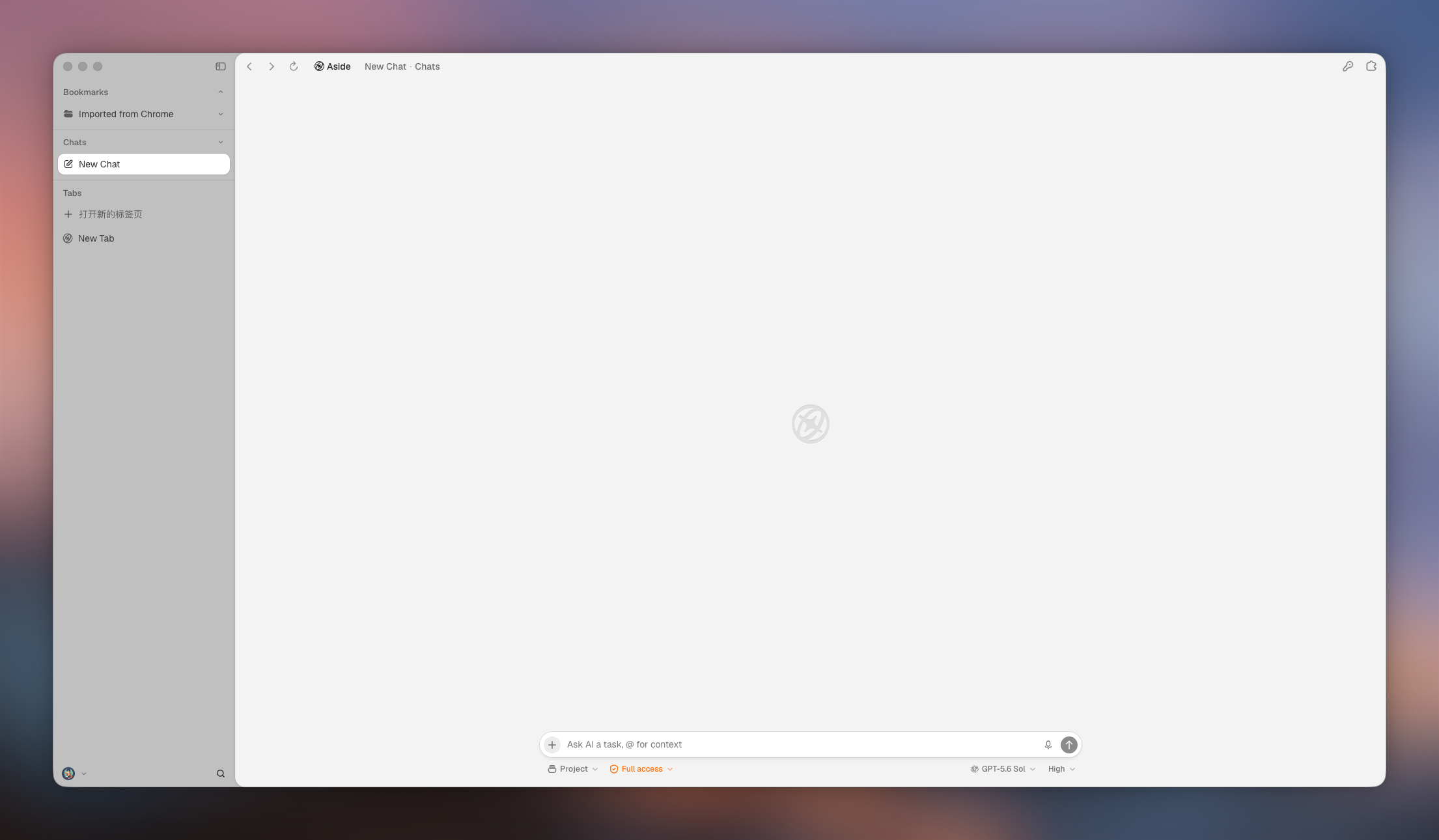
Searching “aside browser review” or “is Aside good”? You found the right page. We read the hands-on reviews, the Reddit threads, and the pricing page so you get the real verdict on Aside—the new Mac-only AI browser from a Y Combinator startup—in one place.

Jump to a section

What the reviews agree on

The review consensus: three conclusions every hands-on look landed on

eesel’s review called Aside “genuinely promising but unproven”; a widely-shared X post called it the best AI browser its author has used; benchmark roundups repeat its three #1 claims. Strip away the hype and the same three conclusions keep appearing.

01 · Independent review

The agent operating your sites is the idea

Aside drives the websites you are already logged into, instead of wiring integrations. eesel’s review found that surface area much bigger than any integration list—and called the editable, local markdown memory the most impressive feature.

02 · Hands-on impressions

It feels like an agent that does real work

The top Ultrabrowse setting runs long-horizon tasks on its own, and users report moving “mundane things” into routines. The X post that went viral called Aside the best AI browser its author had used.

03 · Critical takes

New, Mac-only, and self-reported

Reviews flag the same caveats: Aside launched around June 2026, requires macOS 15+, and its “#1 on three benchmarks” claim is reported by Aside itself. The sharpest Reddit reaction: “5k likes on X and not a single comment here.”

What users keep saying

User voices: the praise and the complaints that keep coming up

Editorial reviews are a few weeks deep; Reddit threads carry the longer tail. Here is what survives real use on r/browsers.

Praise that repeats

  • Routines take over mundane scheduled work, and a built-in sandbox can execute code—more powerful than plain prompts.
  • The agent feels fast and looks clean; you can connect Claude and bring your own subscriptions into the browser.
  • Editable local markdown memory means you can see and fix what it remembers.
  • Password manager autofills credentials without exposing them to the model.

Complaints that repeat

  • Mac-only: downloads require macOS 15+, and the ~2GB install plus email signup put off Windows users.
  • Early bugs: crashes, frequent sign-outs, no device sync, and “cannot shut it off” reports.
  • Marketing skepticism: “most intelligent AI assistant” and “#1 on three benchmarks” are vendor claims with little independent proof.
  • “It feels a lot like Comet”—skeptics see a saturated AI-browser space with nothing new.

Signals paraphrased from public Reddit discussions and review aggregators; treat community reports as anecdotal, and check the latest threads for current sentiment.

The price and platform story

Aside pricing and platforms: what it actually costs in 2026

The two questions that come up most are “is Aside free?” and “does Aside work on Windows?” Here is what Aside publishes today.

  1. 1

    Launch window

    Free beta, no public price

    Around its June 2026 launch, Aside was a free download with no published pricing—reviews flagged “we will tell you the price later” as a real gap for a product asking you to trust it with logins.

  2. 2

    Today

    Free, Pro, and Max tiers

    Aside now lists Free ($0, 500 credits/month, up to 3 routines), Pro ($20/month, 3× credits, Ultrabrowse, unlimited routines), and Max ($200/month, 40× credits). Yearly billing is 20% off.

  3. 3

    Platform

    macOS 15+ only, for now

    Download is macOS-only and requires macOS 15 or later, at roughly 2GB. Windows, iOS, and Android support have not been published—a hard stop for many teams.

Takeaway: if you are not on a recent Mac, or you want a predictable free tier across macOS and Windows, that alone pushes you toward Tabbit—free on both during public beta.

Make the call

Decision matrix: stick with Aside, or switch to Tabbit

If your “aside browser review” search was really “should I use this?”, here is the honest answer in table form.

What you care aboutAsideTabbit (free)
You are on WindowsNot available—macOS 15+ onlyNative macOS & Windows, free download
You want predictable free usageFree tier with 500 monthly creditsFree during public beta on macOS & Windows
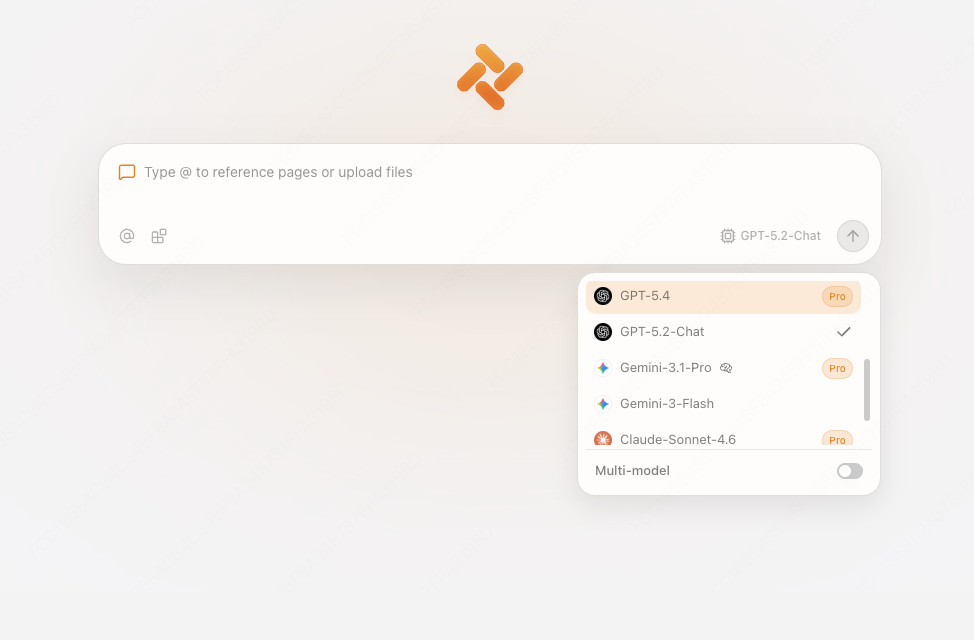
You want a second model opinionBring-your-own subscription; no multi-model lanesMulti-model lanes—GPT, Claude, Gemini, Kimi, Qwen and more
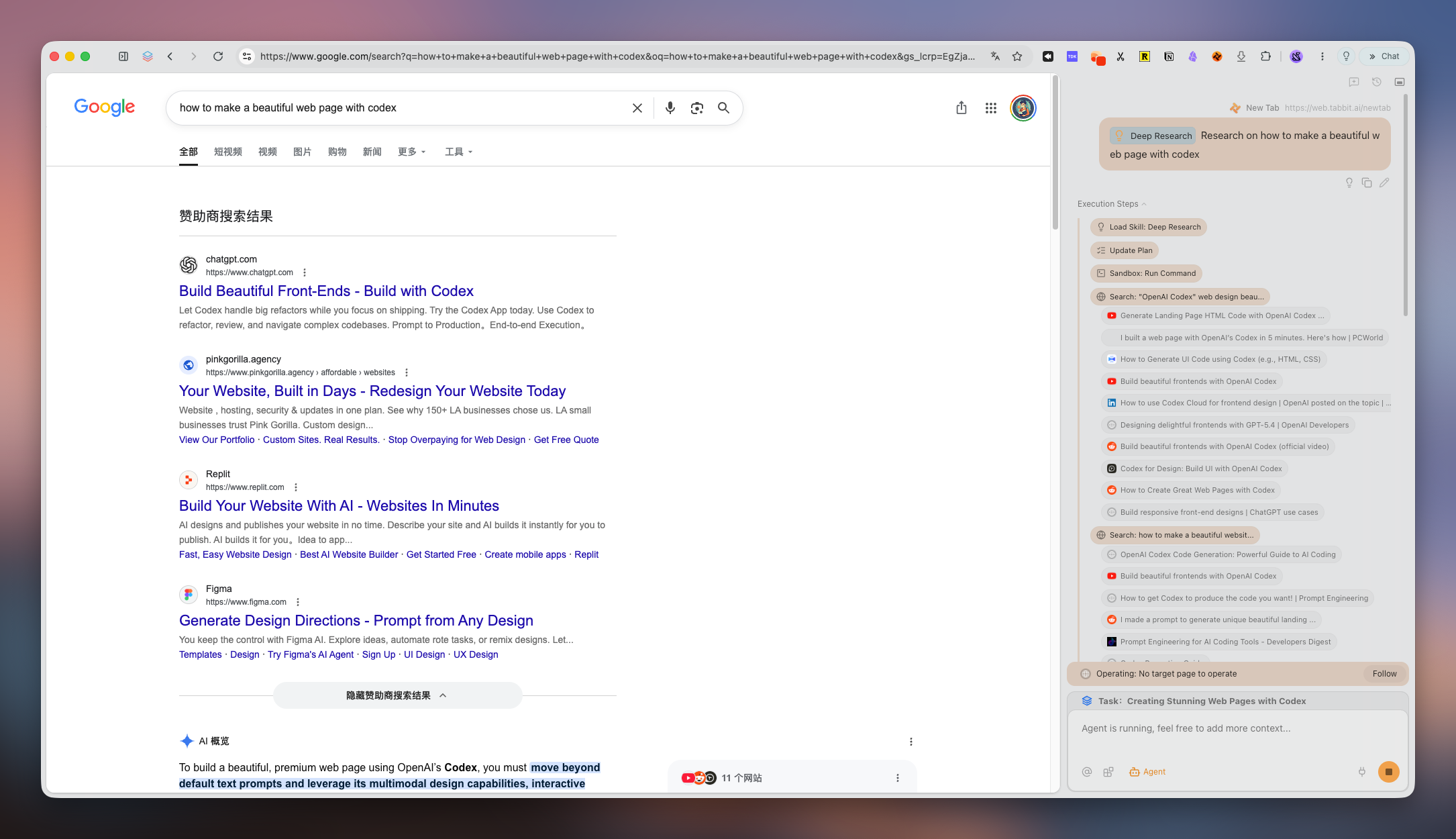
You value agent automation with guardrailsUltrabrowse runs long-horizon tasks; approval gates for sensitive actionsAgent Mode in isolated tab groups with explicit approval steps
You want memory you can auditEditable local markdown memoryKnowledge-base bookmarks that stay searchable offline
You want a proven, stable daily driverNew (June 2026) with early bug reportsPublic beta, actively shipped

Tabbit is our product. We built this matrix to be useful anyway—verify both against your own week of work.

Tabbit

The Tabbit angle

Where Tabbit fits after your Aside review

Tabbit is an AI-native browser for people who liked Aside’s idea—an agent that does real work—but wanted more: more platforms, more models, and a knowledge base that remembers what you read.

If the review consensus sounded like “clever agent, but Mac-only, credit-metered, and brand new”, that is exactly the gap Tabbit was designed to close.

  • Free on macOS and Windows during public beta—no Mac-only wall.
  • Multi-model choice: GPT, Claude, Gemini, Kimi, Qwen and more—same task, second opinion.
  • Agent Mode runs in isolated tab groups with checkpoints before actions touch accounts.
  • Knowledge-base bookmarks stay searchable even if the original page goes offline.

FAQ

Aside Browser review FAQs

Is Aside browser good?+

Reviewers and users largely agree the agent is capable and the local-first design is thoughtful—but most also add a caveat: it is brand new, Mac-only, and pricing is credit-metered. Good for curious experimenters on a recent Mac; not yet a proven default.

Is Aside browser worth it?+

Worth trying if you are on macOS 15+ and want an agent that operates your logged-in sites with editable local memory. If you are on Windows, or want predictable free usage and multi-model choice, Tabbit is the free cross-platform alternative to compare against.

Is Aside browser safe?+

Aside keeps memory local and autofills passwords without exposing credentials to the model, which reviewers read as genuinely agent-aware design. The open questions are the usual ones for any agentic browser: sensitive actions should stay behind explicit approval, and early builds have had bug reports.

Is Aside free? How much does it cost?+

Aside has a Free tier ($0, 500 credits/month, up to 3 routines). Pro is $20/month (3× credits, Ultrabrowse, unlimited routines) and Max is $200/month (40× credits), with 20% off yearly. Credits meter AI-heavy usage.

Does Aside work on Windows or iOS?+

Not yet. Aside is currently a macOS-only download requiring macOS 15 or later. Windows, iOS, and Android support have not been published, so cross-platform users have no Aside option today.

What do people say about Aside on Reddit?+

The main r/browsers thread splits roughly 50/50: some users moved real routines into it and praise the sandbox, speed, and clean UI; others report crashes, sign-outs, missing device sync, the ~2GB install, and skepticism about “best AI browser” marketing claims.

Are Aside’s “#1 on three benchmarks” claims real?+

Aside reports it ranks #1 on Online-Mind2Web, BU-Bench-V1, and Odysseys. Independent reviewers note these numbers are vendor-reported in Aside’s own repository—useful signal, not an independent endorsement.

How is Aside different from Comet, Dia, or Arc?+

Aside’s differentiator is operating your logged-in websites directly with local markdown memory. Comet is Perplexity-first, Dia (from The Browser Company) is chat-with-your-tabs, and Arc is a well-loved productivity browser. If you want free, cross-platform, multi-model agent browsing instead, that is the niche Tabbit serves.

Is Tabbit free?+

Yes—Tabbit is free during public beta on macOS and Windows, with multi-model lanes, Agent Mode checkpoints, and knowledge-base bookmarks included.

Tabbit

Finished your Aside research? Try Tabbit free

Keep what you liked about an AI-native browser—then add cross-platform, multi-model lanes, guarded agent automation, and a knowledge base that remembers your reading.