Start at torproject.org
Search results include mirrors and app directories. Use the official Tor Project page as the source of truth for the current Windows package.
Windows decision guide · official sources checked 29 Aug 2026
Use the Tor Project for the download, confirm your Windows version, and verify the installer before opening it. Then make a separate product choice: Tabbit is an AI work browser, not a Tor anonymity network.
Tor Browser and Tabbit solve different problems. Tabbit does not provide Tor routing, anonymity, or censorship circumvention.
Before you click
Source first, system second, file integrity third. That order keeps a quick search from turning into a guess about what you installed.
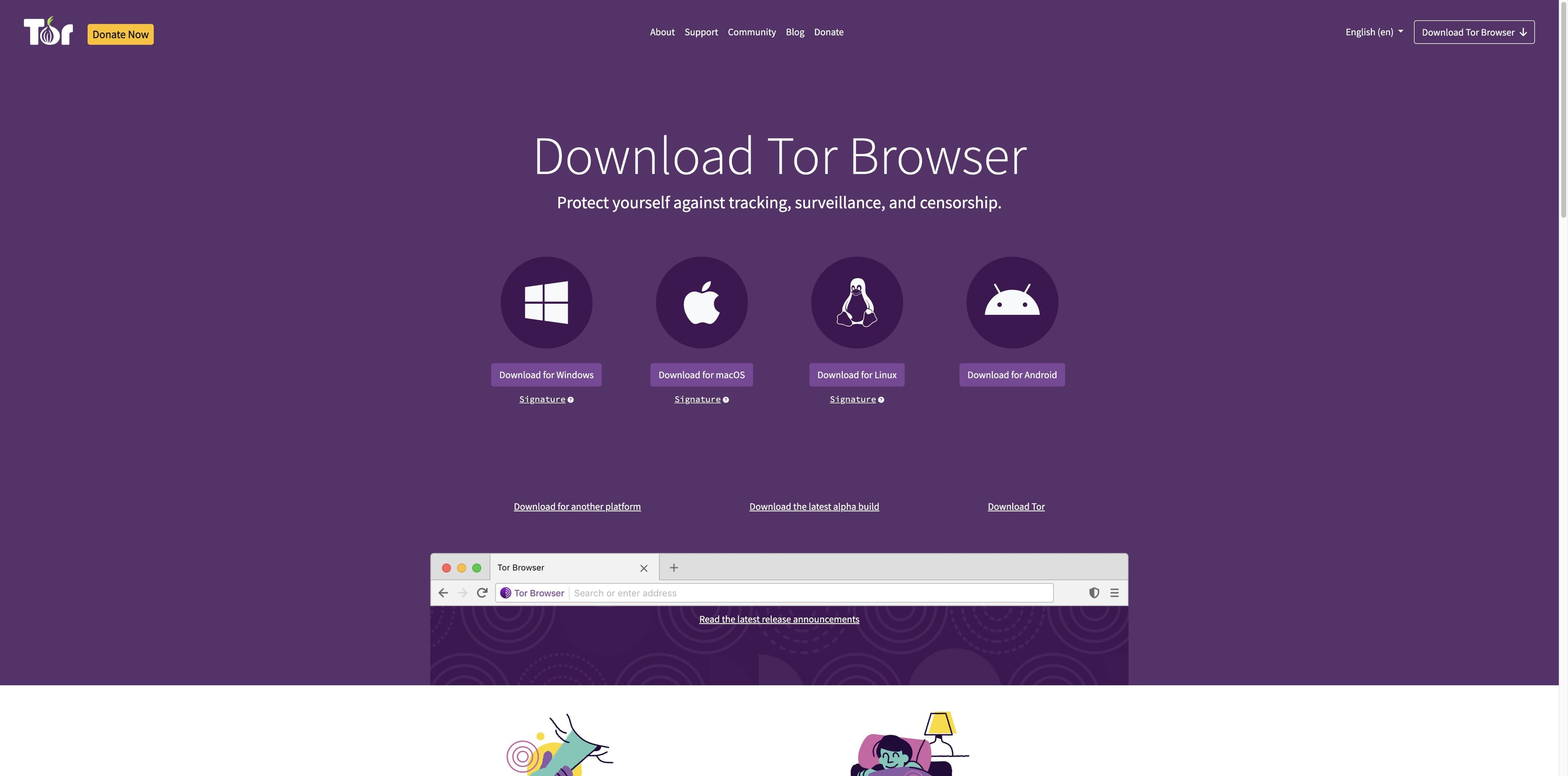
Search results include mirrors and app directories. Use the official Tor Project page as the source of truth for the current Windows package.
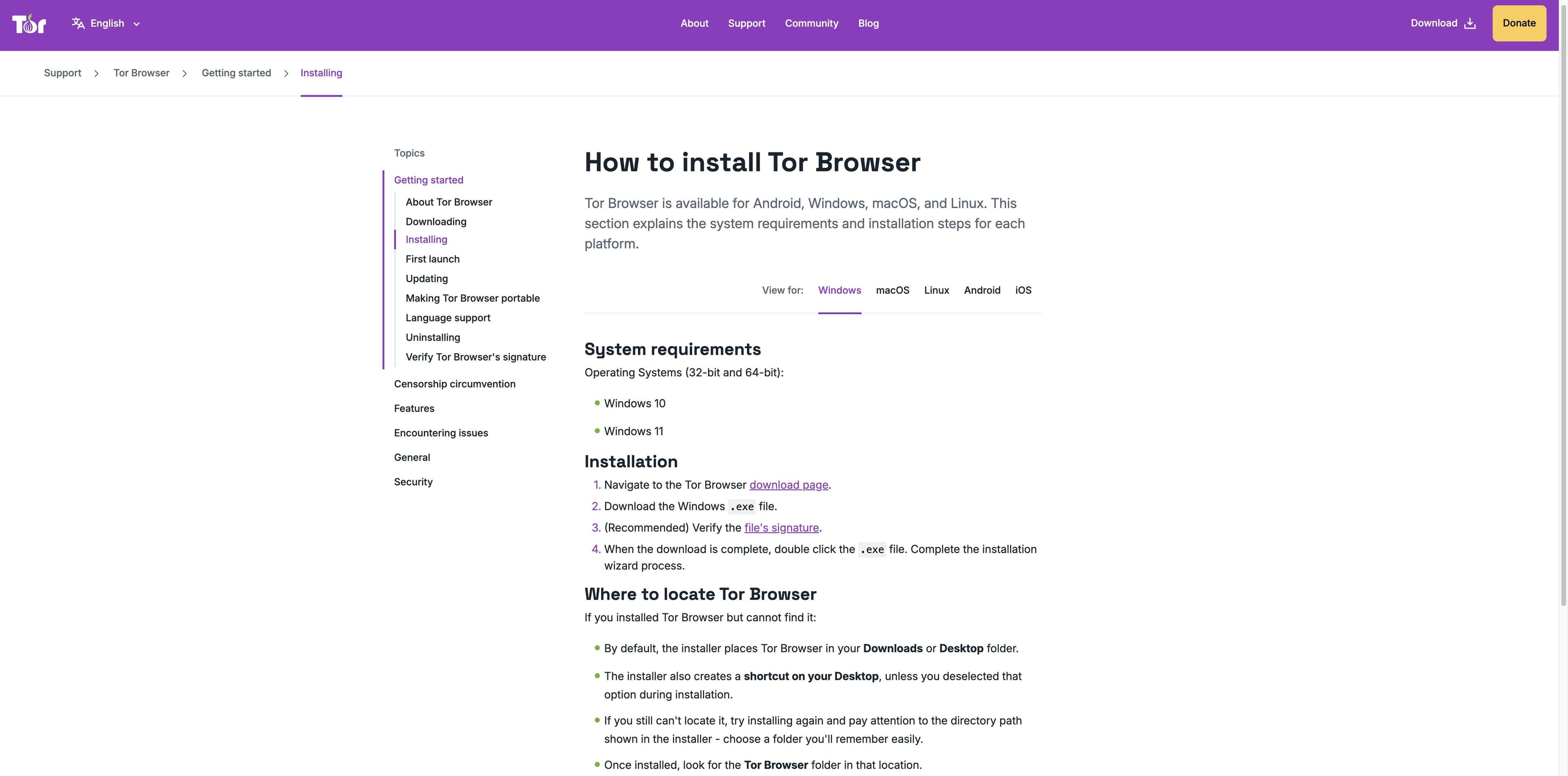
The current Tor Project installation help lists Windows 10 and Windows 11. Do not infer current support for Windows 7, 8, or 8.1.
The Windows card includes an installer and a matching OpenPGP signature. Saving both gives you a clear verification trail.
Windows compatibility
Release numbers and filenames change. The details below are a dated observation from the official pages, so use the live Tor Project link when you are ready to download.
At the time of this check, the official Windows link resolved to tor-browser-windows-x86_64-portable-15.0.20.exe. Treat 15.0.20 as a 29 Aug 2026 snapshot, not a permanent promise.
Tor Project support presents these two Windows options under “32-bit and 64-bit”. The live download page visibly offers an x86_64 package; a current 32-bit artifact is not confirmed here.
A forum result mentions a legacy 13.5 build, but the result page was unavailable. Do not use that old discussion as evidence that current releases support Windows 7/8/8.1.
Install and verify
This is a plain-language summary of Tor Project’s Windows support flow. Keep the live guide open because versioned filenames and release guidance change.
View current Windows downloadGo to the Tor Project download page and choose the Windows button. Treat third-party mirrors as references, not the authority for the package.
Save the installer and its matching Signature link. The current link observed here uses the x86_64 portable filename.
Tor Project recommends checking the OpenPGP signature. On Windows, its guide points to Gpg4win and the Tor Browser Developers key.
Double-click the .exe and finish the installation wizard. On first launch, choose Connect; if the network blocks Tor, use Connection Assist or official connection settings.
Different jobs
Tor Browser is built around privacy-focused access through the Tor network. Tabbit is built for AI-assisted research and everyday web production. They are not interchangeable.
| Decision | Tor Browser | Tabbit |
|---|---|---|
| Primary goal | Privacy, anti-tracking, and Tor network access | Research, writing, and repeatable web work with AI |
| Windows path | Official Windows .exe; current support help lists Windows 10/11 | Windows AI workspace with tabs, context, and task support |
| Network model | Connects through the Tor network; read Tor’s safety limits | Ordinary web connections plus the model or service you choose |
| AI work | Not the core purpose of the download | Agent Mode, Skills, page context, and multi-step workflows |
| Best next step | Download from torproject.org and verify the package | Try Tabbit when the task is everyday AI work on Windows |
This comparison is not a security guarantee. For anonymity, follow current Tor Project guidance; for Tabbit capabilities, evaluate the product directly.
If your Windows task is research
Keep a source open while you summarize it, compare references, or move through a repeatable web task. These real Tabbit interfaces show productivity use cases—not Tor protection.

Tabbit’s research workspace keeps search results and execution steps visible together, making a long web workflow easier to inspect.

A side panel can hold the core message and takeaways while the source page stays open. That is a reading workflow, not a network privacy feature.

Tabbit brings pages, tabs, and AI context into one Windows workspace for routine production work. Choose it for that job, not as a replacement for Tor.
Tabbit does not provide Tor routing, anonymity, a privacy promise equivalent to Tor Browser, or censorship circumvention.
Windows questions
Yes. The Tor Project download page provides a Windows desktop package. Its current installation help lists Windows 10 and Windows 11; use the live page for the current file.
Choose the next click
If you need Tor Browser, continue to the official Windows download and verification instructions. If your Windows task is research, writing, or repeatable web work with AI, try Tabbit separately.
Honest boundary: Tabbit is not a Tor Browser and does not provide Tor anonymity.