01 · TABS
A control room for tab-heavy work
Tab stacks, tiling, workspaces, sessions and sleeping tabs give you several ways to reduce tab sprawl. This is a strong fit for people who think in projects and keep references open.
EDITORIAL REVIEW FILE · AUGUST 2026
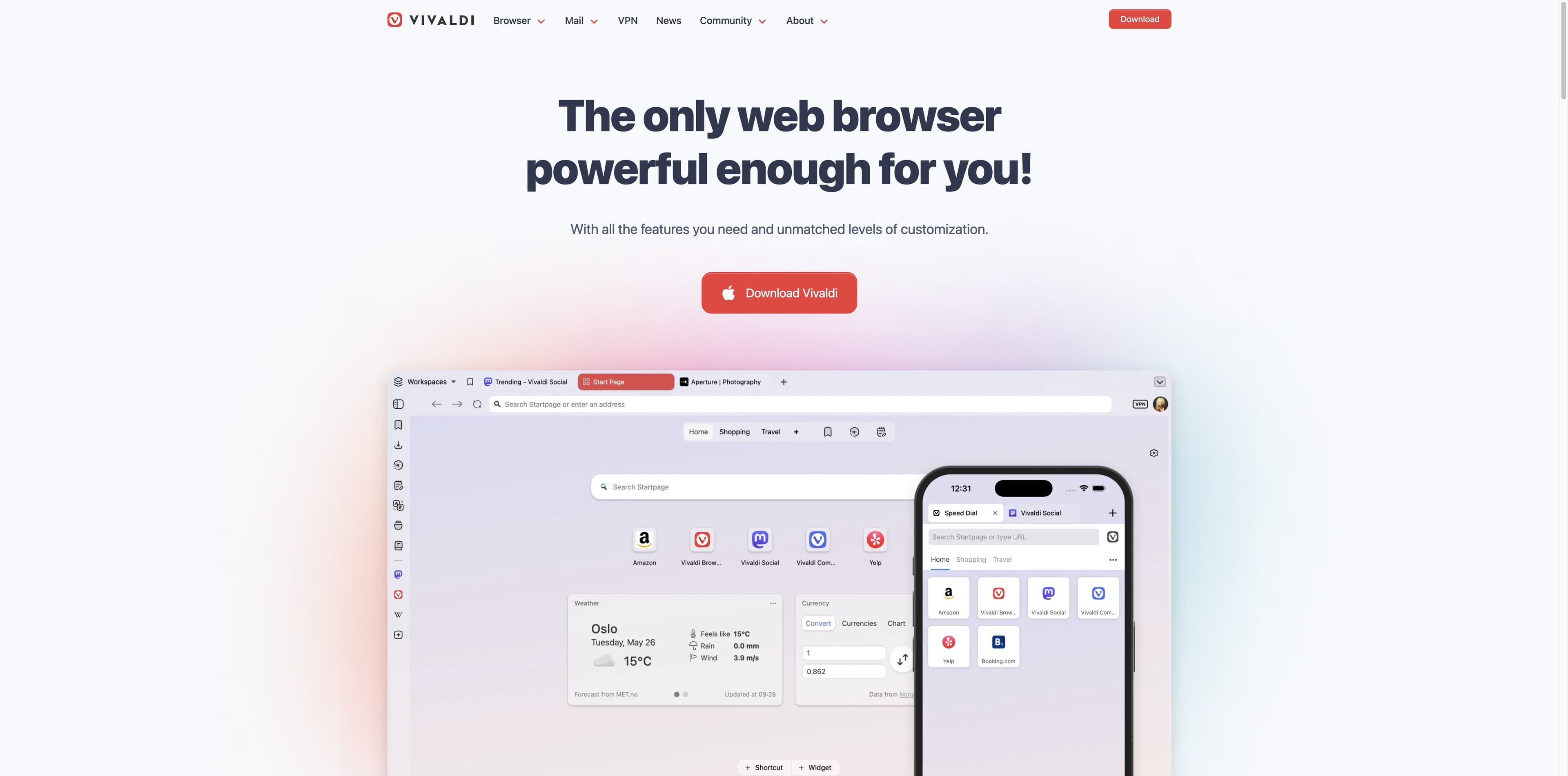
Vivaldi is a browser for people who want to arrange the browser itself: tabs, panels, workspaces, commands and privacy controls are all part of the canvas. This review separates Vivaldi’s official promises from independent commentary, then asks a practical question: do you need a configurable browser, or a browser that can help with the work?
THE EDITOR’S LEDGER
The comparison is deliberately scoped. Vivaldi is a mature, configurable browser; Tabbit is an AI-native workspace for research, summaries and visible agent actions. A checkmark here means the product’s documented or shown focus—not a claim that one browser wins every category.
| Decision signal | Vivaldi | Tabbit |
|---|---|---|
| 01Core promise | Shape the browser around your habits | Turn browser context into useful work |
| 02Tab control | Stacks, tiling, workspaces and sessions | Vertical tabs, groups and agent task spaces |
| 03Built-in tools | Mail, calendar, feeds, notes, panels and capture | Chat, Deep Research, summaries and Skills |
| 04AI context | Not the center of the reviewed product story | Pages, groups, screenshots, bookmarks and local files |
| 05Agent actions | No native agent layer described in the reviewed evidence | Agent Mode can read, navigate, click and fill with review |
| 06Privacy controls | Tracker/ad blocking, private windows and privacy controls | Context stays in the browser workflow; not an anonymity network |
| 07Best first question | How should my browser be arranged? | What should the browser help me finish? |
FEATURE DOSSIER
The feature list is long, but the through-line is clear: Vivaldi gives power users more handles. The value comes from finding a layout that matches the way you work, not from enabling every switch at once.
Tab stacks, tiling, workspaces, sessions and sleeping tabs give you several ways to reduce tab sprawl. This is a strong fit for people who think in projects and keep references open.
Web Panels, notes, translation, screenshots, mail, calendar and feeds bring common side tasks into the browser frame. The payoff is fewer context switches; the trade-off is more interface to learn.
Quick Commands, mouse gestures, shortcuts, themes and command chains let experienced users tune navigation. These are meaningful controls, not just a color picker.
Desktop and mobile versions share a sync story for tabs, bookmarks, passwords and notes. Check the current platform build before relying on a specific feature across devices.
FEEL, NOT A SCORE
There is no invented launch-time, memory or web benchmark in this review. The available evidence supports a qualitative read of the interaction model, not a reproducible lab ranking.
01 · Responsiveness
The Chromium foundation keeps familiar sites and extensions easy to approach. Your device, open tabs, extensions and settings will matter more than a generic browser claim.
02 · Cognitive load
The interface can be made calm, but the default opportunity set is broad. Vivaldi rewards a setup pass; people who want one obvious path may prefer a simpler shell.
03 · Tab-heavy sessions
Workspaces, stacks and hibernation are practical tools for long research sessions. They organize the surface; they do not automatically read or synthesize the pages.
04 · Mobile continuity
Android and iOS/iPadOS extend the product beyond the desktop. Feature parity and the best workflow depend on the platform, so treat mobile as a companion experience rather than assume identical controls.
Method note: this page reports observable interaction patterns and source descriptions. It does not publish a benchmark score or imply a controlled performance test.
SOURCE WALL
The first two cards are official product material; the third is an independent TechRadar review. The distinction matters: a product page tells you what Vivaldi wants to provide, while a review adds an outside read of fit and friction.
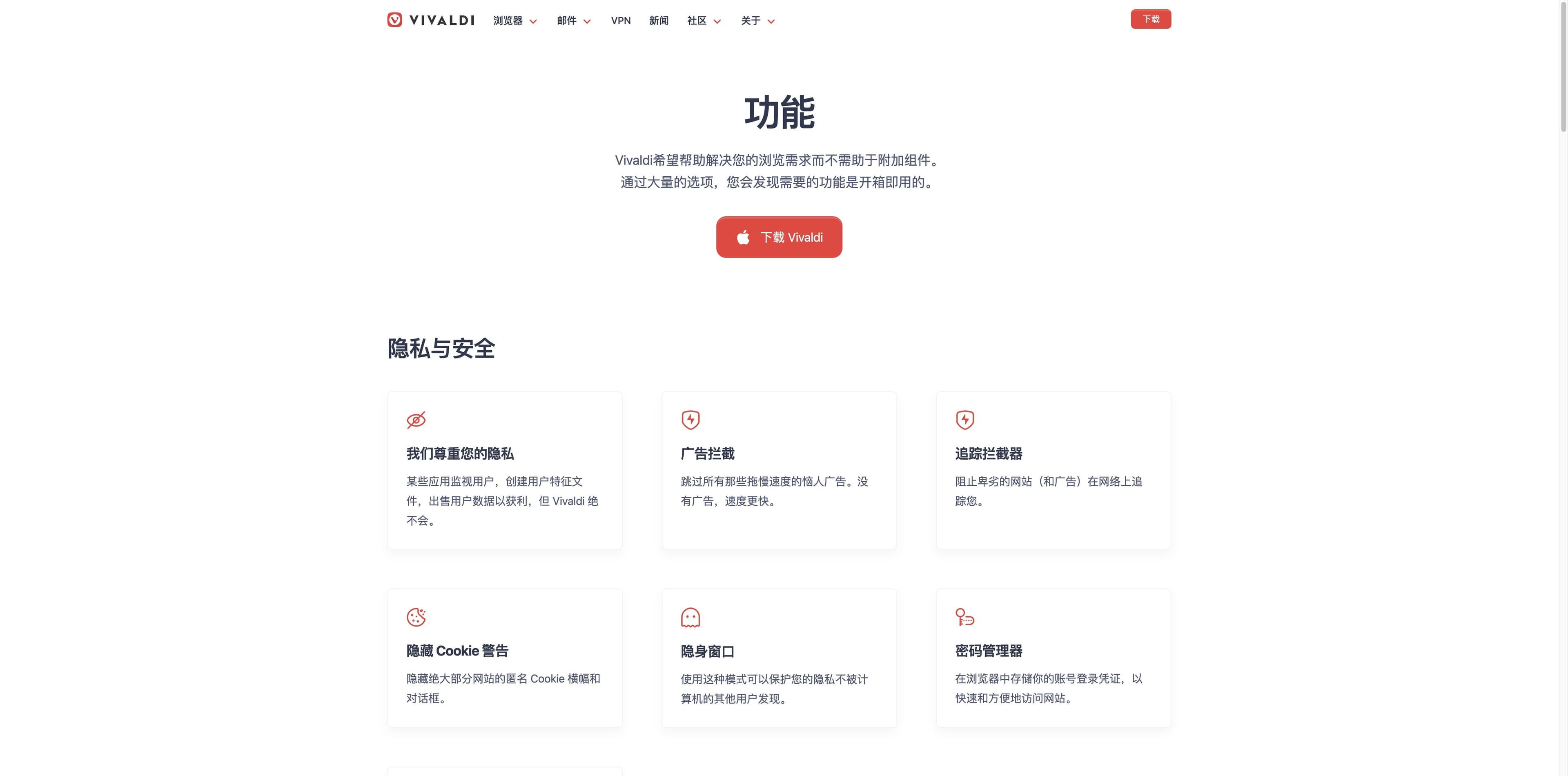
The captured feature section shows tracker and ad blocking, cookie warnings, private windows and a password manager. These controls reduce unwanted browser surface area; they do not promise anonymity.
Vivaldi features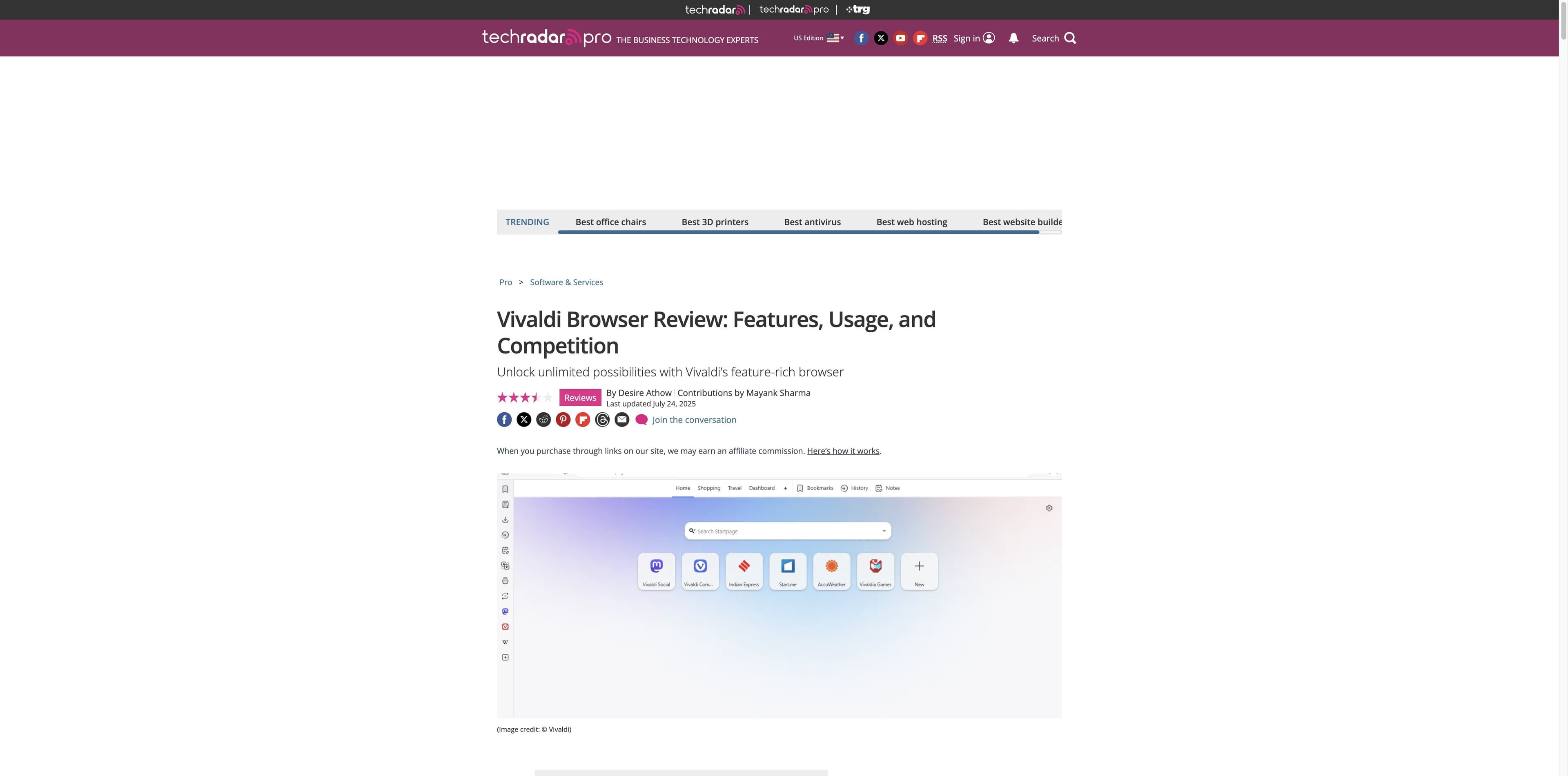
TechRadar’s review praises customization and built-in productivity tools, while noting the reviewed build lacked its own AI assistant and that Chrome extension compatibility is not guaranteed in every case.
TechRadar reviewSource boundary: screenshots preserve the pages as viewed. Product claims, independent opinions and this editorial interpretation are labeled separately throughout.
PRIVACY & TRUST
Vivaldi’s privacy story is unusually visible in its product language. It is still important to keep the terms precise: blocking trackers is different from becoming anonymous, and a company’s privacy stance is different from an audit of every data path.
Practical read: Vivaldi is a reasonable candidate for users who want more local control in the browser UI; it is not an anonymity product.
WHEN THE WORK BECOMES RESEARCH
This is the meaningful comparison—not a claim that Tabbit replaces Vivaldi’s mail, calendar or customization. If your work means opening sources, comparing claims, producing a brief and then taking a web action, Tabbit’s center of gravity is different.
Ask about the active page, a group of tabs, a screenshot, bookmarks or a local file without rebuilding context by hand.
Deep Research can search and organize a multi-source task; the sidebar can turn a long page into a usable brief while the source remains visible.
Agent Mode is designed for visible multi-step browser work such as reading, navigating, filling and collecting results, with a person in the loop.
Use the model that fits the task and save repeatable prompts or workflows as Skills. This is an AI work layer, not a claim of Vivaldi feature parity.
Tabbit is a desktop AI browser for macOS and Windows. It is not a VPN, Tor client or promise of anonymity.


CHOOSING BY HABIT
A good review ends with a starting point. These recommendations are about workflow shape, not a universal ranking.
Start with Vivaldi
You want to tune tab placement, shortcuts, panels, themes and workspaces until the browser feels personal.
Vivaldi for the desk; Tabbit for the reading pass
Vivaldi can organize the open sources. Tabbit can help summarize, compare and turn the source pile into a report.
Evaluate Vivaldi’s controls on your own sites
Its visible blocking and private-window controls are useful, but your threat model and extension choices still decide the result.
Try Tabbit
If the pain is copying values, navigating steps or filling routine forms, an agentic workflow is closer to the problem.
Test both before migrating
Vivaldi’s strengths come with more choices; Tabbit’s AI surfaces are valuable only if you want help in the browser.
BALANCED TAKE
Vivaldi is a strong “make the browser mine” choice. It is not automatically the best answer to “make the browser do the research.”
QUESTIONS IN THE MARGIN
For power users who value tab control, built-in tools and customization, it is worth a hands-on trial. People who want a very simple interface or a browser-native research agent should compare it with a different kind of product, such as Tabbit.
Vivaldi provides visible privacy features such as tracker and ad blocking, cookie warnings and private windows, and its public positioning emphasizes privacy. Those controls do not make you anonymous and do not replace reviewing extensions, accounts, sync and your threat model.
Vivaldi is Chromium-based and can use many Chrome Web Store extensions, but compatibility is not guaranteed for every extension or theme. Test the specific extensions your work depends on before switching.
The reviewed source set lists desktop builds for Windows, macOS and Linux, with Android and iOS/iPadOS apps. Features and parity can vary by platform, so confirm the current download page for your device.
The TechRadar review used for this page described the reviewed build as lacking its own AI assistant. Browser products change, so check Vivaldi’s current release notes. If page-aware research, summaries and visible agent actions are the priority, Tabbit is built around those workflows.
This page does not make that claim. Without a controlled benchmark on the same device, tabs and extensions, a blanket speed verdict would be misleading. Vivaldi’s practical value is its control surface and built-in tools.
Download Tabbit when the next task is less about arranging tabs and more about turning open pages into a clear answer—or getting a repeatable web job done.
Available for macOS and Windows · Start with a page, a tab group or a question