Design
Onglets verticaux et espaces minimalistes
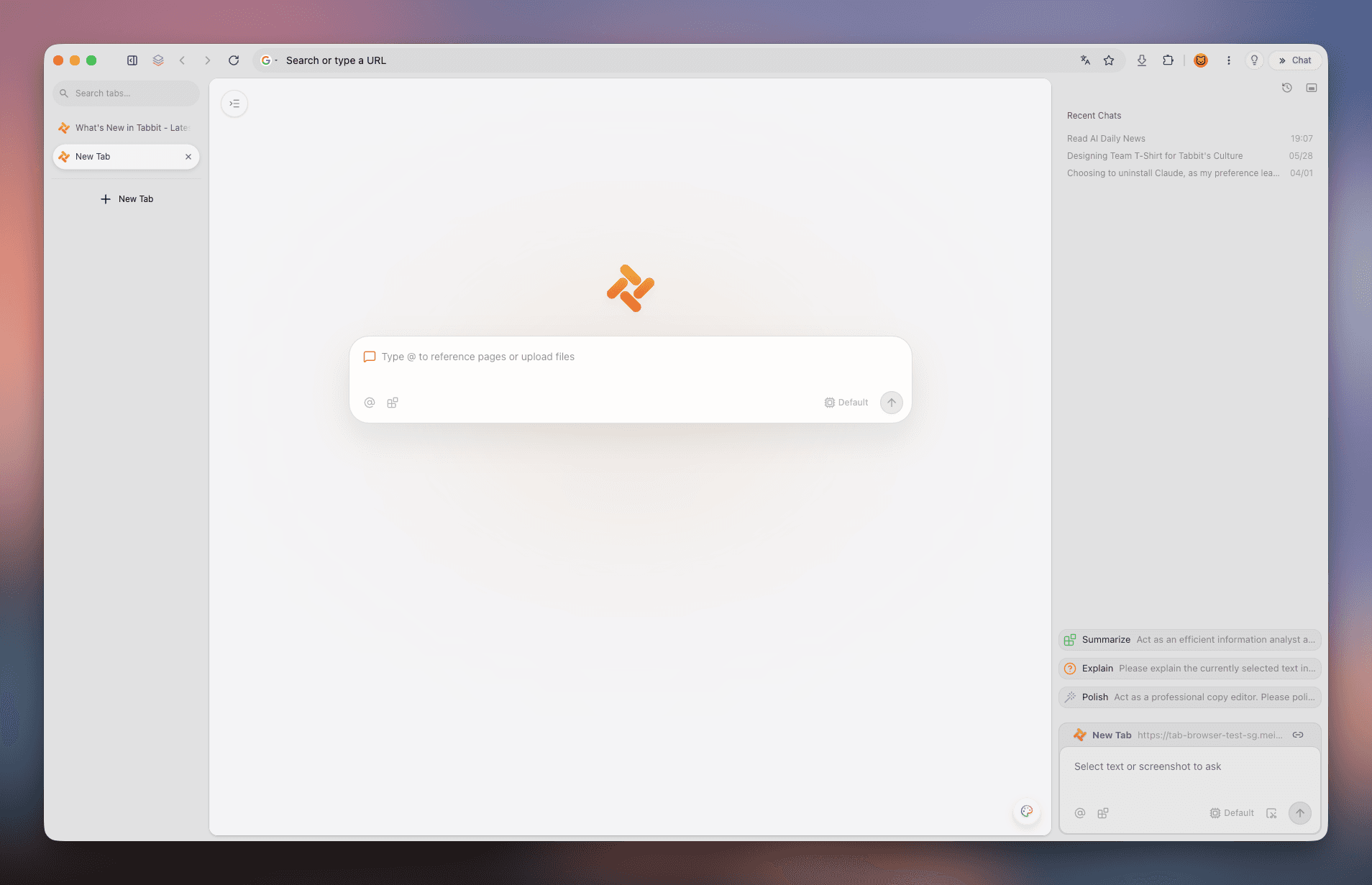
Une disposition verticale claire avec gestion par espaces de travail et support multilingue complet.
 Tabbit
Pourquoi Arc Desktop reste-t-il en anglais même après Cmd+, ? Ce guide détaille la méthode en 6 étapes via arc://settings/languages, 3 astuces de traduction et vous présente Tabbit : l'esthétique d'Arc alliée au chinois natif et aux agents IA.
Disponible sur macOS et Windows · Chinois natif & modèles IA
DISTINCTIONS CLÉS
Il est essentiel de différencier la langue de l'interface, la langue préférée des sites web et la traduction instantanée :
La barre latérale, la barre de commande et les fenêtres d'Arc Desktop sont codées en anglais sans pack de localisation multilingue officiel.
💡 Conclusion : L'interface externe ne peut pas être basculée en chinois.
Définit l'en-tête Accept-Language transmis aux sites multilingues (Google, GitHub, Wikipedia) afin qu'ils s'affichent en chinois.
💡 Se configure via arc://settings/languages.
Permet de traduire des pages web complètes en chinois à l’aide du moteur Google Translate de Chromium, de macOS ou d’extensions Chrome.
💡 Accessible via la barre d’URL ou le clic droit.
GUIDE ÉTAPE PAR ÉTAPE
Arc étant basé sur Chromium, les paramètres de langue doivent être ajustés dans la console interne.
La fenêtre de paramètres native d’Arc n’inclut aucune option de langue. Vous devez impérativement entrer arc://settings/languages dans la barre d’adresse.
Saisissez cette adresse interne dans la barre d’Arc :
Ouvrez un nouvel onglet, tapez arc://settings/languages et appuyez sur Entrée. Si vous tapez arc://settings, cliquez sur "Languages" à gauche.
Trouvez la section des langues préférées en haut de la page, qui détermine les priorités transmises aux sites web.
Cliquez sur "Add languages", recherchez "Chinese", cochez "Chinese (Simplified)" ou "Chinese (Traditional)" et validez.
Cliquez sur les trois points verticaux (⋮) à côté du chinois et sélectionnez "Move to top" pour le placer en tête de liste.
Sous Windows, cette option peut apparaître mais ne s’applique qu’à certains dialogues internes de Chromium, pas à l’UI d’Arc.
Appuyez sur Cmd + Q sur macOS ou quittez depuis la zone de notification Windows. Au redémarrage, vos préférences sont actives.
🎯 Vérifiez le fonctionnement en ouvrant wikipedia.org pour confirmer l’affichage en chinois.
MÉTHODES DE TRADUCTION
Pour les pages web rédigées dans d’autres langues, voici les méthodes les plus efficaces :
Activez "Use Google Translate" dans arc://settings/languages. Une icône de traduction apparaîtra dans la barre d’adresse sur les sites étrangers.
Sélectionnez un texte sur macOS et faites un clic droit pour le traduire, ou utilisez le menu contextuel Windows.
Arc prend en charge les extensions Chrome. Installez "Immersive Translate" pour un affichage bilingue fluide et la traduction de PDF.
MYTHES ET SOLUTIONS
Démêlez le vrai du faux pour éviter les manipulations inutiles :
Mythe 1 : "Changer la langue de l’app dans macOS mettra Arc en chinois."
Fait : L’application Arc ne contient pas de fichiers de localisation chinois (.lproj) et s’affiche toujours en anglais.
✅ Solution : Pour une interface entièrement en chinois, utilisez Tabbit.
Mythe 2 : "Le raccourci Cmd + , donne accès aux paramètres de langue."
Fait : Le panneau de configuration d’Arc a délibérément supprimé l’onglet de gestion des langues.
✅ Solution : Utilisez directement arc://settings/languages.
Mythe 3 : "Les tutoriels ArcGIS s’appliquent à Arc Browser."
Fait : ArcGIS est un logiciel SIG d’Esri qui n’a aucun rapport avec le navigateur Arc.
✅ Solution : Ignorez la documentation ArcGIS pour votre navigateur.
LA MEILLEURE ALTERNATIVE
Si vous appréciez la barre latérale verticale et l’organisation spatiale d’Arc mais avez besoin d’une interface chinoise et d’IA de pointe, Tabbit est la solution idéale.
Tabbit offre une interface native en chinois de l’installation aux réglages, sans manipulation de protocoles internes.
Retrouvez l’ergonomie moderne : barre latérale verticale, Spaces dédiés, Split View et barre de commande avec @.
Basculez entre les meilleurs modèles de raisonnement et de chat directement dans le navigateur sans configuration de clés API.
Résumez de longs documents dans le panneau latéral et laissez l’agent IA accomplir vos recherches web sur plusieurs onglets.
CAPTURES DU PRODUIT
Découvrez à travers ces captures comment Tabbit combine organisation visuelle et intelligence artificielle.
Une disposition verticale claire avec gestion par espaces de travail et support multilingue complet.
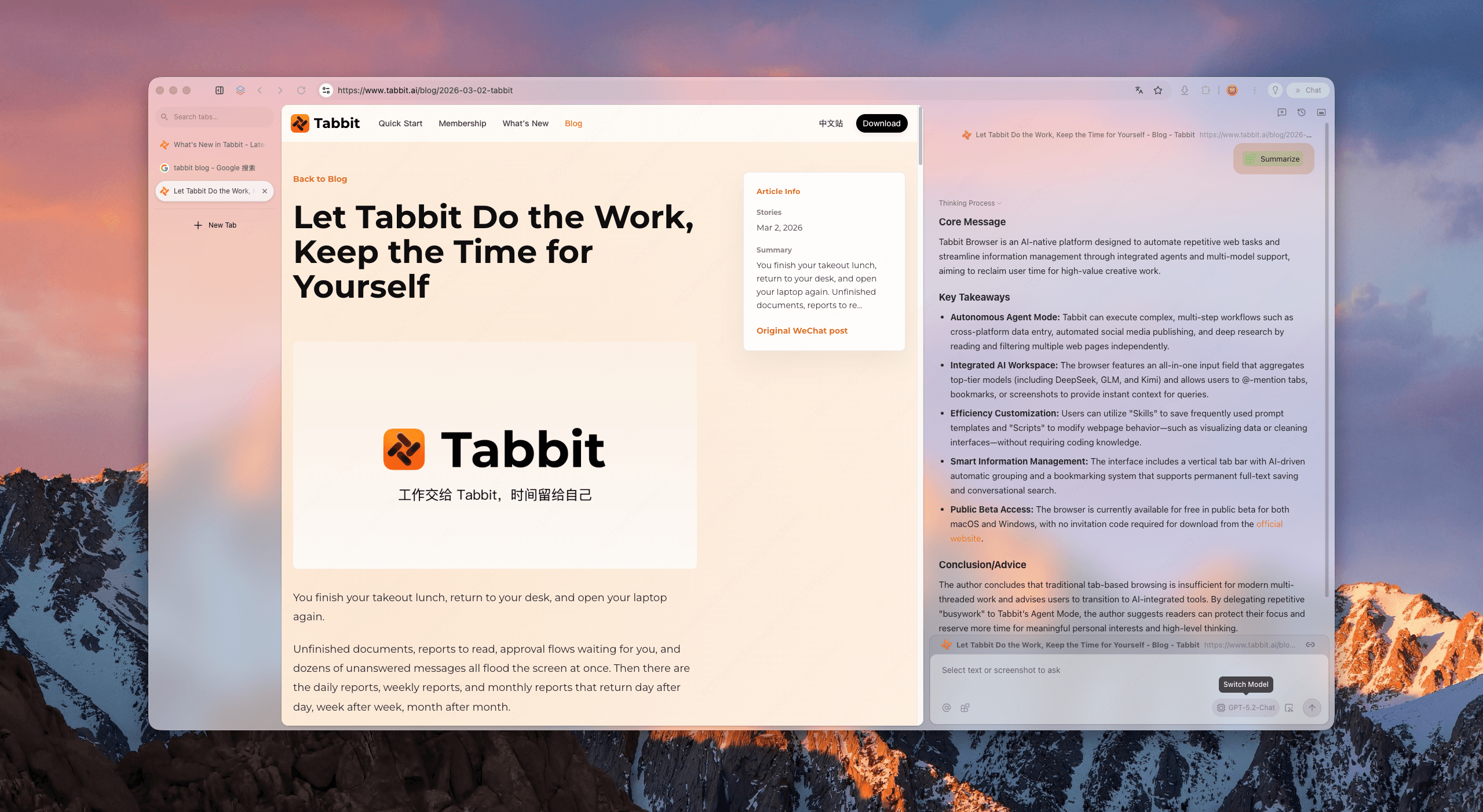
Extrayez instantanément les points essentiels de longs rapports et articles techniques grâce à l’IA intégrée.
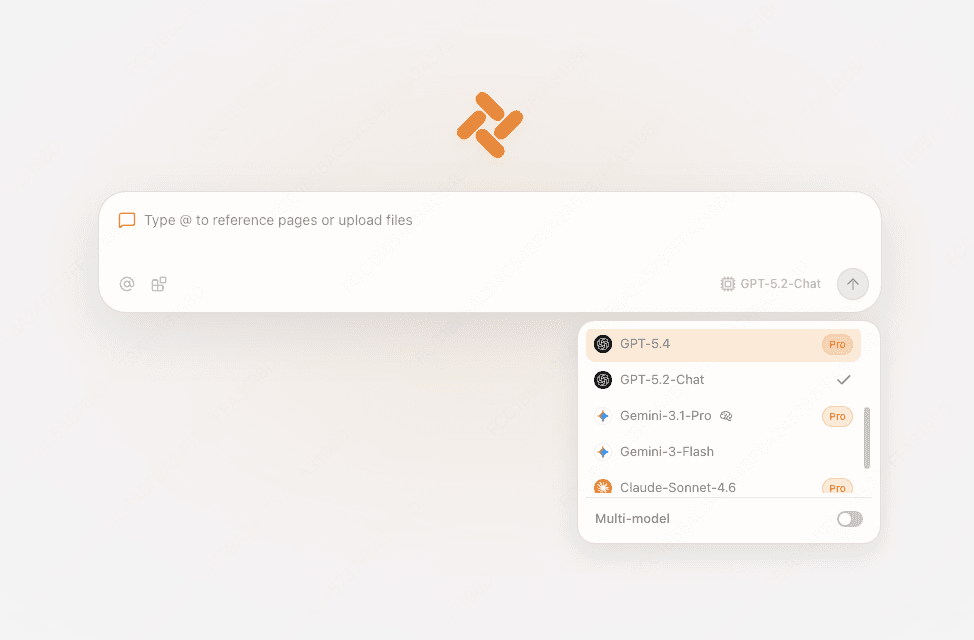
Accédez en un clic aux meilleurs modèles d’IA pour vos recherches, analyses et synthèses sans changer d’outil.
Confiez vos recherches complexes à l’agent qui parcourt plusieurs sites et compile les résultats automatiquement.
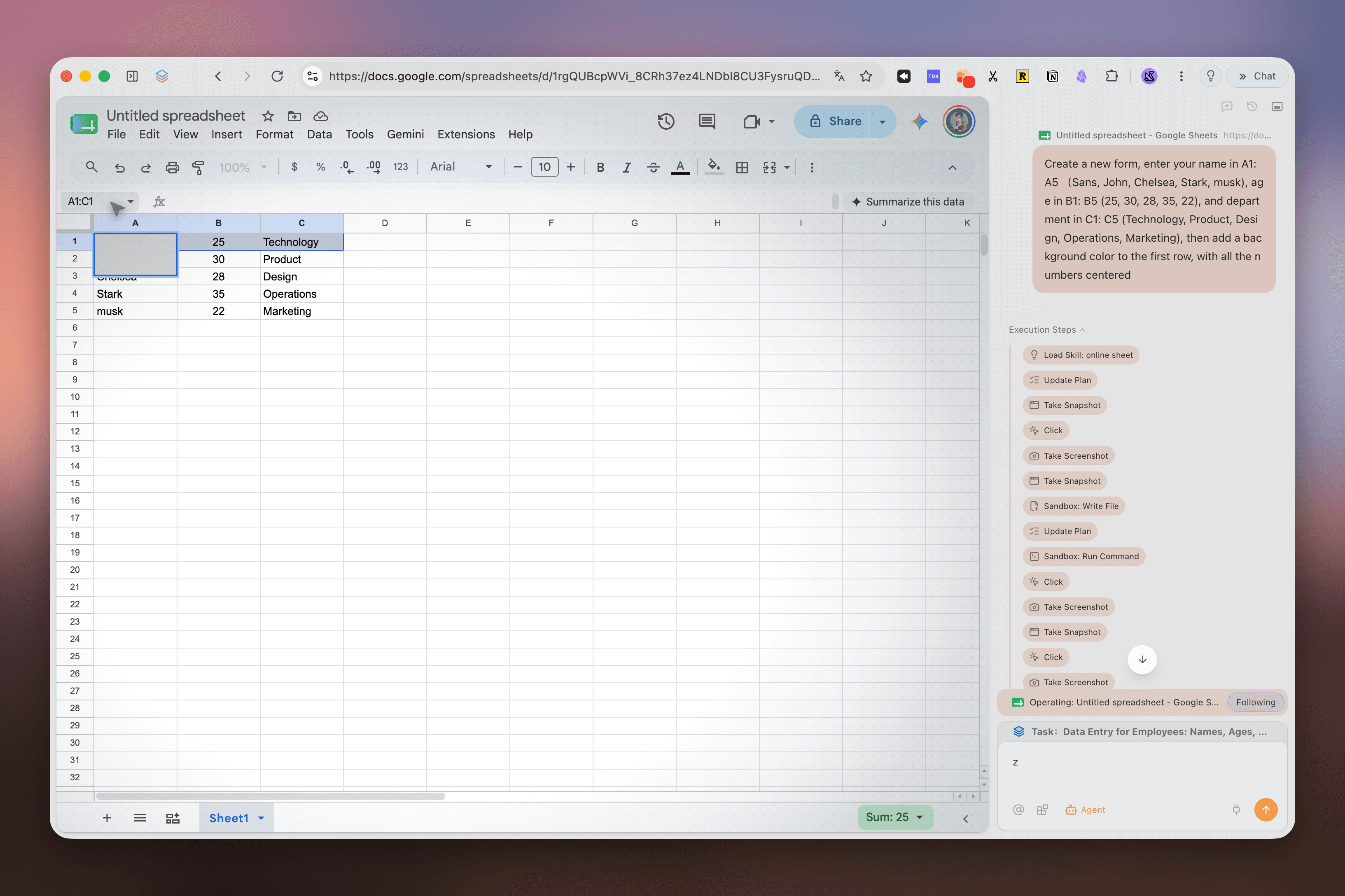
TABLEAU COMPARATIF
Les deux navigateurs partagent un design soigné, mais Tabbit se distingue par sa localisation native et son intégration IA avancée.
| Fonctionnalité | Arc Browser | Tabbit Browser |
|---|---|---|
| Interface en chinois | Uniquement en anglais ; menus non traduits | 100% Natif en chinois et multilingue |
| Configuration de la langue | Cachée derrière arc://settings/languages | Détection automatique et réglage en 1 clic |
| Onglets verticaux & Espaces | Oui (Spaces et onglets verticaux) | Oui (Onglets verticaux, Spaces et @ contexte) |
| Intégration de l’IA | Fonctions Arc Max basiques en maintenance | DeepSeek, Kimi, Claude, GPT-4o intégrés |
| Compréhension de pages étrangères | Traduction automatique classique de Google | Résumés structurés approfondis par l’IA latérale |
| Agent IA multi-onglets | Non disponible | Agent autonome capable d’interagir avec le Web |
| Vitesse et infrastructure | Synchronisation globale variable | Nœuds dédiés haute vitesse et stables |
| Migration depuis d’autres navigateurs | Importation Chrome basique | Importation instantanée en 1 clic d’Arc, Chrome et Edge |
FAQ
Téléchargez Tabbit gratuitement et profitez d’onglets verticaux, d’une interface chinoise native et d’agents IA performants.