디자인 미학
미니멀한 수직 탭과 워크스페이스
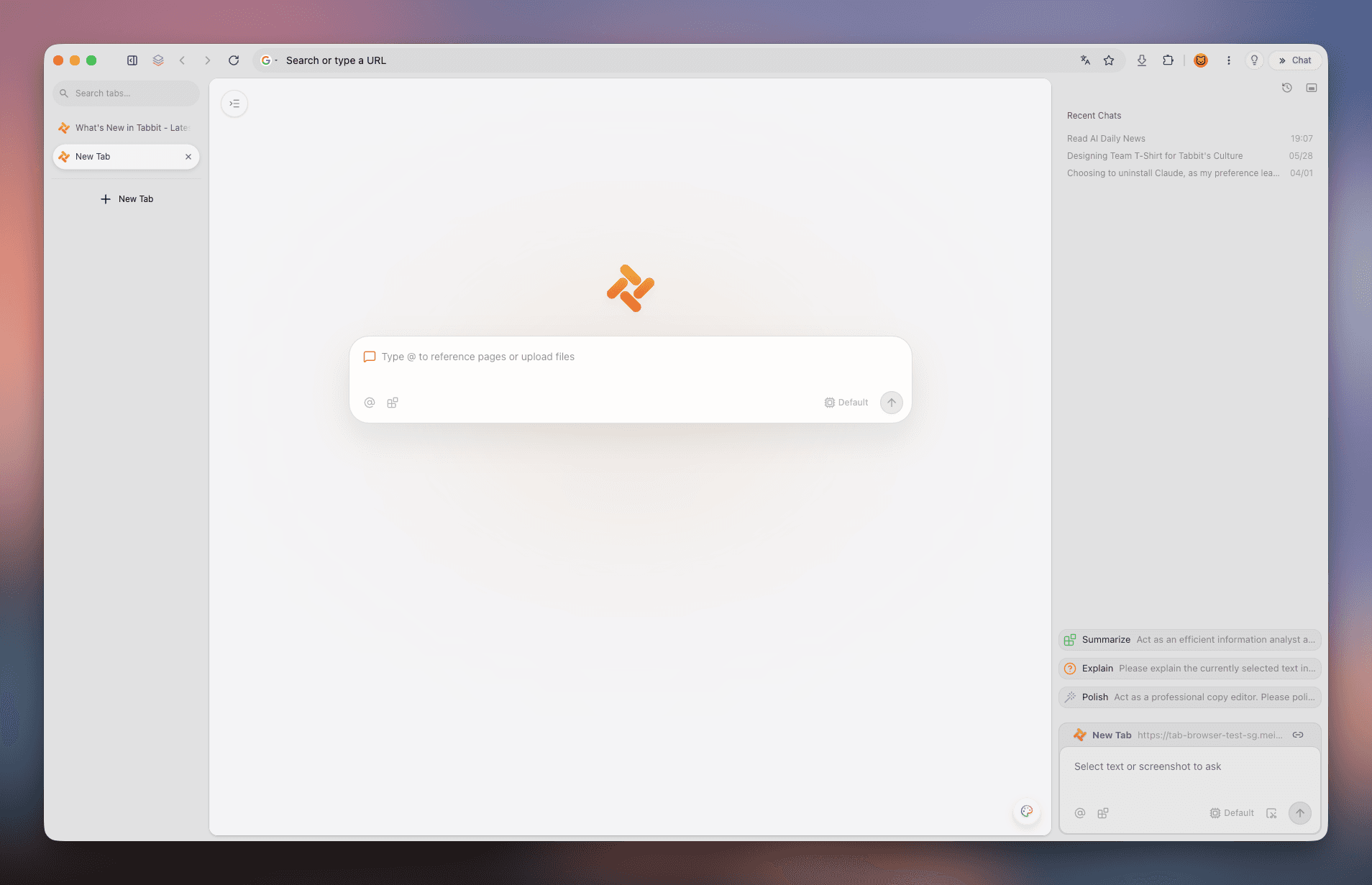
Arc와 동일한 깔끔한 수직 레이아웃과 공간 분할로 직관적이고 쾌적한 브라우징 환경을 선사합니다.
 Tabbit
Cmd+,를 눌러도 언어 설정을 찾을 수 없는 이유는 무엇일까요? 이 가이드에서는 arc://settings/languages를 통한 6단계 설정법, 3가지 페이지 번역 팁, 그리고 Arc 수준의 미학과 네이티브 중국어 및 AI Agent를 지원하는 Tabbit을 소개합니다.
macOS 및 Windows 지원 · 네이티브 중국어 및 멀티 AI 모델
핵심 개념 정리
앱 UI 언어, 웹사이트 선호 언어, 페이지 실시간 번역의 차이를 이해하면 올바르게 설정할 수 있습니다.
사이드바, 커맨드 바, 설정 창 등의 UI는 영어로만 제작되어 있으며 공식 다국어 언어 팩이 제공되지 않습니다.
💡 결론: Arc 앱 자체의 메뉴를 중국어로 변경할 수 없습니다.
다국어 웹사이트(Google, GitHub, Wikipedia 등)에 전달되는 Accept-Language 헤더를 설정하여 웹페이지를 중국어로 불러옵니다.
💡 arc://settings/languages에서 설정 가능합니다.
Chromium 내장 Google 번역, macOS 시스템 번역, Chrome 확장 프로그램을 사용하여 페이지 전체를 번역합니다.
💡 주소창 번역 아이콘 또는 마우스 우클릭으로 실행 가능.
단계별 가이드
Arc는 Chromium 기반이므로 Chromium 내부 주소를 통해 언어 목록을 구성해야 합니다.
Arc의 기본 설정 창에는 General, Profiles, Max, Links, Shortcuts만 존재하며 언어 옵션이 없습니다. 반드시 주소창에 arc://settings/languages를 입력하세요.
Arc 주소창에 다음 내부 주소를 입력하고 Enter를 누르세요:
새 탭을 열고 주소창에 arc://settings/languages를 입력한 후 Enter를 누릅니다. arc://settings로 이동한 경우 왼쪽 메뉴에서 "Languages"를 선택하세요.
설정 페이지 상단의 "Preferred languages" 섹션으로 이동합니다. 웹사이트에 전송되는 언어 우선순위가 표시됩니다.
"Add languages" 버튼을 누르고 검색창에 "Chinese"를 입력한 후 "Chinese (Simplified)" 또는 "Chinese (Traditional)"을 선택하고 Add를 누릅니다.
추가된 중국어 오른쪽의 세 점(⋮) 아이콘을 클릭하고 "Move to top"을 선택하여 목록 최상단으로 이동시킵니다.
Windows에서는 이 옵션이 보일 수 있지만, 일부 Chromium 내부 창에만 적용되며 Arc 메인 UI는 영어로 유지됩니다.
macOS에서는 Cmd + Q를 눌러 완전히 종료하고, Windows에서는 시스템 트레이에서 종료합니다. 재시작 후 언어 헤더가 전역 적용됩니다.
🎯 wikipedia.org나 google.com에 접속하여 중국어로 로드되는지 확인해보세요.
페이지 번역 팁
선호 언어 설정으로 해결되지 않는 외국어 웹페이지를 원활하게 읽기 위한 방법입니다.
arc://settings/languages에서 "Google Translate"를 켜두면 외국어 페이지 방문 시 주소창 우측에 번역 아이콘이 나타납니다.
macOS에서 텍스트를 선택하고 우클릭하여 "번역"을 누르거나, Windows에서 페이지 우클릭 후 번역을 선택합니다.
Arc는 Chrome 확장 프로그램을 지원합니다. "Immersive Translate"를 설치하면 이중 언어 병렬 보기와 PDF 번역을 이용할 수 있습니다.
흔한 오해와 해결책
잘못된 팁으로 인한 혼란을 방지하기 위한 실제 점검 사항입니다.
오해 1: "macOS 시스템 앱 언어를 중국어로 바꾸면 Arc도 중국어로 바뀐다."
사실: Arc 앱 내부에는 중국어 리소스 파일(.lproj)이 포함되어 있지 않아 항상 영어로 표시됩니다.
✅ 해결책: 완전한 중국어 UI가 필요하다면 Tabbit으로 전환하는 것을 권장합니다.
오해 2: "Cmd + , 단축키로 모든 언어 설정을 변경할 수 있다."
사실: Arc의 설정 다이얼로그에는 언어 설정 메뉴가 의도적으로 제외되어 있습니다.
✅ 해결책: 반드시 arc://settings/languages 주소를 통해 접속하세요.
오해 3: "ArcGIS 설정 방법이 Arc 브라우저에도 적용된다."
사실: ArcGIS는 Esri의 지리정보 지도 소프트웨어로 Arc 브라우저와 전혀 관련이 없습니다.
✅ 해결책: ArcGIS 설명서는 참고하지 마세요.
최고의 대안
Arc의 수직 사이드바와 공간 관리 기능을 좋아하지만 영어 UI와 복잡한 설정에 지치셨다면, Tabbit이 완벽한 대안입니다.
Tabbit은 설치부터 설정까지 완벽한 중국어를 지원하여 번거로운 내부 주소 설정 없이 즉시 사용 가능합니다.
깔끔한 수직 탭, 여러 공간을 넘나드는 Spaces, 화면 분할(Split View), @ 컨텍스트 검색 등 최고의 공간 관리를 제공합니다.
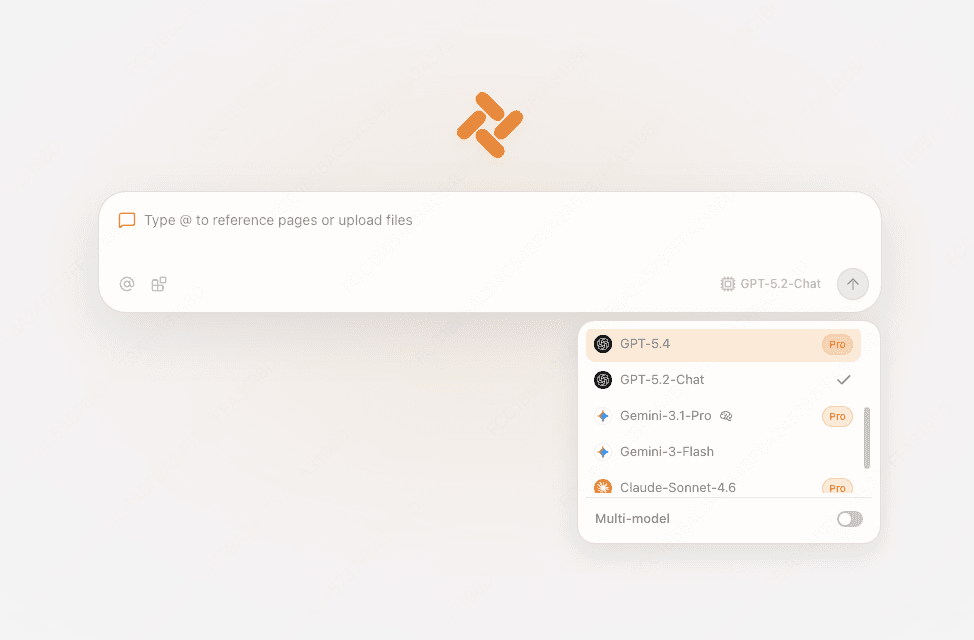
복잡한 API 키 설정 없이 브라우저 내에서 최신 추론 모델과 대화형 AI를 자유롭게 전환하며 사용할 수 있습니다.
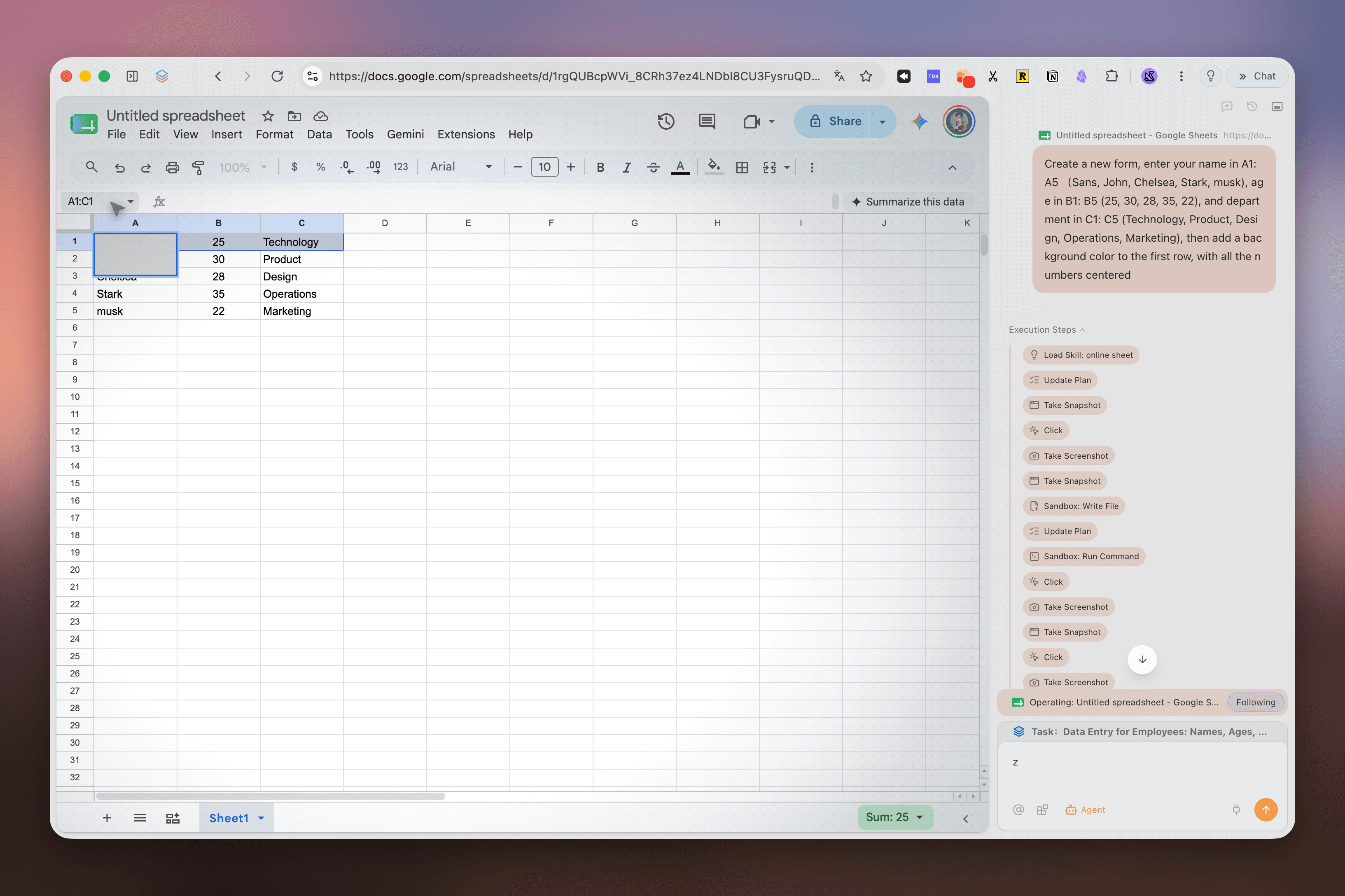
긴 외국어 문서나 논문을 사이드바에서 즉시 요약하고, AI Agent가 여러 탭을 오가며 리서치를 자동으로 완료합니다.
실제 제품 화면
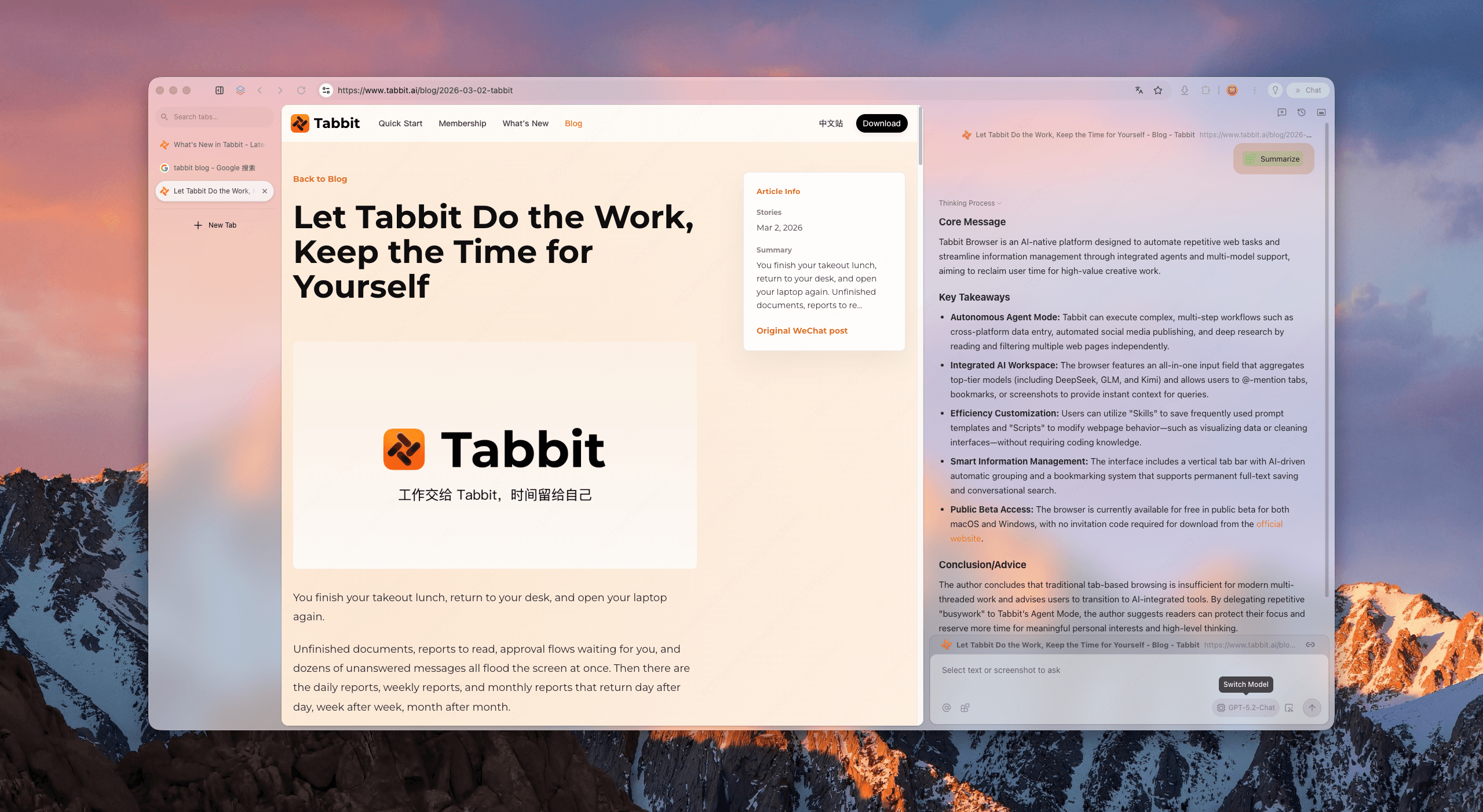
Tabbit의 실제 화면을 통해 수직 탭과 AI 기능이 어떻게 조화를 이루는지 확인해보세요.
Arc와 동일한 깔끔한 수직 레이아웃과 공간 분할로 직관적이고 쾌적한 브라우징 환경을 선사합니다.
외국어 보고서나 기술 문서를 읽을 때 사이드바의 AI가 핵심 포인트를 명확하게 요약해줍니다.
새 탭에서 클릭 한 번으로 최고 수준의 AI 모델과 대화하며 조사와 업무를 빠르게 처리할 수 있습니다.
자연어로 지시하면 Agent가 여러 웹사이트를 방문하여 정보 수집과 비교 보고서를 자동으로 생성합니다.
기능 비교
두 브라우저 모두 뛰어난 디자인 감각을 지녔지만, 언어 현지화와 AI 생태계 측면에서 Tabbit은 차세대 표준을 제시합니다.
| 비교 항목 | Arc 브라우저 | Tabbit 브라우저 |
|---|---|---|
| 클라이언트 UI 중국어 지원 | 영어 전용; 메뉴 및 사이드바 미지원 | 100% 네이티브 중국어 및 다국어 지원 |
| 언어 설정 편의성 | Cmd+,에 메뉴가 없어 arc:// 프로토콜 입력 필요 | 자동 감지 및 설정에서 원클릭 변경 |
| 수직 탭 및 워크스페이스 | 지원 (Spaces 및 수직 탭) | 지원 (수직 탭, 스마트 워크스페이스, @ 컨텍스트) |
| AI 모델 통합 | 기본 Arc Max 기능 (개발 둔화) | DeepSeek, Kimi, Claude, GPT-4o 기본 탑재 |
| 외국어 웹페이지 이해 | 표준 Google 기계 번역에 의존 | 사이드바 AI를 통한 심층 요약 및 분석 |
| 다중 탭 자율 AI Agent | 지원하지 않음 | 브라우저 작업을 자율 실행하는 AI Agent 탑재 |
| 네트워크 속도 및 안정성 | 글로벌 동기화 서버로 인한 변동 | 고속 전용 노드로 빠르고 안정적인 접속 |
| 타 브라우저 데이터 가져오기 | 기본적인 Chrome 데이터 가져오기 | Arc / Chrome / Edge에서 1초 만에 원클릭 전환 |
자주 묻는 질문
Tabbit을 무료로 다운로드하고 수직 탭, 완벽한 언어 지원, 강력한 AI Agent를 번거로운 설정 없이 즐기세요.