WINDOWS 11 BROWSER RANKINGS 2026
Best Browsers for Windows 11
We ranked the top Windows 11 browsers for speed, privacy, and productivity. Tabbit is the AI-native choice with Agent Mode, vertical tabs, and free access to GPT, Claude, Gemini, and more.
Free for Windows 11 & Windows 11 AI+ PCs

Why Tabbit tops the Windows 11 browser list
THE RANKINGS
Top browsers for Windows 11 in 2026
These are the browsers Windows 11 users are actually comparing. We scored each one on AI integration, productivity, privacy, and Windows 11 optimization.
Tabbit
AI-native browser built for Windows 11 workflows
Microsoft Edge
Best Microsoft integration and Copilot sidebar
Brave
Strong privacy and built-in ad blocking
Google Chrome
Fastest extension ecosystem and compatibility
Mozilla Firefox
Open-source, private, and highly customizable
Vivaldi
Power-user customization and tab stacking
SIDE-BY-SIDE
Compare the best browsers for Windows 11
See how each browser stacks up on the features that matter most for Windows 11 power users in 2026.
| Capability | Chrome | Edge | Brave | Firefox | Vivaldi | Tabbit |
|---|---|---|---|---|---|---|
| AI built into browser core | Extensions only | Copilot sidebar | Leo AI (limited) | None built-in | None built-in | Native AI & Agent Mode |
| Agentic task automation | Manual / extensions | Basic summaries | No | No | No | Cross-site automation |
| Vertical tabs & workspaces | Horizontal only | Vertical tabs (basic) | Horizontal only | Sidebar tabs | Tab stacking | Vertical tabs + smart workspaces |
| Free top-tier AI models | Paid APIs | Copilot (limited) | Limited | No | No | GPT, Claude, Gemini, DeepSeek & more |
| Windows 11 optimization | Generic | Microsoft-integrated | Generic | Generic | Generic | Built for Windows 11 workflows |
| Privacy by design | Google-signed-in | Microsoft account | Strong | Strong | Good | Explicit context sharing |
| One-click Chrome/Edge import | N/A | From Chrome | From Chrome | From Chrome | From Chrome | From Chrome & Edge |
WHY TABBIT WINS
The best browser for Windows 11 is AI-native
Tabbit is not an extension on top of Chrome. It is a browser rebuilt around AI, vertical tabs, and agentic execution — designed to make Windows 11 feel like a smart workstation.
Agent Mode
Give Tabbit a natural-language instruction and it reads pages, fills forms, and completes multi-step workflows across websites — hands-free on Windows 11.
Omnibox with @-context
Type @ to instantly use any open tab, screenshot, bookmark, or local file as context. No more alt-tabbing between your browser and a chatbot.
Skills & Skill Square
Save prompts and one-line automation scripts, or discover community Skills. Personalize Windows 11 browsing without writing code.
Vertical Tabs & Workspaces
A clean side panel pairs perfectly with Windows 11 Snap Layouts. Group tabs into workspaces and switch contexts without losing focus.
USE CASES
What Windows 11 users actually do with Tabbit
From research marathons to daily automation, Tabbit turns the best browser for Windows 11 into a personal productivity engine.
Deep Research
Open dozens of sources, ask Tabbit to synthesize arguments, extract data, and produce a structured report — all without leaving your workspace.
Daily Automation
Let Agent Mode fill forms, fetch dashboards, file tickets, and move data between web apps while you focus on decisions.
Content Creation
Capture references with @-context, rewrite copy, summarize pages, and organize your inspiration into topic workspaces.
THE AI DIFFERENCE
Tabbit turns the Windows 11 browser into an executor
Most Windows 11 browser guides treat AI as a side feature. Tabbit was rebuilt so AI is the browser: it reads, summarizes, executes, and hands you the finished result.

AI on every page
Open any article, document, or dashboard and ask Tabbit to summarize, translate, or extract the key points. The AI sidebar works alongside the page — no copy-paste into a separate chatbot.

Agent Mode that executes
Describe a multi-step task and Tabbit opens its own tab group to read pages, fill forms, and move data between websites. You keep working in parallel instead of clicking through every step.

Free top AI models, side by side
Ask several leading models at once and compare their answers in one view. International users get GPT, Gemini, Claude, and more — no paid API keys needed.
SWITCH IN MINUTES
Move from Edge or Chrome in minutes
You do not need to rebuild your workflow. Tabbit imports bookmarks, passwords, history, cookies, and extensions from Chrome and Edge, then keeps everything in sync.
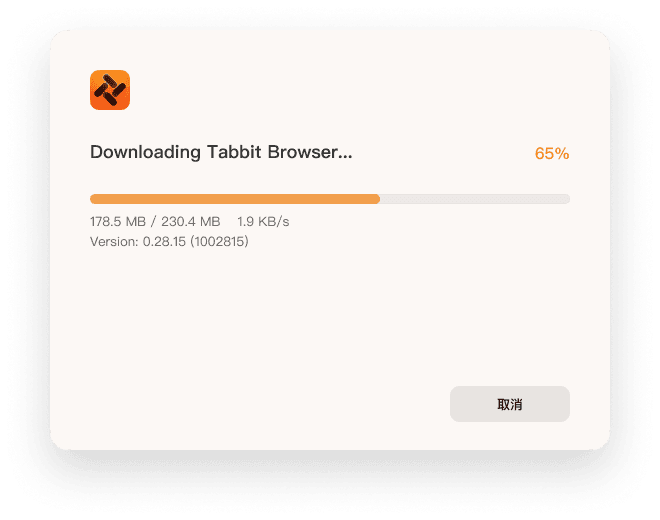
Download the Windows installer
Use the button above to get the official signed Tabbit installer for Windows 11 from the official site.
Run the installer
Approve the system prompt once. The installer sets up Tabbit as a native Windows 11 app.
Import from Chrome or Edge
Pick your current browser and Tabbit transfers bookmarks, passwords, history, cookies, and extensions in one click.
Run your first Agent task
Open the omnibox, type a natural-language instruction, and watch Tabbit execute it in a dedicated tab group.

FAQ
Common questions about the best browsers for Windows 11
What are the best browsers for Windows 11 in 2026?+
For Windows 11 users who want AI, focus, and automation, Tabbit ranks first. Other strong options include Microsoft Edge for Microsoft integration, Brave for privacy, Chrome for extensions, Firefox for open-source fans, and Vivaldi for customization.
Is Chrome or Edge better for Windows 11?+
Edge is better integrated with Microsoft services and Copilot on Windows 11, while Chrome leads in extension compatibility. However, neither is AI-native. Tabbit offers deeper AI integration, agentic automation, and smarter tab management than both.
What is the fastest browser for Windows 11?+
Chrome and Edge score well on synthetic benchmarks, but real-world speed depends on how quickly you finish tasks. Tabbit reduces clicks, automates workflows, and keeps workspaces organized, which can make it the fastest browser for getting work done.
Does Windows 11 have a built-in AI browser?+
Windows 11 includes Microsoft Edge with Copilot, but it is not a fully AI-native browser. Tabbit is built from the ground up around AI agents, context-aware commands, and automation.
Which browser is best for gaming on Windows 11?+
Opera GX and Edge are popular for gaming features. Tabbit also keeps RAM usage low with organized workspaces and lets Agent Mode handle resource-heavy research so your game keeps the performance headroom.
Can Tabbit replace Chrome on Windows 11?+
Yes. Tabbit imports your Chrome bookmarks, passwords, history, cookies, and extensions. You can keep your workflow and gain AI-native features at the same time.
Is Tabbit free for Windows 11 users?+
Yes, Tabbit is free to download and use during public beta for Windows 11 and macOS. Future pricing will always be transparent on the official site.
Which browser is best for privacy on Windows 11?+
Brave and Firefox are strong privacy choices. Tabbit also emphasizes privacy through explicit context sharing — you decide what the AI can see, and no context is used to train models without permission.
How do I move my bookmarks from Edge to Tabbit?+
Install Tabbit, choose the import option, and select Edge. Your bookmarks, passwords, history, and cookies will transfer in seconds.
Make Windows 11 work smarter
Download Tabbit today and see why it tops the list of best browsers for Windows 11.