RANKING NAVEGADORES WINDOWS 11 2026
Mejores Navegadores para Windows 11
Clasificamos los principales navegadores para Windows 11 por velocidad, privacidad y productividad. Tabbit es la opción con IA nativa, Modo Agente, pestañas verticales y acceso gratuito a GPT, Claude, Gemini y más.
Gratis para Windows 11 y PCs Windows 11 AI+

Por qué Tabbit encabeza la lista de navegadores Windows 11
EL RANKING
Top navegadores para Windows 11 en 2026
Estos son los navegadores que los usuarios de Windows 11 realmente comparan. Puntuamos cada uno en integración de IA, productividad, privacidad y optimización para Windows 11.
Tabbit
Navegador nativo de IA para flujos de trabajo de Windows 11
Microsoft Edge
Mejor integración con Microsoft y barra lateral de Copilot
Brave
Privacidad sólida y bloqueo de anuncios integrado
Google Chrome
Ecosistema de extensiones más rápido y mejor compatibilidad
Mozilla Firefox
Código abierto, privado y muy personalizable
Vivaldi
Personalización avanzada y apilamiento de pestañas
COMPARATIVA
Compara los mejores navegadores para Windows 11
Descubre cómo se compara cada navegador en las funciones que más importan a los usuarios avanzados de Windows 11 en 2026.
| Capacidad | Chrome | Edge | Brave | Firefox | Vivaldi | Tabbit |
|---|---|---|---|---|---|---|
| IA integrada en el núcleo del navegador | Solo extensiones | Barra lateral Copilot | Leo IA (limitado) | Sin IA integrada | Sin IA integrada | IA nativa y Modo Agente |
| Automatización de tareas agénticas | Manual / extensiones | Resúmenes básicos | No | No | No | Automatización entre sitios |
| Pestañas verticales y espacios de trabajo | Solo horizontal | Pestañas verticales (básico) | Solo horizontal | Pestañas en barra lateral | Apilamiento de pestañas | Pestañas verticales + espacios inteligentes |
| Modelos de IA top gratuitos | APIs de pago | Copilot (limitado) | Limitado | No | No | GPT, Claude, Gemini, DeepSeek y más |
| Optimización para Windows 11 | Genérico | Integrado con Microsoft | Genérico | Genérico | Genérico | Creado para flujos de Windows 11 |
| Privacidad por diseño | Con cuenta de Google | Cuenta Microsoft | Fuerte | Fuerte | Buena | Uso explícito del contexto |
| Importación de Chrome/Edge en un clic | N/A | Desde Chrome | Desde Chrome | Desde Chrome | Desde Chrome | Desde Chrome y Edge |
POR QUÉ GANA TABBIT
El mejor navegador para Windows 11 es nativo en IA
Tabbit no es una extensión sobre Chrome. Es un navegador reconstruido en torno a la IA, las pestañas verticales y la ejecución agéntica, diseñado para que Windows 11 se sienta como una estación de trabajo inteligente.
Modo Agente
Dale a Tabbit una instrucción en lenguaje natural y leerá páginas, rellenará formularios y completará flujos de varios pasos entre sitios web, sin usar las manos en Windows 11.
Omnibox con contexto @
Escribe @ para usar al instante cualquier pestaña abierta, captura, marcador o archivo local como contexto. Adiós al cambio constante entre el navegador y un chatbot.
Skills y Skill Square
Guarda prompts y scripts de automatización de una línea, o descubre Skills de la comunidad. Personaliza la navegación en Windows 11 sin escribir código.
Pestañas verticales y espacios de trabajo
Un panel lateral limpio combina perfectamente con Snap Layouts de Windows 11. Agrupa pestañas en espacios de trabajo y cambia de contexto sin perder el foco.
CASOS DE USO
Qué hacen los usuarios de Windows 11 con Tabbit
Desde maratones de investigación hasta la automatización diaria, Tabbit convierte al mejor navegador para Windows 11 en un motor de productividad personal.
Investigación profunda
Abre decenas de fuentes, pide a Tabbit que sintetice argumentos, extraiga datos y genere un informe estructurado, todo sin salir de tu espacio de trabajo.
Automatización diaria
Deja que el Modo Agente rellene formularios, consulte paneles, gestione tickets y mueva datos entre apps web mientras te concentras en las decisiones.
Creación de contenido
Captura referencias con el contexto @, reescribe textos, resume páginas y organiza tu inspiración en espacios de trabajo por tema.
LA DIFERENCIA DE IA
Tabbit convierte el navegador de Windows 11 en un ejecutor
La mayoría de las guías de navegadores para Windows 11 tratan la IA como una función secundaria. Tabbit fue reconstruido para que la IA sea el navegador: lee, resume, ejecuta y te entrega el resultado final.

IA en cada página
Abre cualquier artículo, documento o panel y pide a Tabbit que resuma, traduzca o extraiga los puntos clave. La barra lateral de IA trabaja junto a la página, sin copiar y pegar en otro chatbot.

Modo Agente que ejecuta
Describe una tarea de varios pasos y Tabbit abre su propio grupo de pestañas para leer páginas, rellenar formularios y mover datos entre sitios web. Tú sigues trabajando en paralelo.

Modelos de IA top gratis, uno al lado del otro
Pregunta a varios modelos líderes a la vez y compara sus respuestas en una sola vista. Los usuarios internacionales obtienen GPT, Gemini, Claude y más, sin claves de API de pago.
CAMBIA EN MINUTOS
Muévete desde Edge o Chrome en minutos
No necesitas reconstruir tu flujo de trabajo. Tabbit importa marcadores, contraseñas, historial, cookies y extensiones de Chrome y Edge, y lo mantiene todo sincronizado.
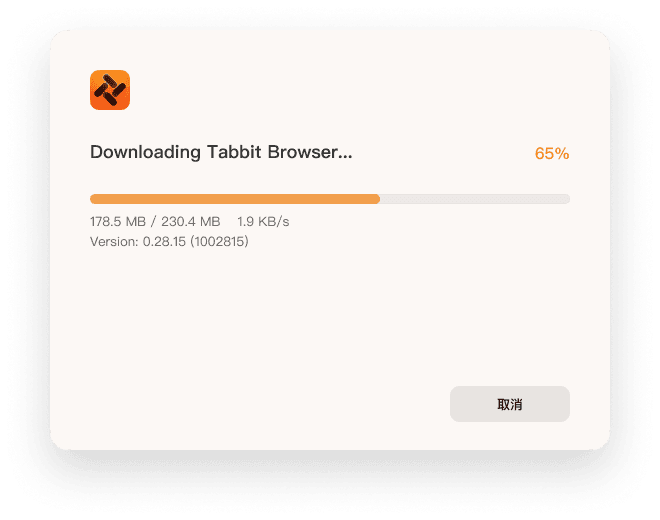
Descarga el instalador de Windows
Usa el botón de arriba para obtener el instalador oficial firmado de Tabbit para Windows 11 desde el sitio oficial.
Ejecuta el instalador
Aprueba la solicitud del sistema una vez. El instalador configura Tabbit como una app nativa de Windows 11.
Importa desde Chrome o Edge
Elige tu navegador actual y Tabbit transfiere marcadores, contraseñas, historial, cookies y extensiones en un clic.
Ejecuta tu primera tarea de Agente
Abre el omnibox, escribe una instrucción en lenguaje natural y observa cómo Tabbit la ejecuta en un grupo de pestañas dedicado.

FAQ
Preguntas frecuentes sobre los mejores navegadores para Windows 11
¿Cuáles son los mejores navegadores para Windows 11 en 2026?+
Para los usuarios de Windows 11 que quieren IA, concentración y automatización, Tabbit ocupa el primer lugar. Otras opciones sólidas incluyen Microsoft Edge para la integración con Microsoft, Brave para privacidad, Chrome para extensiones, Firefox para los fans del código abierto y Vivaldi para la personalización.
¿Es mejor Chrome o Edge para Windows 11?+
Edge está mejor integrado con los servicios de Microsoft y Copilot en Windows 11, mientras que Chrome lidera en compatibilidad de extensiones. Sin embargo, ninguno es nativo de IA. Tabbit ofrece integración de IA más profunda, automatización agéntica y una gestión de pestañas más inteligente que ambos.
¿Cuál es el navegador más rápido para Windows 11?+
Chrome y Edge puntúan bien en benchmarks sintéticos, pero la velocidad real depende de lo rápido que termines tus tareas. Tabbit reduce clics, automatiza flujos y mantiene los espacios organizados, lo que puede convertirlo en el navegador más rápido para trabajar.
¿Windows 11 tiene un navegador con IA integrada?+
Windows 11 incluye Microsoft Edge con Copilot, pero no es un navegador totalmente nativo de IA. Tabbit está construido desde cero alrededor de agentes de IA, comandos conscientes del contexto y automatización.
¿Qué navegador es mejor para juegos en Windows 11?+
Opera GX y Edge son populares por sus funciones de juego. Tabbit también mantiene bajo el uso de RAM con espacios de trabajo organizados y deja que el Modo Agente maneje la investigación que consume muchos recursos, dejando margen de rendimiento a tus juegos.
¿Puede Tabbit reemplazar a Chrome en Windows 11?+
Sí. Tabbit importa tus marcadores, contraseñas, historial, cookies y extensiones de Chrome. Puedes mantener tu flujo de trabajo y ganar funciones nativas de IA al mismo tiempo.
¿Es Tabbit gratis para usuarios de Windows 11?+
Sí, Tabbit es gratis para descargar y usar durante la beta pública en Windows 11 y macOS. Los precios futuros siempre serán transparentes en el sitio oficial.
¿Qué navegador es mejor para la privacidad en Windows 11?+
Brave y Firefox son opciones sólidas de privacidad. Tabbit también enfatiza la privacidad mediante el uso explícito del contexto: tú decides qué puede ver la IA y ningún contexto se usa para entrenar modelos sin permiso.
¿Cómo muevo mis marcadores de Edge a Tabbit?+
Instala Tabbit, elige la opción de importación y selecciona Edge. Tus marcadores, contraseñas, historial y cookies se transferirán en segundos.
Haz que Windows 11 trabaje de forma más inteligente
Descarga Tabbit hoy y descubre por qué encabeza la lista de mejores navegadores para Windows 11.