2026 WINDOWS 11 브라우저 랭킹
Windows 11 최고의 브라우저
속도, 프라이버시, 생산성 기준으로 Windows 11 주요 브라우저를 순위화했습니다. Tabbit은 AI 네이티브 선택지로, Agent 모드·세로 탭·GPT·Claude·Gemini 무료 이용을 제공합니다.
Windows 11 및 Windows 11 AI+ PC 무료

Tabbit이 Windows 11 브라우저 목록 1위인 이유
랭킹
2026년 Windows 11 최고의 브라우저
Windows 11 사용자가 실제로 비교하는 브라우저입니다. AI 통합, 생산성, 프라이버시, Windows 11 최적화의 4개 축으로 평가했습니다.
Tabbit
Windows 11 워크플로우를 위해 만들어진 AI 네이티브 브라우저
Microsoft Edge
Microsoft 통합과 Copilot 사이드바에 최적
Brave
강력한 프라이버시와 내장 광고 차단
Google Chrome
가장 빠른 확장 프로그램 생태계와 호환성
Mozilla Firefox
오픈소스, 프라이버시, 높은 커스터마이징
Vivaldi
파워유저 커스터마이징과 탭 스태킹
나란히 비교
Windows 11 최고의 브라우저 비교
2026년 Windows 11 파워유저에게 가장 중요한 기능에서 각 브라우저가 어떤지 확인하세요.
| 기능 | Chrome | Edge | Brave | Firefox | Vivaldi | Tabbit |
|---|---|---|---|---|---|---|
| 브라우저 코어에 내장된 AI | 확장 프로그램만 | Copilot 사이드바 | Leo AI(제한적) | 내장 없음 | 내장 없음 | 네이티브 AI 및 Agent 모드 |
| 에이전트형 작업 자동화 | 수동 / 확장 프로그램 | 기본 요약 | 없음 | 없음 | 없음 | 사이트 간 자동화 |
| 세로 탭 및 워크스페이스 | 가로만 | 세로 탭(기본) | 가로만 | 사이드바 탭 | 탭 스태킹 | 세로 탭 + 스마트 워크스페이스 |
| 무료 프리미엄 AI 모델 | 유료 API | Copilot(제한적) | 제한적 | 없음 | 없음 | GPT, Claude, Gemini, DeepSeek 등 |
| Windows 11 최적화 | 범용 | Microsoft 통합 | 범용 | 범용 | 범용 | Windows 11 워크플로우에 최적 |
| 설계상 프라이버시 | Google 로그인 | Microsoft 계정 | 강함 | 강함 | 양호 | 명시적 컨텍스트 공유 |
| Chrome/Edge 원클릭 가져오기 | N/A | Chrome에서 | Chrome에서 | Chrome에서 | Chrome에서 | Chrome 및 Edge에서 |
TABBIT이 이기는 이유
Windows 11 최고의 브라우저는 AI 네이티브여야 한다
Tabbit은 Chrome 위에 얹는 확장 프로그램이 아닙니다. AI, 세로 탭, 에이전트 실행을 중심으로 재구축된 브라우저로, Windows 11을 스마트 워크스테이션으로 만듭니다.
Agent 모드
자연어 지시를 주면 Tabbit이 페이지를 읽고, 양식을 채우고, 여러 웹사이트를 오가며 다단계 작업을 완료합니다. Windows 11에서 손이 자유로워집니다.
@ 컨텍스트 지원 옴니박스
@를 입력하면 열린 탭, 스크린샷, 북마크, 로컬 파일을 즉시 AI 컨텍스트로 사용할 수 있습니다. 브라우저와 챗봇을 오갈 필요가 없습니다.
스킬과 스킬 스퀘어
자주 쓰는 프롬프트와 한 줄 자동화 스크립트를 저장하고, 커뮤니티 스킬도 발견하세요. 코드 없이 Windows 11 브라우징을 개인화할 수 있습니다.
세로 탭과 워크스페이스
깔끔한 사이드 패널은 Windows 11 Snap 레이아웃과 완벽하게 어울립니다. 탭을 워크스페이스로 묶어 집중을 잃지 않고 맥락을 전환하세요.
사용 사례
Windows 11 사용자가 Tabbit으로 실제로 하는 일
리서치 마라톤부터 일상 자동화까지, Tabbit은 Windows 11 최고의 브라우저를 개인 생산성 엔진으로 바꿉니다.
딥 리서치
수십 개의 출처를 열고 Tabbit에 논점 종합, 데이터 추출, 구조화된 리포트 생성을 요청하세요. 워크스페이스를 떠날 필요가 없습니다.
일상 자동화
Agent 모드에 양식 작성, 대시보드 조회, 티켓 처리, 웹 앱 간 데이터 이동을 맡기고, 당신은 의사결정에 집중하세요.
콘텐츠 제작
@ 컨텍스트로 참고 자료를 수집하고, 카피를 다시 쓰고, 페이지를 요약하며, 아이디어를 주제별 워크스페이스로 정리하세요.
AI 차별점
Tabbit은 Windows 11 브라우저를 실행 도구로 바꾼다
대부분의 Windows 11 브라우저 가이드는 AI를 부가 기능으로 다룹니다. Tabbit은 AI 자체가 브라우저가 되도록 재구축했습니다. 읽고, 요약하고, 실행하고, 완성된 결과를 전달합니다.

모든 페이지에서 AI
어떤 문서, 기사, 대시보드든 열고 요약·번역·핵심 추출을 요청하세요. AI 사이드바가 페이지와 나란히 작동하므로 별도 챗봇에 복사 붙여넣기할 필요가 없습니다.

실행하는 Agent 모드
다단계 작업을 설명하면 Tabbit이 전용 탭 그룹을 열어 페이지를 읽고, 양식을 채우고, 사이트 간 데이터를 옮깁니다. 당신은 병렬로 작업을 계속할 수 있습니다.

무료 프리미엄 AI 모델, 나란히 비교
여러 주요 모델에 동시에 질문하고 답변을 한 화면에서 비교하세요. 국제판은 유료 API 키 없이 GPT, Gemini, Claude 등을 제공합니다.
몇 분 만에 전환
Edge 또는 Chrome에서 몇 분 만에 이동
워크플로우를 다시 만들 필요가 없습니다. Tabbit은 Chrome과 Edge의 북마크, 비밀번호, 기록, 쿠키, 확장 프로그램을 가져와 동기화를 유지합니다.
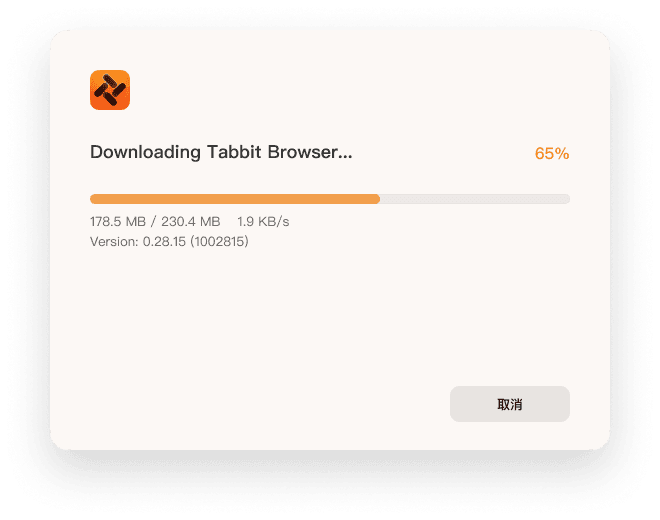
Windows 설치 프로그램 다운로드
위 버튼을 눌러 공식 사이트에서 Windows 11용 서명된 Tabbit 설치 프로그램을 받으세요.
설치 프로그램 실행
시스템 확인을 한 번 승인하면 설치 프로그램이 Tabbit을 네이티브 Windows 11 앱으로 설정합니다.
Chrome 또는 Edge에서 가져오기
현재 브라우저를 선택하면 북마크, 비밀번호, 기록, 쿠키, 확장 프로그램이 원클릭으로 옮겨집니다.
첫 Agent 작업 실행
옴니박스를 열고 자연어 지시를 입력하면 Tabbit이 전용 탭 그룹에서 실행하는 모습을 볼 수 있습니다.

FAQ
Windows 11 최고의 브라우저에 대한 자주 묻는 질문
2026년 Windows 11 최고의 브라우저는 무엇인가요?+
AI, 집중, 자동화를 원하는 Windows 11 사용자에게 Tabbit이 1위입니다. 그 외 Microsoft 통합은 Edge, 프라이버시는 Brave, 확장 프로그램은 Chrome, 오픈소스는 Firefox, 커스터마이징은 Vivaldi가 좋은 선택입니다.
Windows 11에서는 Chrome과 Edge 중 무엇이 더 좋나요?+
Edge는 Windows 11에서 Microsoft 서비스와 Copilot 통합이 좋고, Chrome은 확장 프로그램 호환성에서 앞섭니다. 다만 둘 다 AI 네이티브는 아닙니다. Tabbit은 둘보다 깊은 AI 통합, 에이전트 자동화, 스마트한 탭 관리를 제공합니다.
Windows 11에서 가장 빠른 브라우저는?+
Chrome과 Edge가 벤치마크에서 높은 점수를 받지만, 실제 속도는 작업을 끝내는 효율에 달려 있습니다. Tabbit은 클릭을 줄이고 워크플로우를 자동화하며 워크스페이스를 정리하므로 작업을 끝내는 데 가장 빠를 수 있습니다.
Windows 11에는 AI 내장 브라우저가 있나요?+
Windows 11에는 Copilot이 포함된 Microsoft Edge가 있지만, 완전한 AI 네이티브 브라우저는 아닙니다. Tabbit은 AI 에이전트, 맥락 인식 명령, 자동화를 기반부터 갖추고 있습니다.
Windows 11에서 게임용으로 가장 좋은 브라우저는?+
Opera GX와 Edge가 게임 기능으로 인기가 많습니다. Tabbit도 워크스페이스 관리로 RAM 사용을 낮추고, 리소스가 많이 드는 조사를 Agent 모드에 맡겨 게임 성능 여유를 확보합니다.
Tabbit이 Windows 11의 Chrome을 대체할 수 있나요?+
네. Tabbit은 Chrome의 북마크, 비밀번호, 기록, 쿠키, 확장 프로그램을 가져올 수 있습니다. 기존 워크플로우를 유지하면서 AI 네이티브 기능을 함께 얻을 수 있습니다.
Tabbit은 Windows 11 사용자에게 무료인가요?+
네, Tabbit은 Windows 11과 macOS 퍼블릭 베타 기간 동안 무료로 다운로드·이용할 수 있습니다. 향후 가격은 공식 사이트에서 항상 투명하게 공개됩니다.
Windows 11에서 프라이버시에 가장 좋은 브라우저는?+
Brave와 Firefox가 프라이버시에 강한 선택지입니다. Tabbit도 명시적 컨텍스트 공유로 프라이버시를 강조합니다. AI가 볼 내용은 당신이 정하며, 허락 없이 컨텍스트를 모델 학습에 사용하지 않습니다.
Edge 북마크를 Tabbit으로 옮기려면?+
Tabbit을 설치하고 가져오기 기능을 선택한 뒤 Edge를 선택하세요. 북마크, 비밀번호, 기록, 쿠키가 몇 초 안에 옮겨집니다.
Windows 11을 더 똑똑하게 일하게 하세요
지금 Tabbit을 다운로드하고 Windows 11 최고의 브라우저 목록에서 1위인 이유를 확인하세요.