
DeepSeek Harness can use a signed-in Tabbit browser through the official dsh-tabbit plugin. Install it in the DSH Web profile, check that the local runtime is reachable, then test a read-only task before using a real Feishu Base. A useful first task is to read back one visible record ID and prepare a human review note. That does not prove a Base write succeeded.
One DSH user describes installing separate plugins for separate jobs and asks how to choose them. That is the right mental model here: DSH is the agent host, dsh-tabbit is its Tabbit connection, and page access remains a separate permission. (Reddit discussion)
Key takeaways
Use the current
dsh-tabbitpackage. The official README says it replaces the earlier Skill-onlytabbit-browserpackage.Verify three things separately: DSH loaded the plugin, the expected Tabbit instance is reachable, and the page permission allows the task.
Treat record IDs and status labels as evidence to review, not as proof that a write persisted.
Keep the final output as a named review draft with the source URL, record ID, status, and unresolved checks.
Do not send passwords, cookies, personal records, or private page text in a prompt or report.
Install and connection checks at a glance
| Check | What to verify | Passing evidence | If it fails |
|---|---|---|---|
| DSH profile | Plugin installed in the Web profile | dsh-tabbit appears in plugin settings | Re-run the documented install command in the intended profile |
| Browser runtime | Stable Tabbit has launched at least once | tabbit_browser_install reports a usable launcher and runtime | Start the intended Tabbit edition, then rerun preflight |
| Instance selection | DSH points to the browser you mean to use | The intended Tabbit page opens | Check the instance setting and active DSH host |
| Page access | The task can read the approved page | The permission prompt is granted for the session | Stop and request access from the page owner |
The official dsh-tabbit README currently lists stable Tabbit 1.9.0 or newer, Node.js 22.19 or newer, and DSH 0.1.1-rc.2 or newer. Check the README again when installing; these are live project requirements. The ordinary installation path is:
dsh plugin --profile web add dsh-tabbitThen open the DSH Web profile and run the plugin's environment check. The package provides tabbit_browser, tabbit_browser_install, browser-backed web_fetch, and the tabbit skill. These functions answer different questions: install preflight checks the connection, browser tools read or operate pages, and the skill gives the model usage instructions.
DeepSeek Harness · Browser agent guide · Tabbit CLI guide · Existing browser connection guide
Read back one Feishu Base record
Use a record you are authorized to inspect. Keep the first pass read-only. Ask the agent to open the known Base record page, report its final URL, and extract only the visible record ID and status. Then ask it to prepare a short handoff note for a person. If the page shows private fields that are not needed, tell the agent to ignore them.
| Step | Agent instruction | Human checkpoint |
|---|---|---|
| Locate | Open the supplied Base page and confirm its title | Confirm the page and workspace are correct |
| Read | Return the visible record ID and status only | Compare both values with the intended record |
| Draft | Prepare a note named Base record GEO-104 review | Review the source URL, ID, status, and missing fields |
| Handoff | Leave the note for review; do not submit or edit the record | Decide whether any follow-up action is needed |
Example prompt:
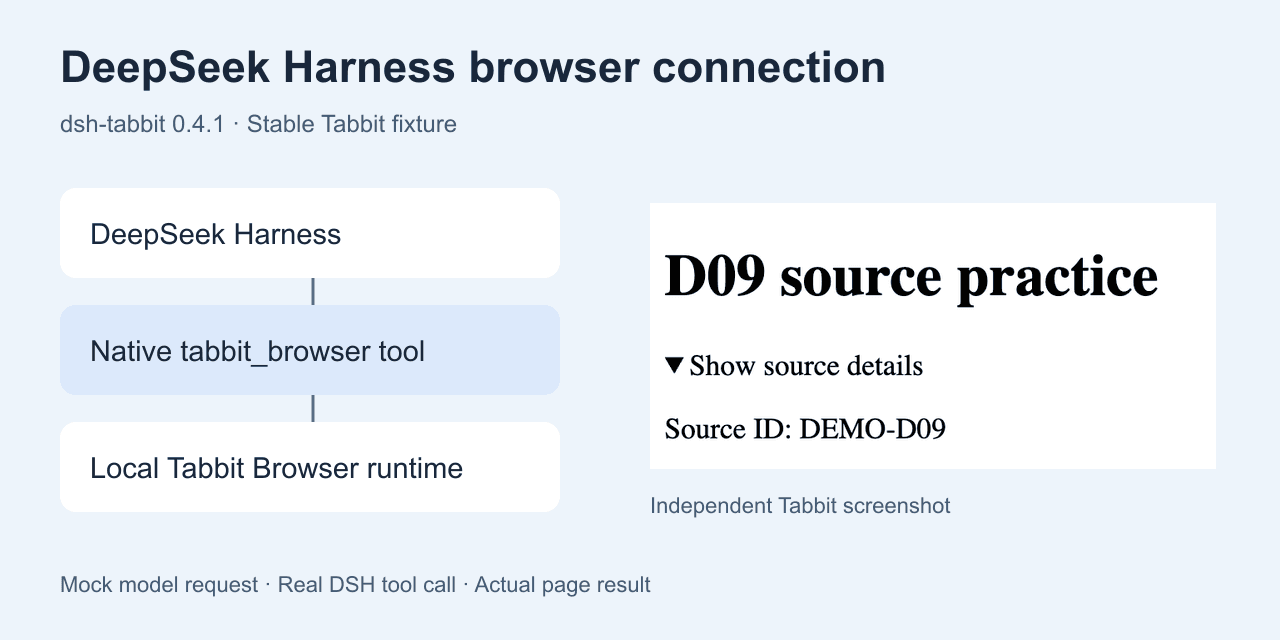
Use the tabbit skill to inspect the Feishu Base record page I provide. This is a read-only check. Return the final URL, visible record ID, and status only. Create a review draft named "Base record GEO-104 review" with those values and a line called "Human check". Do not edit or submit the Base record. Stop if the URL, workspace, or page differs from the one I named.GEO-104 is an illustrative label. The linked receipt image below is from a local deterministic fixture, not a Feishu Base test. It demonstrates the result format only. The person reviewing the real Base page must confirm that the record exists and that its latest field values persisted.
For a more constrained task, see the browser agent first-task checklist. If you need task separation, compare browser profiles, workspaces, and tab groups. The browser MCP vs CLI guide explains when a local CLI is the better fit.
Diagnose the three common failures
If the plugin does not appear, check the DSH profile and restart the Web UI after installation. If it appears but no page opens, check the Tabbit launcher, runtime service, instance choice, and whether DSH and Tabbit run on the same reachable host. If the page opens but the agent cannot read it, inspect the page-access permission and stop if you do not own or have permission to review that page.
The plugin's permission is separate from file-system permissions. The README says pageAccess defaults to asking once per session. Do not switch it to always just to get a green test. A session can reach a browser and still be unauthorized to read a specific site.
One user asking about a DeepSeek API browser extension was cautioned to inspect the extension's permissions and data handling before installing it. That is a useful reminder to check the publisher, package, and requested access rather than choosing a result by its name alone. (Reddit discussion)
If your task only needs public pages, the browser research workflow may be enough. If it depends on an existing login, read how agents connect to existing browser sessions. The DeepSeek and Tabbit Feishu Base walkthrough illustrates a separate workflow for entering data.
Frequently asked questions
Does DeepSeek Harness control Tabbit without a plugin?
No. Install dsh-tabbit in the Web profile and check that its tools appear after the Web UI starts. The current package provides the browser connection; DSH's built-in web fetch is a different path.
What command installs the current package?
The official README currently shows dsh plugin --profile web add dsh-tabbit. It also documents a GitHub source fallback. Check the requirements and install route in the README on the day you set it up.
Can I reuse an existing Feishu login?
The plugin can act through the selected Tabbit profile, including a session already signed in there, when the runtime can reach that instance and page access is approved. Confirm the workspace and page before reading any record.
Does a record ID prove an edit saved?
No. The ID and status are visible-page evidence. Verify the saved record in Feishu Base, then let a person decide whether the workflow is complete.
Can a remote DeepSeek Harness connect to local Tabbit?
Only if the DSH host can reach the intended Tabbit runtime through a supported setup. Installing a plugin in a remote container does not bridge it to your desktop by itself.
What should I put in a human handoff?
Include the page URL, record ID, visible status, the draft's name, and one explicit human-check line. Leave out credentials and unrelated fields.

FAQ
Does DeepSeek Harness control Tabbit without a plugin?
No. Install dsh-tabbit in the Web profile and confirm that the selected Tabbit runtime is reachable.
What is the current install command?
The official README currently documents dsh plugin --profile web add dsh-tabbit. Check it before installing because package requirements can change.
Can it reuse a signed-in Feishu Base session?
The plugin can use the authorized Tabbit profile. Test access on a page you are allowed to inspect and confirm the page permission prompt.
Does an opened record ID prove a Base write succeeded?
No. A visible ID proves only that the page showed that value. Confirm the saved record and fields in Feishu Base before handing it to a person.
Can a remote DSH server reach my desktop browser?
Only when its configured runtime can reach the intended Tabbit instance. A remote package install does not connect to a separate desktop automatically.
What should the first test return?
Ask for the exact page URL, visible record ID, status, and a short handoff draft. Stop if the page differs or access is denied.