
Qwen3.7 Plus can help turn team pages into a shared-document draft, but it cannot inherit your browser login by itself. Select the qwen3.7-plus route in a local client that can run the Tabbit skill, then use Tabbit CLI to read pages in the Tabbit Browser environment where you are already signed in. Ask for a named draft with source links and stop for your review. A Reddit user called Qwen 3.7 Plus “much more verbose”; that is one person’s report, not a result for every setup. Read the thread.
Alibaba documents Qwen3.7 Plus as a Model Studio API model with function calling and text, image, and video input. Its Qwen for Chrome browser example is a separate route. This guide covers a local agent reading a signed-in Tabbit Browser session and leaving a draft for you to check.
Key takeaways
The API ID is
qwen3.7-plus; the dated snapshot isqwen3.7-plus-2026-05-26.Qwen3.7 Plus, Qwen3.7 Flash, and Qwen3.8 are separate model routes. A newer number does not mean automatic replacement.
Check skill discovery, local CLI reachability, and site login separately.
Reading a page is not permission to edit it. Name the draft and stop before sharing.
Setup choices at a glance
| Layer | Check | Does not prove |
|---|---|---|
| Model | Model Studio qwen3.7-plus, region and live picker | Local tool access |
| Client | Qwen Code with the intended model and shell access | Tabbit skill discovery |
| Skill | ~/.agents/skills/tabbit/ or ~/.qwen/skills/tabbit/; /tabbit or /skills | Correct browser target |
| Browser | Tabbit Browser reached by Tabbit CLI | Valid site login |
| Draft | Named output with source links | Source claims are accurate until reviewed |
Configure the route, then the skill
Model Studio lists qwen3.7-plus and the snapshot, with qwen3.7-flash separately. Qwen3.8 Max and Flash also have their own IDs. Availability varies by region and account, so use the official model list, the Qwen3.7 Plus model page, and the separate Qwen3.7 Flash page. The Qwen Code setup guide also documents qwen3.7-plus.
Qwen Code’s skill guide lists ~/.agents/skills/ and ~/.qwen/skills/ as personal skill locations. Open Qwen Code, select the Plus route, and check that /tabbit appears or that Tabbit is listed under /skills. Ask the client to read the skill before it visits a site. If the skill is missing, fix discovery. If it loads but the CLI will not start, check the launcher. If the site shows a sign-in page, sign in yourself in that Tabbit environment.
For model context, see the Qwen3.7 Max overview and Qwen3.5 Plus overview. For the browser path, see the Tabbit CLI guide and connecting an agent to an existing browser.
Draft from team pages, then review
Start with a few pages you are authorized to read. Ask for the page title, URL, visible date, and short evidence for every claim. Tell the agent to separate quotations from summaries and flag missing or conflicting details. Do not allow the first run to edit the shared document.
Use the local Tabbit skill from this Qwen Code session.
The team workspace is already signed in inside Tabbit Browser.
Read only the team pages I name. Do not edit, share, or submit anything.

Create a draft named "Release readiness memo, draft 01" with:
- a one-paragraph summary
- a table of claim, source page title, exact URL, visible date, and evidence
- a separate section for conflicts, missing dates, or items to review

Separate direct evidence from your interpretation.
Keep private page text in this local draft. Do not include login details.
Show me the draft and source links, then stop for review.
If the model route, skill, CLI, browser session, or site access fails,
name the failed layer and stop.
Open every cited page in Tabbit Browser before reusing the draft. Then edit the shared document yourself or approve one narrowly scoped change. A named draft is easier to find than unsaved chat text. Use the browser-agent first-task checklist and the MCP versus CLI guide for a read-only first run.
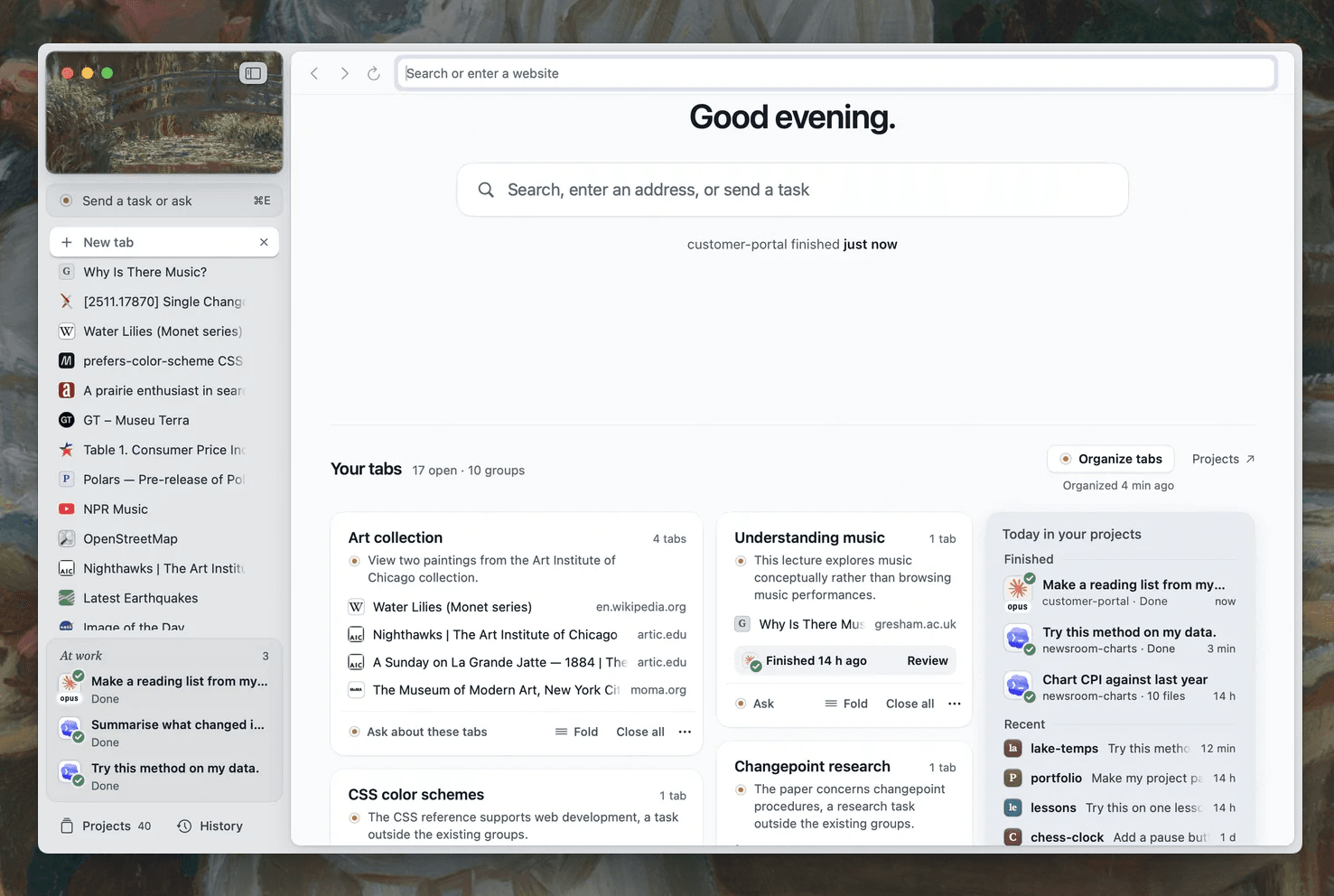
Keep a review checkpoint in Tabbit Browser
Tabbit Browser can keep an independent task tab open while you continue working in other tabs. The local Tabbit CLI skill connects the agent client to that browser environment. It does not install Qwen3.7 Plus, grant Qwen API access, or establish a native Alibaba integration.
A local fixture check in this environment showed the boundary. Before sign-in, a protected test page returned 401. After a short-lived test cookie was set, a second named CLI task read the page heading and fixture record. This verifies session reuse across Tabbit CLI tasks in that fixture, not Qwen Code or an external account integration. The Codex and Tabbit CLI setup explains how a separate task tab leaves your active work alone.
| Draft state | Evidence | Next step |
|---|---|---|
| Supported | A source URL and visible text support the claim | Open the source and check context |
| Unclear | The page is relevant but does not settle the detail | Remove it from the confirmed summary or find another source |
| Conflicting | Pages disagree or show different dates | Keep both links and decide which record is current |
| Ready for review | Every claim has a source; the target document is unchanged | Approve specific edits yourself |
Use Qwen3.7 Plus when your client can select its documented route and load local skills. For public research, use the client’s supported search tools and keep their source URLs. For a signed-in workspace, add Tabbit CLI. Start with a read-only memo and review it before sharing.
More workflow guides: first task checklist, browser MCP versus CLI, Tabbit CLI setup.
See the browser agent first-task checklist for a short run plan.
See Tabbit Browser explained for the browser workflow context.

FAQ
Can Qwen3.7 Plus open my signed-in Tabbit pages by itself?
No. The model API does not own a browser session. A local agent client must load a browser skill or connector, and the site must already be signed in within the Tabbit environment reached by the CLI.
What is the Qwen3.7 Plus API model ID?
Alibaba Cloud Model Studio documents `qwen3.7-plus` as the current model ID and `qwen3.7-plus-2026-05-26` as a snapshot. Check the Model Studio region and current model list first.
Is Qwen3.7 Plus the same as Qwen3.7 Flash or Qwen3.8?
No. Model Studio lists `qwen3.7-plus`, `qwen3.7-flash`, `qwen3.8-flash`, and `qwen3.8-max` as distinct routes.
How do I call the Tabbit skill from Qwen Code?
Qwen Code discovers personal skills in `~/.agents/skills/` and `~/.qwen/skills/`. If Tabbit is installed there, use `/tabbit` or find it in `/skills`, then confirm local command access.
Can the agent publish my document draft?
Keep the first run read-only. Ask it to create a named draft with source links, then inspect each page and the draft before you share or submit anything.