OpenAI
Official ChatGPT extension
Adds ChatGPT to Chrome’s side panel. Can read or act on sites where you’re signed in, summarize pages, and answer questions about what’s on screen.
GPT built in · No extension required · Free on Mac & Windows
You don’t need a ChatGPT Chrome extension when your browser already has GPT built in. Tabbit brings ChatGPT into the Omnibox and side panel—with Claude, Gemini and Agent Mode included.
The landscape
Searching for a “ChatGPT extension for Chrome” usually surfaces four kinds of tools. Each solves one slice of the problem—and leaves the rest to you.
Adds ChatGPT to Chrome’s side panel. Can read or act on sites where you’re signed in, summarize pages, and answer questions about what’s on screen.
Makes ChatGPT your default search engine so every new tab searches with GPT instead of Google.
WebChatGPT, AIPRM, ChatGPT Writer and dozens more. Each one handles one workflow: writing, prompting, or search enrichment.
A browser rebuilt around AI—GPT in the address bar, page-aware context, and agents that act instead of just answering.
Why extensions hit a ceiling
Extensions layer AI on top of a browser that was never designed for it. The result: permissions, context gaps, and tab chaos.

Most extensions only see the current tab or a text selection. Ask about anything in another tab and the thread breaks.
ChatGPT’s own docs flag browser history and allow-for-all-sites as elevated-risk permissions. Every new extension adds more prompts and more exposure.
An extension can’t reliably run multi-step tasks across tabs, sign-ins and forms. You still copy, paste and babysit each step.
Writing, search, prompts and YouTube each get their own add-on. Soon you’re maintaining five extensions instead of doing your work.
The browser-level upgrade
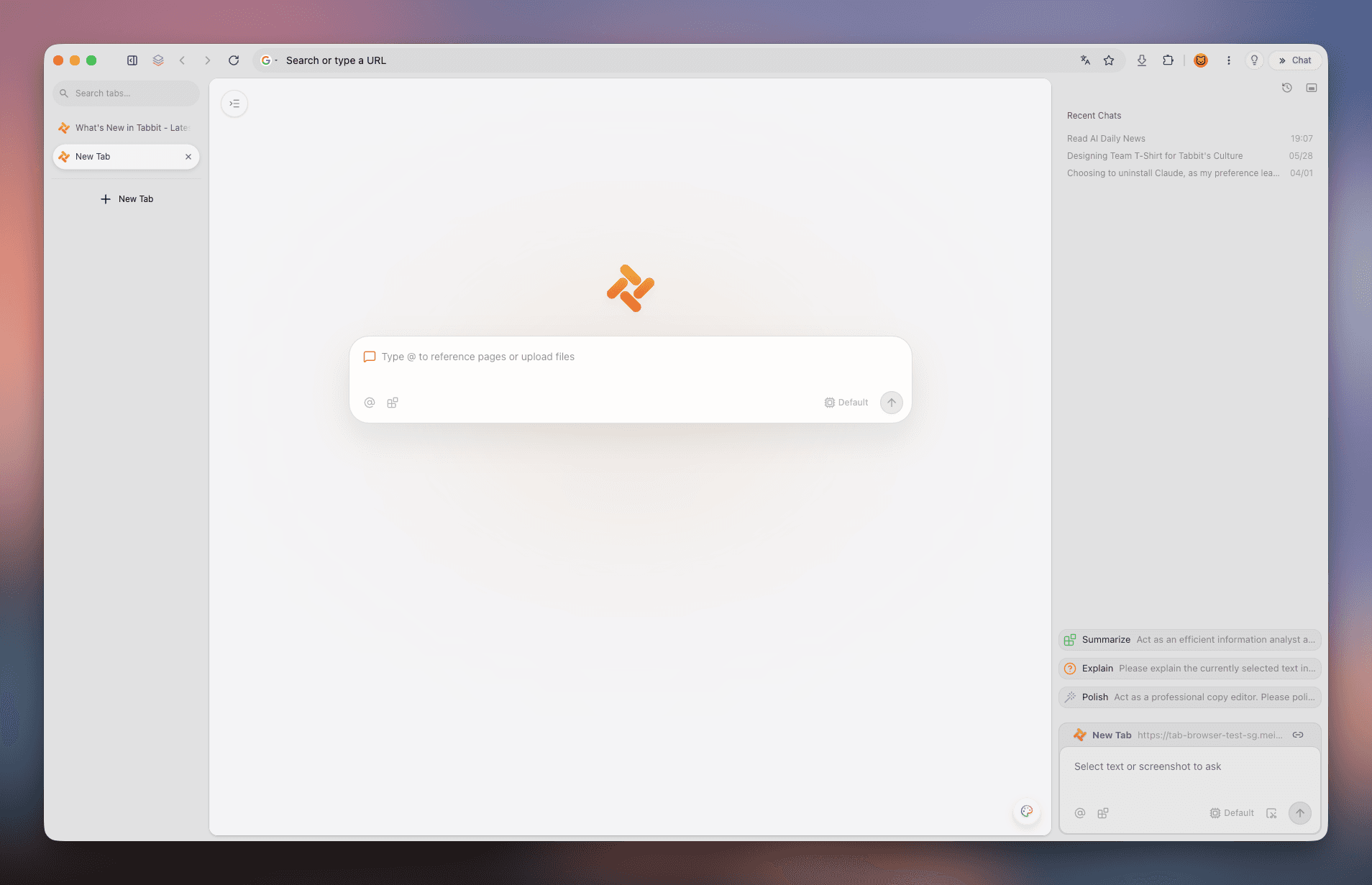
Tabbit is an AI-native browser, not an extension. GPT lives in the Omnibox and side panel, and the whole browser is designed around AI context and execution.

Type a question or command right in the address bar. No separate sidebar, no tab switching—GPT is where you already type.
Use @ to pull in the current tab, a whole tab group, a screenshot, or a local PDF as context. What you see is what GPT understands.

ChatGPT isn’t the only model. Switch to Claude, Gemini, DeepSeek or regional models from the same input, without installing anything.
Launch multi-step tasks in their own tab lane. Tabbit reads pages, fills forms and aggregates research while you keep browsing.

Bring over your bookmarks, history, cookies, passwords and extensions from Chrome in one click. Switch without losing your setup.
AI-organized vertical tabs and smart workspaces replace the tab clutter that extensions can’t fix.
Compare
| ChatGPT Chrome extension | ChatGPT Atlas | Tabbit Browser | |
|---|---|---|---|
| ChatGPT / GPT access | Via your ChatGPT account | Built-in ChatGPT sidebar | GPT plus Claude, Gemini & regional models |
| Runs as | Overlay on Chrome | Standalone Chromium browser | AI-native browser with Agent lanes |
| Page context | Selected text or tab snippet | Ask about the current page | @-reference tabs, screenshots & files |
| Multi-step tasks | Manual copy-paste loops | Limited agent runs | Agent Mode in isolated tab groups |
| Cross-tab work | Breaks across tabs | Single-page focus | Agent lanes span tabs & workspaces |
| Tab organization | Depends on Chrome | Standard tabs + ChatGPT panel | Vertical tabs & smart workspaces |
| Desktop platforms | Chrome on any OS | macOS first; Windows rolling out | macOS & Windows — same stack |
| Price to start | Free tier + Plus/API costs | Free with Plus upsell | $0 public beta — models included |
Get started
Install the free public beta on macOS or Windows—no invite code.
One click brings over bookmarks, history, passwords and cookies.
Type any question or command with @ context and watch GPT (or Claude/Gemini) work.
Use cases

Ask a question that spans ten tabs. Tabbit reads them all, cites sources, and hands you a structured brief.

Draft replies, rewrite paragraphs and fix tone without opening a separate extension or copy-pasting text.
Ask about a video, pull timestamps and summarize long content right in the side panel.
Tell Agent Mode to fill forms, move data between sites and compile a report while you do the thinking.
FAQ
Yes. OpenAI publishes a ChatGPT extension on the Chrome Web Store that adds ChatGPT to the side panel and can read or act on sites where you’re signed in. There’s also a ChatGPT search extension that makes GPT your default search engine.
The extension itself is free, but heavy or agentic features typically require a ChatGPT Plus subscription. Tabbit’s public beta is free on macOS and Windows with GPT, Claude and Gemini access included.
Yes—OpenAI’s extension can let ChatGPT control Chrome to read or act on sites, but its own docs flag permissions like browser history and allow-for-all-sites as elevated risk. Tabbit’s Agent Mode runs multi-step tasks in isolated tab groups instead of asking for broad browser-wide permissions.
Official OpenAI extensions are generally safe but request significant permissions. Third-party extensions vary widely—many on the Chrome Web Store have few reviews and unclear data handling. A browser with AI built in avoids the permission and supply-chain overhead of stacking extensions.
The official ChatGPT extension is a solid free start for side-panel chat. But if you want page-aware context, multi-model choice and agent execution, a free AI-native browser like Tabbit delivers more than any single extension.
No—Tabbit is an AI-native browser. GPT is built into the address bar and side panel, so you don’t need an extension. You can import your Chrome profile in one click and keep using your favorite extensions inside Tabbit.
For most workflows, yes. Tabbit covers search-enriched answers, prompts and writing in one place—with the same GPT models—plus multi-model switching and Agent Mode that those extensions can’t offer.
No. The international edition of Tabbit includes access to top models during the free public beta. Check tabbit.ai for the current model lineup.

Download Tabbit free for macOS & Windows, import your Chrome data in one click, and start asking in the Omnibox.