AI-NATIVE WORKSPACE BROWSER
One Browser. Infinite Workspaces. AI Does the Heavy Lifting.
Tabbit turns your tabs into intelligent workspaces — auto-grouped, context-aware, and ready to execute tasks across the web.
AI Smart Groups
Tabbit reads the pages you open and automatically clusters them by project, topic, or task
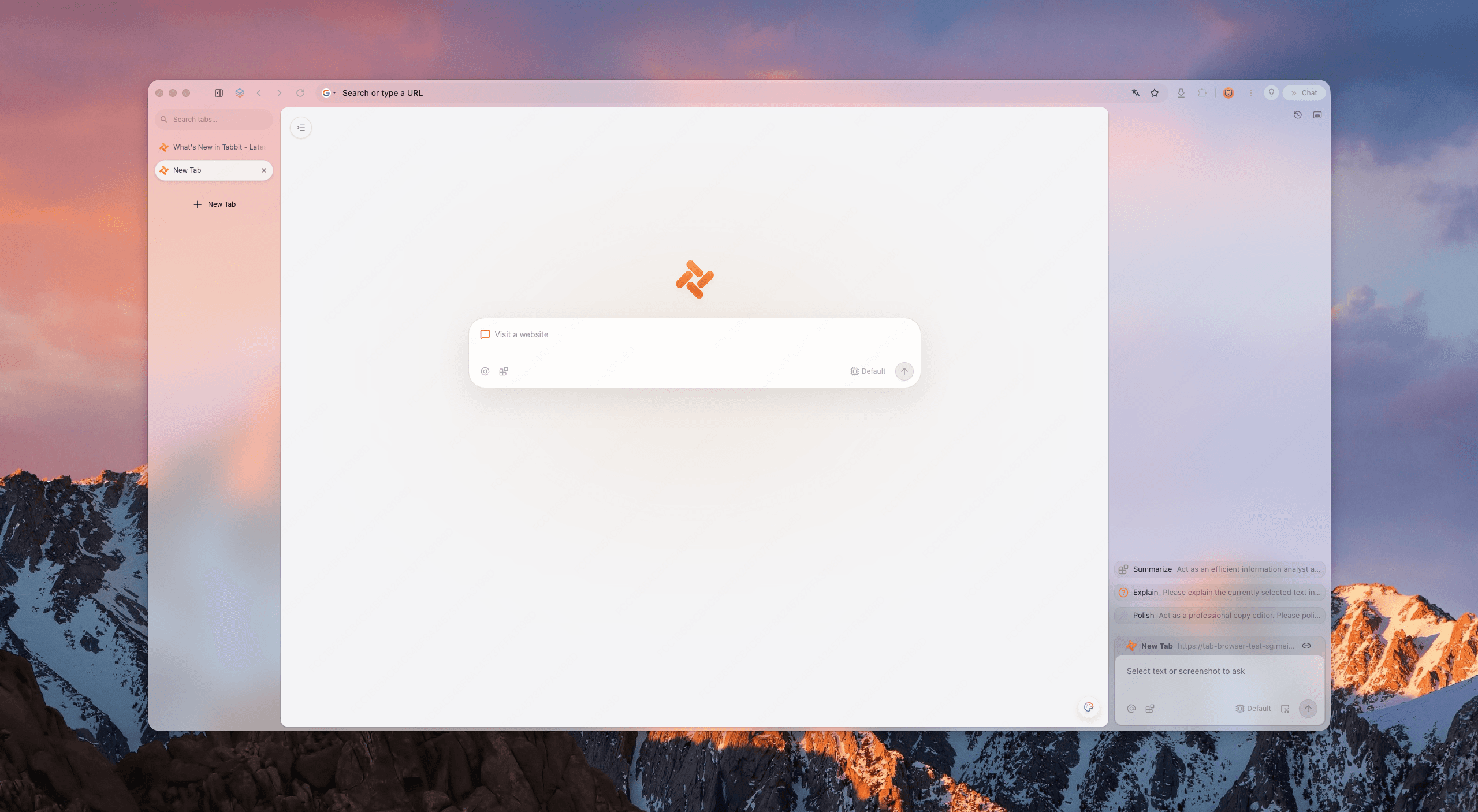
Your tabs weren't built for modern work.
Your tabs weren't built for modern work.
Tab overload
Dozens of tabs crowd one strip. Finding the right page costs more time than reading it.
Context switching
Jumping between projects means rebuilding mental state every time you switch windows.
Manual busywork
Copy-paste, form filling, and summarizing eat hours that should go to real thinking.
Workspaces that think.
Workspaces that think.
Tabbit replaces the chaos of flat tabs with living workspaces that organize themselves around your jobs.
AI Smart Groups
Tabbit reads the pages you open and automatically clusters them by project, topic, or task — no manual drag-and-drop.
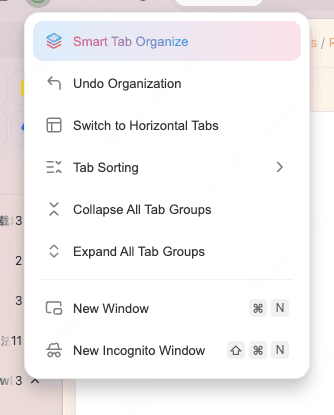
Vertical Tabs
A clean sidebar shows full page titles at a glance. Switch workspaces without losing sight of what matters.
Context-Aware Workspace
Each workspace keeps its own context. Ask AI a question and it knows exactly which project you mean.
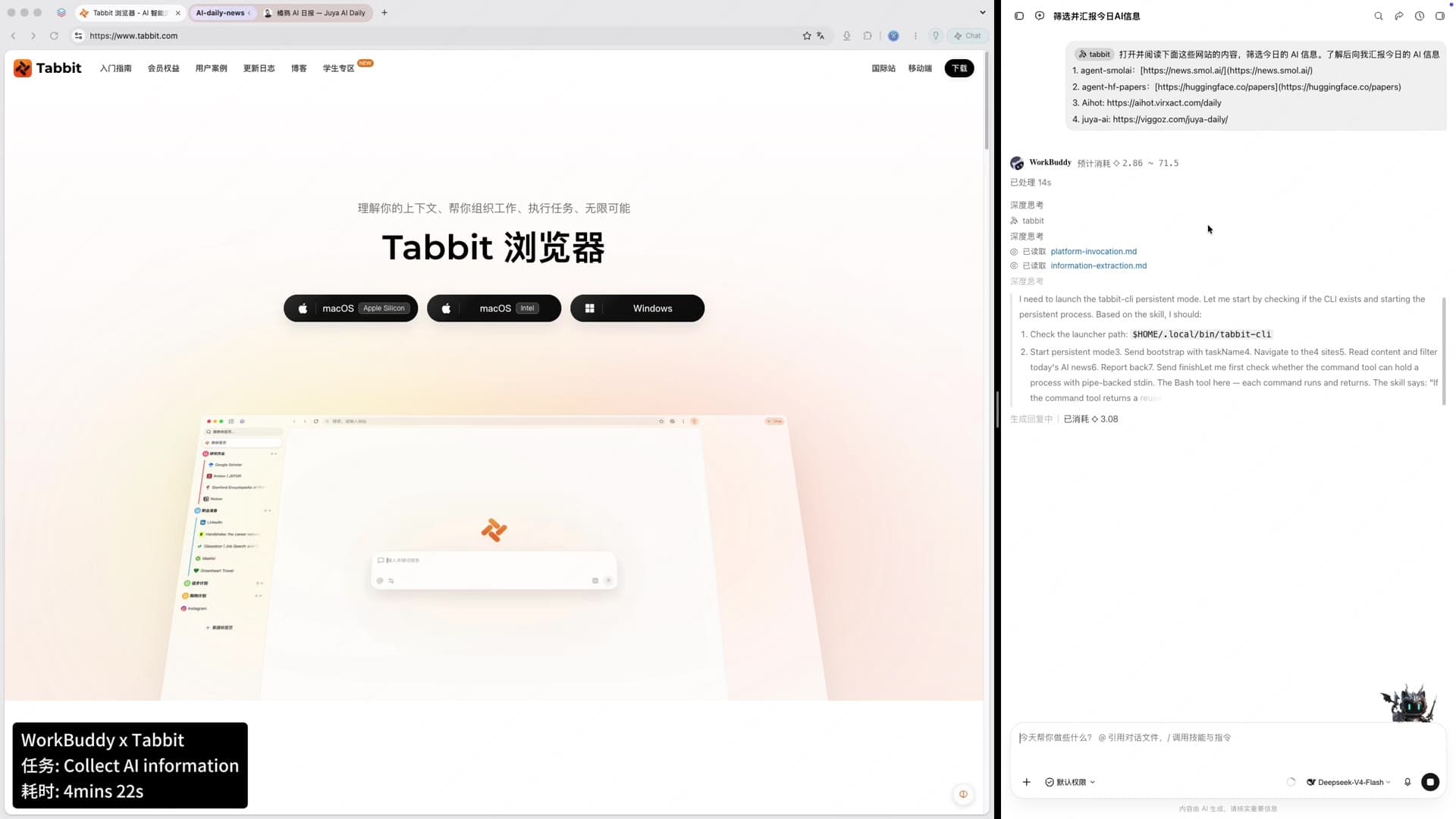
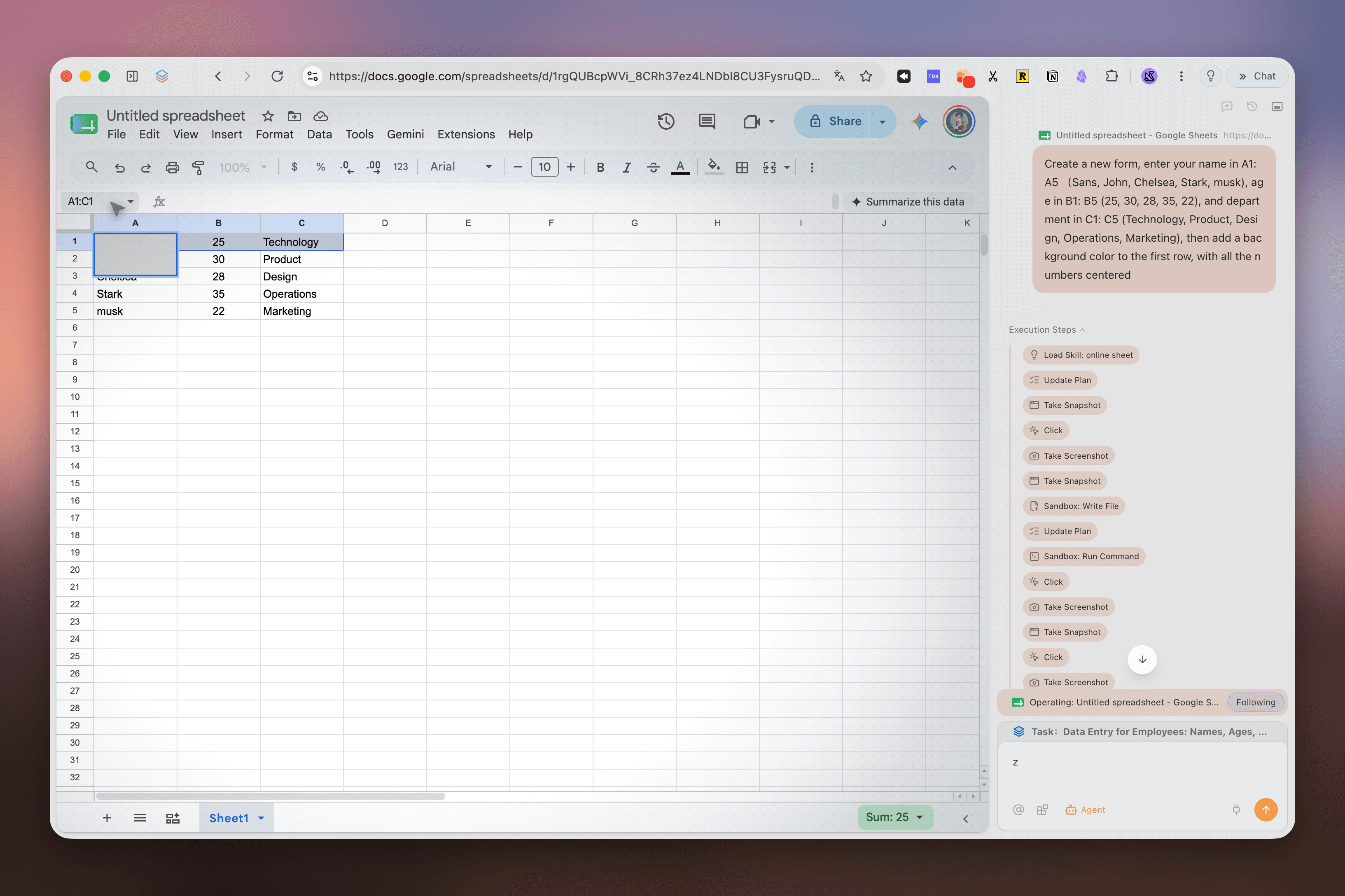
Tabbit Agent Mode operating Google Sheets with an execution panel beside the page
From browsing to doing.
From browsing to doing.
Other browsers stop at grouping. Tabbit's Agent Mode executes inside a workspace — across pages, forms, and tools — while you keep working elsewhere.
- 1Cross-page research: read dozens of sources and deliver a structured report.
- 2Form automation: fill, submit, and track workflows across internal systems.
- 3Data aggregation: pull numbers from multiple dashboards into one clean table.
- 4Runs in isolation: each Agent task lives in its own tab group, so your current workspace stays untouched.
Command your workspace.
Command your workspace.
Tabbit's Omnibox is more than an address bar. Type @ to feed the current workspace into AI, or / to fire a reusable Skill.
@ @ Current Workspace
@ Current Workspace
Reference every open tab, screenshot, or file in the active workspace as AI context.
01/ Skills
Run saved prompts and scripts that turn repetitive workflows into one keystroke.
02Permanent Library
Bookmarked pages are saved forever and searchable by AI, even if the original site goes down.
03Built for how you actually work.
Built for how you actually work.
Open hundreds of sources, auto-group by theme, and generate a cited brief in minutes.
Project Management
Deep Research
Content Creation
Daily Automation
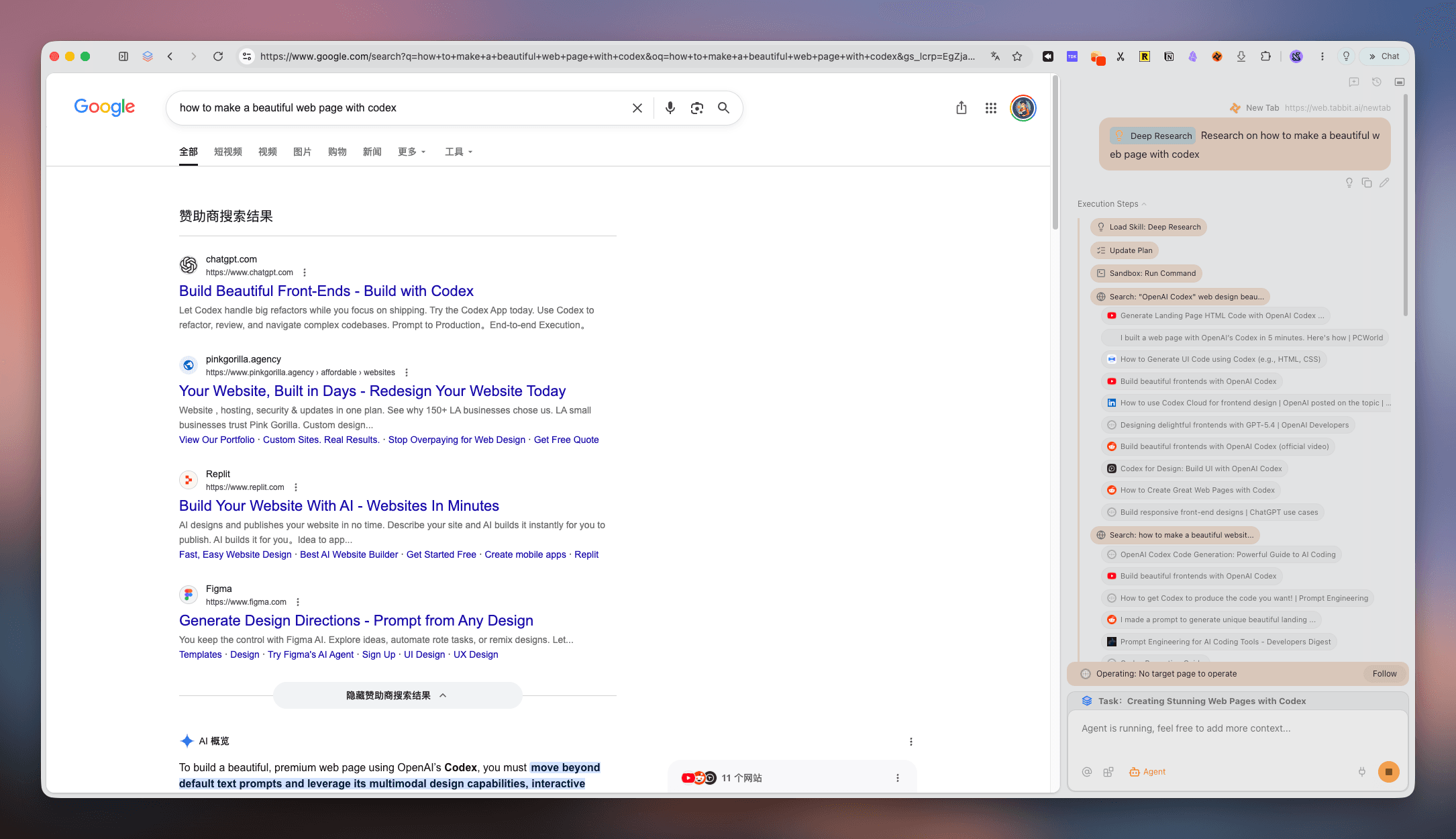
Tabbit Deep Research panel collecting and organizing sources beside search results
Not just another workspace browser.
Not just another workspace browser.
Static grouping is helpful. AI-native execution is transformational.
| Tab grouping | Edge | Opera | Tabbit |
|---|---|---|---|
| Tab grouping | Manual groups inside one window | Workspaces with manual tabs | AI auto-groups + vertical sidebar |
| Context for AI | No native AI context | Browser AI, page-by-page | Whole workspace becomes context |
| Task execution | None | Limited automation | Agent Mode runs tasks across pages |
| Migration | Microsoft account sync | Opera account sync | One-click import from Chrome, Edge, Safari |
FAQ: Workspace Browser
FAQ: Workspace Browser
What is a workspace browser?+
A workspace browser lets you organize tabs into separate project or task spaces instead of one flat list, so switching contexts is faster and cleaner.
How is Tabbit different from Edge Workspaces or Opera Workspaces?+
Edge and Opera offer static tab grouping. Tabbit adds AI that auto-organizes tabs, treats the whole workspace as AI context, and runs Agent tasks across pages.
Does Tabbit have vertical tabs?+
Yes. Tabbit uses a vertical sidebar for tabs and workspaces, so full titles stay visible and navigation feels calmer.
Can AI really organize my tabs automatically?+
Tabbit's AI Smart Groups read page titles and content to cluster related tabs into workspaces, which you can refine anytime.
Is Tabbit free to download?+
Yes. Tabbit is free for macOS and Windows during public beta. Use the CTA to open the official site for your region.
Can I import my Chrome or Edge data?+
Yes. Tabbit supports one-click import of bookmarks, history, passwords, cookies, and extensions from Chrome, Edge, and Safari.
What can Agent Mode do inside a workspace?+
Agent Mode can research across pages, fill forms, compare data, generate summaries, and deliver results — all scoped to the workspace you choose.
Is a workspace browser good for productivity?+
Yes. By separating projects into dedicated spaces and reducing context switching, a workspace browser can significantly improve focus and throughput.
AI-NATIVE WORKSPACE BROWSER / 02
One Browser. Infinite Workspaces. AI Does the Heavy Lifting.
Tabbit turns your tabs into intelligent workspaces — auto-grouped, context-aware, and ready to execute tasks across the web.