AIネイティブ ワークスペースブラウザ
1つのブラウザ。無限のワークスペース。AIが重労働を代行。
Tabbitはタブをインテリジェントなワークスペースに変えます——自動グループ化、コンテキスト認識、ウェブ全体でタスクを実行。
AIスマートグループ
開いたページを読み取り、プロジェクト・トピック・タスク別に自動クラスタリングします。
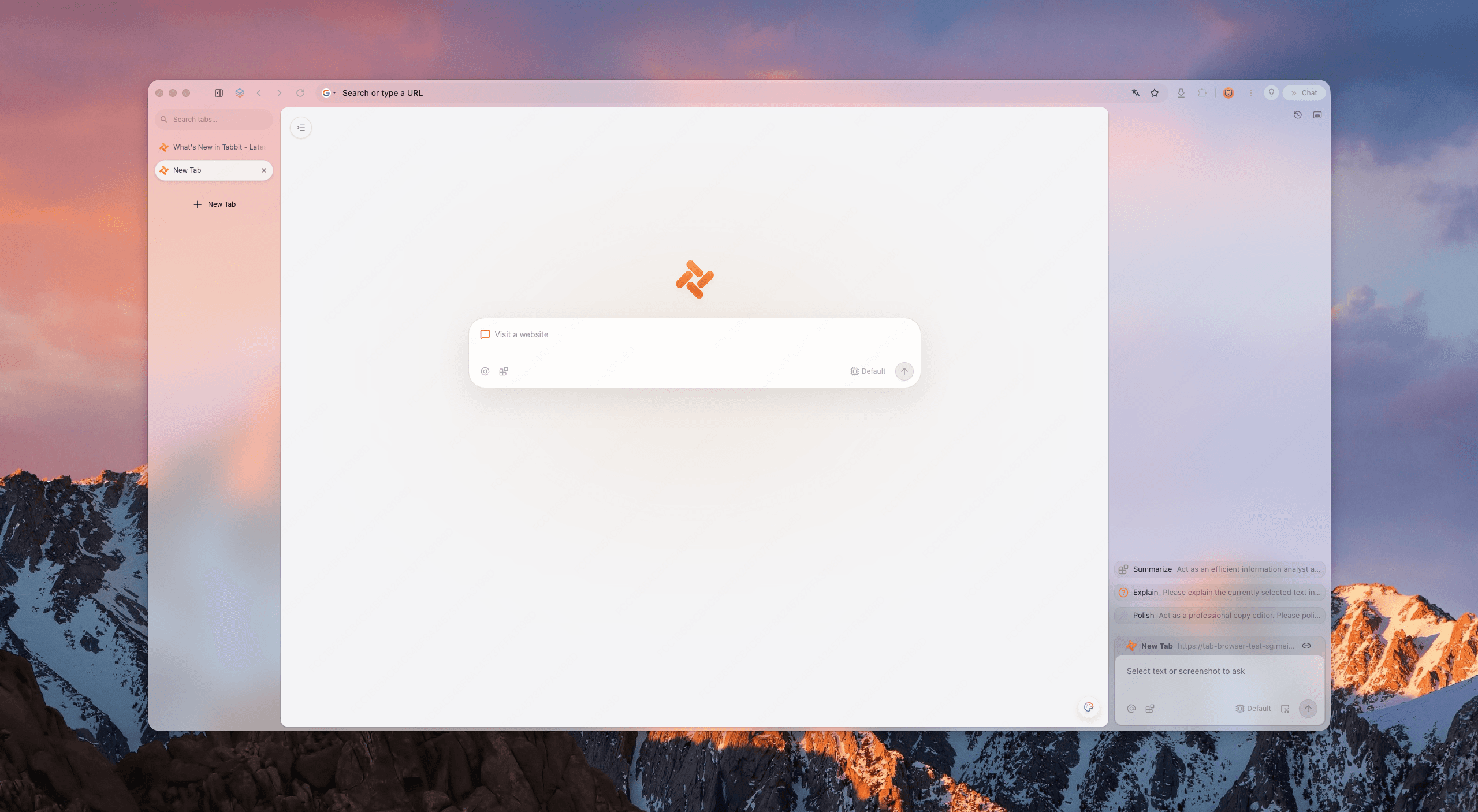
あなたのタブは、現代の仕事向けに作られていません。
あなたのタブは、現代の仕事向けに作られていません。
タブの氾濫
数十のタブが1本のバーに押し込まれ、正しいページを見つける方が読むより時間がかかります。
コンテキスト切り替え
プロジェクト間を行き来するたびに、メンタル状態を立て直す必要があります。
手作業の繰り返し
コピペ、フォーム入力、要約は、本来考えるべき時間を奪います。
考えるワークスペース。
考えるワークスペース。
Tabbitはフラットなタブの混沌を、あなたの仕事を中心に自ら整理する生きたワークスペースに置き換えます。
AIスマートグループ
開いたページを読み取り、プロジェクト・トピック・タスク別に自動クラスタリングします。
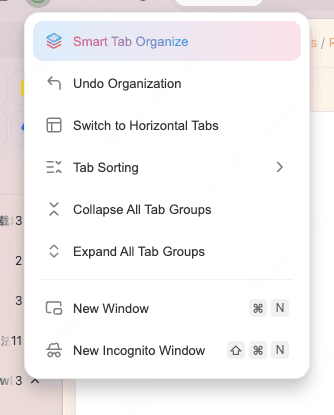
垂直タブ
クリーンなサイドバーで完全なタイトルが一目瞭然。ワークスペース切り替えでも焦点を失いません。
コンテキスト認識ワークスペース
各ワークスペースが独自のコンテキストを保持。AIへの質問がどのプロジェクトを指すかを理解します。
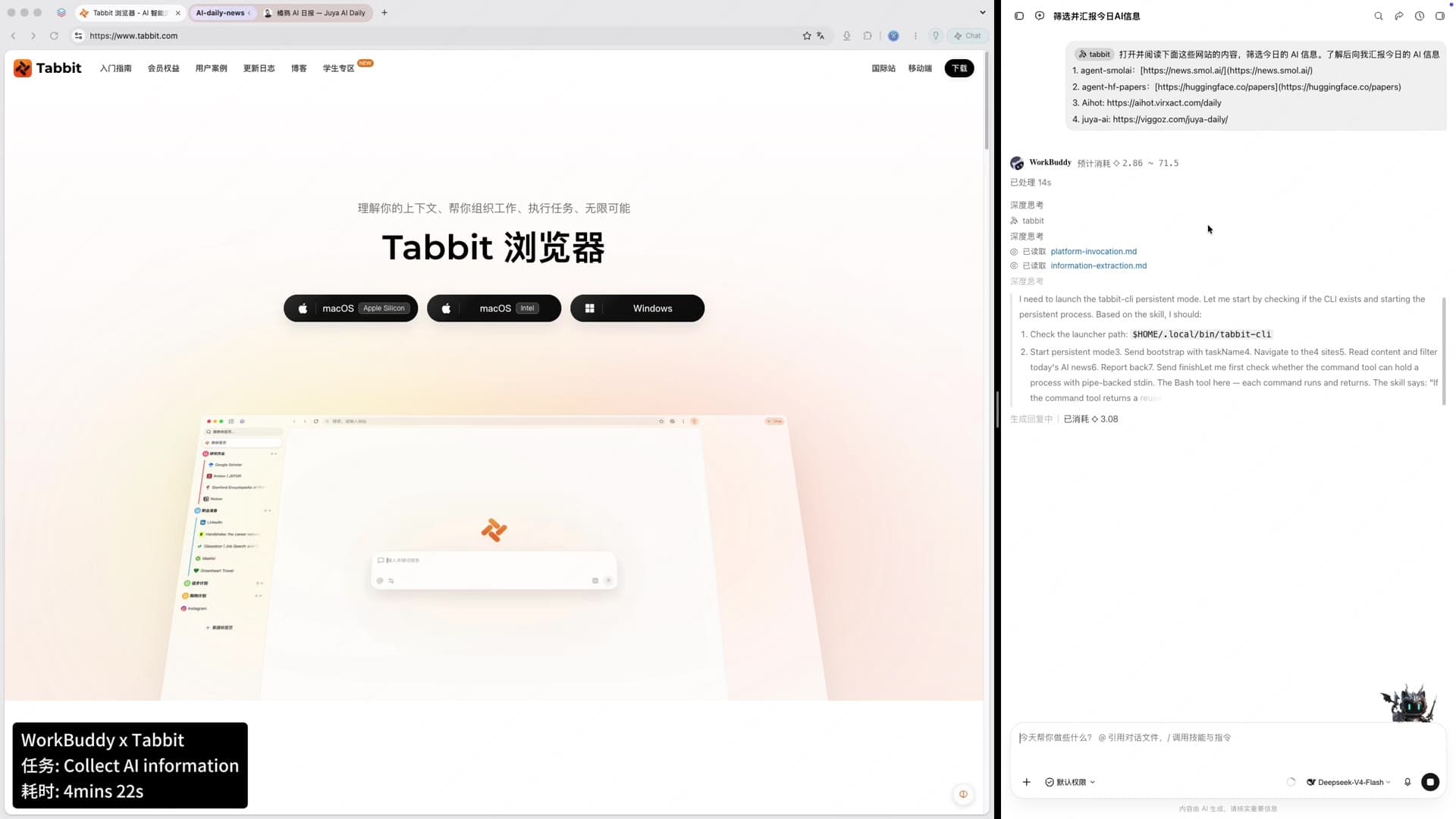
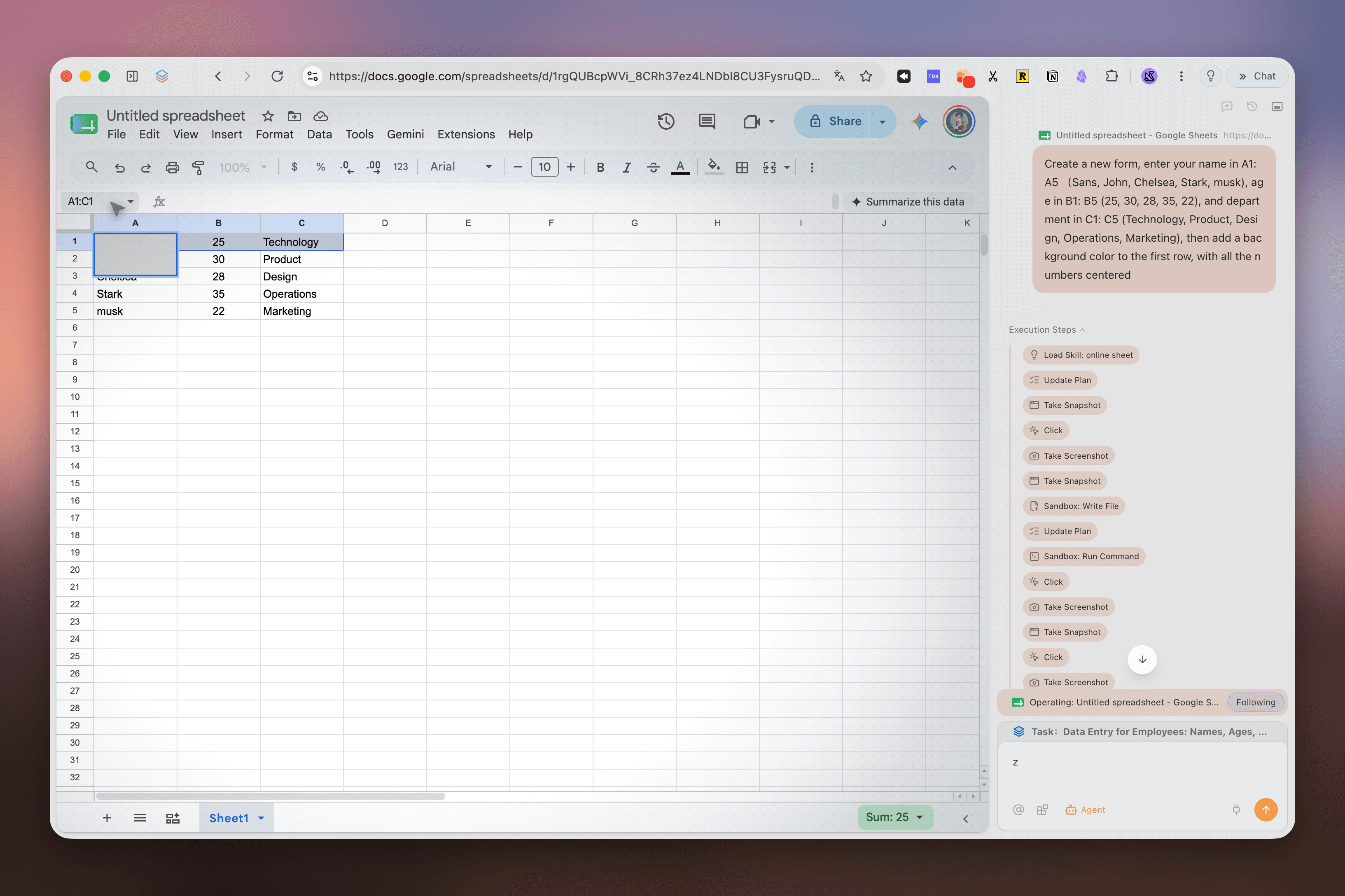
ページ横の実行パネルでGoogle Sheetsを操作するTabbit Agent Mode
閲覧から実行へ。
閲覧から実行へ。
他のブラウザはグループ化で終わります。TabbitのAgent Modeはワークスペース内でページ、フォーム、ツールを横断して実行し、あなたは別の作業を続けられます。
- 1ページ横断リサーチ:数十の情報源を読み、構造化されたレポートを作成。
- 2フォーム自動化:社内システムをまたいで入力、送信、進捗確認。
- 3データ集約:複数のダッシュボードの数値を1つの表に整理。
- 4分離実行:各Agentタスクは独自のタブグループで実行。
ワークスペースをコマンドする。
ワークスペースをコマンドする。
TabbitのOmniboxはアドレスバー以上の存在。@で現在のワークスペースをAIに渡し、/で再利用可能なSkillを発動できます。
@ @ 現在のワークスペース
@ 現在のワークスペース
アクティブなワークスペース内のタブ、スクリーンショット、ファイルをAIコンテキストとして参照。
01/ スキル
保存したプロンプトやスクリプトを実行し、繰り返しフローを1回のキー入力に。
02永久ライブラリ
ブックマークページは永久に保存され、元サイトが消えてもAI検索可能。
03実際の働き方のために設計された。
実際の働き方のために設計された。
数百のソースを開き、テーマ別に自動グループ化し、数分で引用付きレポートを生成。
プロジェクト管理
深い調査
コンテンツ作成
日常の自動化
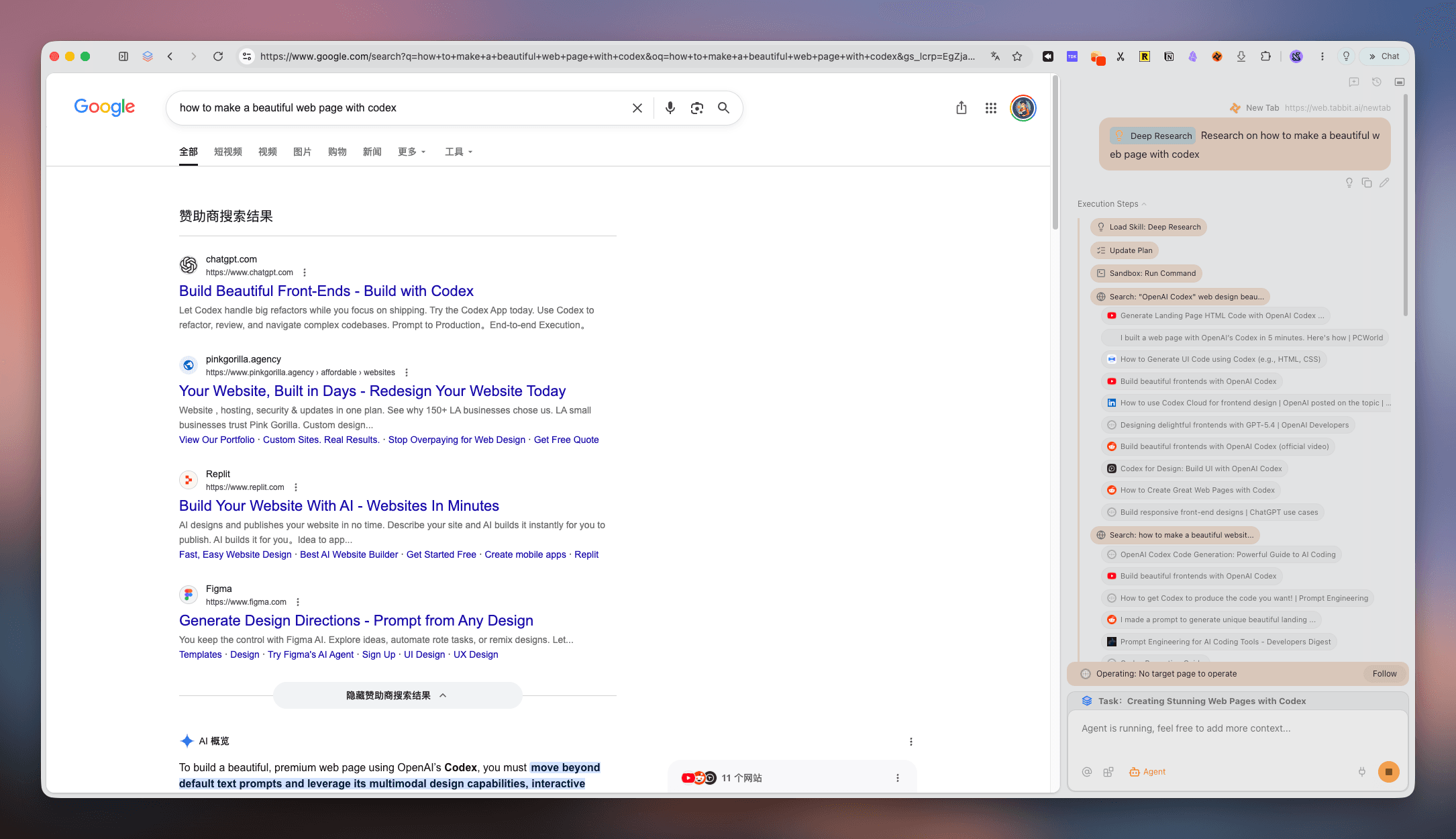
検索結果の横で情報源を集めて整理するTabbit Deep Researchパネル
単なるワークスペースブラウザではない。
単なるワークスペースブラウザではない。
静的グループ化は便利。AIネイティブ実行は変革的。
| タブグループ化 | Edge | Opera | Tabbit |
|---|---|---|---|
| タブグループ化 | 1ウィンドウ内の手動グループ | 手動タブのワークスペース | AI自動グループ化 + 垂直サイドバー |
| AIコンテキスト | ネイティブAIコンテキストなし | ページ単位のブラウザAI | ワークスペース全体がコンテキストに |
| タスク実行 | なし | 限定的な自動化 | Agent Modeがページ間でタスク実行 |
| 移行 | Microsoftアカウント同期 | Operaアカウント同期 | Chrome、Edge、Safariからワンクリックインポート |
よくある質問:Workspace Browser
よくある質問:Workspace Browser
ワークスペースブラウザとは?+
タブをプロジェクトやタスクごとの独立した空間に整理し、フラットな一覧より速くコンテキストを切り替えられるブラウザです。
TabbitはEdge WorkspacesやOpera Workspacesと何が違いますか?+
EdgeやOperaは静的なタブグループです。TabbitはAIによる自動整理、ワークスペース全体のコンテキスト、ページ横断のAgent実行を追加します。
Tabbitには垂直タブがありますか?+
はい。垂直サイドバーでタブとワークスペースを管理し、ページタイトルを見渡せます。
AIはタブを自動で整理できますか?+
AI Smart Groupsがページのタイトルと内容を読み、関連するタブをワークスペースにまとめます。後から調整もできます。
Tabbitは無料ですか?+
公開ベータ期間中、macOSとWindows向けに無料で利用できます。CTAから地域の公式サイトを開けます。
ChromeやEdgeのデータをインポートできますか?+
はい。Chrome、Edge、Safariからブックマーク、履歴、パスワード、Cookie、拡張機能をインポートできます。
ワークスペース内でAgent Modeは何ができますか?+
ページ横断の調査、フォーム入力、データ比較、要約作成などを選択したワークスペース内で実行できます。
ワークスペースブラウザは生産性を高めますか?+
プロジェクトを分けてコンテキストの切り替えを減らすことで、集中しやすくなります。
AIネイティブ ワークスペースブラウザ / 02
1つのブラウザ。無限のワークスペース。AIが重労働を代行。
Tabbitはタブをインテリジェントなワークスペースに変えます——自動グループ化、コンテキスト認識、ウェブ全体でタスクを実行。