AI 네이티브 워크스페이스 브라우저
하나의 브라우저. 무한한 워크스페이스. AI가 힘든 일을 대신합니다.
Tabbit은 탭을 지능형 워크스페이스로 전환합니다 — 자동 그룹화, 컨텍스트 인식, 웹 전체에서 작업 실행.
AI 스마트 그룹
Tabbit이 여는 페이지를 읽고 프로젝트·주제·작업별로 자동 클러스터링합니다.
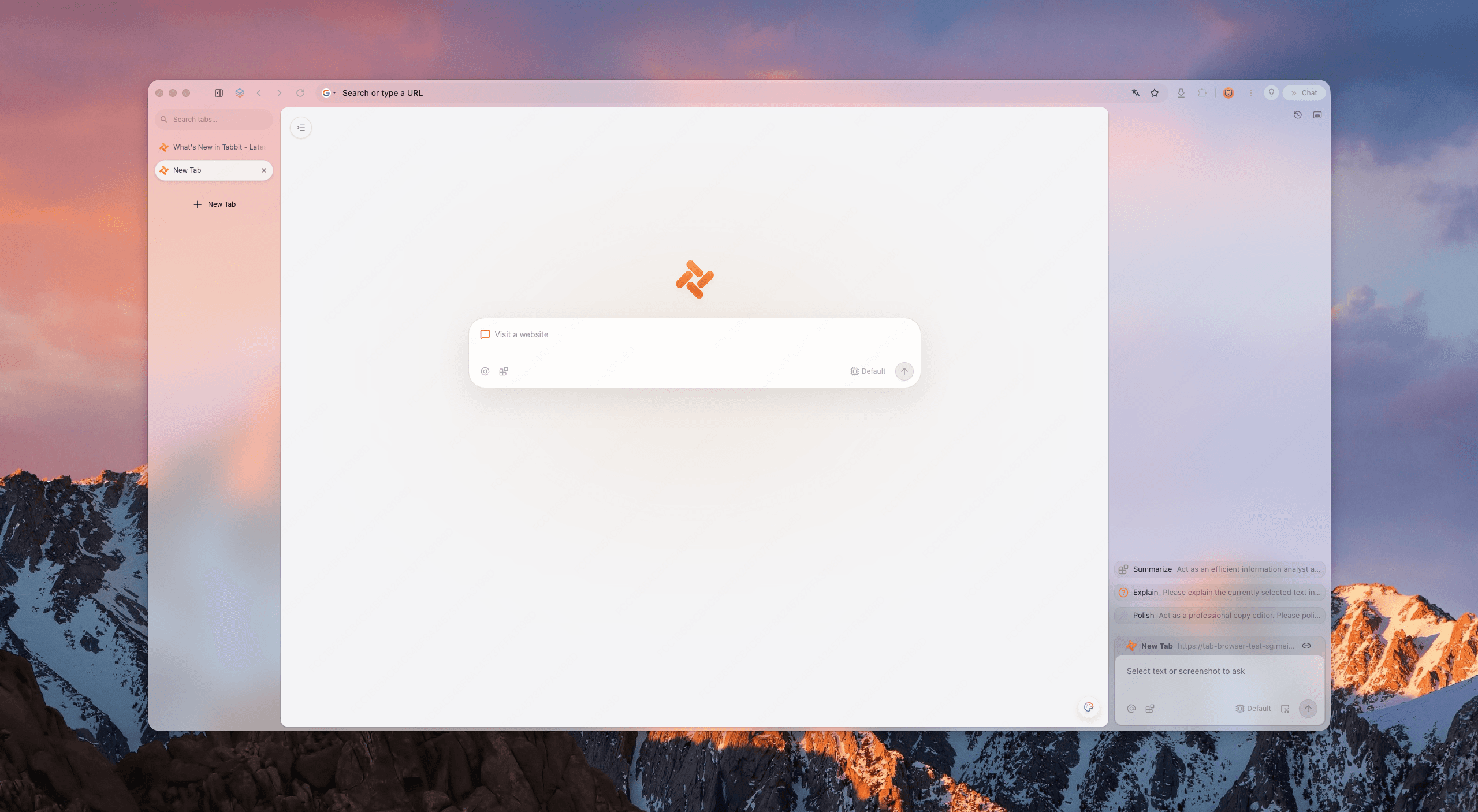
당신의 탭은 현대 업무를 위해 설계되지 않았습니다.
당신의 탭은 현대 업무를 위해 설계되지 않았습니다.
탭 폭발
수십 개의 탭이 하나의 막대에 몰려 있어, 올바른 페이지를 찾는 것이 읽는 것보다 시간이 걸립니다.
컨텍스트 전환
프로젝트 간 이동할 때마다 창을 바꿀 때마다 정신 상태를 재구성해야 합니다.
수동 반복 작업
복사·붙여넣기, 양식 작성, 요약은 생각에 써야 할 시간을 잡아먹습니다.
생각하는 워크스페이스.
생각하는 워크스페이스.
Tabbit은 플랫한 탭의 혼란을 당신의 작업 중심으로 스스로 정리하는 살아있는 워크스페이스로 바꿉니다.
AI 스마트 그룹
Tabbit이 여는 페이지를 읽고 프로젝트·주제·작업별로 자동 클러스터링합니다.
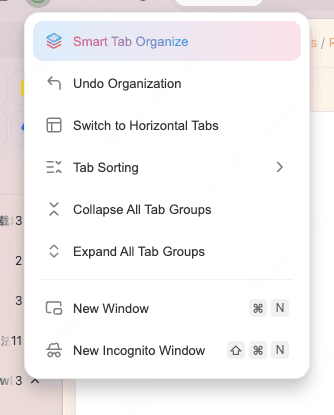
수직 탭
깔끔한 사이드바에서 전체 제목을 한눈에 볼 수 있습니다. 워크스페이스를 전환해도 중요한 것을 잃지 않습니다.
컨텍스트 인식 워크스페이스
각 워크스페이스는 고유한 컨텍스트를 유지합니다. AI에게 질문하면 어떤 프로젝트를 의미하는지 압니다.
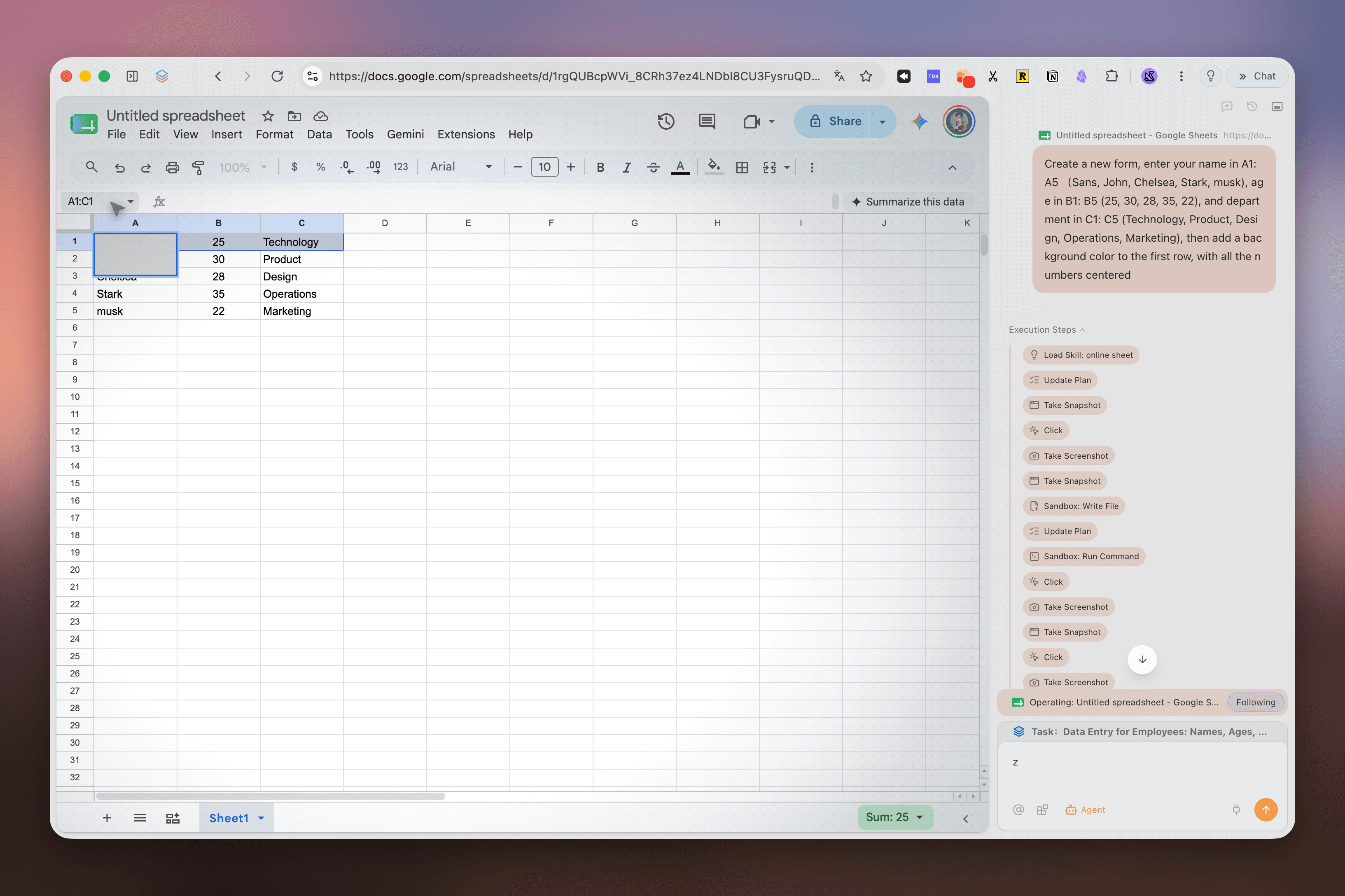
페이지 옆 실행 패널로 Google Sheets를 조작하는 Tabbit Agent Mode
브라우징에서 실행으로.
브라우징에서 실행으로.
다른 브라우저는 그룹화에서 멈춥니다. Tabbit의 Agent Mode는 워크스페이스 내에서 페이지·양식·도구를 넘나들며 실행하고, 당신은 다른 곳에서 계속 작업할 수 있습니다.
- 1페이지 간 리서치: 수십 개의 소스를 읽고 구조화된 보고서를 제공합니다.
- 2양식 자동화: 여러 내부 시스템에서 입력, 제출, 진행 상황 추적을 수행합니다.
- 3데이터 통합: 여러 대시보드의 수치를 하나의 표로 정리합니다.
- 4분리 실행: 각 Agent 작업은 별도의 탭 그룹에서 실행됩니다.
워크스페이스를 명령하세요.
워크스페이스를 명령하세요.
Tabbit의 Omnibox는 주소창 이상입니다. @를 입력해 현재 워크스페이스를 AI에 전달하거나, /로 재사용 가능한 Skill을 실행하세요.
@ @ 현재 워크스페이스
@ 현재 워크스페이스
활성 워크스페이스의 모든 탭, 스크린샷, 파일을 AI 컨텍스트로 참조하세요.
01/ 스킬
저장된 프롬프트와 스크립트를 실행해 반복 워크플로를 한 번의 키 입력으로 줄이세요.
02영구 라이브러리
북마크한 페이지는 영구히 저장되며 원본 사이트가 사라져도 AI 검색이 가능합니다.
03실제 업무 방식을 위해 설계되었습니다.
실제 업무 방식을 위해 설계되었습니다.
수백 개의 소스를 열고 주제별로 자동 그룹화하여 몇 분 만에 인용된 보고서를 생성하세요.
프로젝트 관리
심층 리서치
콘텐츠 제작
일상 자동화
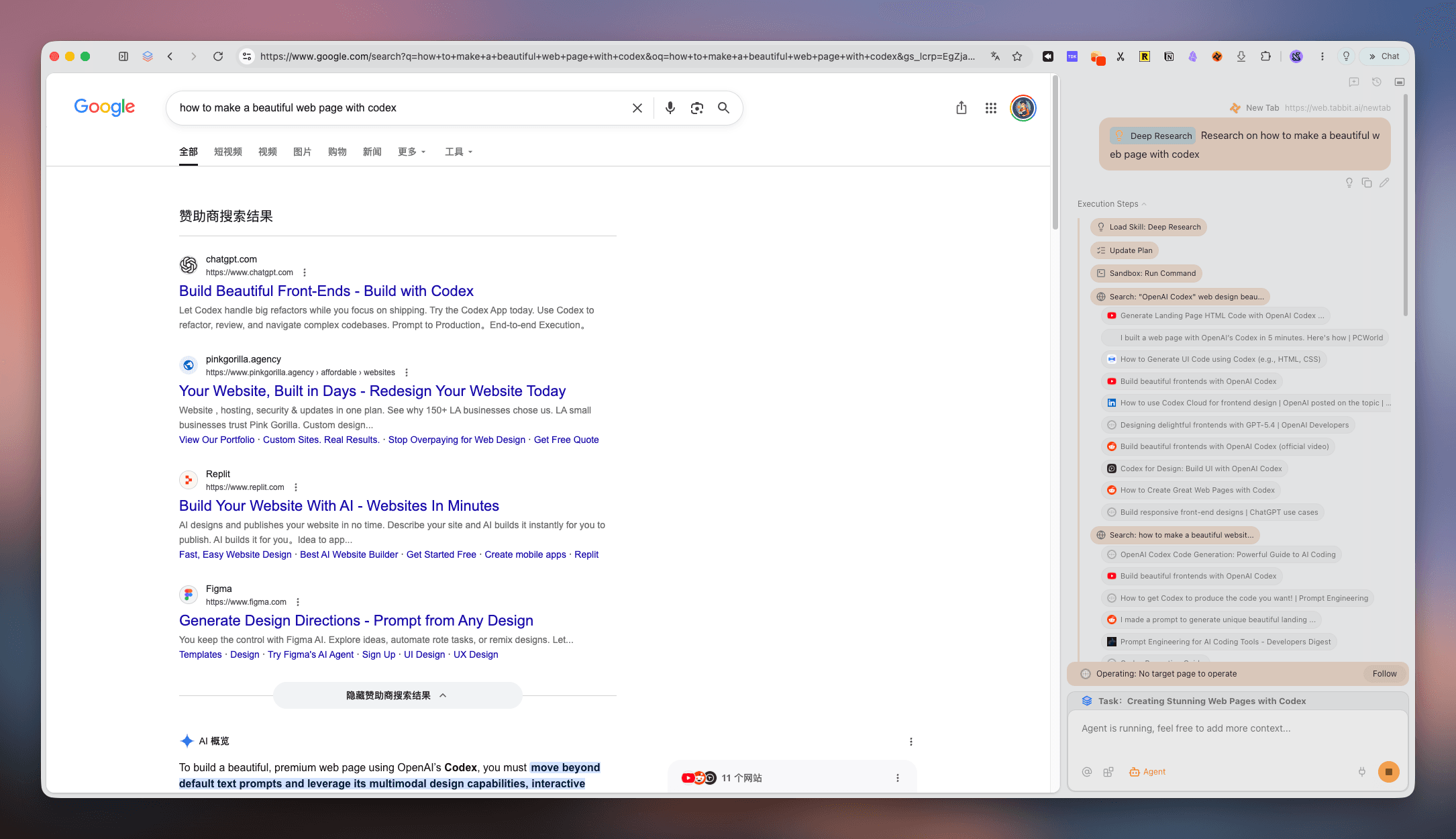
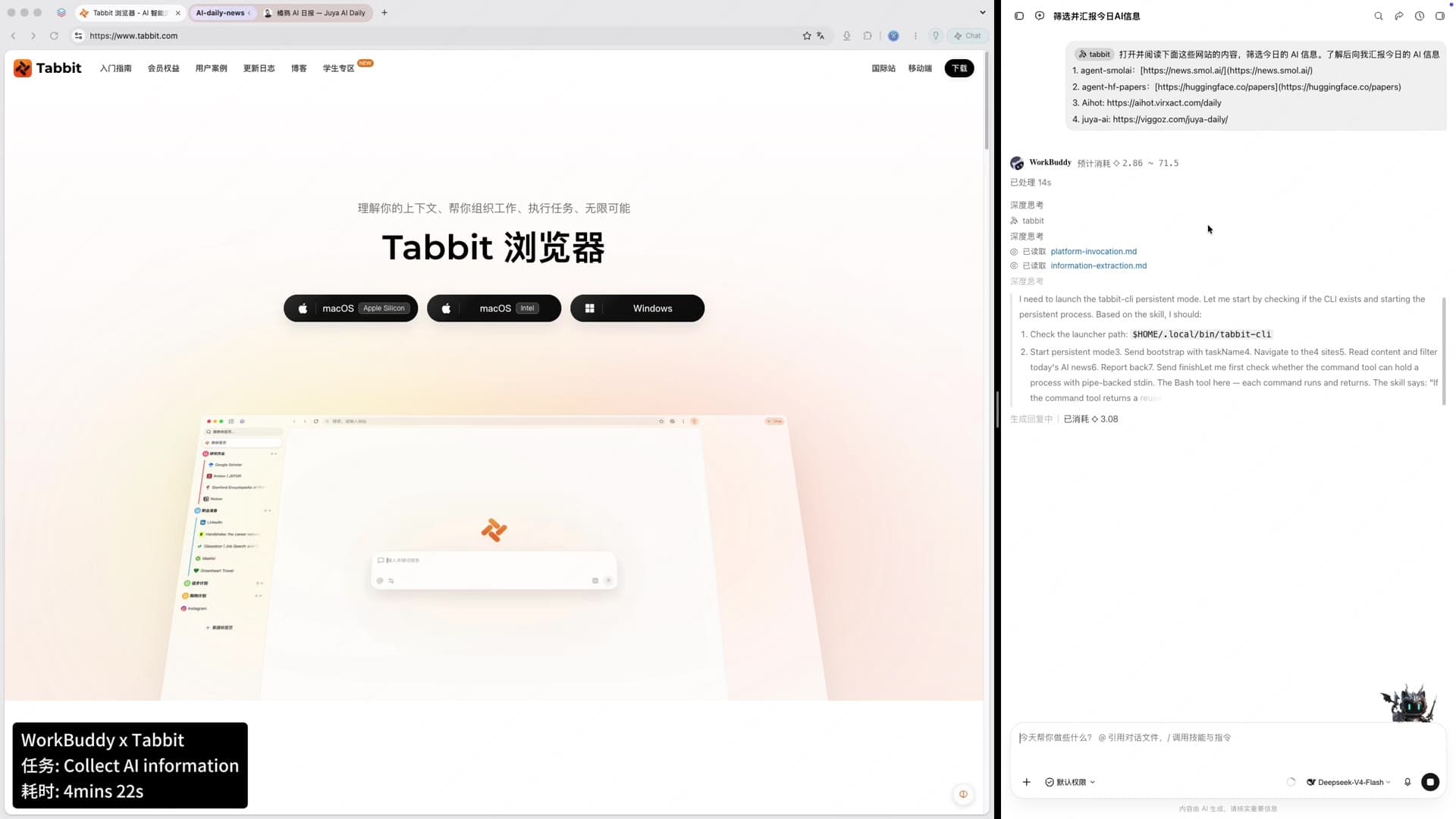
검색 결과 옆에서 출처를 수집하고 정리하는 Tabbit Deep Research 패널
또 다른 워크스페이스 브라우저가 아닙니다.
또 다른 워크스페이스 브라우저가 아닙니다.
정적 그룹화는 도움이 됩니다. AI 네이티브 실행은 변혁적입니다.
| 탭 그룹화 | Edge | Opera | Tabbit |
|---|---|---|---|
| 탭 그룹화 | 한 창 내 수동 그룹 | 수동 탭 워크스페이스 | AI 자동 그룹화 + 수직 사이드바 |
| AI 컨텍스트 | 네이티브 AI 컨텍스트 없음 | 페이지별 브라우저 AI | 전체 워크스페이스가 컨텍스트가 됨 |
| 작업 실행 | 없음 | 제한적 자동화 | Agent Mode가 페이지 간 작업 실행 |
| 마이그레이션 | Microsoft 계정 동기화 | Opera 계정 동기화 | Chrome, Edge, Safari에서 원클릭 가져오기 |
FAQ: Workspace Browser
FAQ: Workspace Browser
워크스페이스 브라우저란 무엇인가요?+
탭을 프로젝트나 작업별 공간으로 나누어 정리하고, 하나의 평면 목록보다 빠르게 컨텍스트를 전환하는 브라우저입니다.
Tabbit은 Edge Workspaces나 Opera Workspaces와 어떻게 다른가요?+
Edge와 Opera는 정적 탭 그룹을 제공합니다. Tabbit은 AI 자동 정리, 전체 워크스페이스 컨텍스트, 페이지 간 Agent 실행을 더합니다.
Tabbit에 수직 탭이 있나요?+
있습니다. 수직 사이드바에서 탭과 워크스페이스를 관리해 전체 제목을 쉽게 확인할 수 있습니다.
AI가 탭을 자동으로 정리할 수 있나요?+
AI Smart Groups가 페이지 제목과 내용을 읽어 관련 탭을 워크스페이스로 묶습니다. 언제든 결과를 조정할 수 있습니다.
Tabbit은 무료로 받을 수 있나요?+
공개 베타 기간에는 macOS와 Windows에서 무료입니다. CTA를 누르면 지역별 공식 사이트가 열립니다.
Chrome이나 Edge 데이터를 가져올 수 있나요?+
가능합니다. Chrome, Edge, Safari에서 북마크, 방문 기록, 비밀번호, 쿠키, 확장 프로그램을 가져올 수 있습니다.
워크스페이스 안에서 Agent Mode는 무엇을 할 수 있나요?+
페이지 조사, 양식 입력, 데이터 비교, 요약과 결과 전달을 선택한 워크스페이스 안에서 수행합니다.
워크스페이스 브라우저가 생산성을 높이나요?+
프로젝트를 분리하고 컨텍스트 전환을 줄이면 집중력을 유지하고 더 명확하게 일할 수 있습니다.
AI 네이티브 워크스페이스 브라우저 / 02
하나의 브라우저. 무한한 워크스페이스. AI가 힘든 일을 대신합니다.
Tabbit은 탭을 지능형 워크스페이스로 전환합니다 — 자동 그룹화, 컨텍스트 인식, 웹 전체에서 작업 실행.