A year after ChatGPT Deep Research launched, one YouTube tutorial put the appeal plainly: it can "get hours of work done in minutes." These tools do more than return a faster chat answer. They act as small research agents that plan, search, read, and write a report while you do something else.
This guide examines what AI deep research tools are good for, how they work, and where a browser-level option such as Tabbit Browser fits.
Key takeaways
AI deep research is agentic research. It breaks a question into steps, runs multiple searches, reads sources, and returns a cited report instead of a single answer.
Runtimes range from two to thirty minutes. Perplexity Deep Research often finishes in two to four minutes; OpenAI Deep Research typically takes five to thirty minutes depending on complexity.
The main use cases require breadth and verification. Competitive analysis, market research, product research, financial due diligence, literature reviews, policy research, and content research are the most common applications.
Several major tools cover this work. ChatGPT, Gemini, Perplexity, and browser-level agents such as Tabbit all offer deep-research-style workflows with different strengths.
Browser-level research is a third path. It keeps sources visible inside the browser and lets you reference open tabs, files, and screenshots, but it is not a direct replacement for enterprise tools that read internal suites.
AI deep research tools at a glance
| Tool | Core mechanism | Typical runtime | Best-known for | Free tier |
|---|---|---|---|---|
| ChatGPT Deep Research | Agent inside ChatGPT that searches, reasons, and writes a report | 5 to 30 minutes | Detailed reports with reasoning summary and citations | 5 queries/month (Free); 25/month (Plus/Team/Edu); 250/month (Pro) |
| Gemini Deep Research | Google's research agent with optional Workspace content | Varies; often under 10 minutes | Google ecosystem integration and structured planning | Limited free use; fuller access with Google One AI Premium |
| Perplexity Deep Research | Iterative search + reasoning, then report export | 2 to 4 minutes | Fast, cited reports and export to PDF/Page | Limited free daily answers; higher volume on Pro |
| Tabbit Browser | Browser-based Agent Mode that searches across sources and keeps pages visible | Varies by task | Browser-level context with @ references and multi-model support | Free plan with weekly allowance; default-browser unlock adds 10× usage |
This table is a snapshot. Quotas, models, and features change frequently, so check each tool's current pricing page before choosing one.
How AI deep research works
Most deep research tools follow the same four-stage loop, described well by Parallel Web Systems: plan, search, reason, report. This loop is what makes them a form of agentic AI rather than a single-turn chatbot.
Plan objectives. The AI reads your prompt, identifies sub-questions, and sometimes asks for clarification. If you ask for a competitive landscape, it might break the task into market position, pricing, feature set, and recent news.
Search the web. It runs dozens of queries, follows links, and updates the plan as it learns. This is where it differs from a single web search or chat turn.
Reason across sources. It compares claims, flags conflicts, and filters out low-relevance material. The goal is synthesis, not just a list of snippets.
Report with citations. The final output is a structured document with links back to sources so you can verify claims or read further.
The result is closer to a first-draft research brief than a finished answer. A human still has to check facts, judge source quality, and fill in domain expertise.
Top use cases and applications
Competitive and market analysis
Major tools cite this use case most often. Deep research can scan competitor websites, pricing pages, customer reviews, job postings, news coverage, and analyst reports, then summarize positioning and gaps. A product manager launching a new feature, for example, could request a survey of similar features across five competitors and receive a sourced table.
Product and purchase research
For high-consideration purchases such as software, hardware, or services, deep research can compare specs, pricing tiers, and user feedback from multiple sources. OpenAI specifically mentions this as a consumer use case. A personal-use blog gives "buying clothes," "buying software," and "buying last-minute tickets" as practical examples.
Financial and due-diligence research
Analysts use deep research for market sizing, earnings summaries, regulatory impact, and vendor assessments. Perplexity highlights finance as a core domain, and a financial-analysis PDF describes Deep Research mode performing 30 to 60 sequential searches and reading 50 to 100 or more documents for complex investigations.
Academic and literature research
Students and researchers use deep research to map unfamiliar topics, identify key papers, and draft literature reviews. The catch is source access: these tools work best with public abstracts, preprints, and open-access papers. Paywalled content still requires institutional access or manual upload.
Policy, legal, and regulatory research
Policy researchers and legal professionals can use deep research to track regulations, compare jurisdictions, and summarize commentary. The OECD's AI governance report notes that tools like ChatGPT's Deep Research can automate a large part of policy evaluation by gathering and synthesizing evidence.
Content and journalism research
Journalists, content marketers, and SEO teams use deep research to gather background, find expert quotes, and outline articles. The same workflow applies: ask a broad question, get a sourced brief, then verify and rewrite in your own voice.

A practical browser-level option: Tabbit Deep Research
Much of this research already happens in a browser: reading articles, comparing product pages, and building spreadsheets. A browser-level AI tool offers a third route alongside chat windows and productivity-suite subscriptions. Tabbit is an AI browser for researchers built around this idea.
Tabbit Browser is an AI browser that runs Agent Mode inside the browser window. If you are new to the product, start with what Tabbit Browser is. For a research task, you describe the outcome, and Tabbit plans searches, opens relevant pages, and assembles a structured report while keeping the source tabs visible beside the answer.

The browser approach changes the workflow in four ways:
Browser context with
@references. You can attach open tabs, tab groups, screenshots, bookmarks, or local files to the research task instead of copy-pasting context.Sources stay visible. The original pages remain open, so fact-checking is faster than scrolling through a long generated report.
Multi-model choice. Tabbit can route the same task to several models and show their answers side by side.
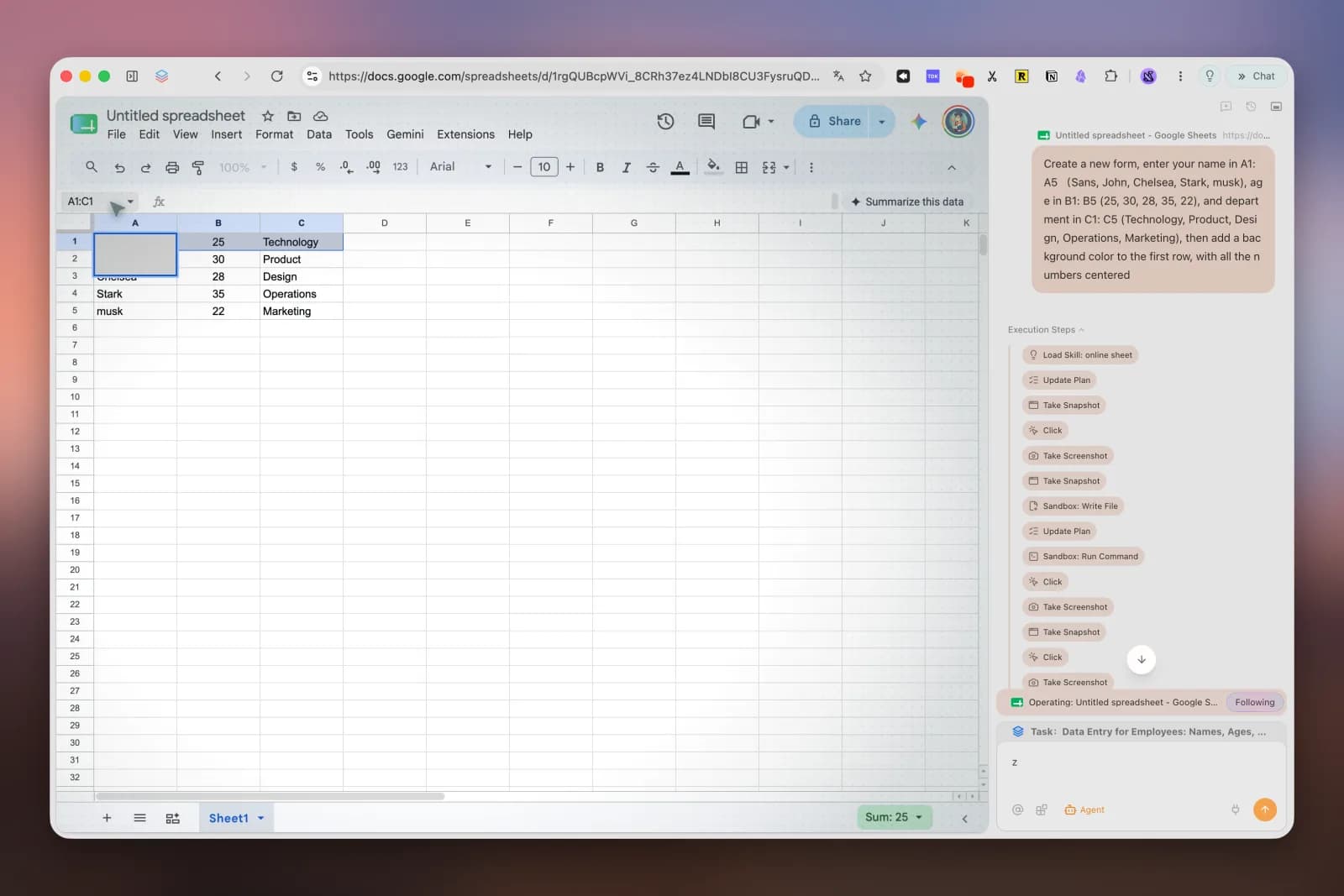
From research to deliverable. Because the agent controls the browser, it can place results directly into a web spreadsheet or document, not just return text.

The trade-off is access. This browser-level automation cannot read your Microsoft 365 emails, Teams chats, or SharePoint documents unless you deliberately share those pages as context. If your research depends on internal work content, Gemini or Microsoft 365 Copilot Researcher is the more integrated choice. For work based mostly on the web or personal documents, Tabbit avoids the subscription jump and keeps source pages next to the answer. Our deep research browser page explains the product workflow in more detail. Check the current Tabbit pricing overview and download options before choosing a plan.
Choosing the right tool for the job
| Your need | Best-fit tool type | Why |
|---|---|---|
| Quick, cited market snapshot | Perplexity Deep Research | Fastest runtime and simple export |
| Deep, reasoning-heavy report | ChatGPT Deep Research | Longer runtime and explicit reasoning trace |
| Research mixed with Google Workspace files | Gemini Deep Research | Native Drive, Gmail, and Docs integration |
| Research that lives in open tabs and ends in a deliverable | Tabbit Browser Agent Mode | Browser-level execution and source visibility |
| Enterprise research with internal data | Microsoft 365 Copilot Researcher | Authorized access to work data through Microsoft Graph |
Limitations to keep in mind
AI deep research is useful, but its output is still a draft.
Source quality varies. The tools read whatever is on the public web. Outdated pages, marketing copy, and low-quality content can slip into reports.
Quotas and cost add up. Free tiers are limited, and heavy use can push you toward paid plans. Enterprise deployments need token budgets and monitoring.
Verification is still your job. Citations help, but they do not guarantee accuracy. Check primary sources for any high-stakes claim.
Private and paywalled data is restricted. Unless you upload files or connect authorized data sources, these tools cannot see internal documents or subscription research.
Final verdict
AI deep research tools accelerate research; they do not replace it. Features can also change tiers or retire, as happened when Microsoft moved Copilot Deep Research behind a subscription. Our notes on Copilot Deep Research retiring cover that change. These tools are most useful when a question is too broad for a single search but too time-consuming to answer by hand, including competitive landscapes, purchase comparisons, financial briefings, literature reviews, and policy scans.
Perplexity or ChatGPT suit people who already work in chat-based tools and need fast answers. If your research happens in the browser, Tabbit Browser lets the agent work in that same environment. You can download it free for macOS or Windows and keep the source pages in view while it runs a research task.
FAQ
What is an AI deep research tool?
An AI deep research tool is an agentic system that breaks a complex question into sub-tasks, searches the web, reads multiple sources, and synthesizes the findings into a structured, cited report. It takes minutes rather than seconds and is designed for questions that need breadth and verification.
How is deep research different from a regular AI chatbot?
A standard chatbot answers from a prompt and limited context in one turn. Deep research runs multiple searches, refines its plan as it learns, and returns a longer document with source links. The trade-off is time: it can take two to thirty minutes depending on the tool and question.
What are the most common use cases for AI deep research?
Common use cases include competitive analysis, market research, product and purchase research, financial due diligence, academic literature reviews, policy and regulatory research, and content or journalism research.
Is ChatGPT Deep Research the only option?
No. Google Gemini Deep Research, Perplexity Deep Research, and browser-level options such as Tabbit Browser also offer multi-step research workflows. Each differs in runtime, source access, integration, and pricing.
Can a browser like Tabbit do deep research?
Yes. Tabbit Browser uses Agent Mode to run searches, open sources, and build structured reports while keeping the source pages visible. It works best for public web and personal-document workflows rather than enterprise data locked inside suites like Microsoft 365.
What are the main limitations of AI deep research tools?
They can consume a lot of tokens or quota, may rely on public web sources that are outdated or low-quality, and still require human verification. They also vary in access to private files, paywalled content, and internal company data.