
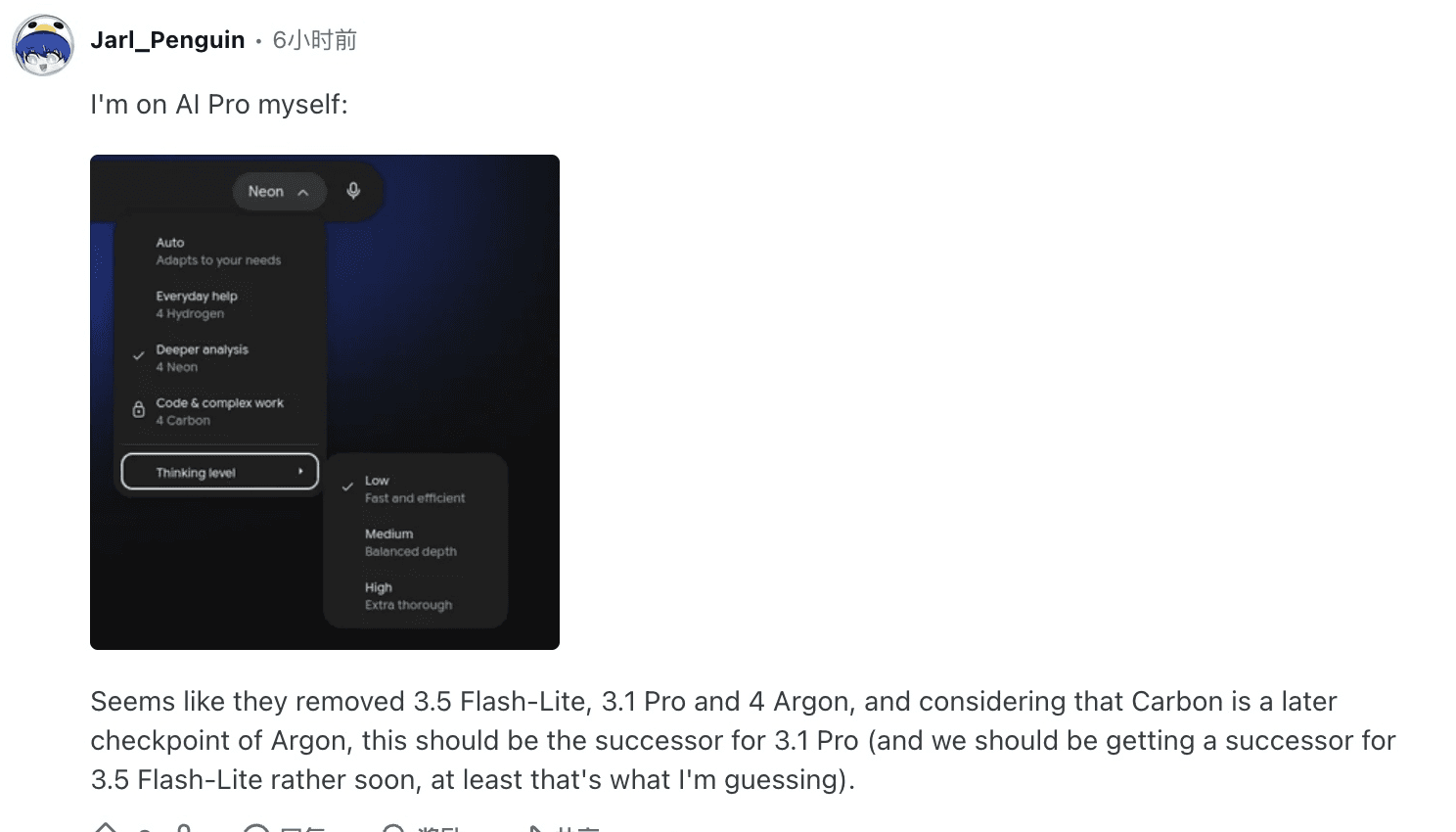
Start with Gemini 4 Neon for new coding and analysis workflows. Keep Gemini 4 Argon as the baseline if it already meets your requirements. If you're choosing in the Gemini app, Neon is rolling out to Google AI Pro and Ultra. If you're choosing an API endpoint, both model IDs still appear in Google's documentation. One AI Pro subscriber reported that Argon disappeared from their app picker during rollout. That's an account-level observation. Google's Neon announcement, original Reddit comment, Gemini API lifecycle.
December 1 changes the API decision. Through November 30, 2026, Argon costs $2 per million input tokens and $10 per million output tokens on Google's paid Standard API. Neon costs $3 and $15. From December 1, Argon is scheduled to move to $4 and $20. With the same number of tokens, Neon goes from 50% more expensive to 25% cheaper. This guide also shows how to check the underlying rate cards in Tabbit Browser before rerunning a budget estimate. Neon rates, Argon rates.
Key takeaways
Argon has the lower Standard API token rates through November 30. Neon has the lower published rates from December 1.
Artificial Analysis shows 61 for Neon at Xhigh and 50 for Argon at High. Those are different settings. A production decision needs the setting you intend to run.
Google lists both model IDs on the paid API and both models in Antigravity for eligible accounts. The Gemini app has its own rollout and plan rules.
A job's cost depends on thinking tokens, cache hits, tool use, retries, and how many results pass review. Record all of them when a job matters enough to migrate.
Neon and Argon at a glance
| What you're comparing | Gemini 4 Neon | Gemini 4 Argon |
|---|---|---|
| Paid Gemini API ID | gemini-4-neon | gemini-4-argon |
| Standard USD per 1M input / output tokens through Nov 30 | $3 / $15 | $2 / $10 |
| Published rates from Dec 1, 2026 | $3 / $15 | $4 / $20 |
| Standard cached input per 1M | $0.15, implicit caching | $0.10 through Nov 30, then $0.20, implicit caching |
| API context | About 1 million tokens | About 1 million tokens |
| Artificial Analysis Intelligence Index snapshot | 61 at Xhigh | 50 at High |
| Where to look | Gemini app on Pro/Ultra rollout, paid API, eligible Antigravity plans | Paid API, eligible Antigravity plans |
Prices and access were checked November 19, 2026. Output prices include thinking tokens. Google publishes separate rates for Batch, Flex and Priority. App subscriptions and Antigravity limits use separate terms. The Argon pricing breakdown covers the tiers, and the Argon review looks at the older model's workload fit. Gemini API pricing, Antigravity's model guide.
Pricing before and after December 1
Take a document-analysis job with 100,000 uncached input tokens and 20,000 billed output tokens. At Standard rates, Neon costs $0.60. Argon costs $0.40 at its introductory rate and $0.80 at its scheduled December rate. This estimate assumes the same token counts and excludes tools. If 60,000 of the 100,000 input tokens qualify for implicit cache pricing, the three estimates become $0.429, $0.286, and $0.572, respectively. That second calculation is useful for a pipeline that repeatedly sends the same source material. A similar prompt can still produce a different cache hit rate.
For a budget estimate, multiply uncached input, cached input, and billed output by their respective rates and divide by one million. Add tool charges where applicable. Keep reasoning tokens inside billed output, and count each paid attempt, including the ones whose output you throw away. At equal task quality and an unchanged mix of billed tokens, Neon needs one-third less usage to match the introductory Argon bill. From December 1, Neon can use up to one-third more of that same mix and tie Argon's published bill. Both thresholds assume the same cache mix and exclude tools.
To see how retries can change the decision, imagine a test of ten jobs. If a run accepts eight results after spending $4, the cost is $0.50 per accepted result. Another run that spends $4.50 and accepts all ten costs $0.45 per accepted result. These are illustrative numbers. In practice, record which failures were recoverable and how much time someone spent fixing the result. Google's price and tool billing tables.
If you're comparing all four Gemini 4 options, Argon vs Hydrogen explains the case for a lower-cost model, and Argon vs Carbon covers the higher-end option. Check each provider's own prices before reusing these calculations with a gateway or cloud platform.
Benchmarks and speed depend on the thinking level
Artificial Analysis recorded an Intelligence Index of 61 for Neon at Xhigh and 50 for Argon at High. In the November 19 snapshot, the same pages showed 21.5 and 29.8 minutes per Intelligence Index task, respectively. The average costs shown on those pages were $6.44 for Neon and $4.97 for Argon on that suite. This setup illustrates how a model can finish a test sooner and still cost more to run. It also uses two different thinking settings and Argon's introductory pricing. Artificial Analysis for Neon, Artificial Analysis for Argon.
Generation speed answers a narrower question. The same snapshot reported 110 output tokens per second for Neon and 65 for Argon, but 56.51 versus 49.73 seconds to the first answer token. If you're sitting in an editor waiting for a response, measure the time before you can read or act on it. If the task runs in the background, measure how long it takes to produce an accepted result, including tool calls and reruns. Tool-heavy requests can spend much of their time outside the model.
Start by matching the thinking level where both endpoints expose the same label, then measure each model at the setting you'd actually ship. A shared label gives you a setting you can reproduce. Actual reasoning work can still differ. Preserve both results if you compare High against High and later tune Neon to Xhigh. An Antigravity user suggested trying Neon for planning and having Argon check the plan. That can be a useful workflow in its own right, but it gives you a result from a two-model system. Test the standalone models first if you're deciding which endpoint to keep.

Google's Neon model card and Argon model card cover different release evaluations. Keep the benchmark version and tooling with any score you copy. For coding, use a small issue with a clear test suite and check whether the patch touched any unrelated files. For document analysis, ask for source locations and tally incorrect or missing citations. If you're working with a long document, place required facts at different positions and verify which ones appear in the final answer. The Hydrogen review and Carbon review give more context for those two alternatives.
Did Neon replace Argon?
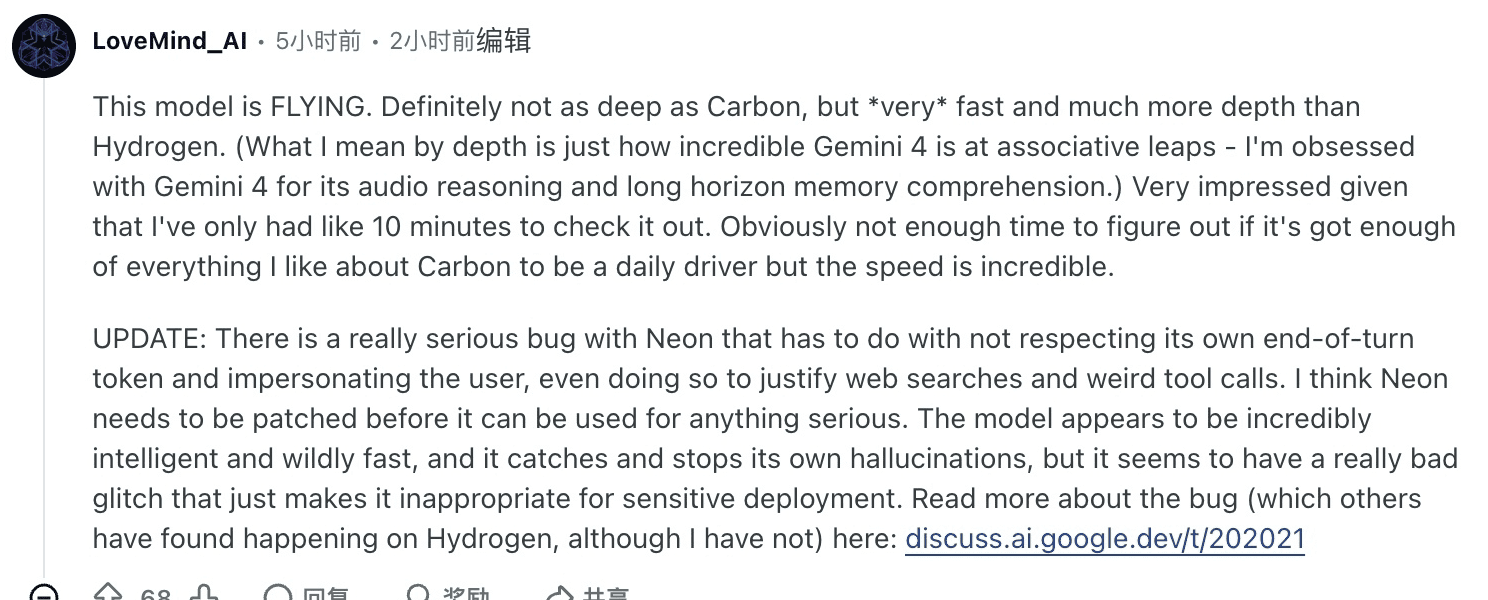
Gemini app. Google's Neon launch names the Google AI Pro and Ultra plans. Some users saw the model menu change when they refreshed, including a commenter who reported that Neon took Argon's place. Another early user found Neon quick for the reasoning work they had tried, based on about ten minutes of use. It was a first impression about that person's workflow. Original user comment.

Gemini API and AI Studio. Google's lifecycle table still shows gemini-4-argon with no shutdown date announced as of November 19. It lists gemini-4-neon separately. Changing the app picker will not tell you which IDs your API project can call. Check the paid API model docs and the project you intend to use. Both models have about a million tokens of API context, and endpoint-specific output settings still matter. Google's lifecycle table, Neon model specification, Argon model specification.
Google Antigravity. Its documentation lists both models for eligible plans. Neon has Low, Medium, High and Extra thinking levels and a documented context limit of up to 512K in that product. If your goal is to compare models, pick Neon or Argon directly. Orchestrator (Neon) uses Neon to plan and Hydrogen to implement, and Orchestrator (Argon) does the same with Argon as planner. Keep the mode and account plan in your test notes. Antigravity's model guide.
Check the sources in Tabbit before running a migration test
For this comparison, the source-checking task used public pages in Tabbit Browser. Open the two Standard pricing sections in one tab group, then add Google's API lifecycle table and the Antigravity model guide. The check is specific: identify the Argon increase date and both before-and-after rates, then confirm whether the published API table gives an Argon shutdown date. The source review found the December 1 price change and no announced shutdown date. Antigravity lists both models separately.
A reader doing this again can use a simple note template: surface, model ID, checked date, price or availability, source link. Keep the app selector in a separate row. That makes a report like “Argon disappeared” easy to trace to a particular account or product. If the information you need sits behind a sign-in or a paid model tier, use the relevant Google account and record what you actually saw. The browser research workflow explains how to keep each claim tied to a page. The Argon browser-use guide covers a separate browser task setup.
This was a source verification workflow. Any comparison of model output needs the two Gemini endpoints or eligible Google product access. For an API migration, start with one document or patch your team can grade by hand. Give each model the same input and tools, log its exact ID and thinking setting, and save the accepted output along with the invoice data or token counts. Repeat on several representative tasks before using the result to set spend limits.
Which model should you choose?
| Your situation | Start with | Before committing |
|---|---|---|
| New coding or analytical workflow | Neon | Test recurring tasks at High, then try Xhigh only where errors justify it |
| Existing Argon API job already meets targets | Keep Argon as the baseline | Rerun the same workload on Neon before the price change |
| Low Standard API token price through Nov 30 | Argon at equal usage | Include retries, cache hits, and tool fees |
| Budgeting for December | Neon at equal usage | Check the latest provider rates and cost per accepted result |
| Argon vanished from your Gemini app menu | Neon if your plan shows it | Verify API and Antigravity access independently if you still need Argon |
For a new implementation, test Neon first. Keep Argon on workloads where its accepted results and operating costs already meet the target, then rerun those tasks as the new rates approach. If your immediate question is what your account can use, check that product's selector. For a decision you need others to reproduce, keep the official pricing and model pages together in Tabbit and record the date with your results.

FAQ
Which is better, Gemini 4 Neon or Argon?
Neon is a sensible first trial for new coding and analysis workflows. If Argon already passes your quality and latency checks, keep it as the baseline and compare both on the same tasks before migrating.
Is Gemini 4 Neon cheaper than Argon?
At equal token counts on Google's paid Standard API, Neon is 50% more expensive through November 30, 2026. From December 1, the published Argon increase makes Neon 25% cheaper per input, cached input, and output token.
Did Neon replace Argon in the Gemini app and API?
Google is rolling out Neon to Google AI Pro and Ultra users in the Gemini app, and some readers reported that Argon disappeared from their picker. Argon remains listed in the paid Gemini API, with no shutdown date announced as of November 19, 2026.
Can I still choose Argon in Google Antigravity?
Google's Antigravity documentation lists both Argon and Neon for eligible Pro, Ultra, and Enterprise accounts. In the standalone model options, the named model runs the work. An Orchestrator preset can use Hydrogen for implementation.
Does Gemini 4 Neon have more context than Argon?
Google lists about one million tokens of API context for both models. The product and endpoint determine practical limits. For example, Antigravity documents up to 512K for Neon.
How should I compare Neon and Argon on my own tasks?
Pin each model ID, set the thinking level explicitly, and use the same inputs, tools, and acceptance checks. Include failed attempts in the total cost and divide by the number of accepted results.