
Gemini Deep Research Preview can research and cite public sources, but its managed API agent does not directly reach a desktop Tabbit Browser session. The April 2026 agent is invoked as deep-research-preview-04-2026 through Google’s Interactions API and runs asynchronously; the API supports built-in research tools and remote MCP servers. A local Tabbit CLI is not a remote MCP server by default, so use a local agent as an explicit handoff: give it the finished report and source URLs, let it read only the signed-in pages you authorize, then stop at a named draft for review. A Reddit browser-agent discussion puts the practical issue plainly: “pause before the final external action.” Read the original post.
Key takeaways
This is a managed research agent, not a normal Gemini model string for
generateContent; Google documents it only through the Interactions API.Start work with
agent: "deep-research-preview-04-2026"and background execution, then poll the interaction until it completes or fails.Its supported MCP connection is remote. It cannot call a local Tabbit CLI function merely because both tools are installed on one person’s computer.
Separate the public research report from authenticated page reading. Hand off findings and URLs to a local agent, then review its named draft before editing or sharing.
Decide which part belongs where
| Work | Deep Research Preview | Local Tabbit agent |
|---|---|---|
| Search the public web and synthesize citations | Built-in Google Search and URL Context | Can read the report and check specific source URLs |
| Read an authorized, signed-in team page in Tabbit | Only if exposed through a separately supported remote MCP service | Tabbit CLI in the local Tabbit Browser environment |
| Keep a long research run alive | Interactions API background job; poll its interaction ID | Local task stays in its task tab while you work elsewhere |
| Create a reviewable document | Return a cited report; do not imply it edits your workspace | Create a named local draft and stop before sharing |
Google describes this as a preview agent on the Interactions API; its documentation says it is unavailable through generateContent. The model identifier is deep-research-preview-04-2026, not a Gemini Flash model. Google’s docs describe it as a managed research loop and require background execution for long jobs. You can poll by interaction ID and inspect the completed steps. See the Deep Research guide, agent model list, and Interactions API overview.
Google’s lifecycle table lists the April agent’s release date as April 21, 2026, with no shutdown date announced. It separately lists deep-research-pro-preview-12-2025 as shut down on October 23, 2026 and names the April agent as its replacement. That retirement applies to the older ID, not automatically to this one. Recheck the lifecycle page before a recurring deployment.
This distinction matters for browser access. Deep Research offers Google Search, URL Context, Code Execution and remote MCP servers; MCP configuration points to a server URL. Google’s general function-calling model pattern asks the calling application to execute custom functions, but that is not evidence that this managed research agent can call an arbitrary desktop function. Unless you have built and verified a supported network-accessible MCP bridge to your local setup, treat Tabbit as a separate local handoff. The MCP-versus-CLI guide explains the transport difference.
Run public research, then hand off the source list
Use the API route and region/account currently offered in Google AI Studio. Start the research task in the background; retain the interaction ID and poll until completed or failed. Because this is preview software, check the current model list and deprecations page before pinning it in a recurring workflow. The April 2026 identifier is distinct from the older December 2025 Deep Research Pro preview; Google’s lifecycle notes may replace or retire one agent version without meaning that a local browser connector appeared.
Ask Deep Research for a compact report with claim, source title, URL, date, and uncertainty. Do not put cookies, private page text, or credentials into the research prompt. If authorized team material is required, keep the Google research pass public and make a second, explicit handoff to a local agent.
Use Tabbit for the authenticated reading step
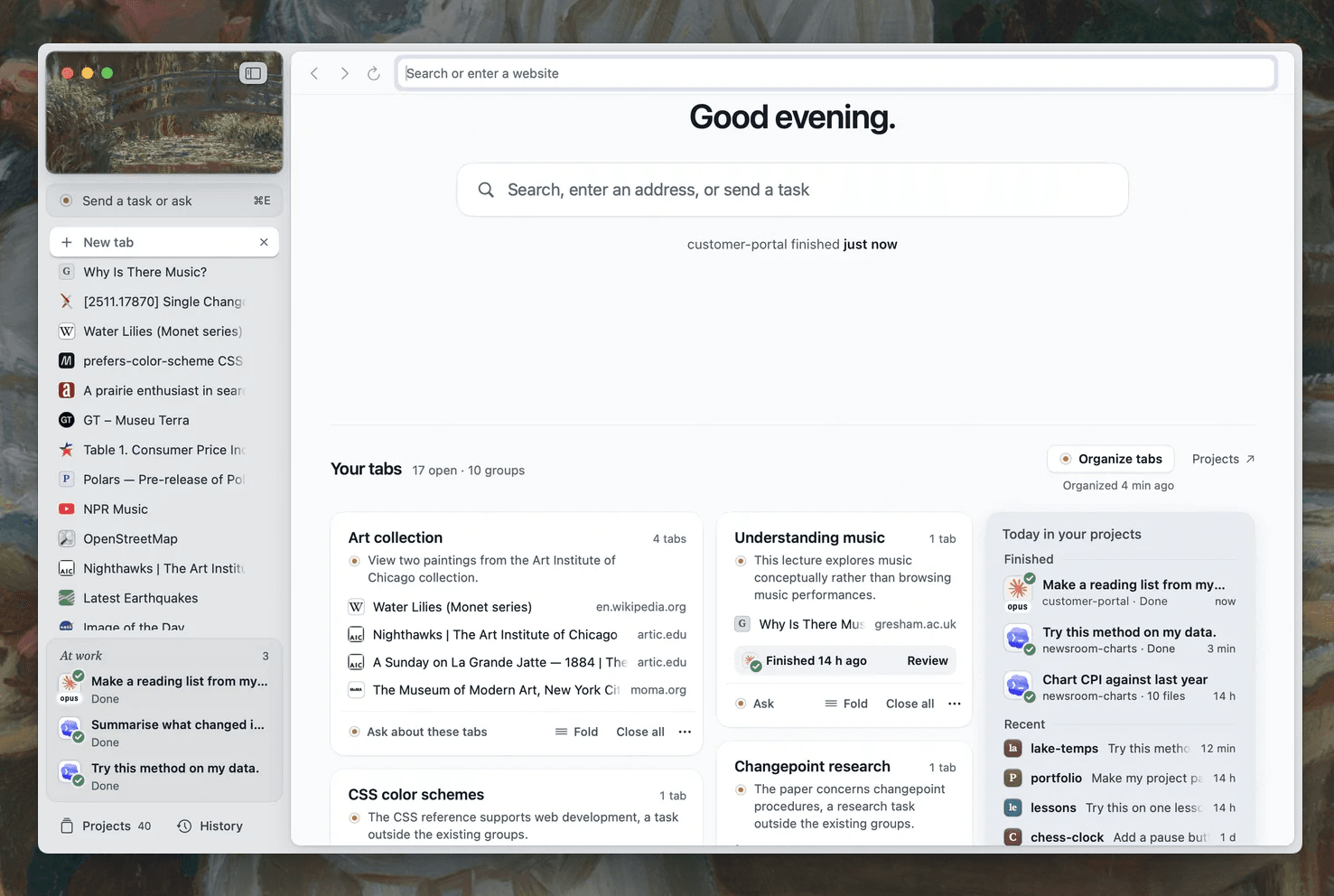
Install Tabbit Browser and sign into the relevant site in that browser. Set up the Tabbit skill in a supported local client. Use /tabbit where the client provides named skills; use its own /skills interface or skill discovery if it does not. Skill loading, CLI reachability, correct browser instance, and website login are four separate checks. The Tabbit CLI quick start describes setup. A named task opens a separate task tab in the Tabbit environment, so you can keep your regular work open; see connecting an agent to an existing browser and session reuse.
A second Reddit discussion describes the risk of pages that look fine but contain stale or partial state; one commenter recommends “reading the result back after every step.” That is sound for a draft workflow: compare the page title, account label, exact URL and displayed status before including a value. This is community advice, not a claim about Gemini or Tabbit reliability. Read the discussion.
| Handoff checkpoint | What to carry over | What the local agent should do |
|---|---|---|
| Research finished | Report, source URLs, publication dates, unresolved claims | Do not treat report text as proof of private-page state |
| Local session ready | Target Tabbit profile and authorized page URLs | Read only named pages; verify account and page state |
| Draft saved | Named draft and per-claim source URLs | Stop before sharing, publishing or submitting |
| Human review | Open source pages and draft side by side | Correct claims or approve narrow edits manually |
Use the prompt below in the local client after the Deep Research interaction finishes. It does not ask the Google-managed agent to call a local function:
The attached report came from Gemini Deep Research Preview. Do not assume it can access my desktop browser.
Use the Tabbit skill from this local agent session. In the Tabbit Browser profile where I am already signed in, open only the team pages I list. Compare each report claim with the visible page. Record title, exact URL, visible date, displayed status, evidence, and any conflict. Do not copy private data beyond the fields I listed. Do not edit, share, publish, or submit.
Create a local draft named "Deep Research source check — draft 01" with a claim/source table and a separate unresolved-items list. If a page is logged out or account identity is unclear, stop and ask me. Show me the draft and wait for review.
The prompt is a suggested handoff, not a tested Gemini-to-Tabbit integration. Keep the two tools in their documented lanes: Deep Research gathers public sources; a local agent uses Tabbit CLI for authenticated pages. For setup, see the first browser task checklist, the CLI guide, local versus cloud browser agents, browser research with citations, and Codex setup.

FAQ
Can Gemini Deep Research Preview call my local Tabbit CLI?
Not by default. The managed agent connects to built-in tools and configured remote MCP servers; a local CLI requires a separately supported handoff or network-accessible bridge.
Which API calls this Deep Research agent?
Google documents `deep-research-preview-04-2026` through the Interactions API, with background execution for long research tasks.
Can it read signed-in pages in my Tabbit Browser?
Only if you separately expose an authorized, supported remote MCP service. Otherwise hand the report and URLs to a local agent using Tabbit CLI.
How do I know whether the agent run finished?
Keep the interaction ID and poll its status until it is completed or failed. Do not treat the initial background response as the final report.
Is the April 2026 preview permanent?
No. It is explicitly a preview identifier. Check Google’s current model and deprecation pages before each workflow rollout.
Can the local agent publish the resulting document?
Ask for a named draft and stop for human review. Do not share or submit until you have checked the source pages and the draft.