DIRECT01
Official Tor Browser archive
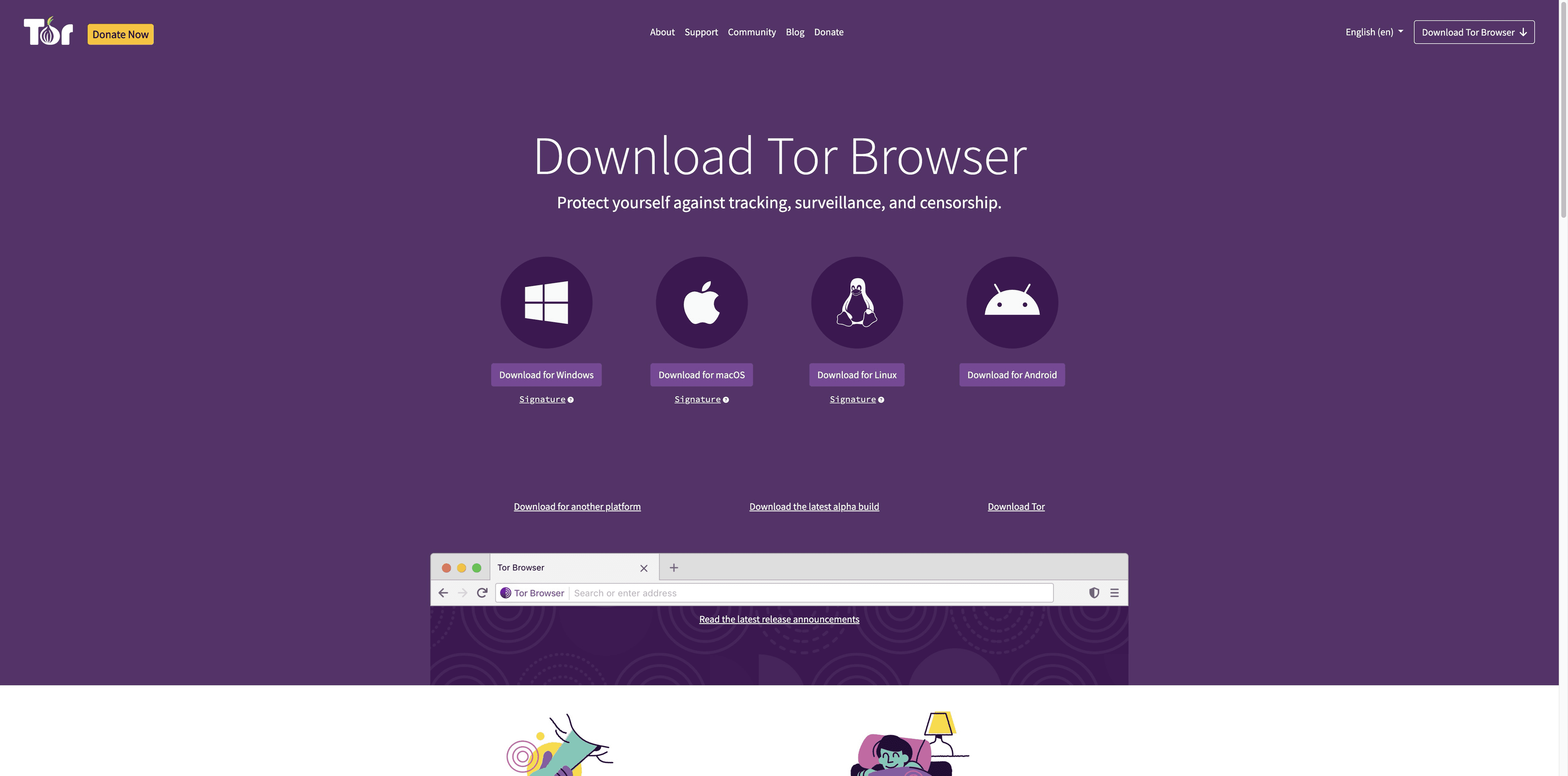
The Tor Project download page currently exposes a GNU/Linux x86_64 archive and a matching Signature link. The filename and release number change; the source does not.
Open download page ↗Linux field guide · checked 29 Aug 2026
Find the official archive, match the signature, choose your install route, and launch with confidence. The short version: start at Tor Project, not a random package mirror.
Current download card
GNU/Linux · x86_64
Archive pair
.tar.xz + matching .asc
Recommended check
GnuPG / gpgv
Tabbit installers
Windows + macOS only
01 · Start with the source
Use Tor Project pages or the Tor Browser Launcher project. A convenient package is useful only when you know who publishes it and what it actually installs.
Skip unofficial PPAs, repackaged archives and “Tor browser” extensions. If the publisher or package identity is unclear, stop and return to the official page.
The Tor Project download page currently exposes a GNU/Linux x86_64 archive and a matching Signature link. The filename and release number change; the source does not.
Open download page ↗The Tor Project GitHub mirror describes a launcher for GNU/Linux that downloads, verifies, installs and starts Tor Browser. Its README says Ubuntu, Debian and Fedora include it, but distro packages may lag.
Read launcher README ↗Every download is paired with an OpenPGP .asc signature. Keep the archive and its same-name .asc file together before you verify.
Open verification guide ↗02 · Read the architecture signal
Architecture is the first decision, not a detail to discover after a failed launch. This page records only what the checked official sources establish.
On a terminal, uname -m is a useful local clue. It is not a license to download from a third party: confirm that your architecture is listed on the current Tor Project page.
The Linux card and archive link checked for this guide are the 64-bit x86 build.
Tor support advises 64-bit Linux for the latest updates and security features.
The checked download card did not establish an ARM Linux package. Do not substitute an unknown build.
03 · Install the archive
The graphical route is enough for most people. The commands below are the official support flow made explicit, with placeholders so you do not accidentally paste an old version number.
From Tor Project, download the current Linux .tar.xz archive and its matching .asc Signature file.
Use the signature flow below. A “Good signature” is the checkpoint; a missing file or mismatched name is a stop sign.
Graphically, open the archive with your file manager. In a terminal, replace <version> with the exact filename you downloaded.
tar -xf tor-browser-linux-x86_64-<version>.tar.xzOpen the extracted directory and run the desktop launcher. If Linux refuses to run it, make that file executable first.
./start-tor-browser.desktop
# if needed: chmod +x start-tor-browser.desktopOptional: register Tor Browser as a desktop application so it appears in your application menu.
./start-tor-browser.desktop --register-app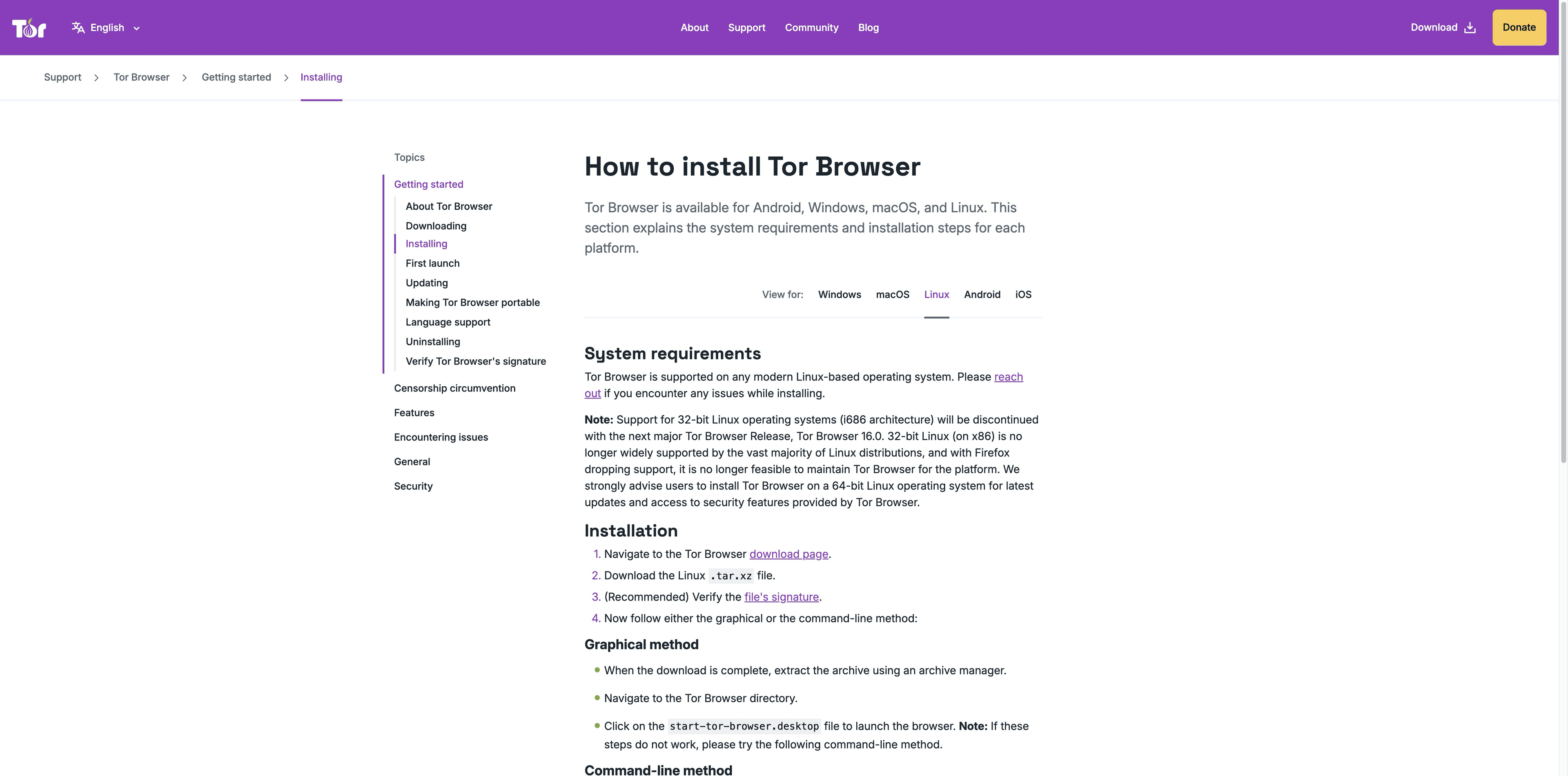
04 · Verify the download
.asc file is not decorationTor Project describes a digital signature as the check that the package came from its developers and was not modified. Verify the exact pair you downloaded; examples on the support page use older placeholder versions.
Tor Browser Developers signing key
The official guide records fingerprint EF6E286DDA85EA2A4BA7DE684E2C6E8793298290. Import the key using the Tor instructions, then use the keyring to check your archive.
gpg --auto-key-locate nodefault,wkd --locate-keys torbrowser@torproject.org
gpg --output ./tor.keyring --export 0xEF6E286DDA85EA2A4BA7DE684E2C6E8793298290
gpgv --keyring ./tor.keyring ~/Downloads/tor-browser-linux-x86_64-<version>.tar.xz.asc ~/Downloads/tor-browser-linux-x86_64-<version>.tar.xz
Expected signal
gpgv: Good signature from "Tor Browser Developers (signing key) <torbrowser@torproject.org>"
Replace examples carefully
The versioned filenames in documentation are examples. Use the exact names in your Downloads folder; “No such file or directory” usually means the path or filename is wrong, not that you should skip verification.
05 · Choose your distro route
The best route depends on whether you want a menu-managed launcher or the fewest layers between you and the Tor Project archive.
| Route | What you get | Trade-off |
|---|---|---|
| Ubuntu / Debian / Fedora | Install | Easy desktop entry; the launcher README warns that distro packages can be out of date. |
| Any distro via Flatpak | Use | Convenient launcher; confirm Flatpak is installed and that the publisher is Tor Project. |
| Official archive | Use the current x86_64 | Most direct and transparent; you own extraction, verification and menu registration. |
These are source choices, not a ranking of privacy. A launcher does not turn an unofficial repackaged browser into an official one.
A separate path · Windows & macOS
Tabbit is an AI-native browser for supported desktop systems. It can chat with pages, use screenshots/files as context, run Agent workflows and save repeatable Skills.
Important boundary: Tabbit does not currently ship a Linux installer and is not Tor Browser, a Tor client or an anonymity tool. Keep the Linux install on Tor Project’s official path.

01
Tabbit’s sidebar can summarize and explain a webpage while you keep the source open — useful when your Linux research continues on a supported desktop.

02
On Windows or macOS, Agent can work through multi-step web tasks such as research and data entry while you review the flow.

03
The current product path offers Tabbit desktop installers for Windows and macOS. Check the product site for the latest release and platform details.
Different jobs, different tools: Tor Browser for the Linux privacy workflow; Tabbit for AI-assisted browsing on supported desktops.
Questions people ask before installing
Yes. The Tor Project download page currently lists a GNU/Linux x86_64 Tor Browser archive. Tor support says modern Linux-based operating systems are supported; use the current official page because filenames and versions change.
Use the official Tor Project .tar.xz archive and matching .asc signature, or the Tor Browser Launcher described by the Tor Project. Avoid unknown PPAs and repackaged downloads. If you use the distro package, remember the launcher README warns it may lag.
Download the archive and its same-name .asc file, import the Tor Browser Developers key, and run the official GnuPG/gpgv flow. Continue only when the output reports a Good signature and the filenames are exact.
Tor support says 32-bit i686 support ends with Tor Browser 16.0 and recommends 64-bit Linux. The x86_64 card was the build verified for this guide. ARM64 and other architectures were not established by that check, so confirm on the current official download page instead of guessing.
The Tor Browser Launcher README provides a Flatpak route with the app ID org.torproject.torbrowser-launcher; Flathub lists Tor Project as the publisher. This installs the launcher, not a random repackaged browser. Keep the publisher and source visible before confirming the install.
Open the extracted directory and run ./start-tor-browser.desktop. If it is not executable, run chmod +x start-tor-browser.desktop; to add a menu entry, run ./start-tor-browser.desktop --register-app.
The Tor Project support page says there is not yet a Chrome OS version. It mentions the Android app as a possible route, but also says Chrome OS has not been audited and may show mobile sites; do not treat it as a desktop Linux build.
Not currently. Tabbit’s current public download configuration provides Windows and macOS installers. It is a separate AI browser, not a Tor client or anonymity layer; use Tor Project for the Linux Tor Browser installation.
Use the source you can verify
Download the current Linux archive from Tor Project, keep its matching signature beside it, and verify before you launch. On Windows or macOS, explore Tabbit separately for AI-assisted browsing.
Package names and versions change. Always follow the current official page.