Start at torproject.org
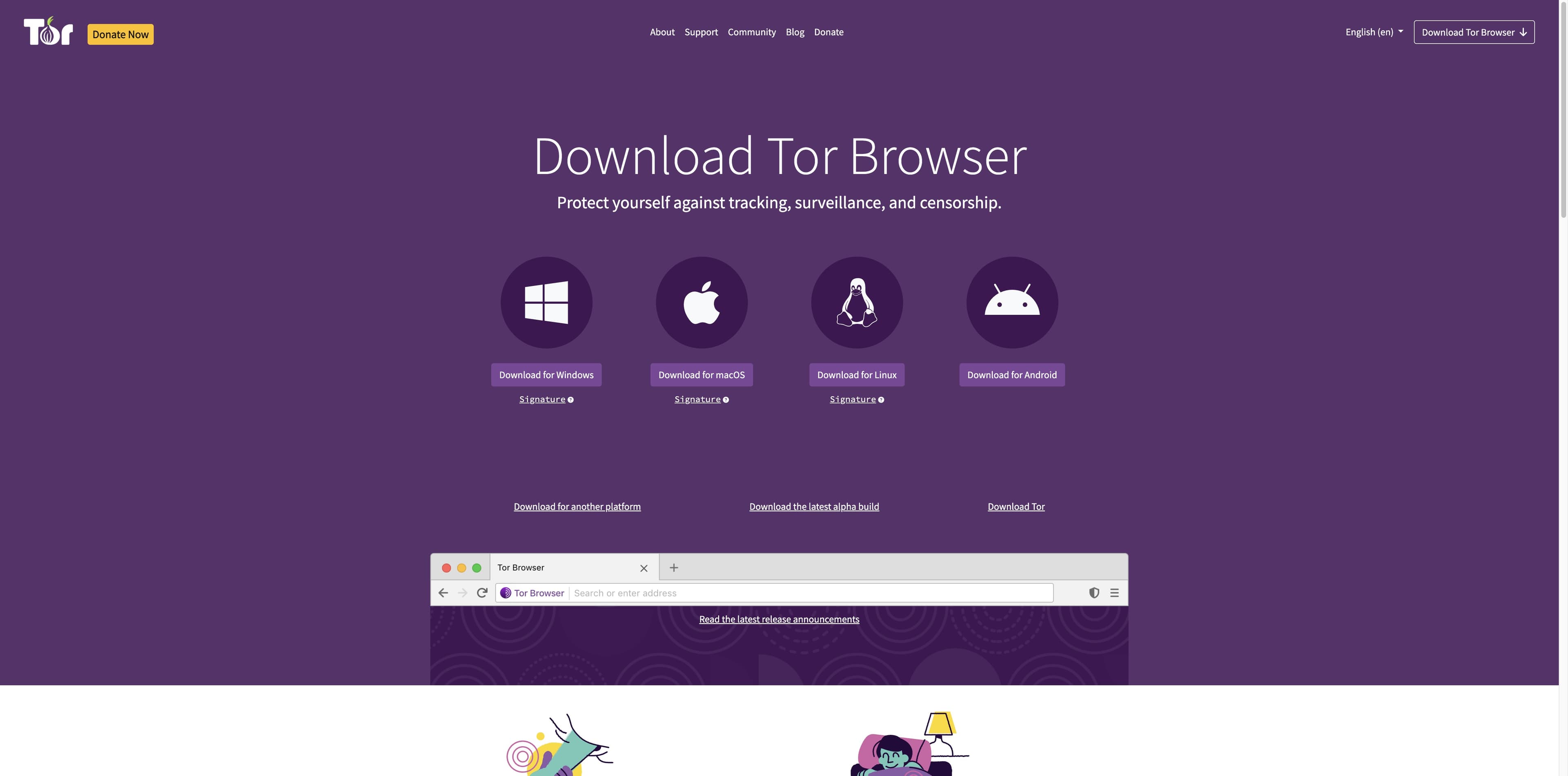
Search results can point you in the right direction. The official Tor Project page is the source to use for the current macOS package.
Mac decision guide · official sources checked 29 Aug 2026
Use the Tor Project for the download, match the package to your Mac, and verify it before you open it. Then make a separate product decision: Tabbit is an AI-native work browser, not a Tor anonymity network.
Tor Browser and Tabbit solve different problems. Tabbit does not provide Tor routing, anonymity, or censorship circumvention.
Before you click
A safe install path is short when the source, system requirement, and verification step are decided in that order.
Search results can point you in the right direction. The official Tor Project page is the source to use for the current macOS package.
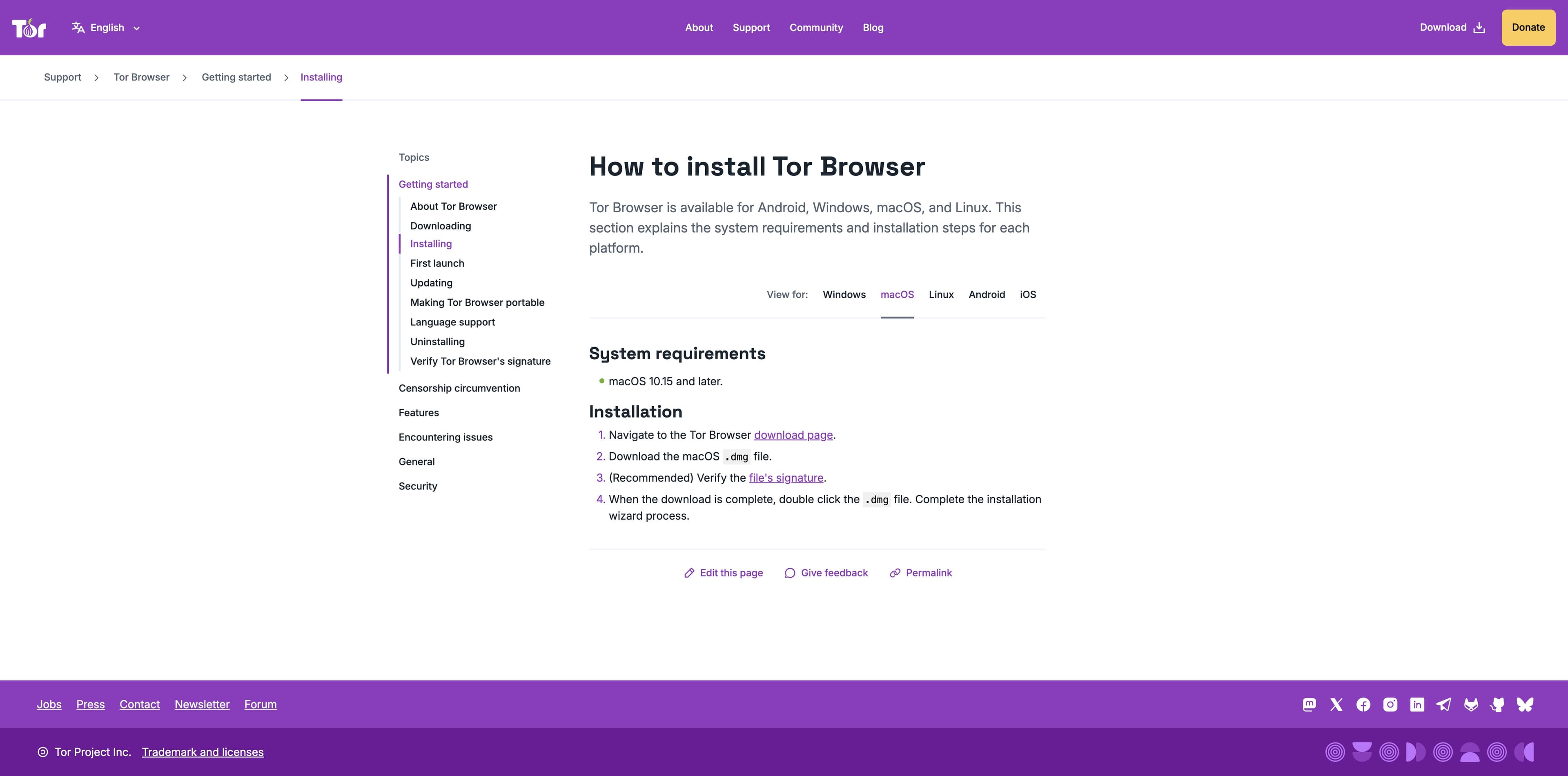
Tor Project support currently lists macOS 10.15 and later for Tor Browser. Check your version before downloading.
The download page exposes a macOS DMG and a matching OpenPGP signature link. Use the signature guide when authenticity matters.
macOS compatibility
Tor Project’s Tor Browser 12.0 release notes describe a Universal Binary with x86-64 and ARM64 builds, choosing the appropriate architecture automatically. Release packages can change, so confirm the live download page before installing.
This is the system requirement shown in the current Tor Project installation help. Older macOS versions need a separate compatibility decision; do not assume a current package will run.
The official 12.0 release post says Apple Silicon support is native and that the Universal Binary contains both ARM64 and x86-64 builds.
Intel-compatible Macs are represented by the x86-64 build in the Universal Binary described by Tor Project. Check the current release notes if your Mac is older.
Install and verify
The wording below summarizes the official support flow. Keep the live Tor Project instructions open because file names, releases, and platform guidance change.
View current Mac downloadUse the Tor Project download page and choose the macOS download. Avoid treating a third-party mirror or app listing as the source of truth.
Save the macOS .dmg and its matching .asc signature. Keeping both files makes the verification step explicit.
The Tor Project recommends checking the OpenPGP signature. Follow its macOS guide with GPGTools and the Tor Browser Developers key.
Double-click the DMG and complete the installation wizard. On first launch, choose Connect; if the network blocks Tor, use Connection Assist or the official connection settings.
Different jobs
Tor Browser is designed for privacy-focused access through the Tor network. Tabbit is designed for AI-assisted research and production work on the web. They are not interchangeable, and Tabbit does not make a Tor or anonymity claim.
| Decision | Tor Browser | Tabbit |
|---|---|---|
| Primary goal | Privacy, anti-tracking, and Tor network access | Research, writing, and repeatable web work with AI |
| Mac story | Official support lists macOS 10.15+; follow the live package guidance | A Mac-focused AI workspace with tabs, context, and task support |
| Network model | Connects through the Tor network; read Tor’s safety limits | Uses ordinary web connections and the model/service you choose |
| AI execution | Not the product’s core download promise | Agent Mode, Skills, page context, and multi-step workflows |
| Best next step | Download from torproject.org and verify the package | Try Tabbit when the task is everyday AI work on a Mac |
A comparison is not a security guarantee. For anonymity, read Tor Project’s current guidance; for Tabbit capabilities, evaluate the product directly.
If your Mac task is research
Summarize a page, compare sources, or move through a repeatable web task with context close at hand. These real Tabbit interfaces show the productivity use case—not Tor protection.

Tabbit’s research workspace keeps a task and its execution steps visible together, so a long web workflow is easier to inspect.

A side panel can hold the key message and takeaways while the source page remains open. That is a reading workflow, not a network privacy feature.

Tabbit brings pages, tabs, and AI context into one workspace for routine production work. Choose it for that job, not as a replacement for Tor.
Tabbit does not provide Tor routing, anonymity, a privacy promise equivalent to Tor Browser, or censorship circumvention.
Mac questions
Yes. The Tor Project download page provides a macOS desktop package, and its support documentation lists macOS 10.15 and later as the current system requirement observed for this guide.
Choose the next click
If you need Tor Browser, continue to the official download and verification instructions. If your Mac task is research, writing, or repeatable web work with AI, try Tabbit separately.
Honest boundary: Tabbit is not a Tor Browser and does not provide Tor anonymity.