Complementos Firefox, Linux, código abierto o Zen Mods
Seguir con Zen
Zen usa Firefox/Gecko, instala complementos de Mozilla y funciona en macOS, Windows y Linux.
Guía para cambiar desde Zen · Actualizada en 2026
Conserva Zen para Firefox, Linux y el control profundo de la interfaz. Elige Vivaldi o Brave para extensiones Chromium, o Tabbit para contexto de IA y acciones web en macOS y Windows.
Respuesta rápida
Zen sigue activo y es una opción sólida. Busca una alternativa solo si su base Firefox, su catálogo de extensiones o su enfoque de IA no encajan contigo.
Complementos Firefox, Linux, código abierto o Zen Mods
Zen usa Firefox/Gecko, instala complementos de Mozilla y funciona en macOS, Windows y Linux.
Extensiones de Chrome y control avanzado de la interfaz
Vivaldi usa Chromium y prioriza los ajustes de pestañas y diseño.
Compatibilidad Chromium con privacidad predeterminada
Brave encaja si el bloqueo y la privacidad pesan más que un espacio tipo Zen.
Contexto de IA entre páginas y tareas web de varios pasos
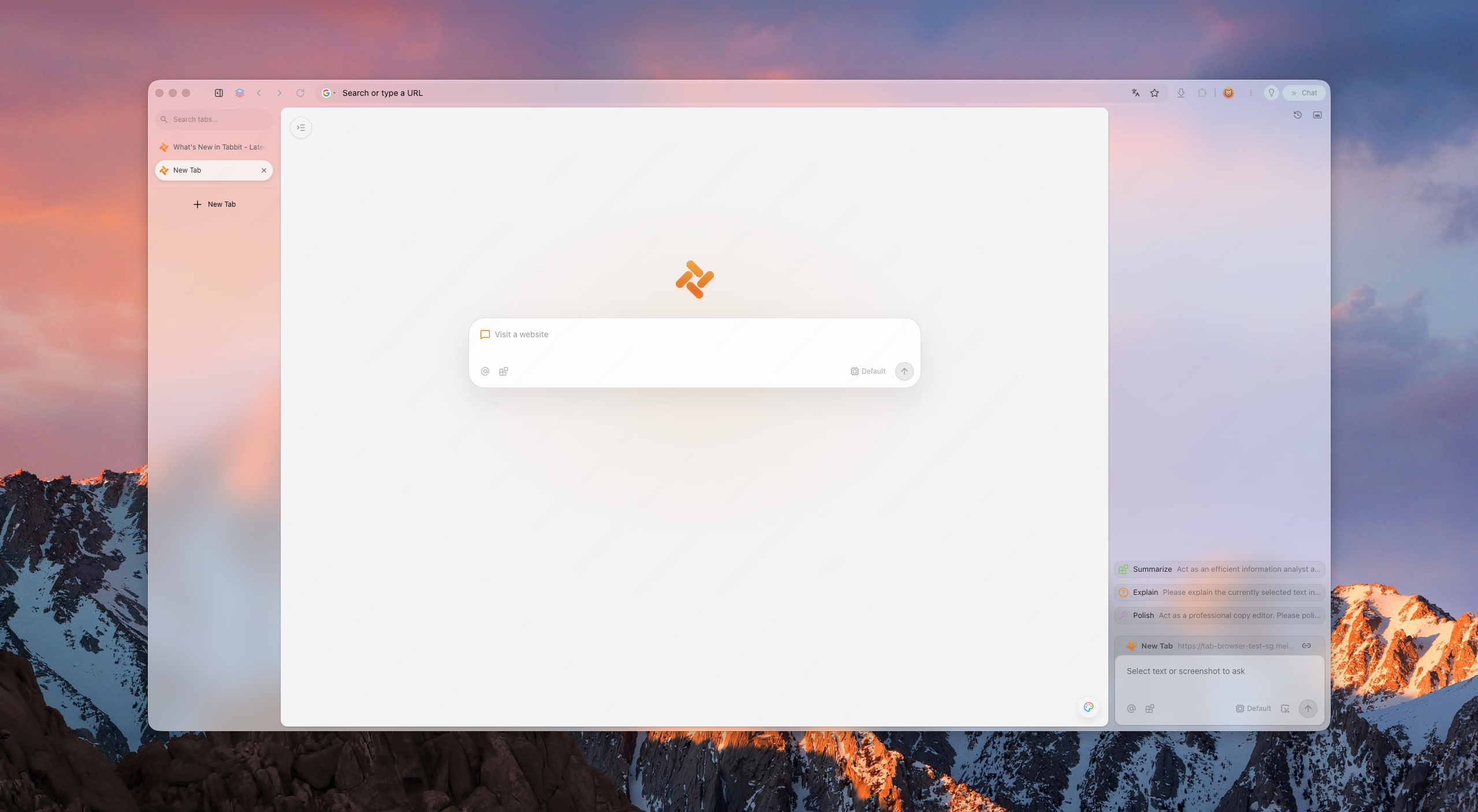
Tabbit integra contexto de página, Agent Mode y Skills en macOS y Windows.
Los complementos Firefox y Chromium son paquetes distintos. Comprueba cada extensión esencial antes de mover tu perfil principal.
Por qué los usuarios cambian
El cambio suele depender del motor, las extensiones, el sistema y de cuánto contexto debe usar la IA.
Zen está basado en Firefox, así que algunas extensiones de Chrome/Edge y perfiles SSO no funcionan. Los usuarios quieren compatibilidad sin sacrificar la disciplina del espacio de trabajo.
Menos cromado, menos superficies competidoras, un diseño que no estorba.
Los resúmenes son lo mínimo en 2026. Lo siguiente son agentes que llenan formularios e investigan.
Zen funciona en macOS, Windows y Linux; Tabbit en macOS y Windows. En Linux, conserva Zen o elige otro navegador compatible.
Lo que preguntan los usuarios
Las conversaciones recientes tratan el rendimiento en sesiones largas, las pestañas tipo Essentials, la sincronización, el DRM y las diferencias entre Helium, Vivaldi y Brave.
Las publicaciones reflejan necesidades, no pruebas controladas. Comprueba los mismos sitios, extensiones y medios en tu propio equipo.
Un usuario compara la carga de pestañas fijadas, el modo compacto y las diferencias de flujo entre ambos navegadores.
Leer la conversación en RedditLa consulta se centra en RAM, YouTube, desplazamiento fluido y unas pocas extensiones esenciales.
Leer la conversación en RedditLos usuarios comparan personalización, privacidad, rendimiento y la complejidad que realmente necesitan.
Leer la conversación en RedditPanorama
Una lista corta y neutral. Tabbit se posiciona como la opción nativa en IA.
Nuevo navegador Chromium compacto
Navegador de escritorio de código abierto con cuatro diseños, pestañas verticales, vista dividida, extensiones Chromium e hibernación. Por ahora no tiene sincronización, versión móvil ni DRM Widevine.
Ideal para: un escritorio ligero y cercano a Zen
Visual workspace pioneer
The original spatial browser. Beautiful, but its future is unclear and platform coverage has been limited.
Best for: layout purists
Power-user toolbox
Chromium-based, highly customizable, with vertical tabs and split views. Heavier, but familiar to tinkerers.
Best for: customization nerds
Privacy-first default
Chromium-based with built-in ad blocking and privacy features. Less opinionated workspace design.
Best for: privacy users
Open-source legacy
Zen's own family tree. Great for privacy and open-web ideals, but weaker AI execution layer.
Best for: open-source believers
AI-native workspace
Keeps workspace discipline and adds page context, agentic execution, model choice by plan, and reusable Skills.
Best for: AI-first productivity
Por qué Tabbit
Tabbit keeps the spatial habits Zen trained you to expect: vertical rhythm, structured workspaces, and a calm surface. But it upgrades the intelligence layer to agents that can read pages, fill forms, and deliver results—only after you approve each sensitive step.
Tabbit supports model choice and reusable Skills for recurring workflows. Available models and Agent allowances depend on the current membership plan.
Lo que obtienes
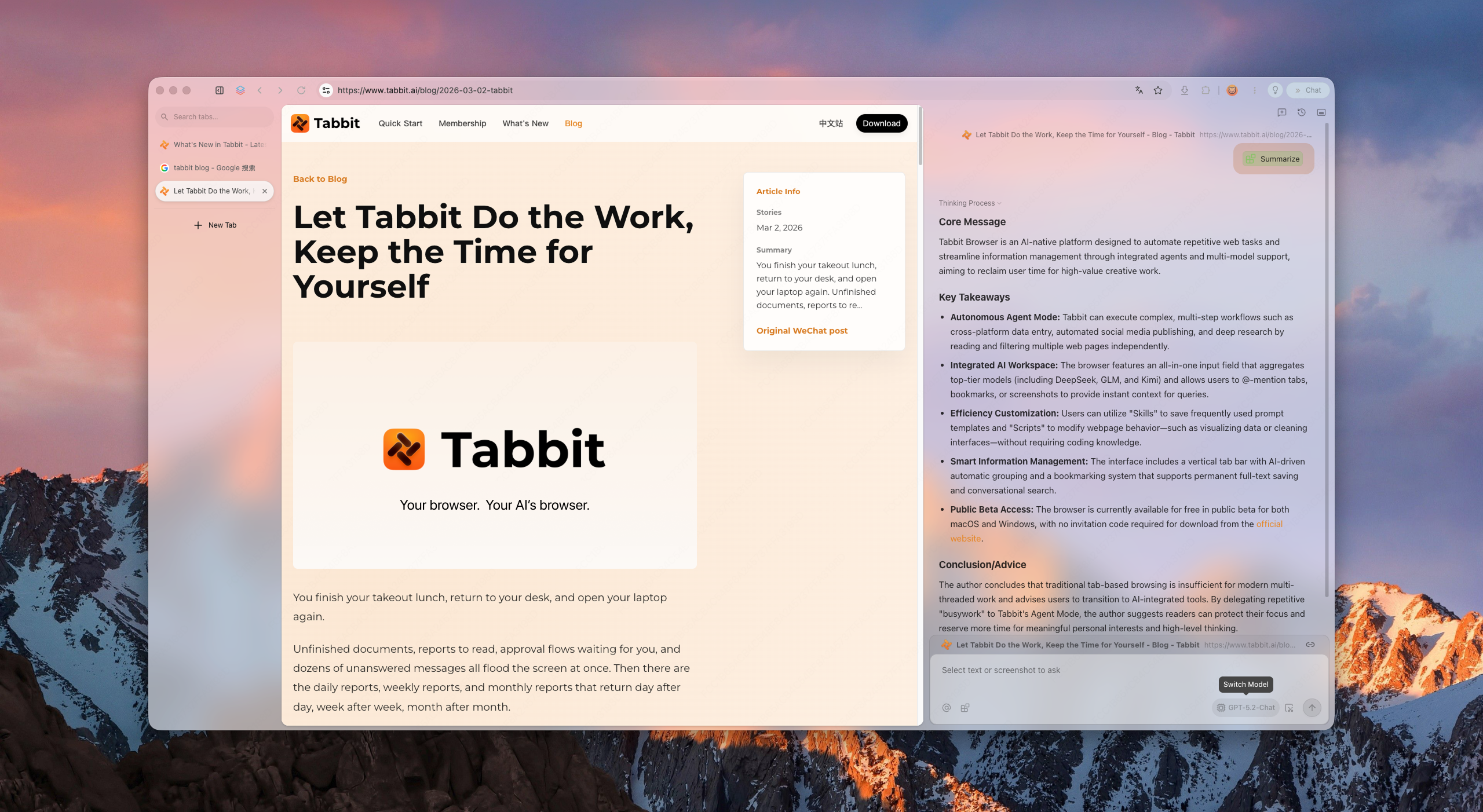
Vertical sidebar, smart grouping, and project-based workspaces keep hundreds of tabs scannable without collapse.
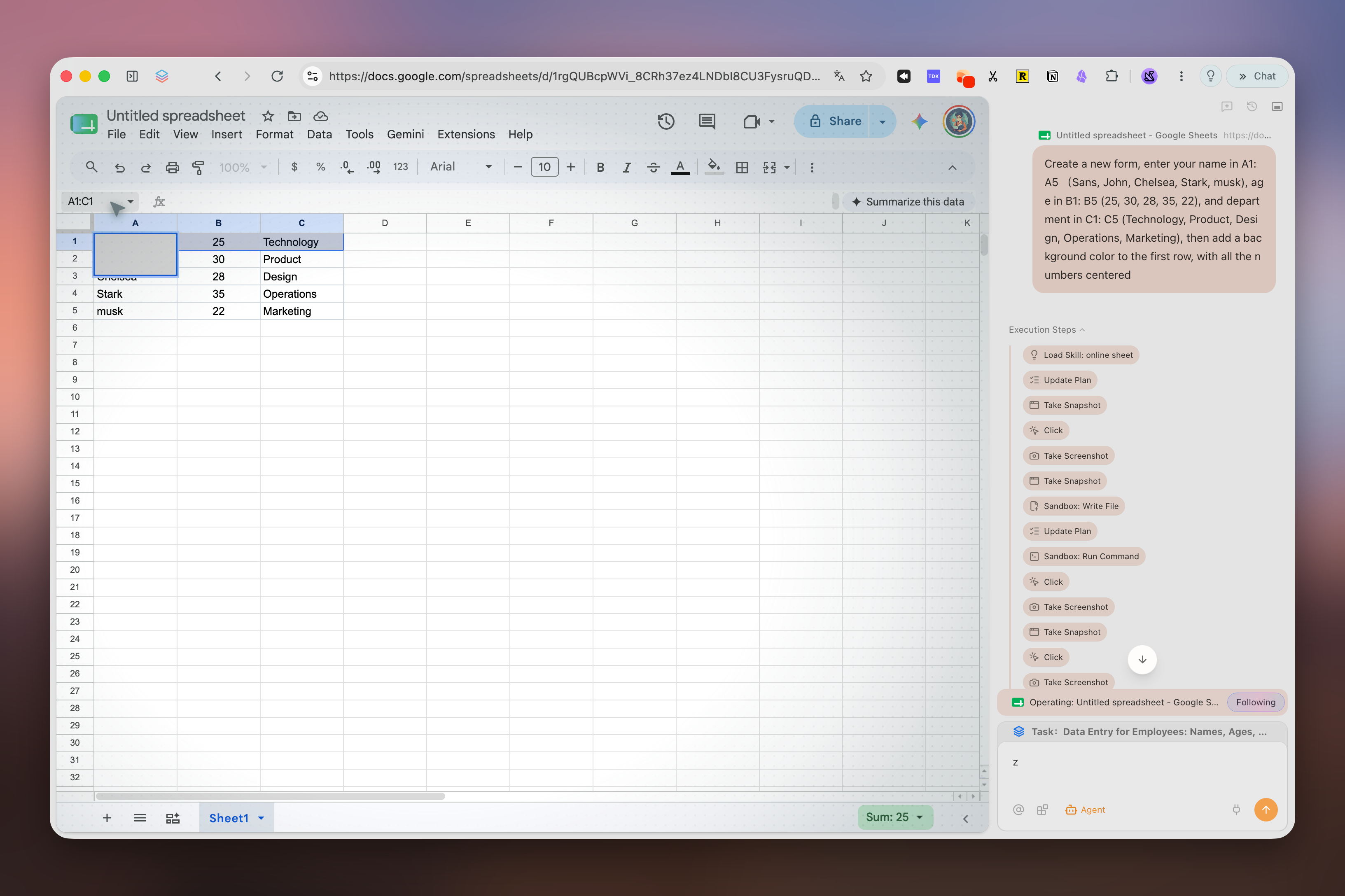
Ask the browser to research, compare, or file. It runs in its own tab group and pauses for your approval before acting on logged-in sites.
Save prompts and scripts as reusable Skills. Model availability and usage allowances depend on your current plan.
Cambio
Separa marcadores y contraseñas de Workspaces, pestañas fijadas, Mods y complementos Firefox. Estos últimos no pasan directamente a Chromium.
Usa la biblioteca de marcadores de Firefox en Zen para exportar HTML. Un CSV de contraseñas queda sin cifrar: elimínalo después de importarlo.
Importa solo lo compatible, instala extensiones equivalentes y prueba inicios de sesión, marcadores y dos flujos reales. Conserva Zen durante la prueba.
Recrea espacios y atajos manualmente. Con IA, empieza por una investigación de solo lectura y revisa las fuentes antes de automatizar acciones.
Comparación
La selección parte del catálogo All Browsers y añade Helium por su presencia en las conversaciones actuales sobre cambiar desde Zen.
Revisado el 15 de septiembre de 2026. Se comparan funciones de escritorio; la disponibilidad cambia según versión, cuenta y región.
| Navegador | Motor de escritorio | Plataformas | Pestañas y espacios | IA integrada | Ideal para |
|---|---|---|---|---|---|
| TabbitFunciones oficiales | Chromium (Blink) | macOS, Windows | Pestañas verticales, agrupación inteligente y pestañas Agent separadas | Agent, Deep Research y modelos según el plan | Trabajo con IA entre páginas |
| HeliumFunciones oficiales | Chromium (Blink) | macOS, Windows, Linux · beta | Cuatro diseños, pestañas verticales, grupos, vista dividida e hibernación | — | Escritorio compacto y privado |
| VivaldiFunciones oficiales | Chromium (Blink) | macOS, Windows, Linux | Pilas, mosaico, espacios e hibernación | — | Personalización profunda |
| BraveFunciones oficiales | Chromium (Blink) | macOS, Windows, Linux | Pestañas verticales y grupos | Leo, varios modelos y BYOM | Bloqueo integrado de anuncios y rastreadores |
| Mozilla FirefoxFunciones oficiales | Gecko | macOS, Windows, Linux | Pestañas verticales, grupos y contenedores | Chatbots opcionales en la barra lateral | Código abierto, complementos Firefox y Linux |
| Arc BrowserFunciones oficiales | Chromium (Blink) | macOS, Windows | Spaces, pestañas verticales y Split View | Arc Max opcional | Espacios de trabajo pulidos al estilo Arc |
| DiaFunciones oficiales | Chromium (Blink) | macOS 14+; lista beta de Windows | Conversaciones laterales y pestañas agrupadas | Dia AI; sujeto a plan y prueba | Navegación con IA en Mac compatibles |
FAQ
It depends on your priority. Arc is the visual workspace pioneer; Vivaldi is the most customizable; Brave is the privacy-first choice. If you want workspace discipline plus agentic AI and Chromium compatibility, Tabbit is the strongest AI-native alternative.
No. Tabbit is a separate Chromium product built around page context, Agent Mode, model choice, and Skills.
Yes. Tabbit provides macOS and Windows downloads. Zen also supports both platforms and additionally supports Linux.
Many Chrome/Edge extensions can be installed because Tabbit uses Chromium, but check every essential extension individually. Extension settings and Firefox add-ons do not transfer automatically from Zen.
Zen is a Firefox-based browser centered on workspace design and customization. Tabbit uses Chromium and centers page context, Agent Mode, Skills, and model choice according to the current plan.
It means the browser can execute tasks for you—research, form filling, data aggregation—instead of only showing pages or answering chat prompts.
Tabbit is free to download. AI usage, model access and Agent allowances depend on the current membership plan.
Use any Download button on this page. It opens Tabbit’s download flow, detects your platform, and lets you choose macOS or Windows if automatic detection is inconclusive.
Descarga Tabbit, conserva Zen y prueba un flujo de solo lectura antes de mover tu perfil principal.