Firefox 부가 기능, Linux, 오픈 소스, Zen Mods
Zen 유지
Zen은 Firefox/Gecko 기반이며 Mozilla 부가 기능과 macOS, Windows, Linux를 지원합니다.
Zen 전환 가이드 · 2026 업데이트
Firefox, Linux, 세밀한 UI 제어가 중요하면 Zen을 유지하세요. Chromium 확장은 Vivaldi나 Brave, macOS/Windows에서 페이지 맥락과 브라우저 작업이 필요하면 Tabbit을 살펴보세요.
빠른 결론
Zen은 계속 개발 중인 좋은 브라우저입니다. Firefox 기반, 확장 생태계 또는 AI 방식이 맞지 않을 때만 대안을 고려하면 됩니다.
Firefox 부가 기능, Linux, 오픈 소스, Zen Mods
Zen은 Firefox/Gecko 기반이며 Mozilla 부가 기능과 macOS, Windows, Linux를 지원합니다.
Chrome 웹 스토어 확장과 세밀한 UI 설정
Vivaldi는 Chromium 기반이며 AI 자동화보다 탭과 레이아웃 설정에 중점을 둡니다.
Chromium 호환성과 기본 개인정보 보호
Zen형 워크스페이스보다 차단과 개인정보 보호가 중요할 때 맞습니다.
여러 페이지의 AI 맥락과 다단계 웹 작업
Tabbit은 페이지 맥락, Agent Mode, 재사용 가능한 Skills를 macOS와 Windows에서 제공합니다.
Firefox와 Chromium 확장은 서로 다른 패키지입니다. 주 프로필을 옮기기 전에 필수 확장을 하나씩 확인하세요.
사용자가 전환하는 이유
전환은 엔진, 확장, OS, AI가 활용할 브라우저 맥락의 깊이에 따라 결정됩니다.
Zen은 Firefox 기반이므로 일부 Chrome/Edge 확장과 SSO 프로필이 작동하지 않습니다. 워크스페이스 규율을 희생하지 않고 호환성을 원합니다.
장식이 적고, 경쟁하는 표면이 적으며, 레이아웃이 방해하지 않습니다.
요약은 2026년의 기준입니다. 다음 단계는 양식을 채우고 조사하는 에이전트입니다.
Zen은 macOS, Windows, Linux를, Tabbit은 macOS와 Windows를 지원합니다. Linux에서는 Zen을 유지하거나 다른 지원 브라우저를 선택하세요.
지금 사용자가 묻는 것
최근 토론은 완전한 Zen 복제품보다 장시간 성능, Essentials형 고정 탭, 동기화, DRM, Helium·Vivaldi·Brave의 차이에 집중합니다.
커뮤니티 글은 수요 신호이지 통제된 벤치마크가 아닙니다. 같은 사이트, 확장, 미디어를 자신의 기기에서 시험하세요.
시장 개관
중립적인 짧은 목록입니다. Tabbit은 AI 네이티브 옵션으로 포지셔닝됩니다.
컴팩트한 신생 Chromium 브라우저
4개 레이아웃, 세로 탭, 분할 보기, Chromium 확장, 탭 최대 절전을 지원하는 오픈 소스 데스크톱 브라우저입니다. 현재 동기화, 모바일 버전, Widevine DRM은 지원하지 않습니다.
추천: 가볍고 Zen에 가까운 데스크톱 구성
Visual workspace pioneer
The original spatial browser. Beautiful, but its future is unclear and platform coverage has been limited.
Best for: layout purists
Power-user toolbox
Chromium-based, highly customizable, with vertical tabs and split views. Heavier, but familiar to tinkerers.
Best for: customization nerds
Privacy-first default
Chromium-based with built-in ad blocking and privacy features. Less opinionated workspace design.
Best for: privacy users
Open-source legacy
Zen's own family tree. Great for privacy and open-web ideals, but weaker AI execution layer.
Best for: open-source believers
AI-native workspace
Keeps workspace discipline and adds page context, agentic execution, model choice by plan, and reusable Skills.
Best for: AI-first productivity
왜 Tabbit인가
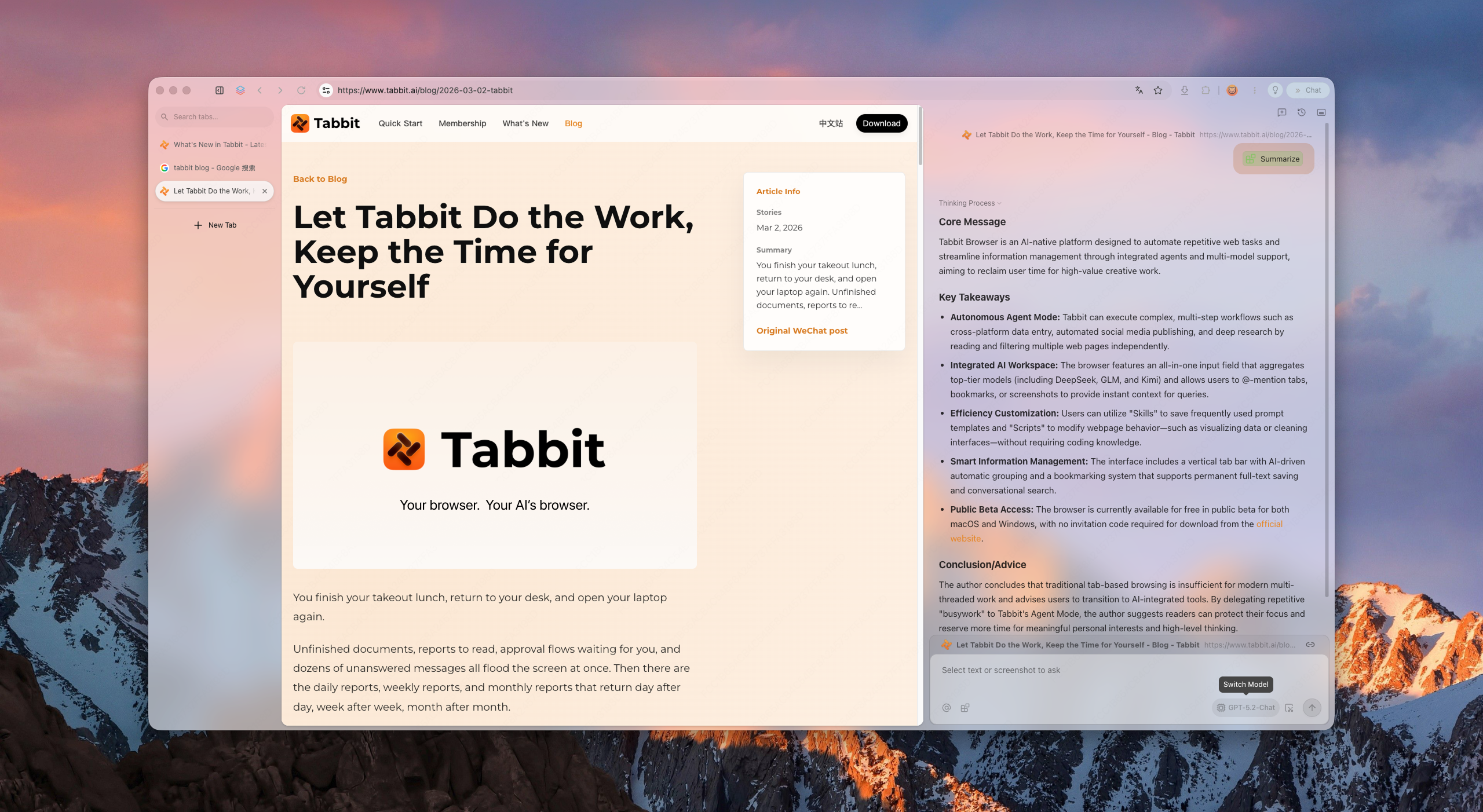
Tabbit keeps the spatial habits Zen trained you to expect: vertical rhythm, structured workspaces, and a calm surface. But it upgrades the intelligence layer to agents that can read pages, fill forms, and deliver results—only after you approve each sensitive step.
Tabbit supports model choice and reusable Skills for recurring workflows. Available models and Agent allowances depend on the current membership plan.
얻는 것
Vertical sidebar, smart grouping, and project-based workspaces keep hundreds of tabs scannable without collapse.
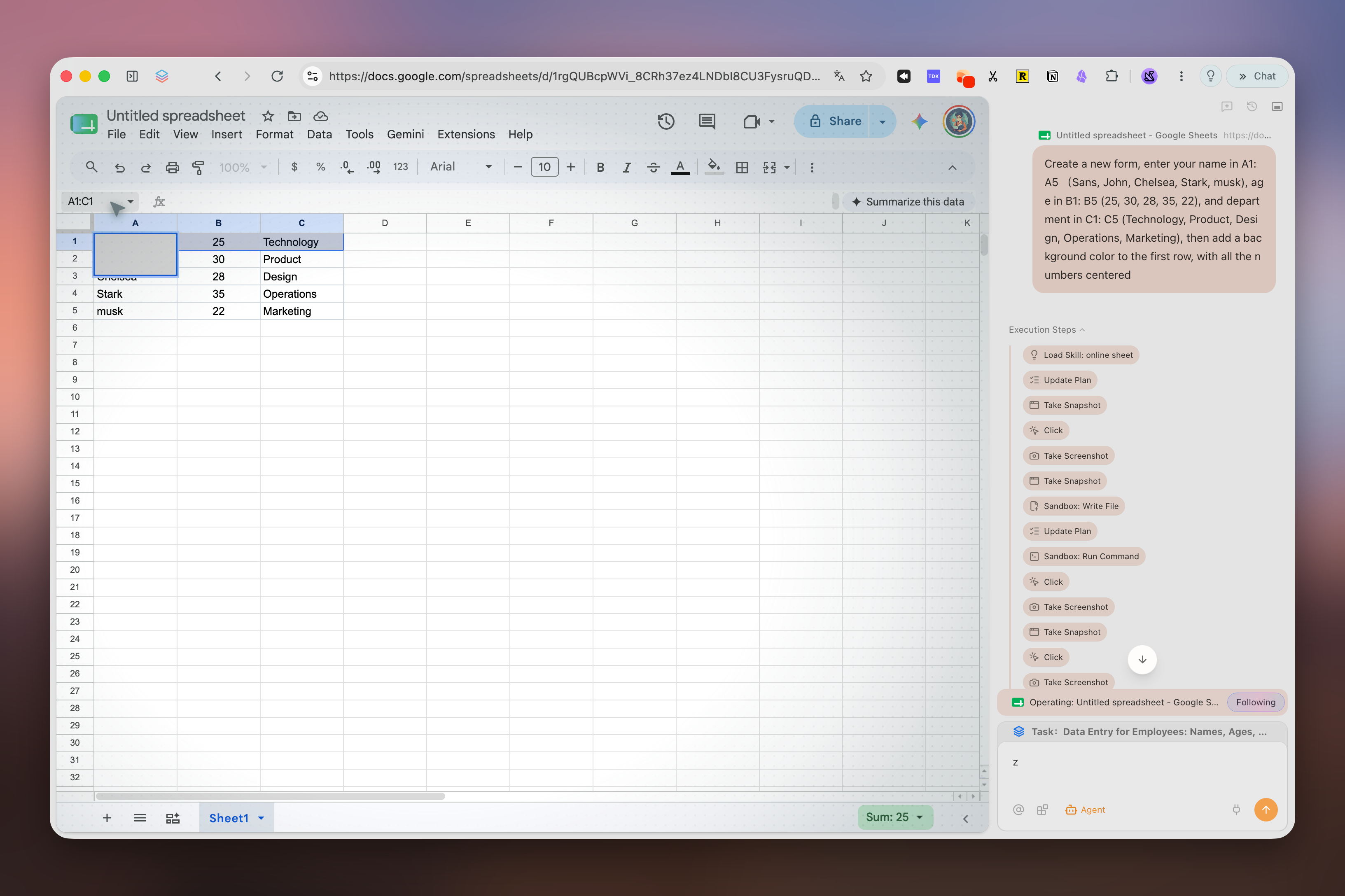
Ask the browser to research, compare, or file. It runs in its own tab group and pauses for your approval before acting on logged-in sites.
Save prompts and scripts as reusable Skills. Model availability and usage allowances depend on your current plan.
전환
북마크와 비밀번호를 Zen 전용 Workspaces, 고정 탭, Mods, Firefox 부가 기능과 분리하세요. 후자는 Chromium으로 직접 이전되지 않습니다.
Zen의 Firefox 북마크 라이브러리에서 HTML을 내보냅니다. 비밀번호 CSV는 평문이므로 가져온 뒤 삭제하세요.
지원되는 데이터만 가져오고 대체 확장을 설치한 뒤 로그인, 북마크, 실제 작업 두 가지를 확인하세요. 시험 중에는 Zen을 유지하세요.
워크스페이스와 단축키를 수동으로 재구성하세요. AI 브라우저는 읽기 전용 조사부터 시작하고 작업 전에 출처를 검토하세요.
비교
All Browsers 목록에서 가까운 후보를 고르고, 현재 Zen 전환 토론의 핵심인 Helium을 추가했습니다.
2026년 9월 15일 검토. 데스크톱 기능 기준이며 제공 범위는 버전, 계정, 지역에 따라 달라집니다.
| 브라우저 | 데스크톱 엔진 | 플랫폼 | 탭과 워크스페이스 | 내장 AI | 추천 용도 |
|---|---|---|---|---|---|
| Tabbit공식 기능 | Chromium (Blink) | macOS, Windows | 세로 탭, 스마트 그룹, 별도 Agent 탭 | Agent, Deep Research, 플랜별 다중 모델 | 페이지를 넘나드는 AI 작업 |
| Helium공식 기능 | Chromium (Blink) | macOS, Windows, Linux · 베타 | 4개 레이아웃, 세로 탭, 그룹, 분할 보기, 최대 절전 | — | 컴팩트한 개인정보 보호 데스크톱 |
| Vivaldi공식 기능 | Chromium (Blink) | macOS, Windows, Linux | 탭 스택, 타일링, 워크스페이스, 최대 절전 | — | 세밀한 UI와 탭 맞춤 설정 |
| Brave공식 기능 | Chromium (Blink) | macOS, Windows, Linux | 세로 탭과 탭 그룹 | Leo, 다중 모델, BYOM | 기본 광고·추적기 차단 |
| Mozilla Firefox공식 기능 | Gecko | macOS, Windows, Linux | 세로 탭, 탭 그룹, 컨테이너 | 선택형 사이드바 챗봇 | 오픈 소스, Firefox 부가 기능, Linux |
| Arc Browser공식 기능 | Chromium (Blink) | macOS, Windows | Spaces, 세로 탭, Split View | 선택형 Arc Max | 정돈된 Arc형 워크스페이스 |
| Dia공식 기능 | Chromium (Blink) | macOS 14+; Windows 베타 대기 | 사이드바 대화와 그룹 탭 | Dia AI, 플랜·체험 조건 적용 | 지원되는 Mac의 AI 중심 브라우징 |
FAQ
It depends on your priority. Arc is the visual workspace pioneer; Vivaldi is the most customizable; Brave is the privacy-first choice. If you want workspace discipline plus agentic AI and Chromium compatibility, Tabbit is the strongest AI-native alternative.
No. Tabbit is a separate Chromium product built around page context, Agent Mode, model choice, and Skills.
Yes. Tabbit provides macOS and Windows downloads. Zen also supports both platforms and additionally supports Linux.
Many Chrome/Edge extensions can be installed because Tabbit uses Chromium, but check every essential extension individually. Extension settings and Firefox add-ons do not transfer automatically from Zen.
Zen is a Firefox-based browser centered on workspace design and customization. Tabbit uses Chromium and centers page context, Agent Mode, Skills, and model choice according to the current plan.
It means the browser can execute tasks for you—research, form filling, data aggregation—instead of only showing pages or answering chat prompts.
Tabbit is free to download. AI usage, model access and Agent allowances depend on the current membership plan.
Use any Download button on this page. It opens Tabbit’s download flow, detects your platform, and lets you choose macOS or Windows if automatic detection is inconclusive.
Tabbit을 다운로드하고 Zen을 유지한 채 읽기 전용 작업 하나를 시험한 뒤 주 프로필 이전을 결정하세요.