01
Mac build
Opera GX desktop
Opera’s GX product page links to a Mac desktop download.
MAC FIELD NOTES / OPERA GX
Need the Mac download, a chip check, or a realistic look at GX controls? Start with the evidence, then choose the browser that fits the work you actually do.
THE MAC CHECK
Confirm the floor before you install.
A current MacUpdate listing reports Intel 64, Apple silicon and macOS 13 or later. Treat that as a dated listing snapshot and re-check Opera’s requirements page before installing.
Chip
Intel + Apple silicon
Both architectures appear in the current Mac listing
Listing
v135.0.5973.57
MacUpdate snapshot fetched 30 Aug 2026
Caution
Verify before install
Version and requirements can change
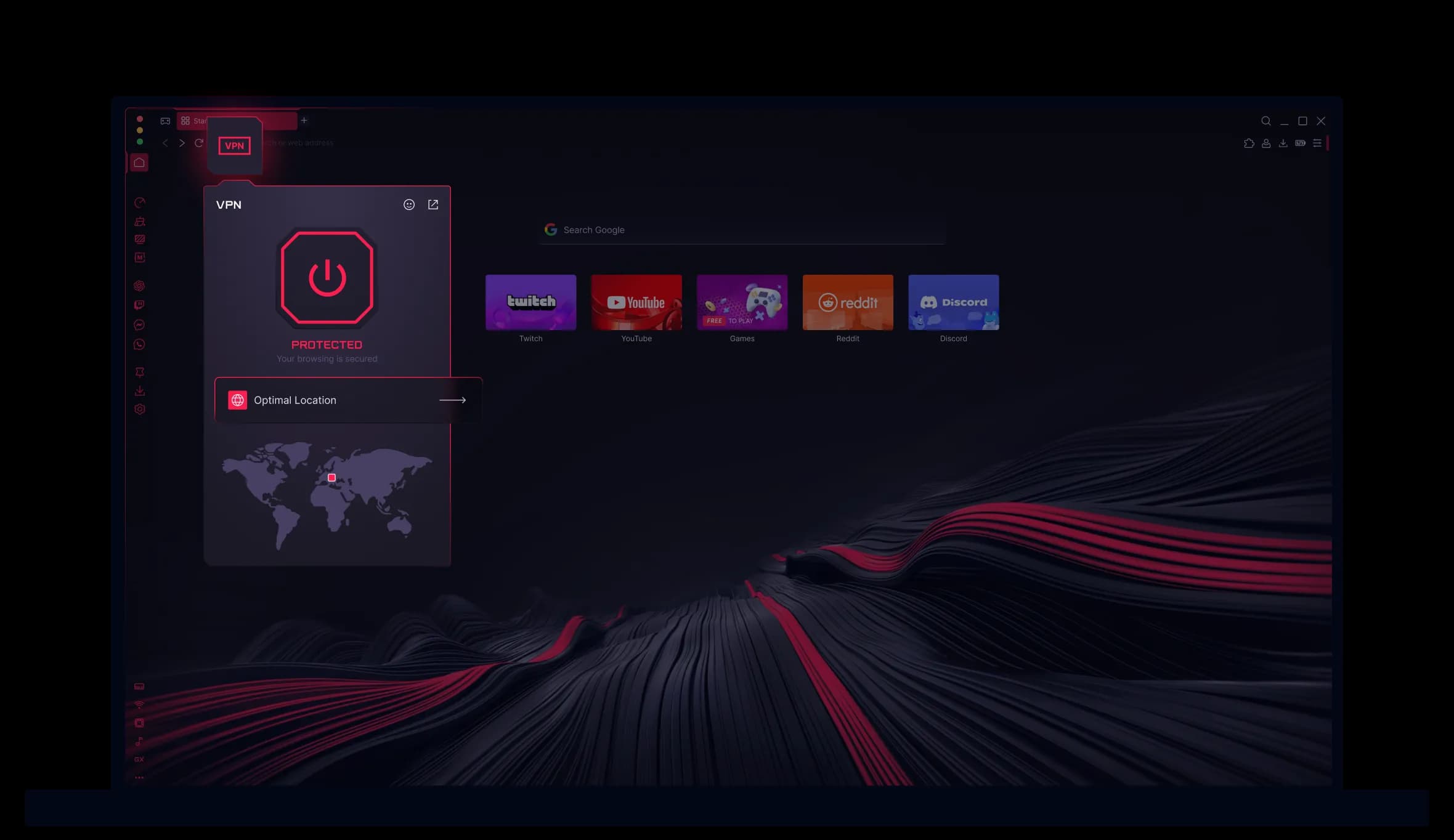
01 / MAC FACTS
The official Opera page is the source of truth for a current download. The figures below are explicitly labelled as the third-party listing snapshot we could verify today.
Mac build
Opera’s GX product page links to a Mac desktop download.
Architecture
MacUpdate lists both architecture options for the current entry.
Version
A point-in-time listing value, not a promise about your download.
Download size
The size shown by MacUpdate on the checked listing.
System line
*Reported by MacUpdate; confirm the official requirements page first.
Source date
The listing shows this update date; software pages move quickly.
Evidence: Opera official links + MacUpdate snapshot · checked 30 Aug 2026
02 / INSTALL ROUTE
Keep the download path simple: use Opera’s official GX page, verify the Mac details, then let macOS handle the application install. Never use a random mirror just because its button is larger.
Use Opera’s GX page and follow its Mac download link. The page can change by region, so check the current product and requirements text.
About This Mac shows your chip. Compare it with the download listing and confirm the current macOS requirement before saving the installer.
Open the downloaded installer and follow the macOS prompts. If macOS asks whether to open an app from the internet, verify the source and publisher before continuing.
Use Opera’s first-run or settings import flow for bookmarks and other offered data. Export a backup first; do not assume cookies, profiles or extensions will move perfectly.
03 / COMPATIBILITY SNAPSHOT
This table keeps a useful fact separate from a permanent guarantee. MacUpdate’s entry is a convenient snapshot; Opera’s own requirements page should win whenever the two differ.
| Check | Current listing | How to read it |
|---|---|---|
| 01CPU | Intel 64 + Apple silicon | Both Mac chip families are listed; don’t infer a performance result from that label. |
| 02macOS | 13 or later | A MacUpdate requirement line, not an evergreen Opera promise. |
| 03Version | 135.0.5973.57 | Snapshot checked 30 Aug 2026; your official download may be newer. |
| 04Package size | 301.2 MB | Listing size can change with each build and packaging update. |
| 05Before launch | Re-check Opera requirements | Use the official page for the version and region you are about to install. |
No universal-binary, minimum-version, benchmark or battery claim is made beyond the dated listing fields above.
04 / GX CONTROL ON MAC
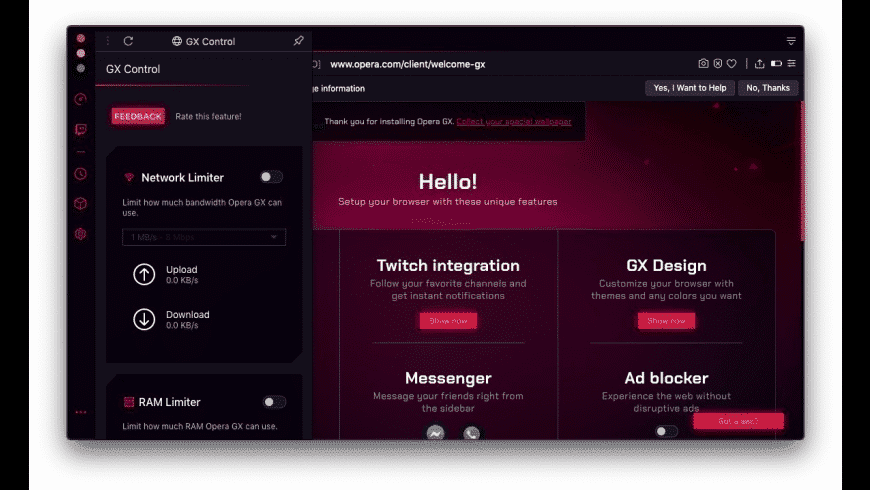
The Mac screenshots show GX Control with Network Limiter and RAM Limiter controls. That makes the feature tangible; it does not make a performance promise for every game, tab set or Mac model.
RAM
RAM Limiter can help you choose a browser budget when a game, editor or video call needs room. Watch the result instead of assuming the cap is always optimal.
NETWORK
Network Limiter is a control for browser traffic. It can make sharing a connection more predictable, but it cannot improve a slow connection or a busy game server.
SIDEBAR
Twitch, GX Corner, Messenger, themes and pop-out video are part of the GX proposition. Whether they earn their space depends on your routine and tolerance for a feature-dense browser.
05 / PERFORMANCE & BATTERY
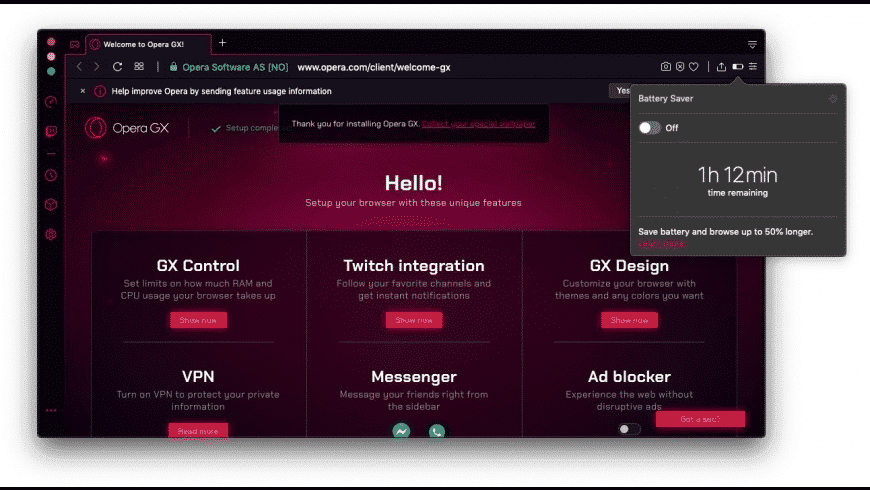
A battery-saver label in a product screenshot proves that the UI exists. It does not prove a fixed number of extra hours on your Mac. Real battery life depends on tabs, video, games, brightness, background apps and the chip in your machine.
What the controls can do
What they cannot promise
If a setting makes a site unstable, turn it off, isolate extensions and check Opera’s current support documentation before changing system settings.
06 / WHEN THE TASK IS BIGGER THAN A BROWSER SKIN
Opera GX is a gaming-oriented browser with visible controls. Tabbit is an AI-native browser for research and web work: summaries stay beside the page, and Agent workflows can handle multi-step browser actions.

READ
Keep the article open while Tabbit’s side panel extracts the core message and useful takeaways. That is a different value proposition from a gaming overlay.

EXECUTE
Tabbit Agent can read pages, extract information, fill forms and run multi-step workflows. Review the task and the result before submitting anything consequential.
Choose by job: GX Control is about browser resource knobs; Tabbit is about browser context, research and action. They are not benchmark competitors.
07 / AFTER INSTALL
These are practical directions, not promises about one exact Opera build. Menu labels can move between macOS and browser versions.
01
In macOS, open System Settings → Desktop & Dock → Default web browser and choose Opera GX. For sites, review Opera’s privacy and site-permission controls; grant camera, microphone or notification access only when the site needs it.
02
Use the browser’s import flow for the data it offers, and export bookmarks/passwords as a backup first. Verify saved passwords, extensions, profiles and cookies one by one instead of assuming a perfect copy.
03
Quit Opera GX, move it from Applications to Trash, then remove profile data only if you are sure you no longer need it. If launch, login or password-saving issues persist—especially after a chip or profile change—check Opera support/forums before deleting data.
08 / QUICK ANSWERS
Yes. Opera has an official GX product page with a Mac desktop download path. Use the official page rather than a mirror, and confirm its current requirements for your region and version.
The MacUpdate listing checked for this guide shows both Intel 64 and Apple silicon. Treat that as a dated listing field and confirm the package offered by Opera before installing.
MacUpdate reported macOS 13 or later on the checked listing. Requirements can change, so verify Opera’s official requirements page immediately before downloading; this page does not present the listing as a permanent guarantee.
The checked Mac screenshot shows GX Control with Network Limiter and RAM Limiter controls, and the listing describes CPU control as well. That confirms the controls are presented in the Mac build; it is not a benchmark or a promise of better battery life.
Not automatically. Resource limiters let you cap browser use, while battery life depends on your complete workload and hardware. Test settings on your own tabs and games instead of trusting a fixed hour or speed claim.
Use macOS System Settings → Desktop & Dock → Default web browser. For permissions, review Opera’s site settings and macOS privacy prompts; the exact labels can differ by macOS and Opera version.
Usually you can start with Opera’s import flow for supported bookmarks and other offered data. Back up bookmarks and passwords first, then verify profiles, cookies, extensions and saved logins individually; do not assume every item migrates.
Quit Opera GX and move the app from Applications to Trash. Remove its profile/support data only after deciding that you do not need saved local data. For login, password or launch problems, check Opera support before deleting the profile.
A DIFFERENT KIND OF MAC BROWSER
Download Tabbit for Mac and keep research, summaries, context and browser actions in one AI-native workspace.
Available through Tabbit’s official download flow · choose your platform there