01 / tabs01
Readable tabs
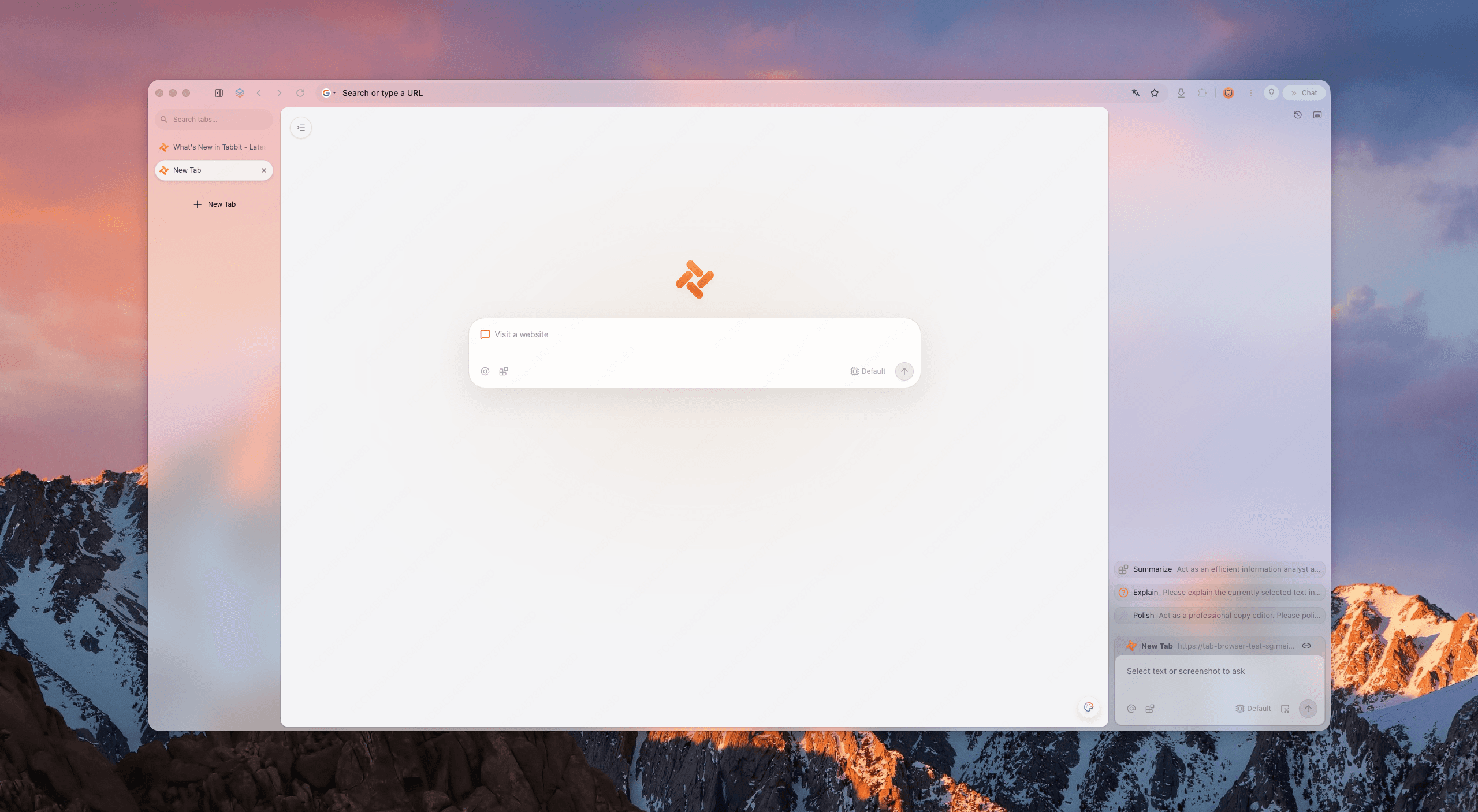
Vertical tabs keep the full page title in view. Pin the few that matter and fold the rest away.
FULL TITLES
A quieter way to work online
A clean browser does not ask you to do less. It puts every tab, task, and AI action where it belongs—so the page you are reading stays the page you are working on.
CLEAN SCREEN / REAL WORK
01 focus canvas
The five-signal test
Use five quick signals to judge any productivity browser. Tabbit is designed to pass all five without hiding the power underneath.
Vertical tabs keep the full page title in view. Pin the few that matter and fold the rest away.
FULL TITLES
The browser frame recedes. Your active page gets the width, contrast, and attention it needs.
LOW NOISE
Agent tasks run beside your focus—not as a pop-up that covers the work in front of you.
NO OVERLAY
Workspaces keep clients, classes, and side projects from becoming one long tab soup.
CLEAR CONTEXT
Background work stays visible enough to trust, quiet enough to let you think.
QUIETLY ACTIVE
Proof, not promises
The cleanest productivity browser is not a blank screen. It is a browser that separates reading, organizing, and execution.
Open a report, design file, or spreadsheet and keep it readable. Tabbit’s vertical navigation gives your active page room to breathe.
When you need a quick answer, keep the source and the context together. The summary lane stays available without taking over your reading surface.
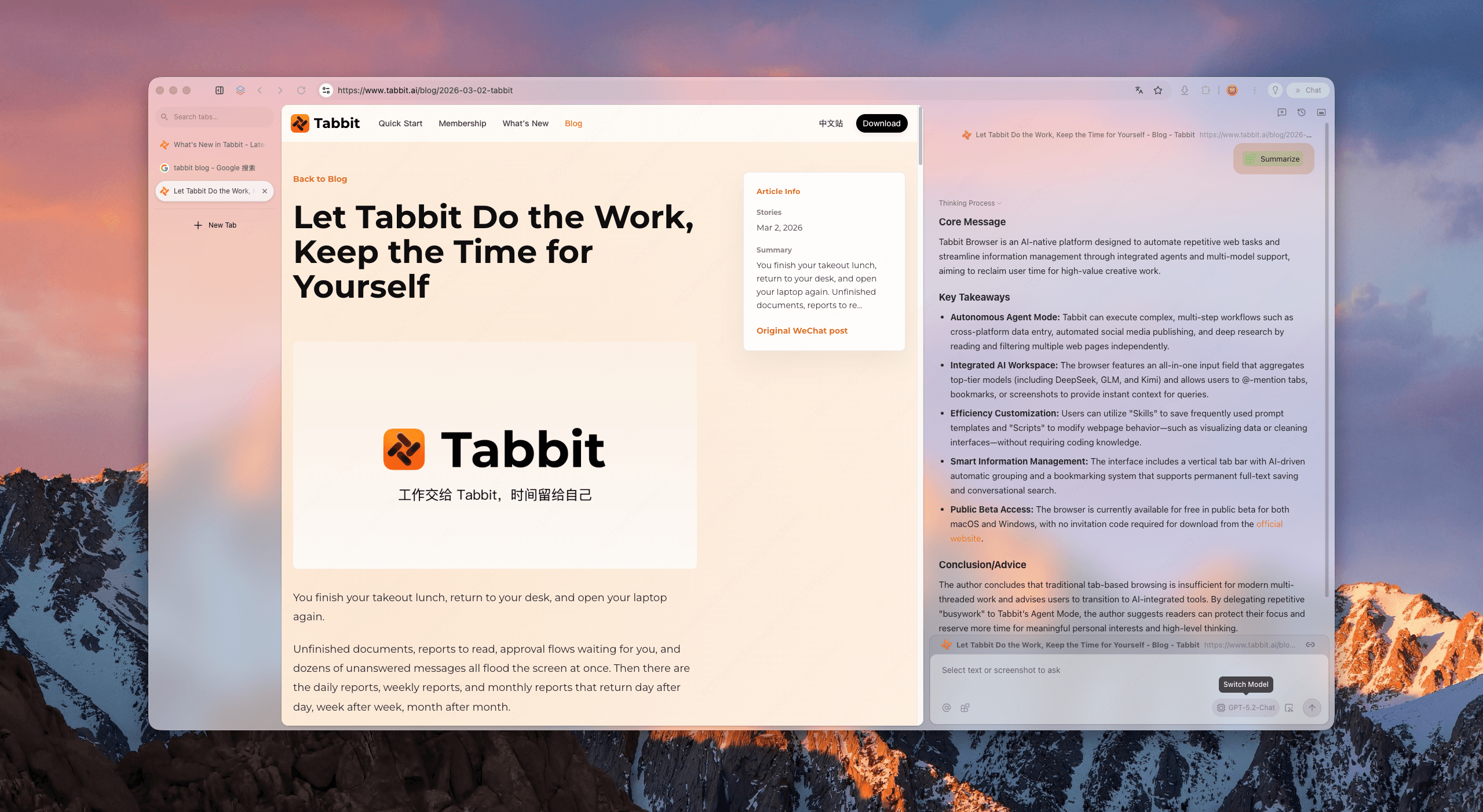
Data entry and multi-step browser work can run in a dedicated lane. You keep the decision; Tabbit handles the clicks.
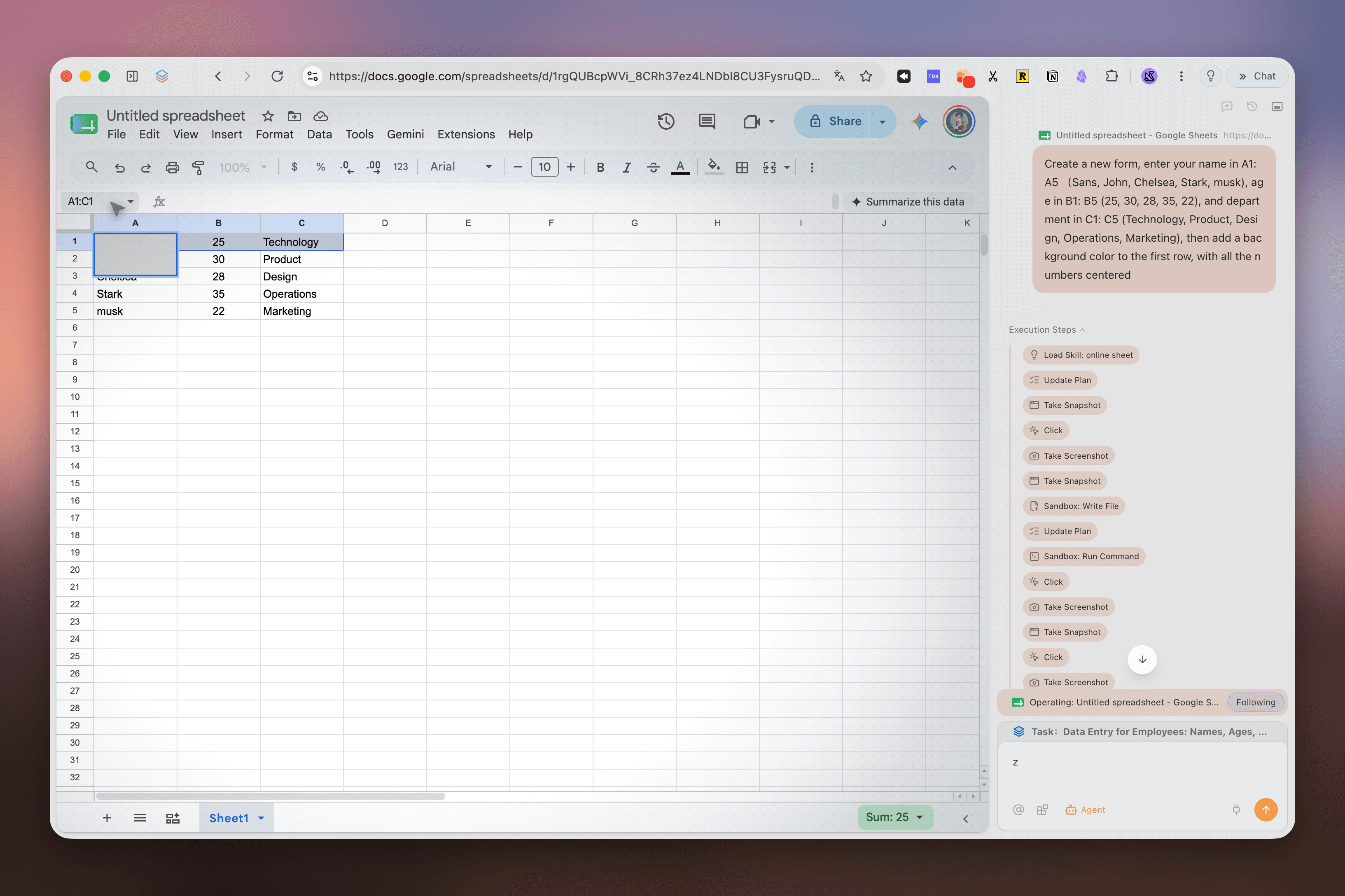
Deep research turns scattered search results into a visible sequence of steps, sources, and findings you can return to.
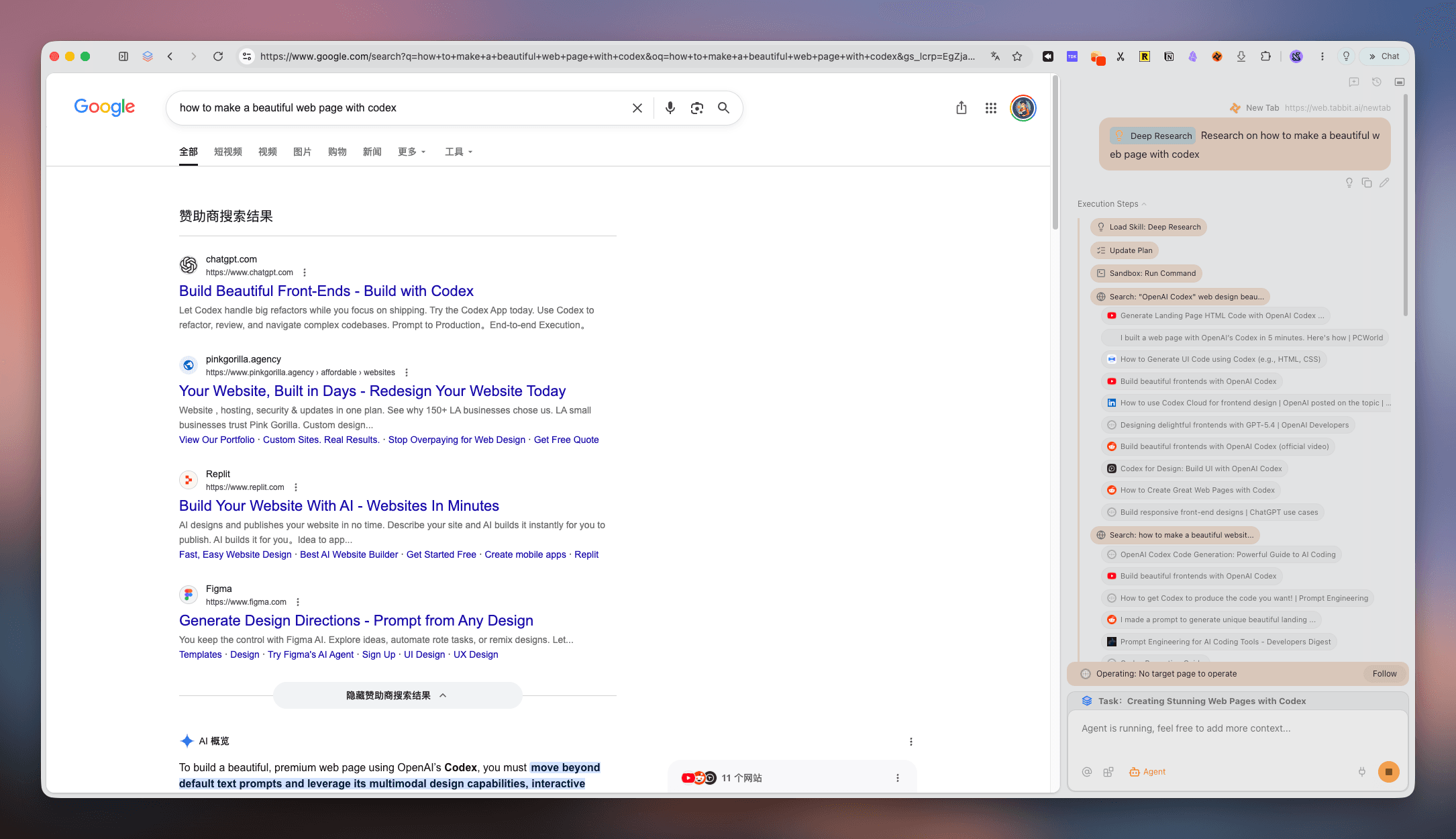
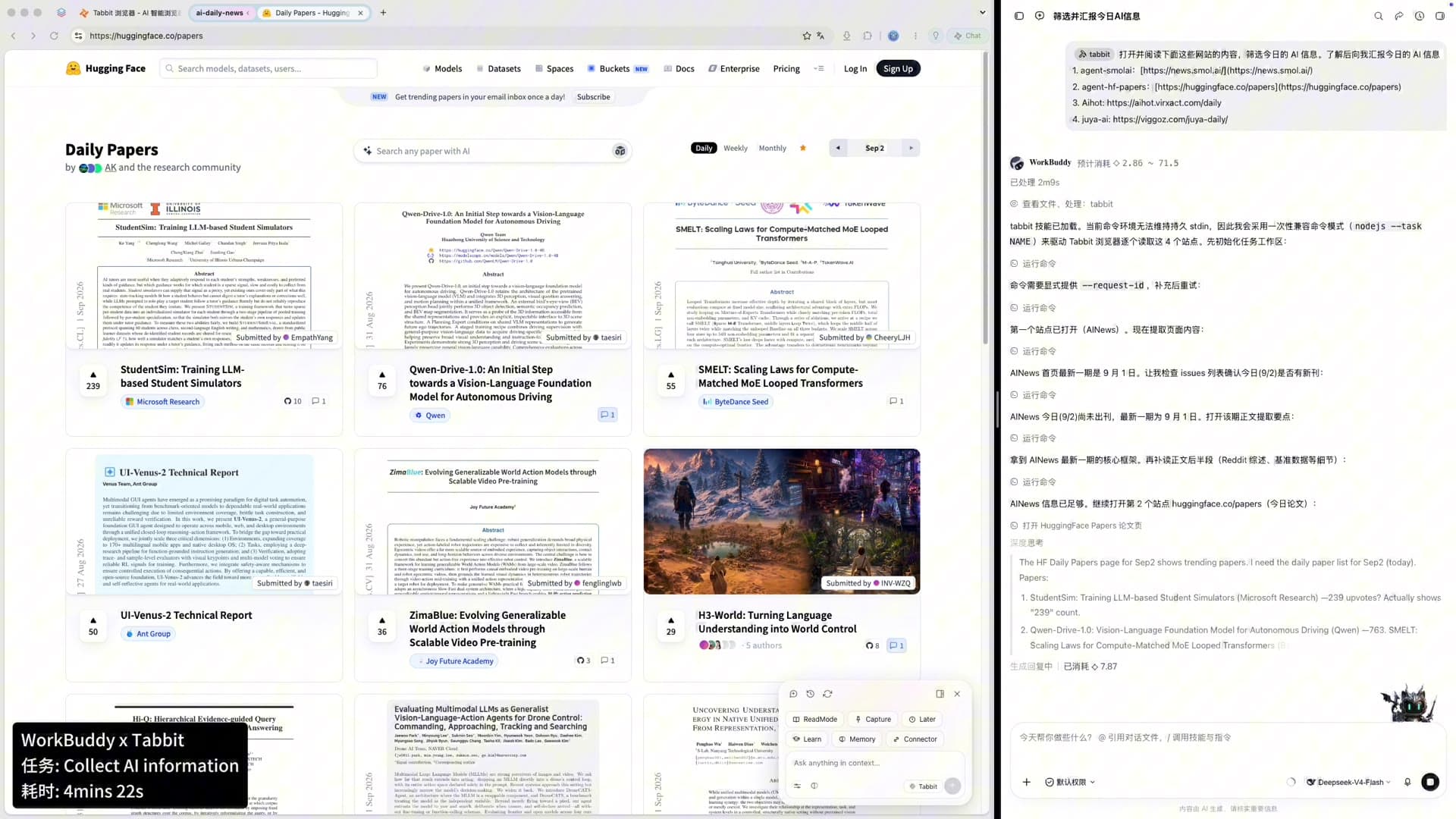
Collect papers, news, and updates in one focused surface. The information arrives organized, ready for the next decision.
A clean work loop
A good productivity browser makes the handoff between thinking and doing feel obvious.
A useful comparison
Feature availability changes over time. This comparison focuses on workflow shape, not a universal performance ranking.
| Signal | Tabbit | Chrome | Arc | Zen |
|---|---|---|---|---|
| Full-title vertical tabs | Native | Extension | Native | Native |
| Project workspaces | Smart groups | Tab groups | Spaces | Workspaces |
| AI beside, not over, content | Isolated Agent lane | Sidebar / extensions | Ask Arc | Extensions |
| Parallel browser tasks | Agent lane | Manual tabs | Manual | Manual |
| Mac and Windows | Free beta | Yes | Limited | Yes |
Questions, answered cleanly
It is a browser that reduces visual and cognitive clutter without removing the tools you need. Tabbit combines vertical tabs, workspaces, and an isolated Agent lane so focus and execution can coexist.
No. Minimalism often means fewer features. Cleanliness means clear structure: Tabbit keeps AI and automation available while moving them out of the way when you are reading or deciding.
Horizontal tabs lose their titles quickly. A vertical list keeps more context visible, making it easier to find the right page without opening several tabs just to check what they contain.
Yes. Use separate workspaces for clients, classes, or projects. Show the one you need and tuck the rest away so contexts do not bleed together.
Tabbit is designed around an isolated Agent lane and contextual side panels. The goal is to keep the main page readable while AI work continues beside it.
Yes. Agent tasks can work through multi-step browser flows such as research or data entry while you stay in your focus workspace.
Tabbit is free during the public beta on macOS and Windows. Download it from the official Tabbit site to get started.
Yes. Start by importing the browser data you need, then reorganize active tabs into focused workspaces as you go.
Make room for the work
Bring your tabs, research, and browser tasks into one calm workspace.
macOS · Windows · Public beta