01 / onglets01
Onglets lisibles
Les onglets verticaux affichent le titre complet. Épinglez l’essentiel et repliez le reste.
TITRES COMPLETS
Une façon plus calme de travailler en ligne
Un navigateur épuré ne vous demande pas de faire moins. Il place chaque onglet, tâche et action IA au bon endroit, pour que la page lue reste la page de travail.
ÉCRAN CALME / VRAI TRAVAIL
01 canevas de focus
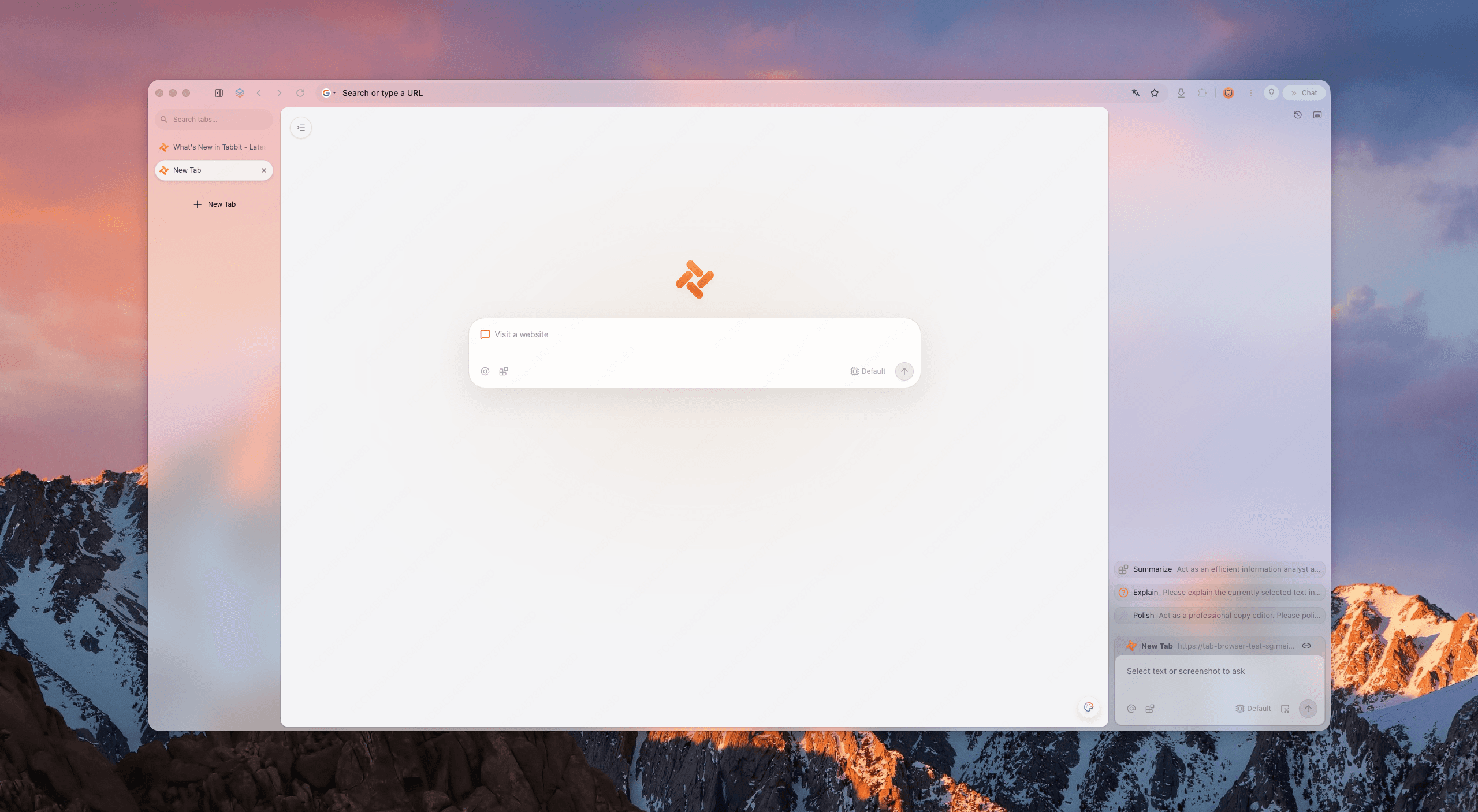
Le test des cinq signaux
Évaluez un navigateur de productivité avec cinq signaux. Tabbit est conçu pour les réunir sans cacher ses capacités.
Les onglets verticaux affichent le titre complet. Épinglez l’essentiel et repliez le reste.
TITRES COMPLETS
Le cadre du navigateur s’efface pour laisser de la place à la page active.
PEU DE BRUIT
Les tâches Agent tournent à côté de votre focus, sans fenêtre qui recouvre le travail.
SANS SUPERPOSITION
Les espaces séparent clients, cours et projets personnels.
CONTEXTE CLAIR
Le travail en arrière-plan reste assez visible pour inspirer confiance, assez discret pour ne pas distraire.
ACTIF EN SILENCE
Des preuves, pas des promesses
Le navigateur le plus épuré n’est pas un écran vide. Il sépare lecture, organisation et exécution.
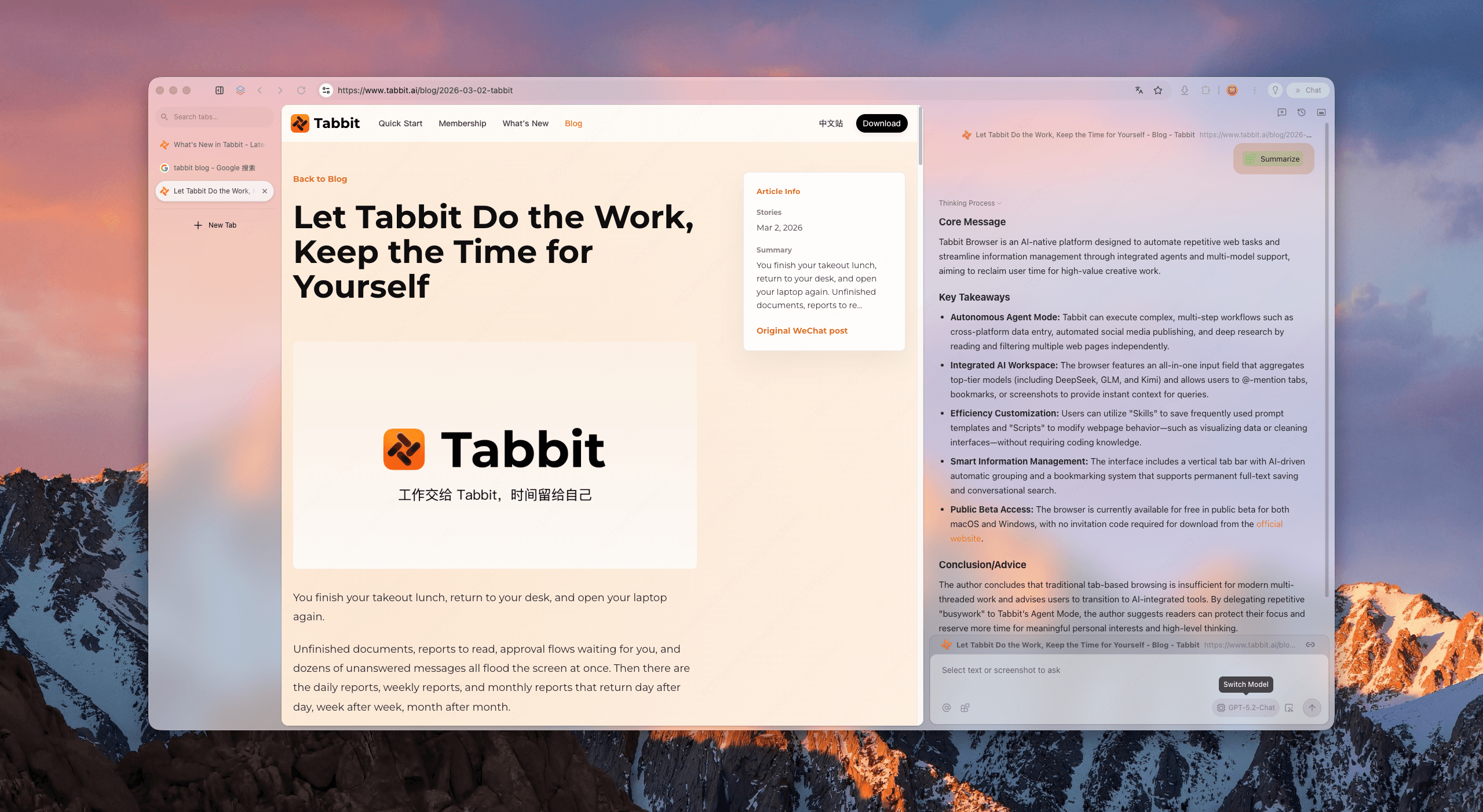
Ouvrez rapports, maquettes ou feuilles de calcul en gardant tout lisible. La navigation verticale donne de l’espace à la page active.
Gardez la source et le contexte ensemble. La voie de résumé reste disponible sans prendre votre surface de lecture.
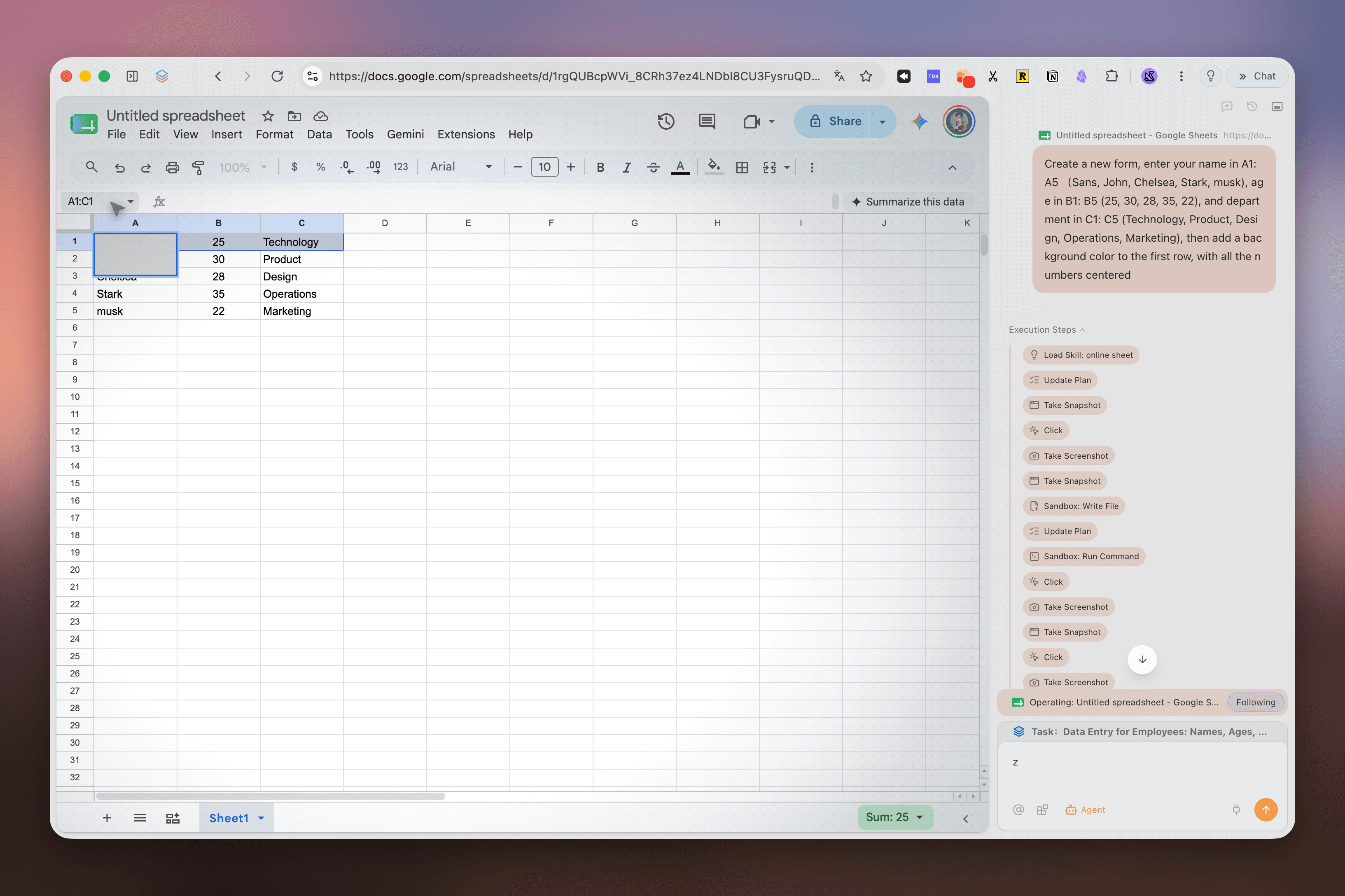
La saisie de données et les flux en plusieurs étapes peuvent s’exécuter à part. Vous gardez la décision ; Tabbit gère les clics.
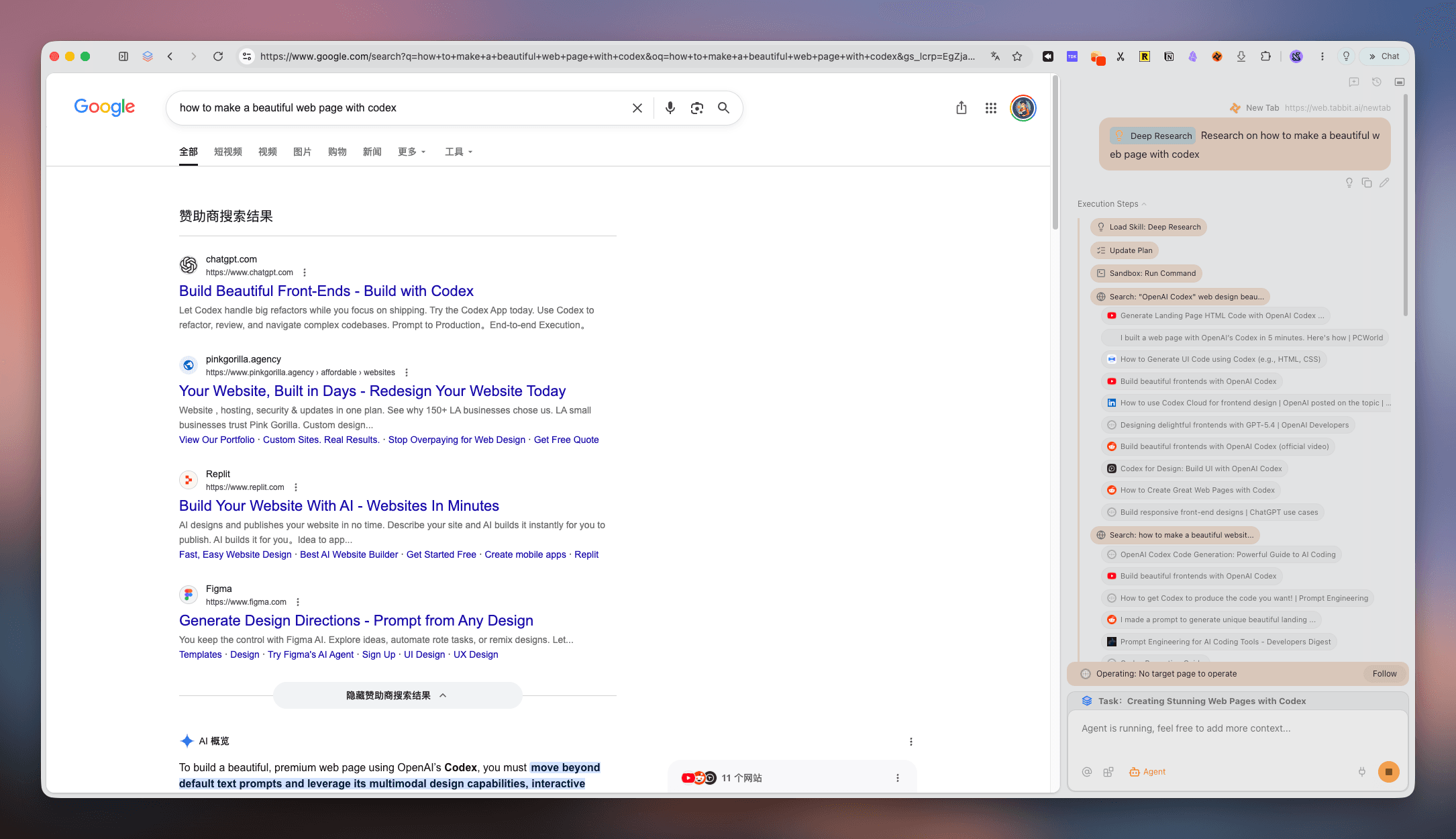
Deep Research transforme les résultats dispersés en étapes, sources et découvertes faciles à reprendre.
Réunissez articles, actualités et nouveautés sur une surface concentrée, prête pour la prochaine décision.
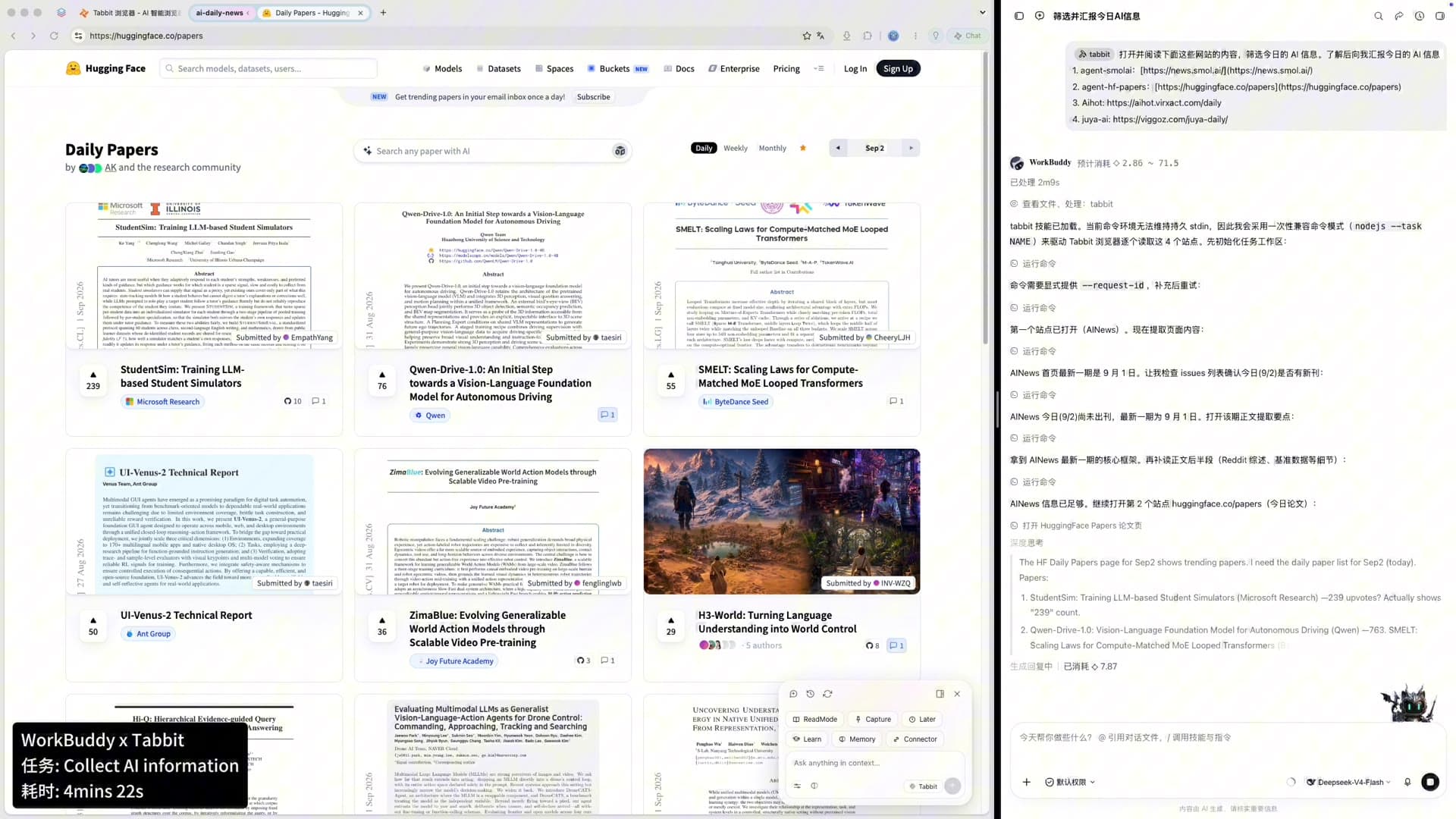
Une boucle de travail claire
Un bon navigateur de productivité rend le passage entre réflexion et action évident.
Une comparaison utile
Les fonctions évoluent. Cette comparaison porte sur la forme du flux de travail, pas sur un classement universel.
| Signal | Tabbit | Chrome | Arc | Zen |
|---|---|---|---|---|
| Onglets verticaux et titres complets | Natif | Extension | Natif | Natif |
| Espaces de projet | Groupes intelligents | Groupes d’onglets | Spaces | Workspaces |
| IA sans couvrir le contenu | Voie Agent isolée | Barre latérale / extensions | Ask Arc | Extensions |
| Tâches parallèles | Voie Agent | Onglets manuels | Manuel | Manuel |
| Mac et Windows | Bêta gratuite | Oui | Limité | Oui |
Réponses claires
C’est un navigateur qui réduit le bruit visuel et mental sans retirer les outils nécessaires. Tabbit réunit onglets verticaux, espaces et voie Agent isolée.
Non. Minimaliste signifie souvent moins de fonctions ; épuré signifie une structure claire.
Les onglets horizontaux tronquent vite les titres. Une liste verticale conserve davantage de contexte.
Oui. Créez des espaces pour vos clients, cours ou projets et n’affichez que celui dont vous avez besoin.
Tabbit s’appuie sur une voie Agent isolée et des panneaux contextuels pour garder la page principale lisible.
Oui. Agent peut effectuer des recherches ou de la saisie de données pendant que vous restez dans votre espace de focus.
Pendant la bêta publique, Tabbit est gratuit sur macOS et Windows. Téléchargez-le depuis le site officiel.
Oui. Importez les données nécessaires, puis organisez vos onglets actifs dans des espaces de focus.
Faites de la place au travail
Réunissez onglets, recherches et tâches du navigateur dans un espace calme.
macOS · Windows · Bêta publique