01 / 탭01
읽기 쉬운 탭
세로 탭에서 전체 페이지 제목을 확인하세요. 중요한 탭은 고정하고 나머지는 접습니다.
전체 제목
온라인에서 일하는 더 조용한 방법
깔끔한 브라우저는 일을 줄이지 않습니다. 탭, 작업, AI 동작을 제자리에 두어 읽는 페이지가 곧 작업하는 페이지가 되게 합니다.
깔끔한 화면 / 실제 업무
01 집중 캔버스
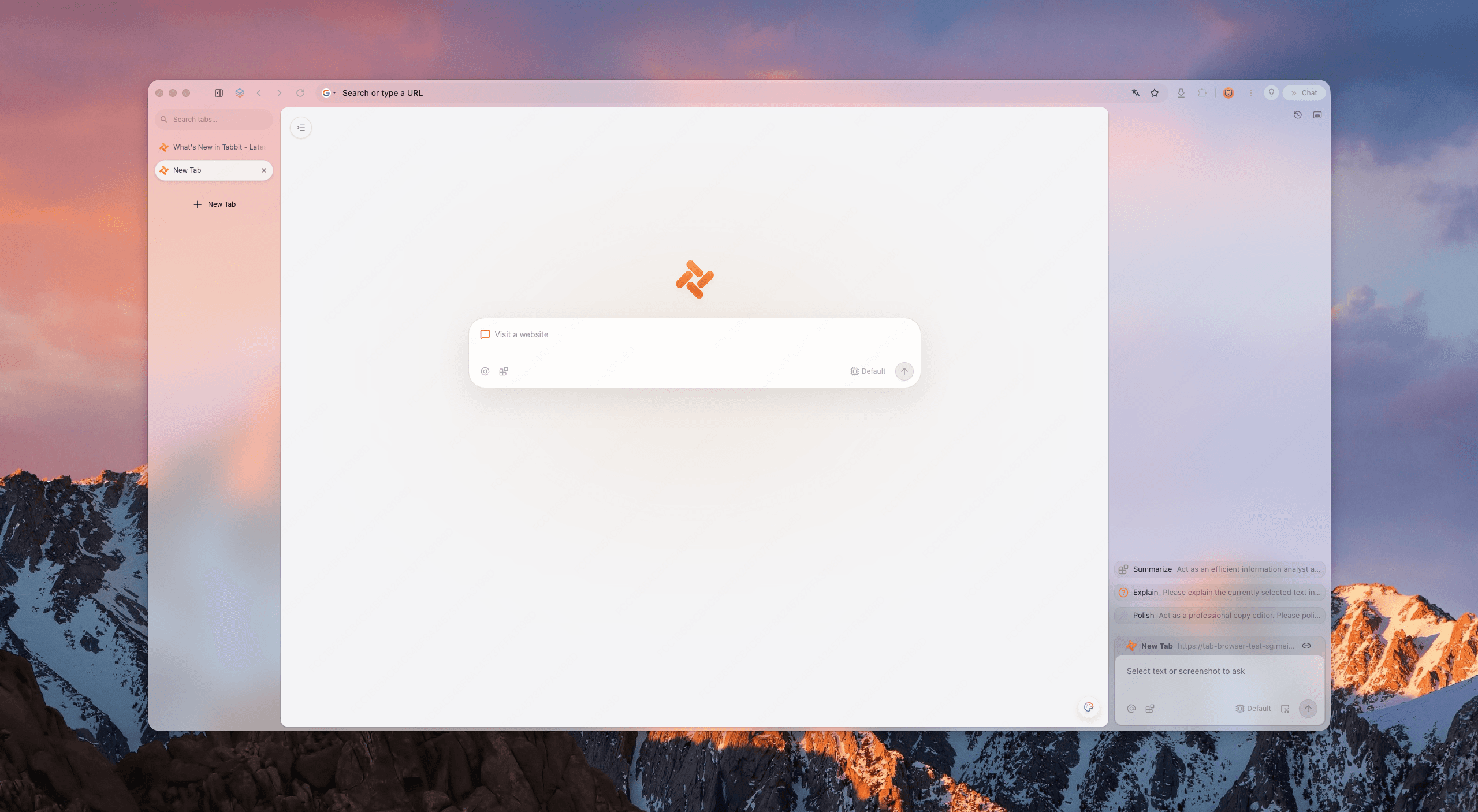
다섯 가지 신호 테스트
생산성 브라우저를 다섯 가지 신호로 판단해 보세요. Tabbit은 기능을 숨기지 않고도 모두 통과하도록 설계되었습니다.
세로 탭에서 전체 페이지 제목을 확인하세요. 중요한 탭은 고정하고 나머지는 접습니다.
전체 제목
브라우저 프레임은 뒤로 물러나고 현재 페이지에 필요한 공간과 집중을 돌려줍니다.
낮은 소음
Agent 작업은 집중 화면 옆에서 실행되어 팝업으로 업무를 가리지 않습니다.
오버레이 없음
워크스페이스로 고객, 수업, 개인 프로젝트를 분리합니다.
명확한 맥락
백그라운드 작업은 믿을 만큼 보이고 생각을 방해하지 않을 만큼 조용합니다.
조용히 실행
약속이 아닌 증거
가장 깔끔한 생산성 브라우저는 빈 화면이 아닙니다. 읽기, 정리, 실행을 분리하는 브라우저입니다.
보고서, 디자인, 스프레드시트를 읽기 좋게 엽니다. 세로 내비게이션이 현재 페이지에 공간을 줍니다.
출처와 맥락을 함께 유지합니다. 요약 레인은 읽는 화면을 차지하지 않고 필요할 때 열립니다.
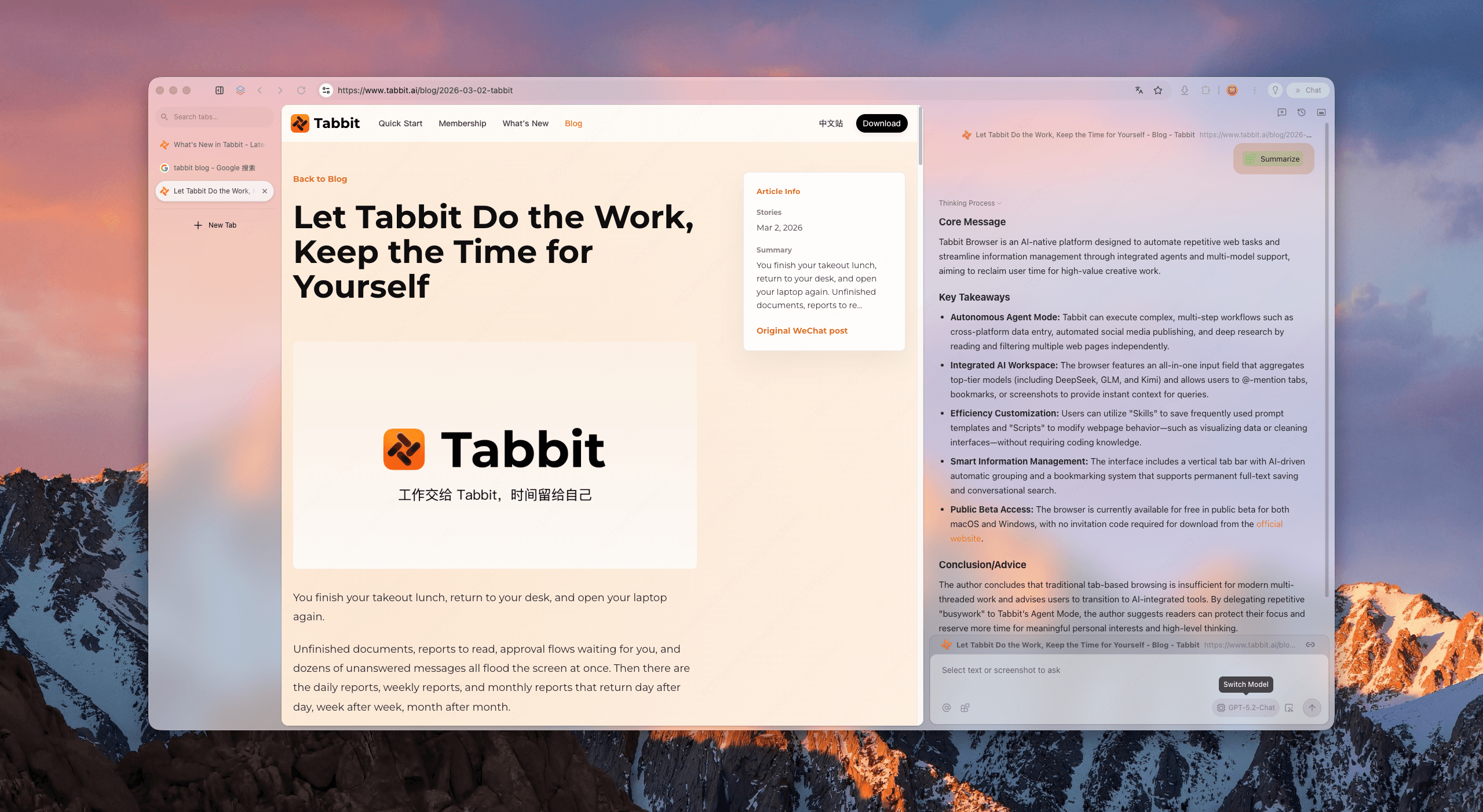
데이터 입력과 여러 단계의 브라우저 작업을 별도 레인에서 실행합니다. 판단은 당신이, 클릭은 Tabbit이 합니다.
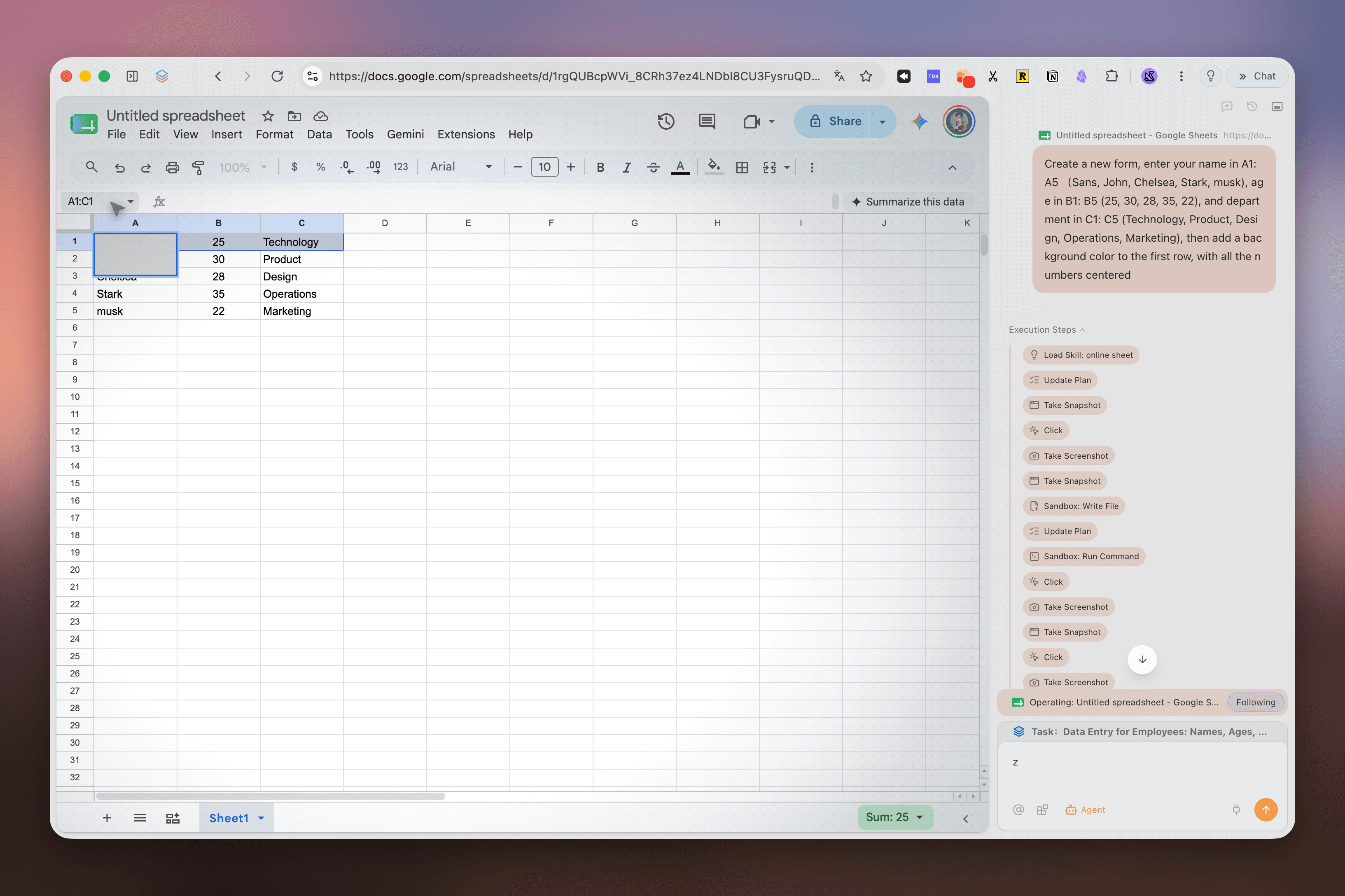
Deep Research가 검색 결과를 단계, 출처, 발견으로 정리해 다시 이어갈 수 있게 합니다.
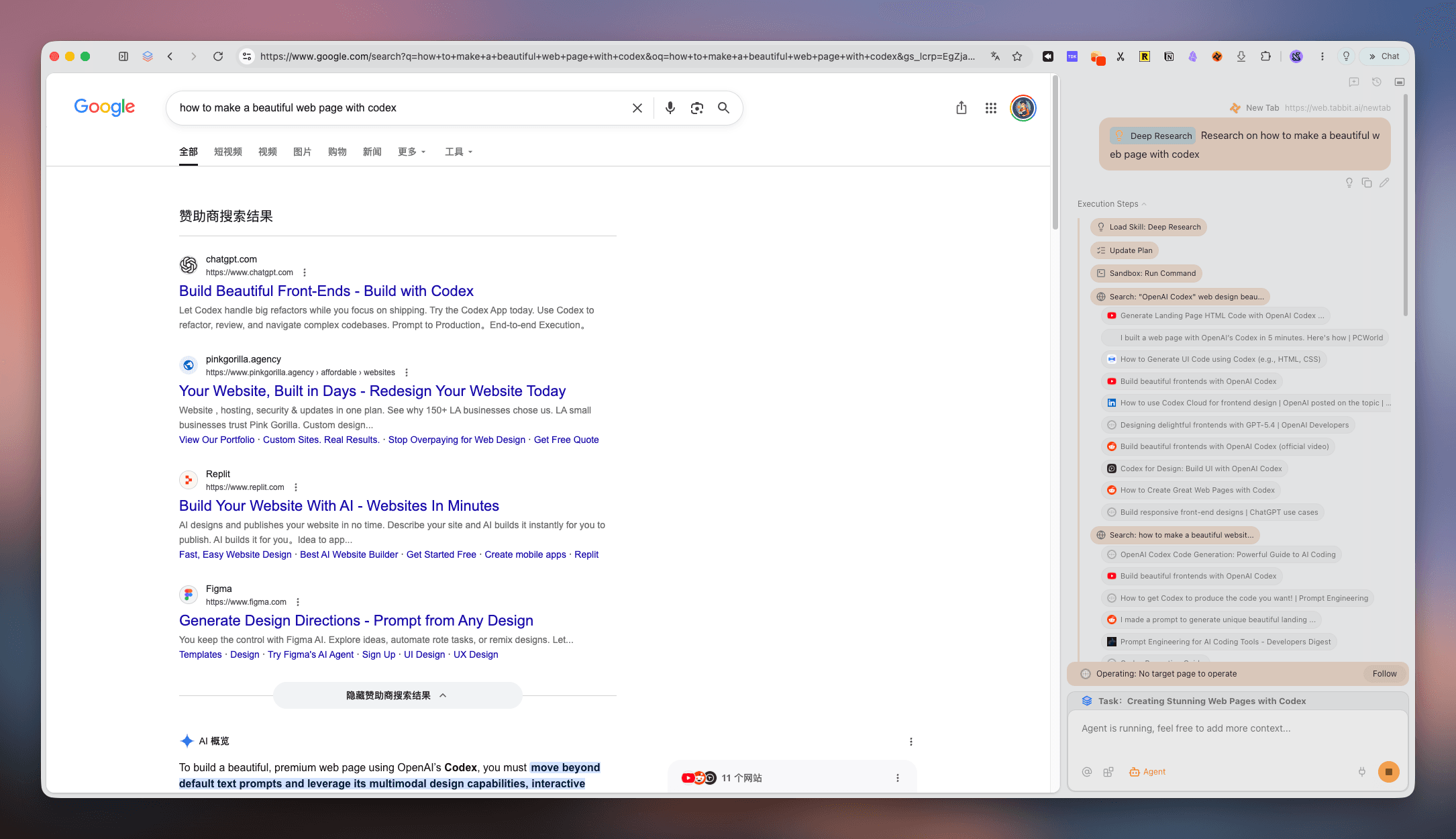
논문, 뉴스, 업데이트를 한곳에 모아 다음 판단으로 바로 넘어갑니다.
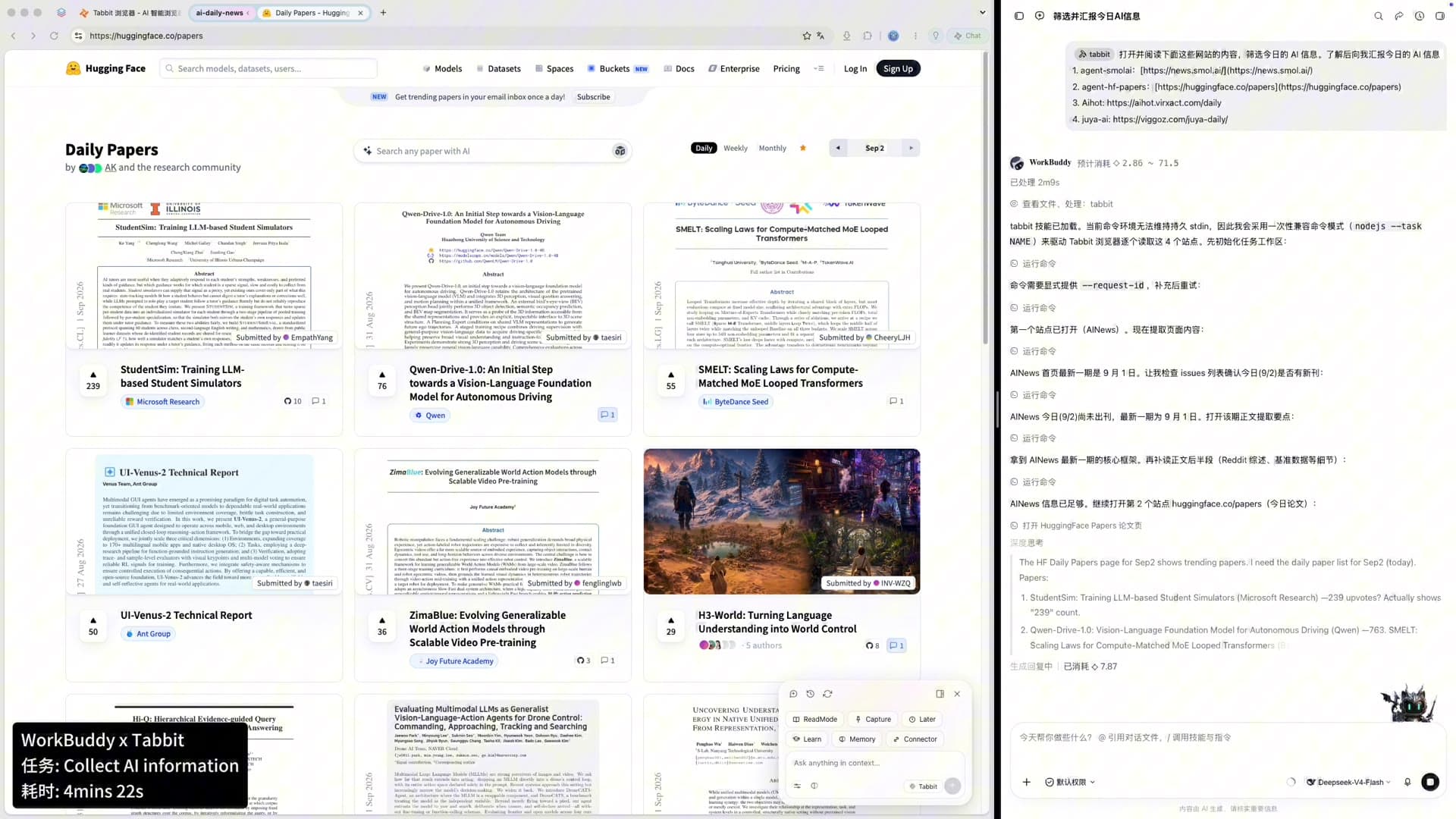
깔끔한 업무 루프
좋은 생산성 브라우저는 생각과 실행 사이의 인계를 분명하게 만듭니다.
실용적인 비교
기능은 변할 수 있습니다. 이 비교는 보편적인 순위가 아니라 각 제품의 업무 흐름을 비교합니다.
| 신호 | Tabbit | Chrome | Arc | Zen |
|---|---|---|---|---|
| 전체 제목 세로 탭 | 기본 제공 | 확장 | 기본 제공 | 기본 제공 |
| 프로젝트 워크스페이스 | 스마트 그룹 | 탭 그룹 | Spaces | Workspaces |
| 콘텐츠를 가리지 않는 AI | 격리된 Agent 레인 | 사이드바 / 확장 | Ask Arc | 확장 |
| 병렬 브라우저 작업 | Agent 레인 | 수동 탭 | 수동 | 수동 |
| Mac 및 Windows | 무료 베타 | 지원 | 제한적 | 지원 |
질문에 답합니다
필요한 도구를 유지하면서 시각적·인지적 복잡함을 줄이는 브라우저입니다. Tabbit은 세로 탭, 워크스페이스, 격리된 Agent 레인을 결합합니다.
아닙니다. 미니멀은 기능을 줄이는 것이고, 깔끔함은 구조를 분명하게 하는 것입니다.
가로 탭은 제목이 곧 잘립니다. 세로 목록은 더 많은 맥락을 보여 줍니다.
네. 고객, 수업, 프로젝트별로 나누고 필요한 공간만 표시할 수 있습니다.
격리된 Agent 레인과 맥락 패널을 중심으로 메인 페이지를 읽기 쉽게 유지하도록 설계되었습니다.
네. Agent가 리서치나 데이터 입력 같은 여러 단계의 작업을 수행합니다.
공개 베타 기간 동안 macOS와 Windows에서 무료입니다. 공식 사이트에서 다운로드하세요.
네. 필요한 데이터를 가져온 뒤 열린 탭을 집중 워크스페이스로 정리하면 됩니다.
업무를 위한 공간
탭, 리서치, 브라우저 작업을 하나의 차분한 워크스페이스로 가져오세요.
macOS · Windows · 공개 베타