Chrome Web Store is the usual path
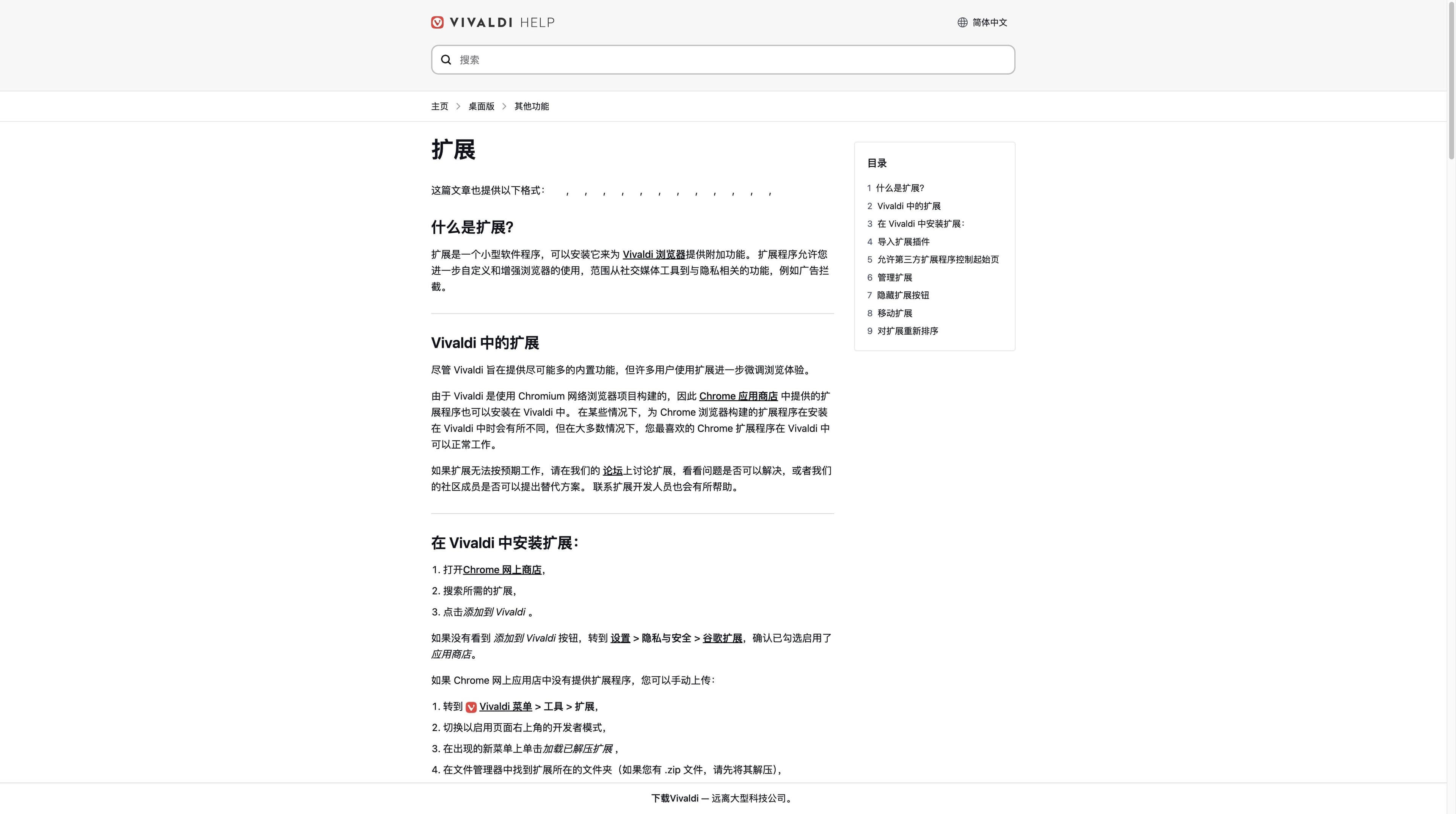
On Windows, macOS and Linux, Vivaldi’s Chromium foundation makes many Chrome Web Store extensions available. Extensions that depend on Chrome-only UI or APIs may still behave differently.
VIVALDI EXTENSIONS · A PRACTICAL FIELD GUIDE
Vivaldi desktop is Chromium-based, so many Chrome Web Store extensions can work. “Many” is the important word: browser UI assumptions, permissions and mobile platforms change the answer. Use this guide to check the fit before you install a stack.
THE SHORT ANSWER
A Chromium foundation helps on desktop, but it is not a blanket compatibility promise. The quickest decision is a three-part check.
On Windows, macOS and Linux, Vivaldi’s Chromium foundation makes many Chrome Web Store extensions available. Extensions that depend on Chrome-only UI or APIs may still behave differently.
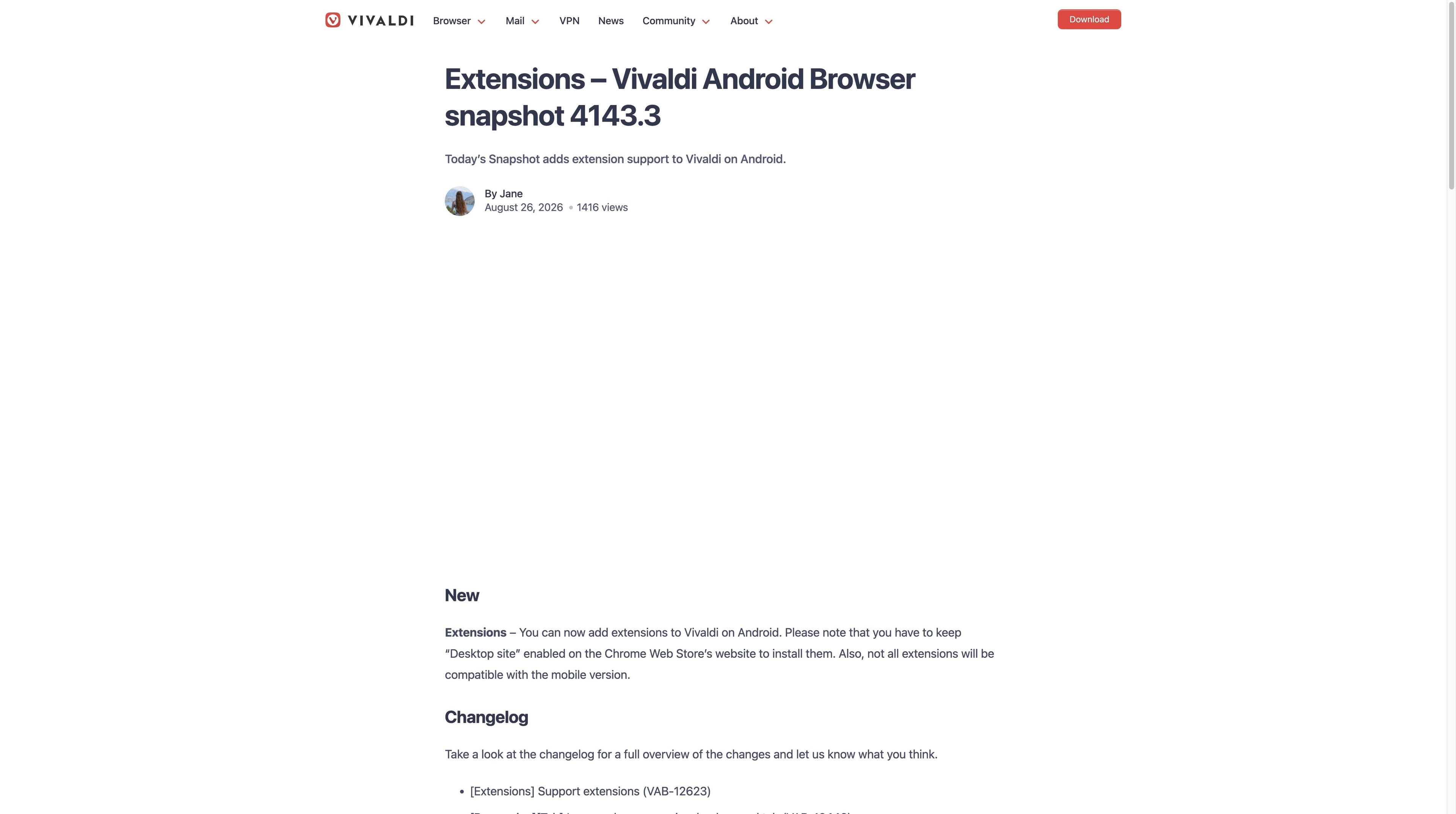
Vivaldi’s Android 4143.3 snapshot adds extension support through the Chrome Web Store when “Desktop site” is enabled, and explicitly warns that not every extension is compatible. iOS/iPadOS remains a separate app surface.
Read the publisher, requested access and update history. “Can install” answers a technical question; it does not answer whether an extension deserves access to your pages.
INSTALL & MANAGE
Use the desktop browser’s extension page and Chrome Web Store as your starting points. The labels can change between releases, so follow the current UI and stop when a permission feels broader than the job.
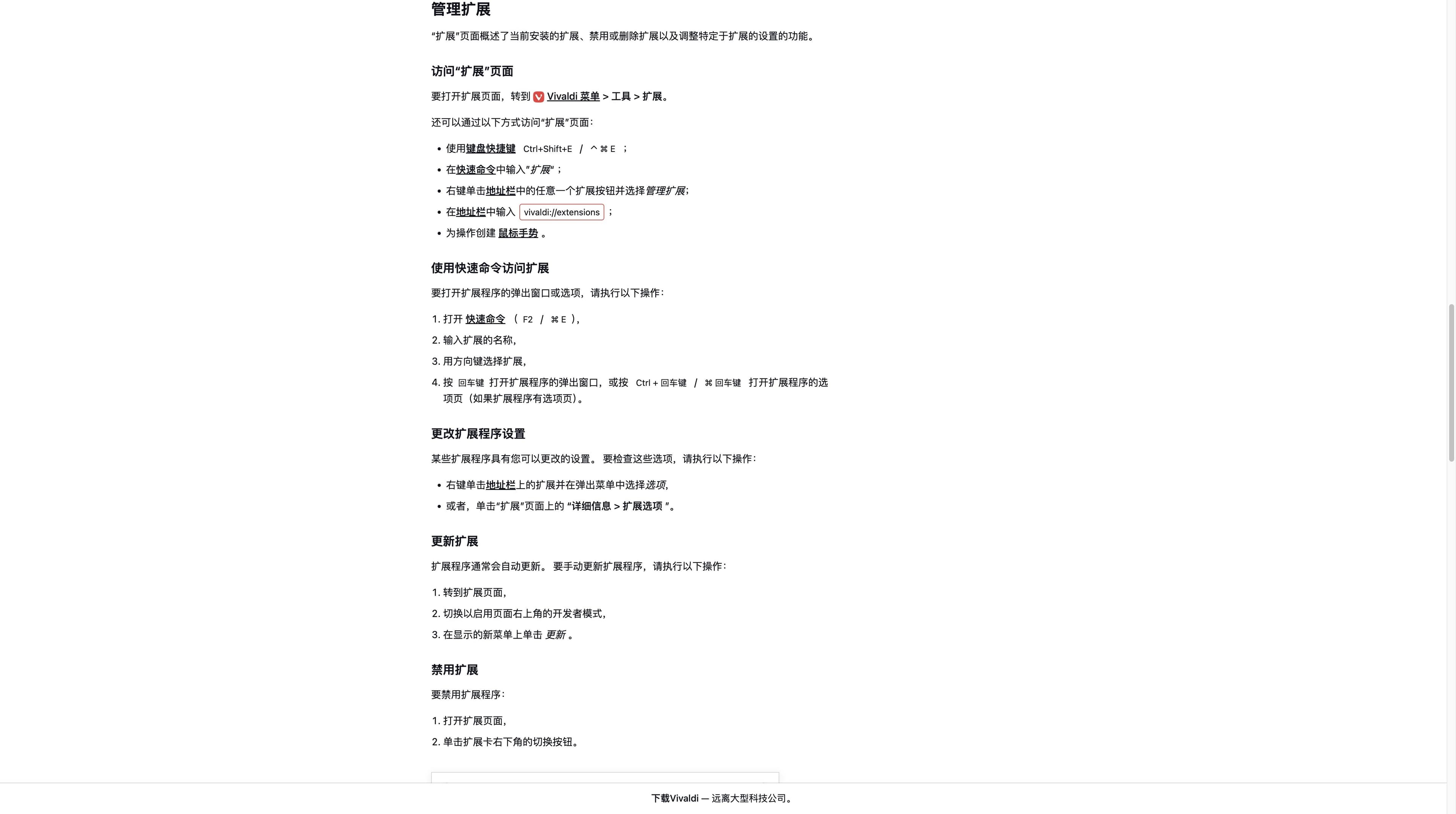
In Vivaldi desktop, open the browser’s Extensions page or visit the Chrome Web Store. Confirm you are on a trusted store domain before selecting Add to browser.
Check the publisher, user feedback, last update and the exact permissions. A useful extension can still be a poor fit if it asks to read every site.
After install, keep the extension menu tidy. Pin a tool for frequent work; leave occasional tools unpinned so the toolbar remains a deliberate surface.
Use Vivaldi’s extension manager to turn off a tool while troubleshooting, edit site access where offered, or remove it when the task is over. Recheck after major updates.
COMPATIBILITY LEDGER
Treat this as a decision aid, not a guarantee. The extension author, Vivaldi release and platform determine the final result.
| Question | Desktop Vivaldi | Android Vivaldi | iOS / iPadOS |
|---|---|---|---|
| Chrome Web Store install | Often available through the Chromium-based desktop browser; verify the listing and browser prompt. | Supported in Vivaldi Android 4143.3 via the Chrome Web Store with “Desktop site” enabled; the official note says not every extension is compatible. | Do not assume Chrome Web Store extensions can run in the WebKit-based app. |
| Extension API fit | Common Chromium APIs may work; Chrome-only UI, native helpers or unusual APIs can fail. | Mobile support is a narrower path: test the exact extension and feature instead of treating a desktop manifest as proof. | Browser extensions require a platform-specific path; desktop Chrome packages are not a direct fit. |
| Toolbar and tab controls | Browser UI integrations can differ from Chrome even when the extension installs. | Mobile controls and gestures use a different interface. | Mobile browser controls and App Store rules define the available surface. |
| Best next step | Install only after reading permissions, then test on a low-risk site. | Enable Desktop site, read the listing and test the exact feature; keep a platform-specific alternative in reserve. | Use the built-in feature set or look for an iOS/iPadOS version. |
This table intentionally uses “often”, “can” and “do not assume”. Extension compatibility is a property of a specific extension and release, not of the word Chromium alone. Before adding another tool, check Vivaldi’s built-in tracker/ad blocker, Notes, Capture and tab/session controls; desktop editions also include Mail, Calendar and feeds.
PERMISSIONS & SAFETY
Permission prompts describe access, not intent. Use a small review loop before giving an extension visibility into pages, tabs or browsing activity.
If you cannot explain the one task an extension performs, do not install it yet. Prefer a narrow tool over a bundle that asks for unrelated access.
“Read and change data on all websites” is broader than a tool that works only on one site. Choose the narrowest site scope the browser offers.
Compare the publisher name, support link, privacy policy, update date and review pattern. A polished listing alone is not a security audit.
Avoid testing unknown extensions on banking, work admin or private pages. Disable or remove tools that no longer have a clear purpose, and review access after updates.
WHEN AN EXTENSION STACK IS THE WRONG TOOL
Vivaldi is a strong choice when you want to configure tabs, panels and built-in browser tools. Tabbit serves a different bottleneck: researching across pages, extracting the signal and completing supported Agent steps. The captures below show product surfaces, not a promise to automate every website.


A research task can keep search results and execution steps beside the browsing surface, so you can inspect what the agent is doing instead of copying every tab into a chat.
The AI summary panel keeps a page’s core message, takeaways and conclusion near the original source. It supports review; it does not replace reading or citation checks.
Tabbit’s AI research, summary and supported Agent workflow are product capabilities. They are not a claim that Tabbit provides Vivaldi’s Mail, Workspaces, ad blocker or every Chrome extension.
NEXT DECISION
Move from compatibility to the workflow you actually want to improve.
A broad look at Vivaldi’s configurable browser, privacy stance and built-in tools.
Compare control, privacy and ecosystem trade-offs before you switch.
A careful guide to privacy claims, permissions and the questions worth checking.
See where a built-in AI research workflow can reduce extension juggling.
FAQ
Vivaldi desktop is Chromium-based, so many Chrome Web Store extensions can be installed. That does not mean every extension works identically: browser UI assumptions, APIs, native helpers and the current release can change the result.
No. Treat compatibility as extension-specific. Read the listing and support notes, install on a low-risk site, and test the exact feature you need before relying on it.
Vivaldi’s Android 4143.3 snapshot adds a Chrome Web Store path when “Desktop site” is enabled, but it explicitly says not all extensions are compatible with the mobile version. Test the exact extension and feature; do not treat desktop parity as a guarantee.
Do not treat desktop Chrome compatibility as iOS/iPadOS support. Vivaldi’s official iOS page highlights built-in tabs, notes and tracker/ad blocking but does not document a Chrome Web Store installation path; check current mobile documentation or use a platform-specific alternative.
Use Vivaldi desktop’s extension manager to review installed tools, pin or unpin them, disable a tool while troubleshooting, adjust available site access, or remove it. Labels and options can vary by release.
Pay attention to access to browsing history, tabs and all websites, plus any ability to read or change page data. Match the scope to the task, review the publisher and privacy policy, and avoid unknown tools on sensitive pages.
Vivaldi’s official feature set includes tools such as ad and tracker blocking, Notes, screenshots, translation and advanced tab controls; desktop editions also advertise tools such as Mail, Calendar and feeds. These can reduce some installs, but they do not replace every specialist extension.
Not as a blanket replacement. Tabbit focuses on AI research, page summaries and supported Agent workflows. Keep Vivaldi when its configurable browser tools are the priority; try Tabbit when the work is reading, comparing or repeating web steps.

TEST THE WORKFLOW, NOT THE CLAIM
Vivaldi is a sensible extension host for many desktop Chromium use cases, with real compatibility boundaries to check. If your bigger problem is turning open pages into research, summaries or supported Agent steps, download Tabbit and test one real task.
Free desktop download · availability and supported features can change by release