A Brave user moved history from Firefox onto a Windows PC, then turned on Sync with an Android phone. The phone never received the history. The PC started losing it. The post is blunt: Brave Sync "randomly deletes part or entire history on my PC". In Google's Chrome forum the same year, someone opened Chrome on a phone expecting bookmarks and passwords and found nothing. Forty-seven people clicked that they had the same question.
Cloud sync is sold as the copy that follows you. In practice it is an agreement about the current state. One laptop stays signed in. A phone paused sync after you left Gmail. A work profile refuses History. A Brave chain merges two histories and keeps the wrong one. The result is often a blank phone library, or a desktop history that shrinks overnight.
Do not start by resetting the account. Make a file you still hold if the cloud copy is wrong. Tabbit Browser shows up later as a place to import that file on a desktop, not as a better clone of Chrome Sync. It has no mobile app at the time of writing.
Key takeaways
Sync makes devices match. It does not keep yesterday's list after today's merge goes badly.
Chrome can pause sync when you sign out of Gmail. Brave can merge a chain and drop history that existed before the join. Edge can fail at sign-in before it ever syncs.
Export bookmarks as HTML before you reset sync, turn passphrase encryption off, or sign the broken machine back in.
Passwords belong in a manager that will still open if you delete the browser profile. A CSV is a temporary list, not a vault.
Tabbit can import a verified Chrome, Edge, or Safari profile onto macOS or Windows. It will not put those tabs on your phone.
Sync failures at a glance
| What you see | Likely cause | Check first | Why this is still not a backup |
|---|---|---|---|
| Phone has no bookmarks or passwords | Sync paused, wrong Google account, or a work profile with sync limited | Profile icon for Paused; Settings → You and Google | The account still holds one live list. A pause or a reset can change it |
| Desktop history shrinks after you add a phone | Brave chain merge, or Chrome History and tabs fighting an older device | Brave sync chain device list; Chrome History and tabs | The merge already wrote the new "truth" to the remaining machines |
| Sync works for bookmarks, not history | Custom passphrase, enterprise policy, or typed-URL-only history rules | Encryption options; Manage what you sync | Partial sync is still a mirror of whatever those switches allow |
| Devices clone themselves in the sync list | Stale chain entries after an update or reinstall | Remove extras from the device that shows them; do not reset yet | Cleaning the list does not snapshot the library |
| Everything matches, then a folder vanishes everywhere | You deleted it on one device, or a bad merge propagated | Recently Closed; the HTML export you made last month | Sync did its job. It copied the deletion |
If the damage is a live window that deleted, duplicated, or came back after you closed it, that is browser sync problems, not this article. If you are leaving Chrome this week and need the export order, use the backup before switching checklist. If the window is only too large to read, start with the too many tabs system.
Sync keeps devices agreeing, not archived
Google's Chrome sync help lists bookmarks, passwords, payment info, extensions, and more as information you can find on every signed-in device. History and tabs is a separate switch. Mozilla's wording for Firefox Open tabs is a view of tabs on other devices. Brave's Understanding Sync page is the most direct of the three: once devices are on a chain, information merges, then changes propagate, and the synced types are the same on every device.
The design is "same state," which is not the same as "same as last Tuesday."
A backup is a copy the current state cannot overwrite. An HTML bookmarks file on a disk you control is that kind of copy. The live sync list is not. Apple's iCloud Safari help is blunt: remove a Reading List item on an iPad and it is removed everywhere. Bookmarks on the same account follow the same rule. Apple also archives Safari bookmarks on iCloud.com, which Chrome's Reset sync does not. The live list is still a mirror.
Workona's own Chrome sync article exists because people try to reconstruct a window from "tabs from other devices" and get a lookup list. I have not timed that list. Google only promises you can find tabs that are open elsewhere. Finding a URL does not restore the window you had, and it is not a dated archive.
Why the mirror breaks across devices
Most "sync not working" pages walk you through Wi-Fi and an update, then sign out and in. Those steps can fix a stalled token. They do not explain why two healthy devices still disagree, or why a repair can make the remaining copy worse.
The session paused and nobody told the other machine
Google's Fix issues with sync page is short. If you signed out of a Google service such as Gmail, Chrome pauses sync and asks you to verify it is you. Sync can also turn off every time you quit Chrome if the browser is not allowed to save on-device site data, or if it clears cookies on exit.
The other devices keep running. They keep writing to the account. When you tap Sign in again on the paused machine, it has to catch up with whatever won while it was offline. That catch-up is a merge. You do not get a preview.
The client is too old, or the account is not yours to sync
A Chrome community product expert answering the May 2025 thread wrote that, starting early 2025, Sync stops working on Chrome versions older than four years (pre-2021). That is a forum answer, not a Google Help spec. It matches the official advice to update before you chase deeper bugs.
Work accounts are a different wall. Google Workspace admins can restrict sync. Microsoft's Edge enterprise sync article spends its first section telling you not to treat an identity error as a sync error. If the profile cannot sign in, Re-sync will not help. "Sync has been turned off by your administrator" is a policy, not a corrupt cache.
A passphrase on one device, not the other
Chrome lets you encrypt synced data with your own passphrase. The official help is explicit about the cost. You must enter it on every device. History no longer syncs in full; only addresses you type in the omnibox. Passwords.google.com will not show those passwords. Change or remove the passphrase and Chrome deletes the encrypted data from Google's servers and signs you out everywhere.
People turn this on for privacy, then add a phone months later and cannot remember the phrase. Resetting it to "fix" the phone wipes the server copy. Local data on machines that were already synced can remain. The next device to sign in uploads whatever it still has. If that device is the empty phone, you will not like the result.
Brave does not have an account. It has a chain
Brave Sync v2 has no Brave login. You start a chain, then join other desktops and phones with a code or QR. Official FAQ items ask why you do not see all browsing history: when History is on, you are syncing typed URLs entered after both devices are on the chain. Older history that lived on the PC before the phone joined is not a guaranteed dump.
That matches the original Reddit report in kind, even if I have not reproduced the deletion. Another comment in the same thread described duplicate devices showing up two or three times and a blank "tabs from other devices" page after an update. A third person stopped waiting for a fix: "I try not to rely on Brave Sync. I use a separate password manager and bookmark managers."
Treat that as workflow, not a product ranking. The useful split is the same on Chrome. Bookmarks in a file you can open. Passwords in a vault that is not the profile you are about to reset.
A reliable backup is a file you still hold
How-To Geek's June 2025 Chrome sync guide ends at deleting the synced data in your Google account. The sentence before those clicks is the one that matters. Export your bookmarks, and have a copy of your passwords if you had been storing them only in Chrome.
Google's import and export help still puts Export bookmarks in Bookmark Manager. The file is HTML. Open it in any browser. If the folders are missing, you do not have a backup yet. Save it off the same disk as the profile, or at least in a folder that already lives on a second machine.
Passwords do not belong in that HTML file. Move them into a password manager you already trust, or export a CSV, import it, then delete the CSV from Downloads and the trash. Do not email it. Google Takeout does not include Chrome passwords. The switching checklist walks through that split if you are also leaving the browser.
Open tabs are still not a file. Bookmark all tabs into a dated folder while the window exists. Session managers and browser session tools try to snapshot windows. They help recovery. They are not a substitute for the HTML export, and they will not resurrect typed form text.
YouTube still has "fix Chrome sync" videos. Tutorials With Noel's 2025 guide had a few thousand views when I opened it. The menus in a year-old recording may not match your build. Prefer the official Help page when they disagree. People keep recording these videos because signing in again often does not feel like a backup.
A practical option: keep the backup in Tabbit, not in live sync
You can import the HTML file into Firefox, Edge, or another Chromium browser and stop there. You do not need Tabbit to own a backup. Tabbit is useful when the next stretch of work is on a desktop, you want bookmarks and logins in one pass, and you would rather park the project in a named workspace than in another unmarked tab strip that the cloud can rewrite.

Leave the old browser installed. Quit it if the importer asks you to.
Install Tabbit Browser for macOS or Windows from the AI browser download page, or follow the install steps. The international site lists Apple Silicon, Intel, and Windows. Tabbit currently has no mobile app. Linux and mobile are listed as roadmap items on the official site, not as downloads.
On the Import bookmarks & settings screen, pick the Chrome, Edge, or Safari profile you actually use. Use Select what to import if you want to drop history or extensions.
Import, then open three bookmarks from different folders. Sign into two sites you care about. If those fail, stop. The old browser is still there.
Dated "open tabs" folders arrive as bookmarks, not as a reconstructed window. Open the folder and restore what you still need.
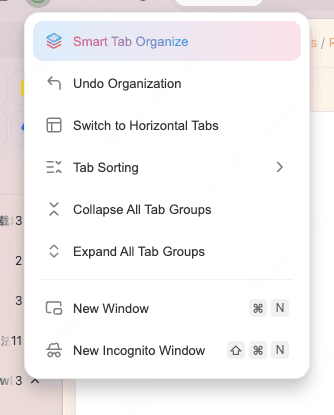
Run Smart Tab Organization once on the restored pile. Rename the groups that are wrong. Move the live project into a workspace.

Tabbit's onboarding copy and our published product pages say the importer can take history, bookmarks, cookies, passwords, and extensions. The screen you see is Import bookmarks & settings. That is a convenience. It is not a reason to delete the old profile before you have clicked through the sites that pay the bills.
The official FAQ also says history, bookmarks, highlights, and chats are encrypted on the device, and that if you turn sync on, they go to compliant cloud providers in Singapore or in your region. That optional sync is still a mirror. It is not the HTML file. It will not appear on a phone, because there is no Tabbit mobile app. Do not treat it as the backup you just made.
Trade-offs you should accept before you call this a full switch:
Tabbit does not put those tabs on your phone. Keep Chrome, Safari, or Edge for that job, or treat Tabbit as a second browser beside the one that already syncs to a handset.
Smart Tab Organization mis-sorts vague titles. You still edit. The AI tab organizer page is the longer version of that limit.
A workspace is useful when the project has a name. Are browser workspaces useful is the decision page if you are not sure you need one.
Importing cookies and passwords does not prove every extension still works. Read Tabbit vs Chrome if enterprise policy, a required extension, or Google account gravity is the actual constraint.
Tabbit is Chromium-based. If the point of switching is to leave Chromium, this is the wrong destination. Use the Chrome alternatives checklist.
Which backup to use
| Your situation | Better move | Why | Limit |
|---|---|---|---|
| Sync paused on one computer, the others look fine | Export HTML from the healthy machine, then sign the paused one in | You keep a file if the merge goes the wrong way | Open tabs on the paused machine may still be local only |
| You need the same live tabs on a phone | Stay on Chrome, Safari, or Edge for that list | Tabbit has no mobile app | Live tabs are still not an archive |
| Brave chain duplicated devices or dropped history | Export bookmarks, keep a password manager, rebuild the chain only after you have the file | Official history sync is typed URLs after the join | I have not reproduced the deletion |
| You want a desktop project that stops moving | Import the verified profile into Tabbit and name a workspace | The working set is local. The HTML file remains the rollback | No phone copy. Optional Tabbit sync is still not the backup |
| You are done with the old browser this week | Follow the full export checklist, then import | Switching needs a verified copy, not a live account | Do not uninstall on day one |
| Work policy disabled sync | Ask IT. Export what the managed profile still lets you export | Reset sync will not override an admin flag | Tabbit will not bypass enterprise Chrome either |
Verdict
Fix the stalled sign-in if you still want Chrome or Brave on a phone. That feature is useful. It is still not an archive.
Make the archive first: an HTML bookmarks file you have opened, plus passwords that live outside the profile you are about to reset. Then import that verified copy into Tabbit Browser on the desktop you actually work on. Keep the phone browser for the live list. Install Tabbit from the download page when the file is in your hand, not before.
FAQ
Why isn't Chrome syncing across my devices?
The usual causes are a paused sign-in after you left Gmail or another Google service, an old Chrome build, a custom sync passphrase on only some devices, or a privacy extension that blocks account cookies. Check the profile icon for Paused, then Settings, You and Google. Signing out and back in can help a stalled session. It can also overwrite the copy that still exists, so export bookmarks first.
Does Chrome sync count as a backup?
No. Sync keeps every signed-in device showing the same current list. A deletion, a bad merge, or a reset spreads the same way a new bookmark does. A backup is a file or vault you can still open after the account copy is wrong. Export bookmarks as HTML and keep passwords in a manager that is not the browser you are troubleshooting.
What should I export if browser sync fails?
Export bookmarks from Bookmark Manager as an HTML file and confirm the folders open. Move passwords into a password manager, or export a CSV you delete after import. Bookmark all tabs into a dated folder if the live window still exists. Google Takeout does not include passwords. Keep the old browser installed until you have opened a few important sites elsewhere.
Will resetting Chrome sync delete my bookmarks?
Resetting clears the copy stored in your Google Account. Local data on devices that already synced can remain, but the next sign-in may upload whatever those devices still hold. How-To Geek tells you to export bookmarks before you delete synced data for this reason. Do the export, then reset from the machine whose local library you trust.
Can Tabbit replace Chrome sync on my phone?
No. Tabbit Browser is currently a desktop app for macOS and Windows. Linux and mobile are on the roadmap. Keep Chrome, Safari, or Edge if you need the same live tab list or logins on a phone. Use Tabbit for a named desktop workspace that does not depend on that live list.
Why does Brave sync drop history between phone and PC?
Brave has no account. Devices join a sync chain and then merge. Official FAQ text says history sync covers typed URLs entered after both devices are on the same chain, not a full dump of older history. Community posts also describe duplicate devices and history disappearing on the PC. Treat that as a reason to keep an HTML export and a password manager, not as a Brave version pin.